
Important Update:
A new Squad tab has been added to the terminal. In this tab, you can form a squad of up to 10 girls!
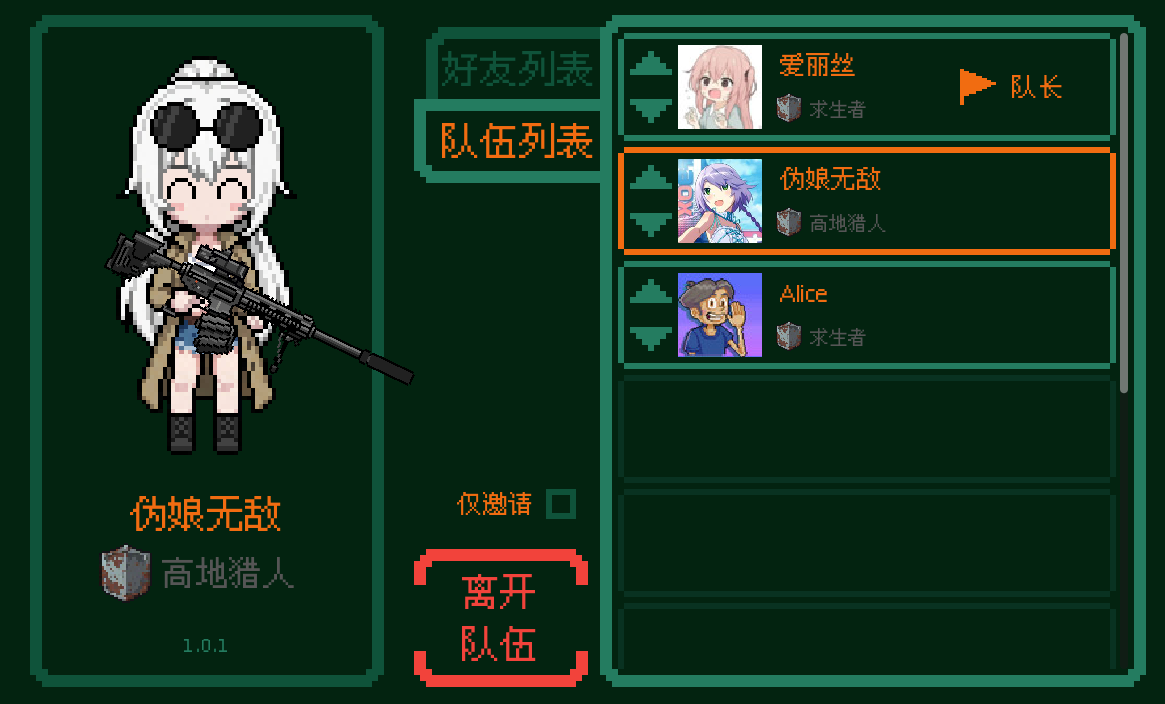
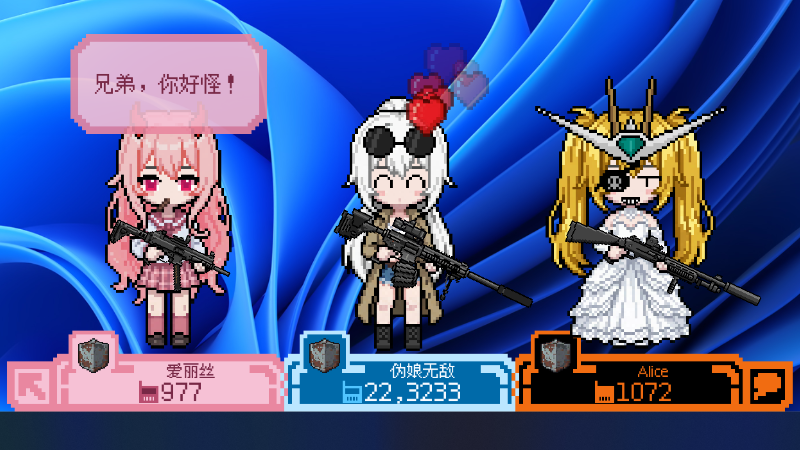
The girls in your squad will all appear together on the desktop.
The desktop pet's settings button has been replaced with a Chat button. You can use this to send messages to the chat bubble.
If you like a friend's girl, spam-click to send her hearts!
Other Improvements:
The desktop pet will now always remain visible, regardless of whether the terminal is shown or hidden.
Desktop pet settings have been moved to the settings window in the terminal.
Added options to allow the base to sink into the taskbar and to enable base transparency.
The minimum zoom scale for the desktop pet has been expanded to 0.3.
Known Issues:
Due to engine limitations, emoji characters cannot be directly typed into the chat bubble, but they can be pasted via copy-paste.
When the desktop pet is set to "always on top" and the option to allow the base to sink into the taskbar is enabled, clicking the taskbar may cause the base to become obscured. This is due to Windows taskbar behavior.