
v1.6 is now officially available.
1. Local AI Smart Cutout and Batch Processing
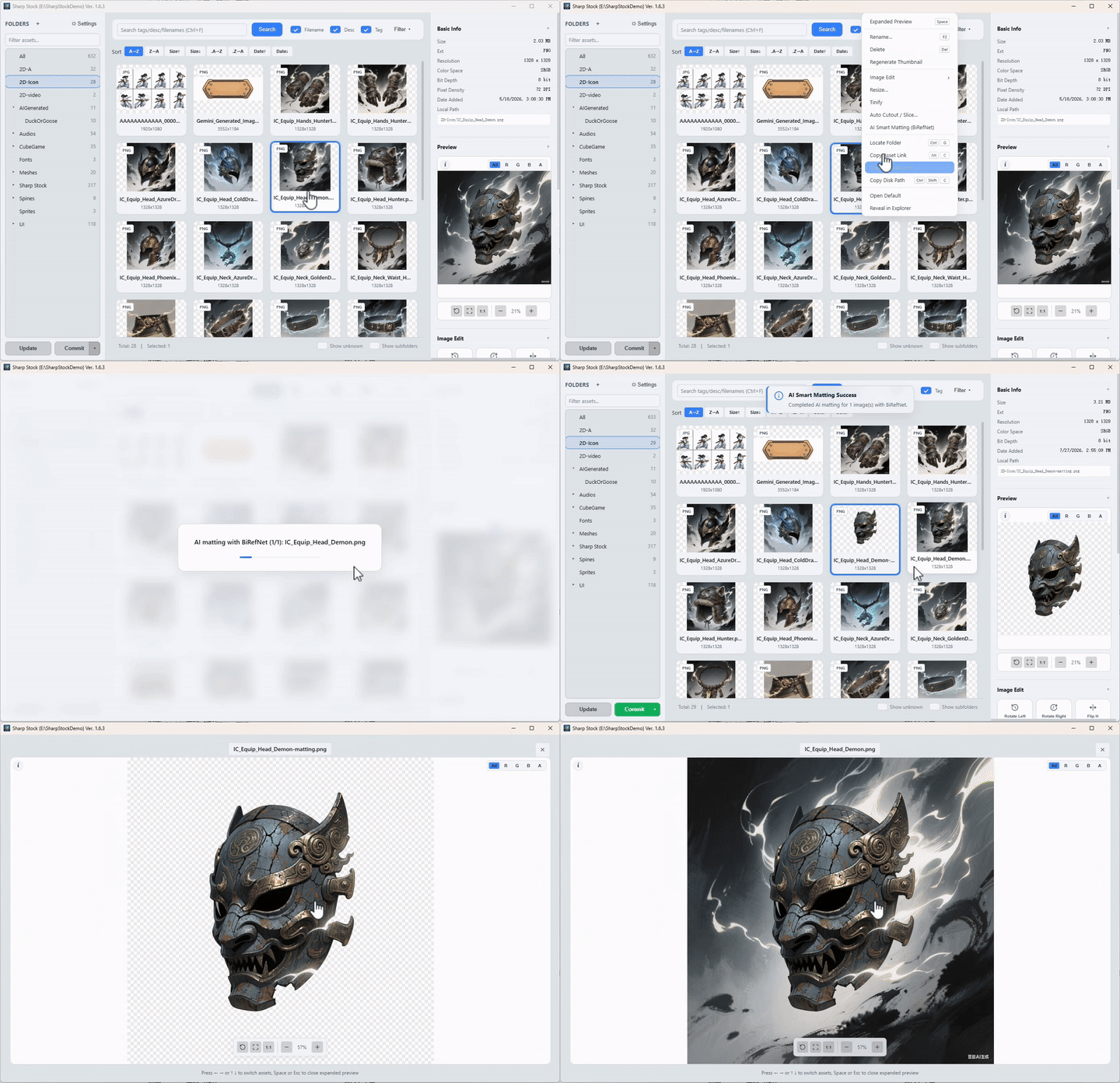
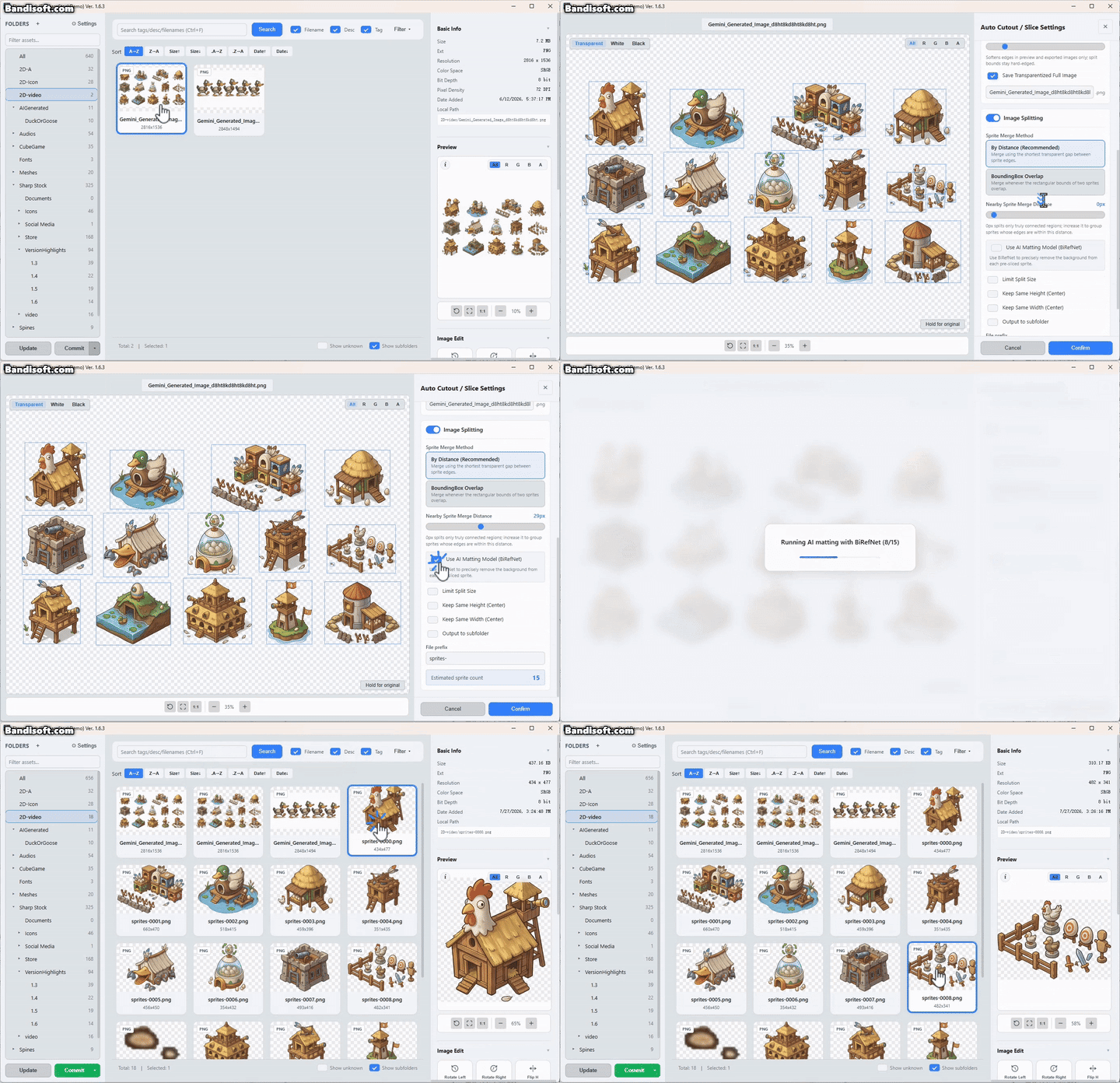

For complex edges, character art, or source images, use Local AI Smart Cutout to create transparent PNGs
Windows supports DirectML acceleration; macOS offers a natively optimized CoreML model
Model downloading, extraction, and verification are all handled in the app, and image processing remains entirely local
2. More Flexible Automatic Slicing
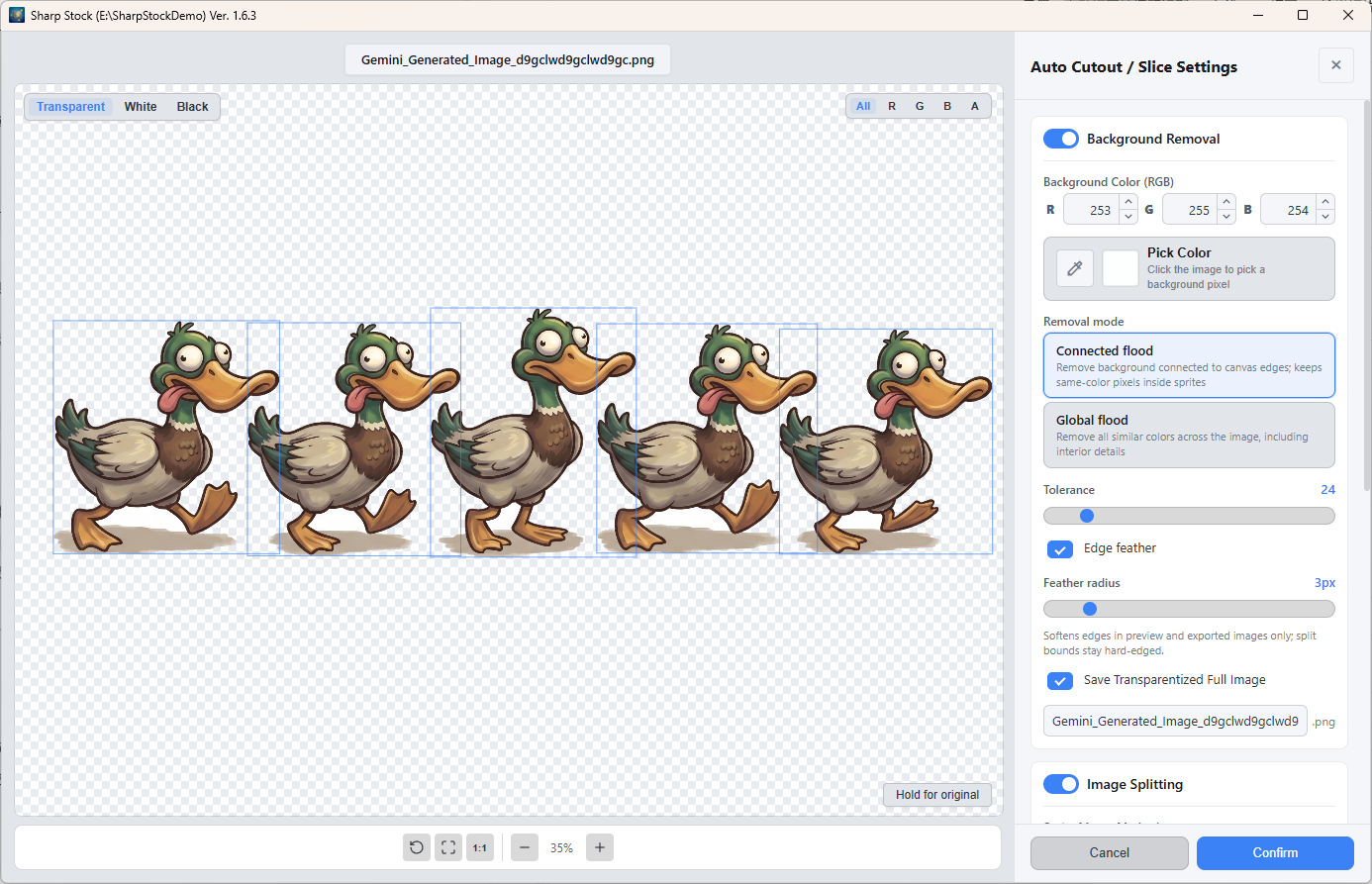
New gap-based detection helps automatic slicing adapt to different asset layouts
After previewing the slices, you can choose to apply Local AI Cutout to them
Assets with intricate edges that are difficult to process using color tolerance alone now offer more room for adjustment
3. Inspect Details Directly in 3D Preview
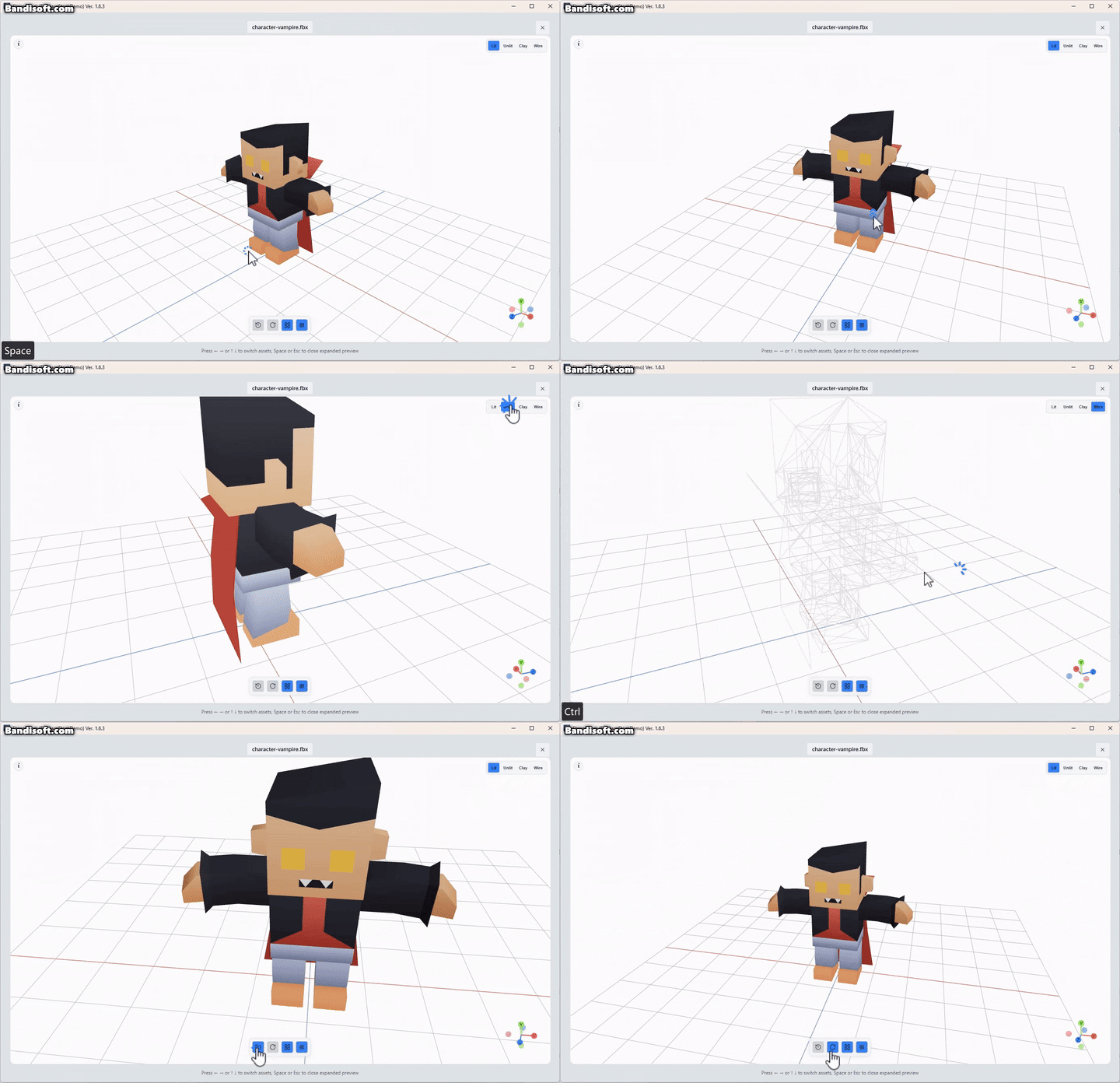
3D model preview supports rotation, zooming, and panning
Inspect models more conveniently without leaving the asset library
4. Smoother Everyday Asset Organization
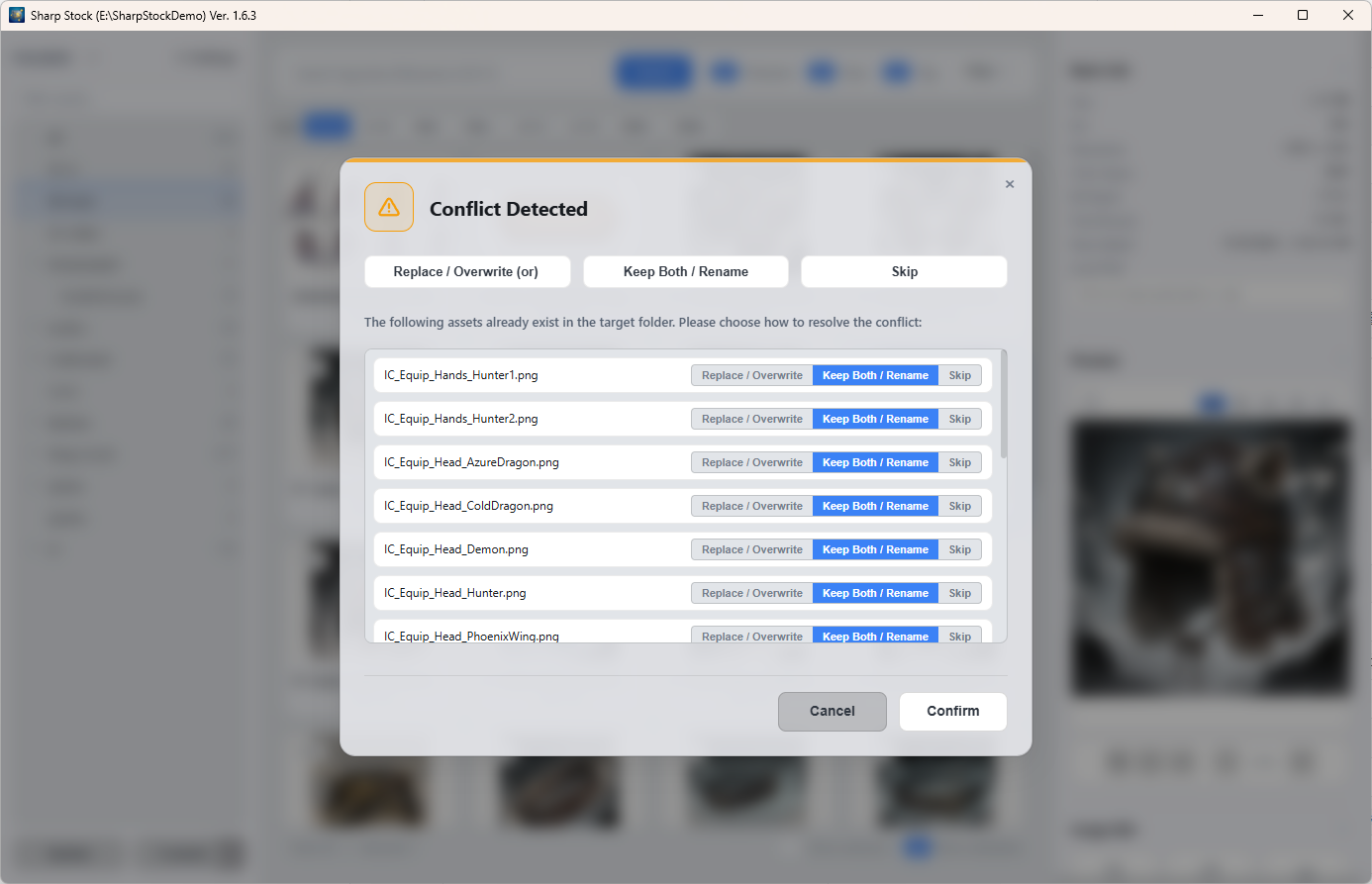
When an imported or generated asset has the same filename as an existing file, choose to overwrite it, keep both with automatic renaming, or skip it
Scanning now displays progress
Before using SVN Revert, you can review the list of files that will be restored
Batch PNG compression now supports Tinify, while Squoosh remains available as an existing compression option
5. More Interface Languages
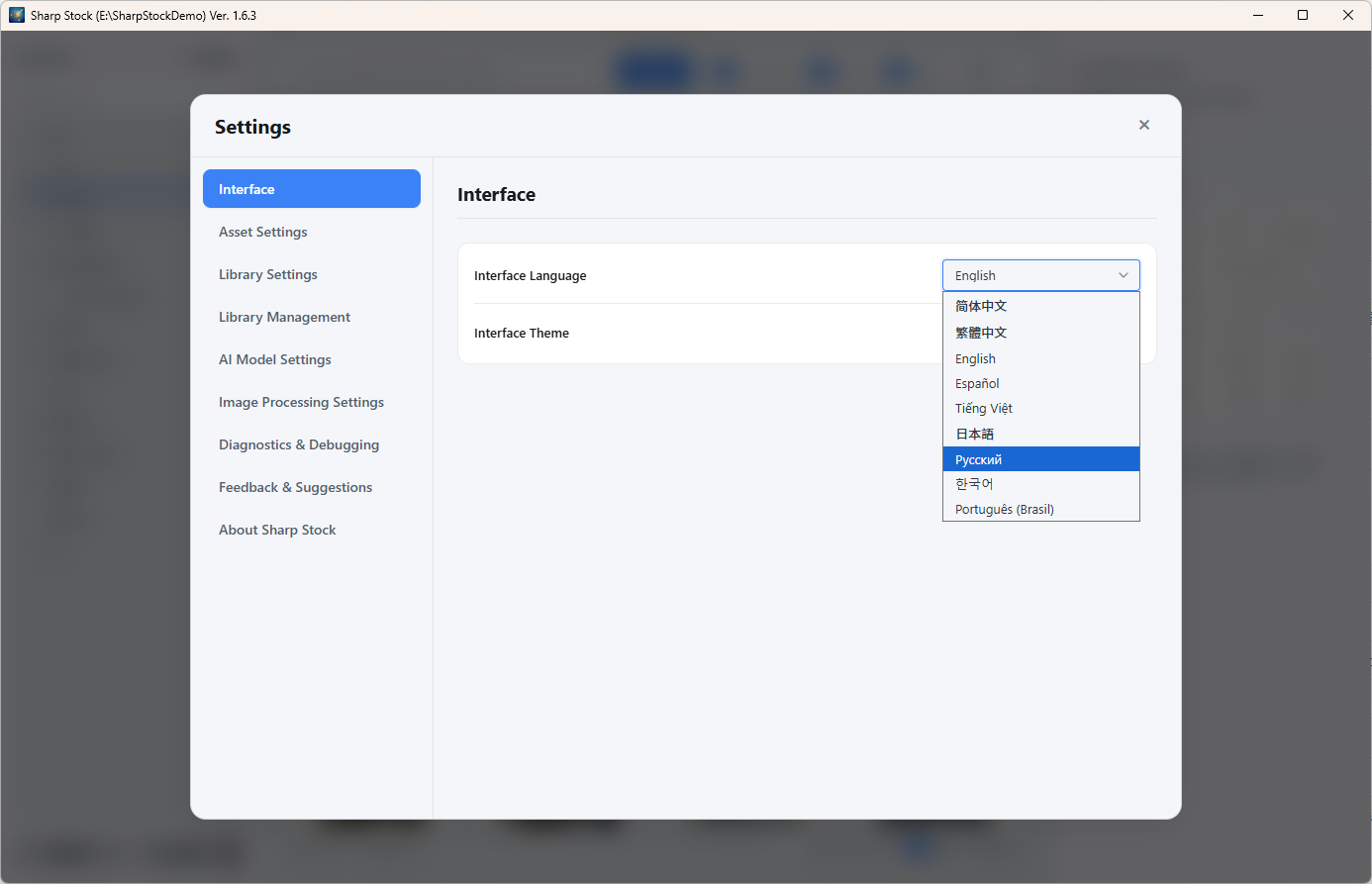
Russian, Korean, and Brazilian Portuguese interfaces have been added
That covers everything in the v1.6 update. If you encounter any issues, please let us know through Settings > Feedback.