
Version 1.0.8b adds a complete save-preview workflow, makes custom Image View layouts dependable across window and monitor sizes, and improves selection, grid, shared-colour, and editable-text controls.
Highlights
- Preview Save, between Save Project and Save, shows the exact canvas output in a separate window on a light-gray preview background whose colour can be changed in UI Settings.
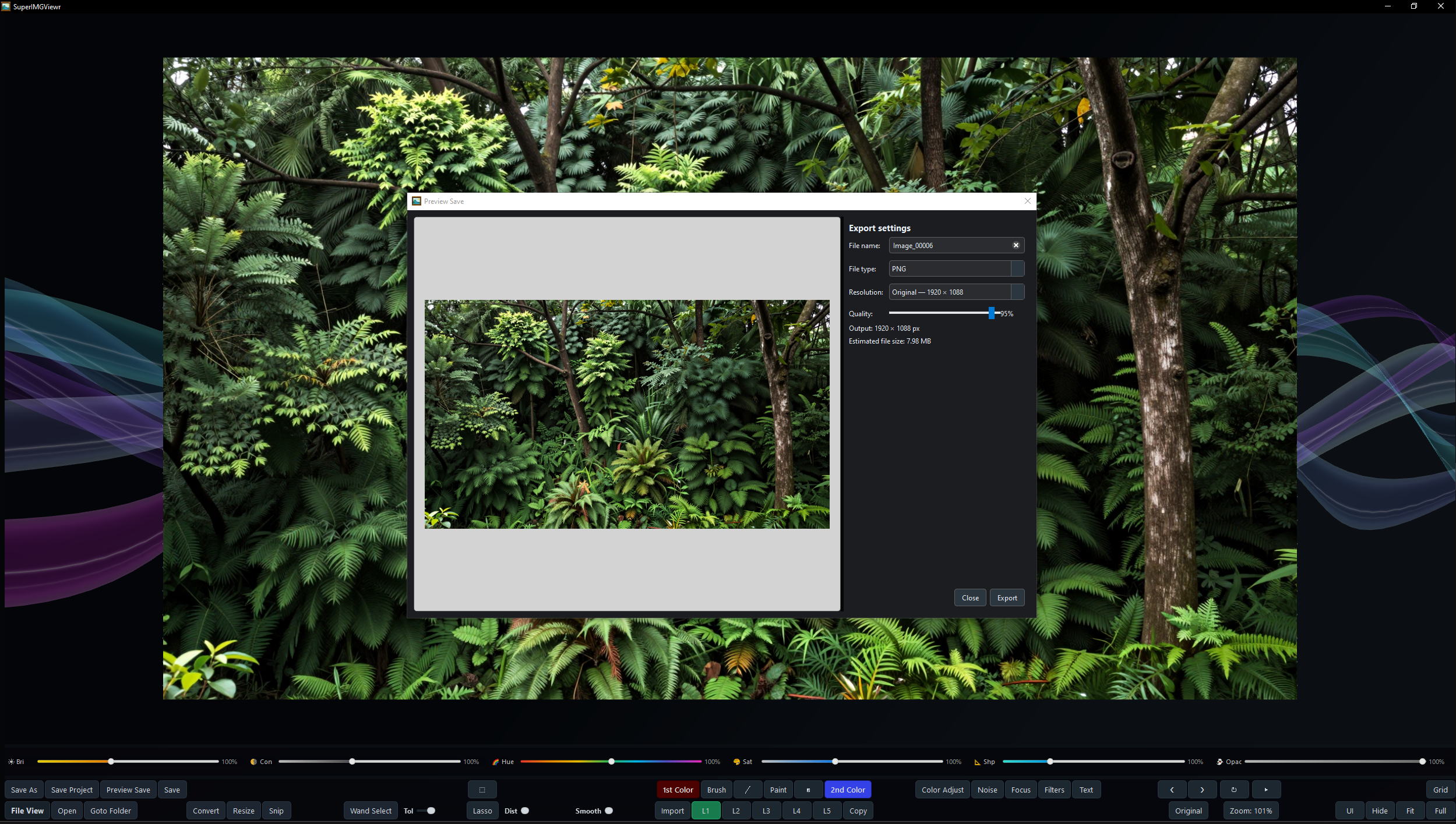
- Preview Save provides file name, file type, quality, resolution presets or a custom size, output dimensions, an estimated file size, and an Export button that opens a destination-folder chooser.
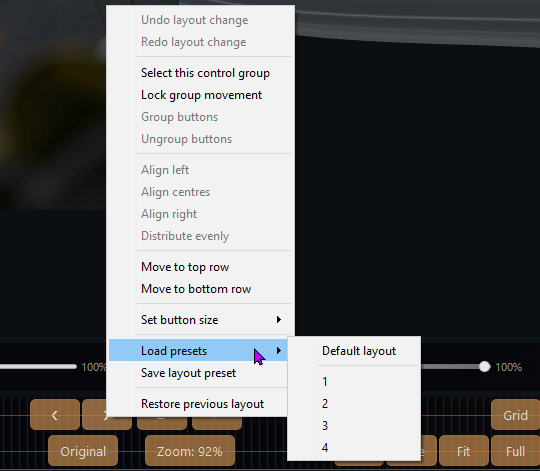
- Image View's UI Edit mode can load the updated Default Layout or a named custom preset, save the current layout under a new name, and group or ungroup selected buttons.
- Small, Default, Medium, and Large are global button-and-font sizes; toolbar rows expand when required, layouts reflow for the current monitor, buttons keep at least 2 pixels apart, and More tools stays anchored inside the main toolbar and never becomes a tiny separate window.
- Content-Aware Select analyses the full active image and additional semantic views to reduce square cut-offs, replaces the current selection without Shift, and preserves it while Shift adds another distinct subject, including smaller subjects such as faces.
- Wand left-click replaces the last selection, Shift adds, and Alt subtracts; Wand, Lasso, and Content-Aware boundaries use green marching ants, including inner and removed areas, without a selection glow.
- The Grid button above Full toggles the overlay and offers 1 px, 2 px, 3 px, other presets, and a custom size on right-click; 1st Color and 2nd Color are readable shared swatches for Brush, Paint Bucket, Rectangle, and Line.
- Add Text and Edit Text now include a background colour, independent background opacity, and a seamless fade: when enabled, all outer edges and corners reach full transparency while the slider controls how far the transition extends inward; the options and sliders scroll vertically in a shorter window while Preview remains visible.
- Colour Adjust, Filters, Noise, and Focus now provide separate Apply and OK actions: Apply commits the current full-quality effect without closing the window, so settings can be refined and applied again; OK keeps its existing commit-and-close behaviour.
- Alt+Enter fullscreen now hides both scroll bars, keeps the Image View right-click menu above the fullscreen surface, and lets Fit use the complete available viewport; comparison animation now defaults to 14% speed and Point Zoom to 80%.
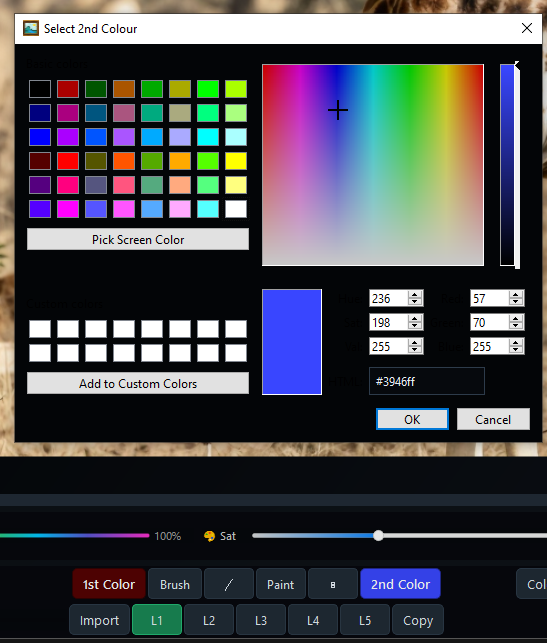
- Switching a Wand or Content-Aware selection to Lasso now reuses the existing marching-ant outline instead of rescanning the whole mask, preserving multi-subject selections without the old slowdown or glow.
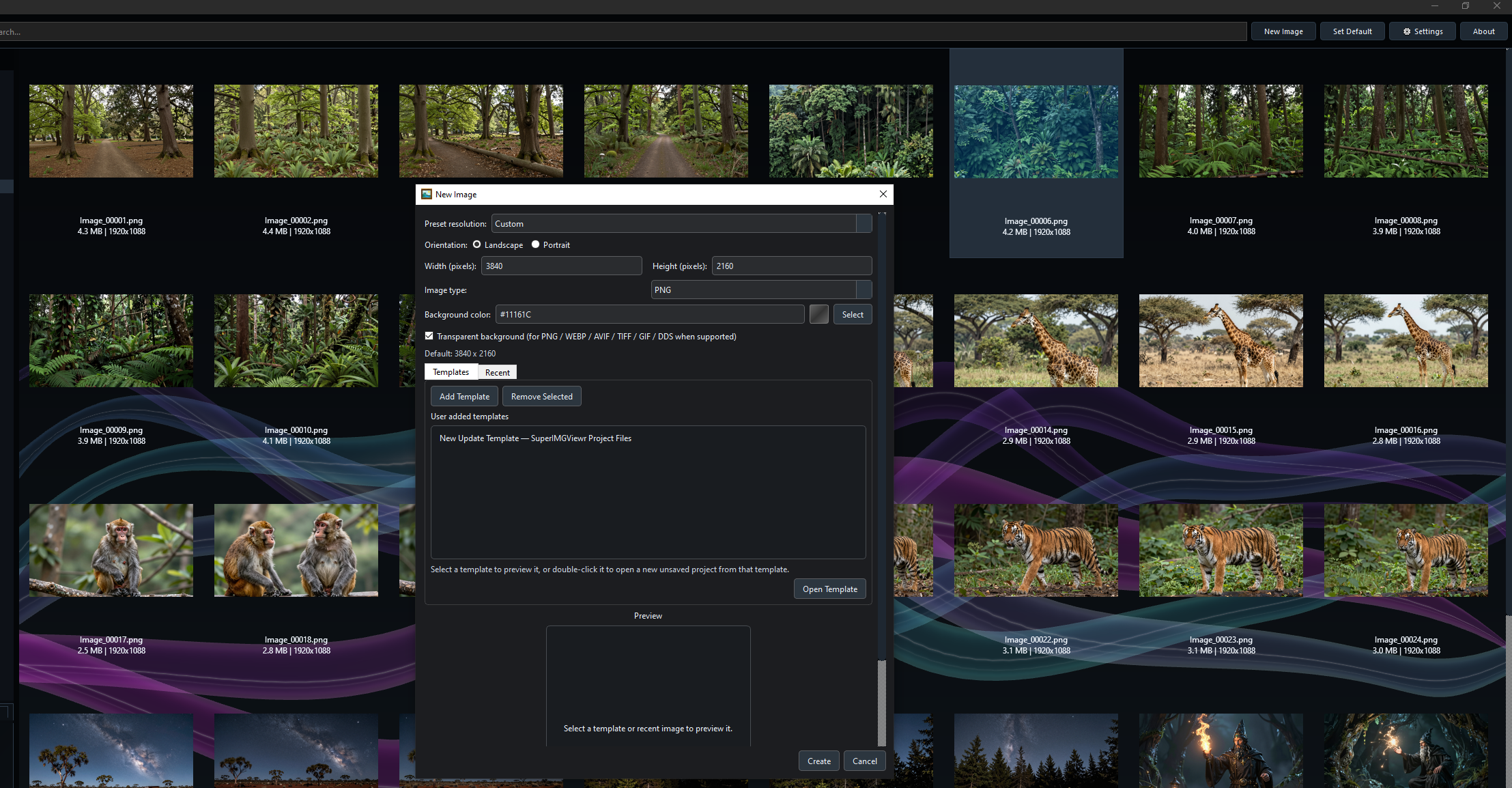
- New Image, Set Default, Settings, and About no longer flash File View black, while Colour Adjust, Filters, Noise, and Focus appear only after their themed first frame is painted; File View parallax continues while dialogs remain open.
- Text objects now align correctly to the horizontal or vertical centre and every canvas edge; the New Image window also explains how saved projects can be reused as templates, with Grid, Preview Save, text-background, Drop Shadow, Emboss, and template guidance translated across all supported languages.
SuperIMGViewr 1.0.8b