
Version 1.0.8a adds local AI-assisted selection, layer-aware cloudy effects, instant canvas colour picking, and a deeper, more stable Silk (3D) parallax experience.
Highlights
- Content-Aware Select now uses the local U-2-Net Lite (u2netp) model to refine foreground subjects without uploading images.
- Content-Aware Select is available from layer context menus and selection-tool workflows, and now targets Layer 1, Layer 2, or any other active layer.
- AI-assisted selections retain normal selection ownership, so Feather, Invert, Copy, Fill, Erase, Crop, and effects recognise them correctly.
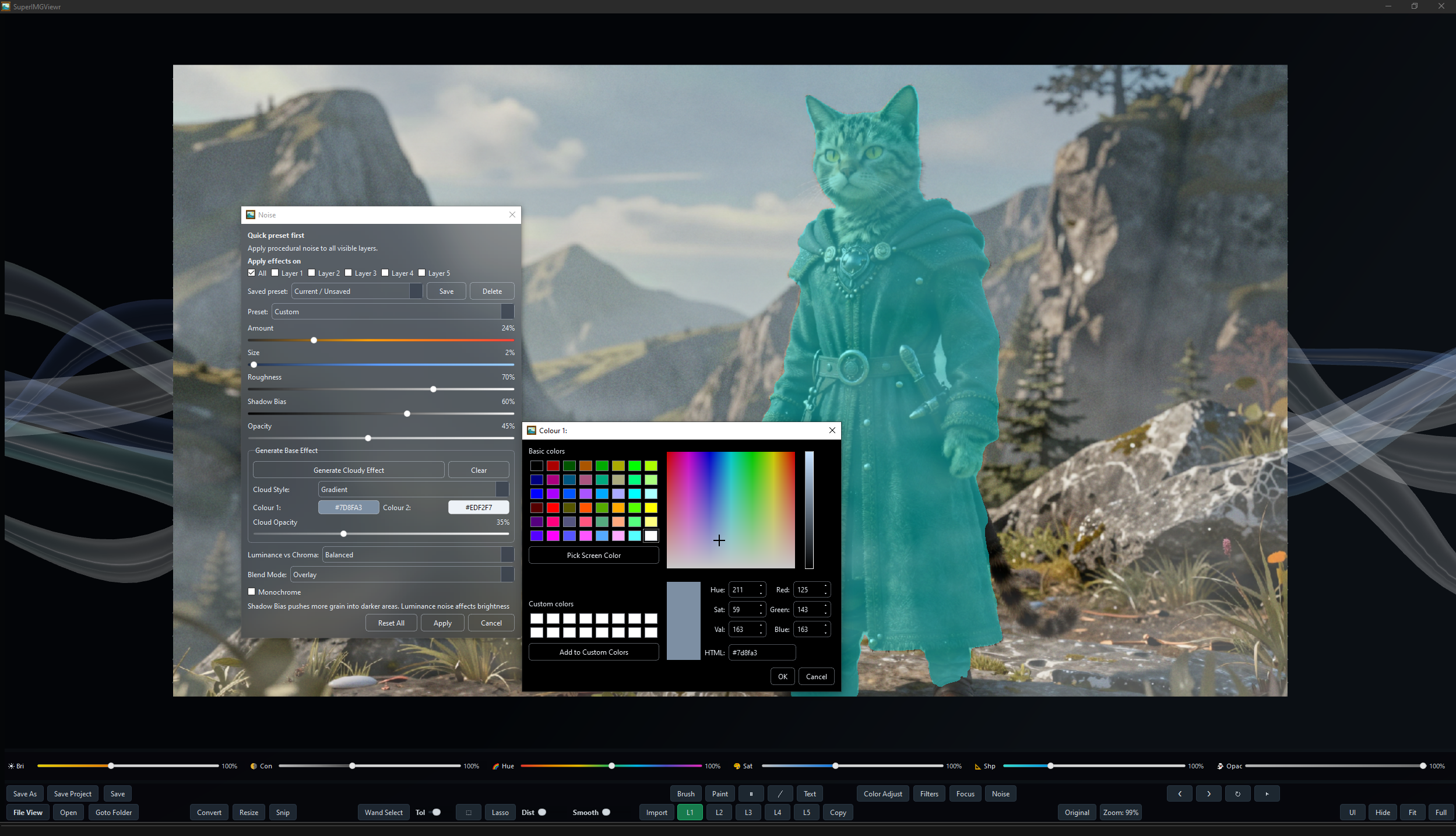
- Generate Cloudy Effect in Noise creates a canvas-sized editable object on the selected layer, including empty or hidden layers, with one- or two-colour gradients and a live opacity preview.
- While Brush, Line, or Rectangle is active, hotkeys 3 and 4 launch an instant canvas picker for the primary or secondary colour, with a swatch, hex value, and enlarged 10 × 10 pixel preview beside the cursor.
- The Silk (3D) parallax background adds translucent OpenGL ribbon waves, layered depth, glass-like sheen, time-shifting colour, and specular dust particles across the full window width.
- Silk (3D) now works consistently in Image View and remains at a constant geometry scale while zooming, without shrinking or readjusting artifacts.
- The Windows package keeps Qt/PySide6 dynamically replaceable under the community LGPLv3 route, excludes the unused Qt Virtual Keyboard module, and does not enable Steam DRM.
SuperIMGViewr 1.0.8a