
Version 1.0.7b is a broad workflow update covering editable text, transforms, brushes, effects, selections, Batch Edit, Original comparison, Point Zoom, responsive interface design, and large-image performance.
Complete 1.0.7b highlights
- Editable text stays editable, with wrapping, alignment, character and line spacing, outlines, reusable styles, and dot-point insertion in both Image Viewer and Batch Edit text workflows.
- Transforms are easier to control with consistent screen-sized grabbers, reliable text and object hit areas, snapping guides, and an editable rotation pivot.
- Image View's customizable UI supports drag-and-drop button arrangement, adjustable button size, named layout presets, Automatic/Compact/Standard/Wide/4K profiles, previous-layout restore, layout validation, and responsive spacing that keeps every button available as the window changes.

- Undo is more predictable: complete brush drags, selections, fills, transforms, and continuous grid-cell painting are grouped into single undo actions.
- Editing tools gain smoother first-pass Healing, overlap-safe Ink strokes, continuous Paint Bucket grid-cell dragging, clearer inverse selections with marching ants, and more dependable selection behavior.
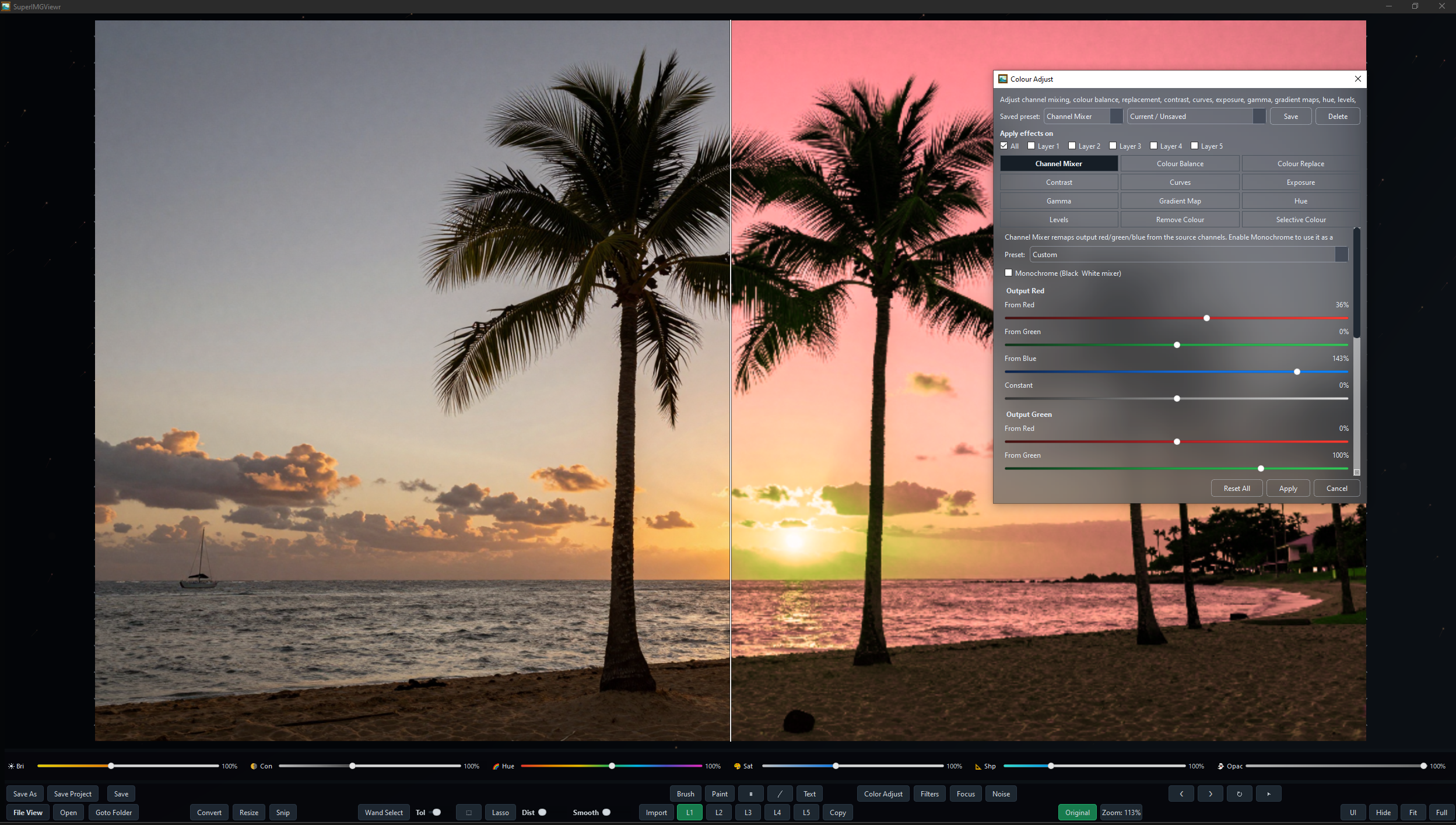
- Colour Adjust adds expanded Contrast controls and alphabetical organization. Image View's right-click effects are ordered Colour Adjust, Filters, Focus, then Noise; Filters has an icon, Layer 1 labels are shorter, and Apply commits filter changes reliably.
- Original comparison adds a draggable split divider and constant-speed sweep with configurable loops and 1%-200% speed, using 40% by default. Linked comparison controls appear in the Image View context menu while Original is active.
- Point Zoom adds configurable maximum zoom and speed. While enabled, right-click retains the complete Image View menu and exposes translated Zoom Options in the same styled settings area.
- Batch Edit Preview includes the complete Filters panel beneath Noise, reusable named presets covering the full setup and output type, a movable preview/settings divider, responsive controls, and a preview image that grows with the window.
- Large-image editing is more responsive with background processing, cancellable previews, progress feedback, cached or tiled filtering, configurable preview quality, and the Near Final 99% option.
- File View gains direct comparison of exactly two selected images and accurate right-click hit testing on scrolled selections without moving the view. Parallax is 30% slower for calmer motion while retaining the 60 Hz cap.
- The New Image window now includes translated Templates and Recent tabs: add reusable .suiv templates, browse about eight entries at a time, preview selections at 300 × 300, and reopen the latest 20 accessed images.
- All seven interface translations, manuals, published documents, and Steam release notes are updated for 1.0.7b; the complete localized User Documentation contains detailed workflows and controls.
SuperIMGViewr 1.0.7b