
This update brings a wave of visual polish, new content, and quality-of-life improvements across the board.
Custom Stage Creator
Custom Stage Creator is a pre-game configuration screen accessible from the main menu that lets players build a fully custom challenge stage.
It has four panels:
Enemies — scrollable grid of all enemies in the game; click to toggle individual ones on/off, or use "ALL/CLEAR" to select everything at once.
Bosses — two-column list of all bosses; clicking adds them in order (the order defines the spawn sequence). Press R to remove the last one.
Events — checkbox list of optional in-game event types to enable.
Config — four draggable sliders: Boss Spawn Interval (30–600s), Event Min Interval, Event Max Interval, and Difficulty Multiplier (0.7–3.0×).

Bosses
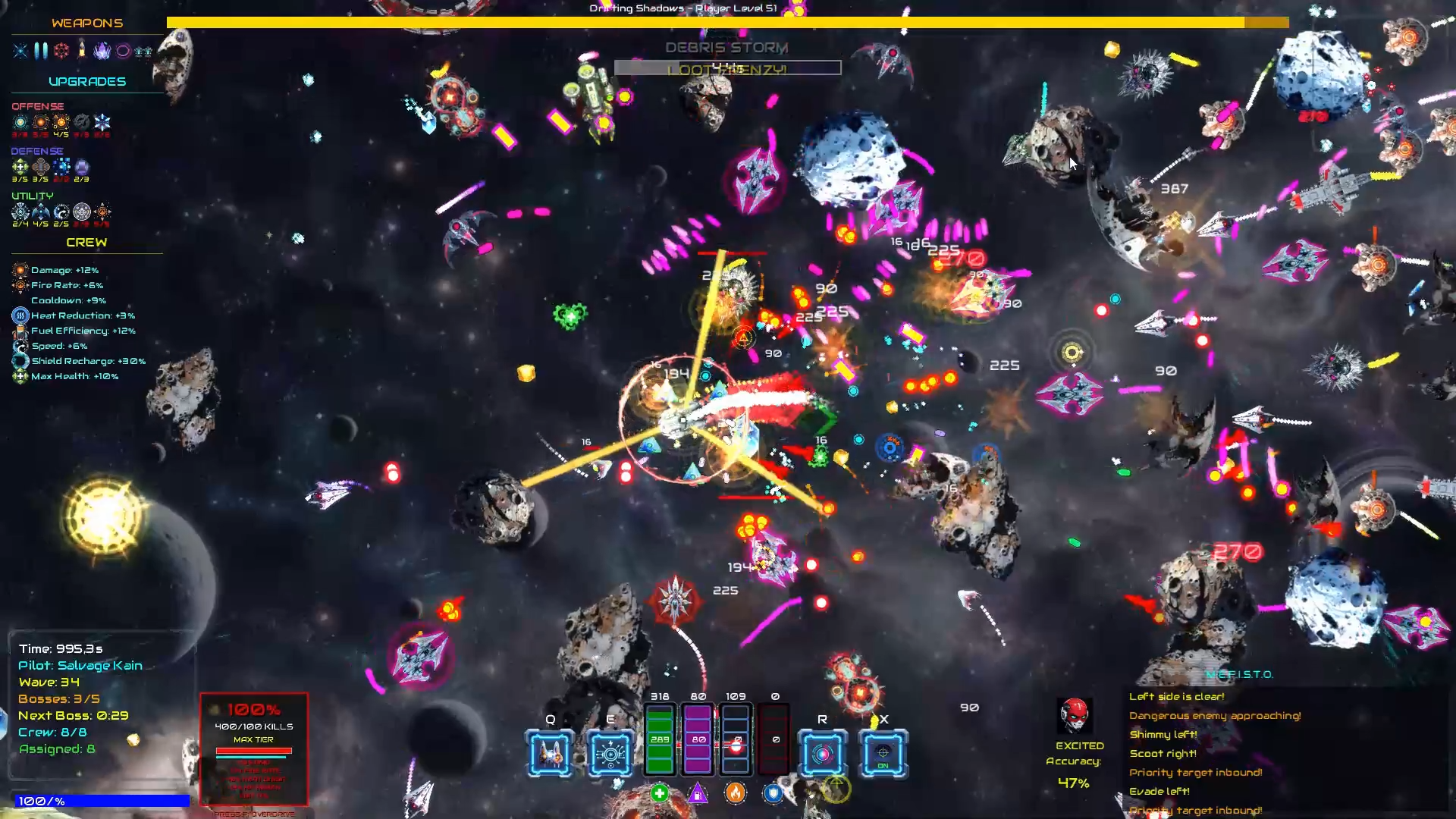
Bosses now warn you before attacking with their most powerful weapons. Before a big attack lands, you'll see a glowing shape appear on the ground — a ring means a burst of bullets in all directions is coming, a cone means a spread of shots aimed at you, a crosshair means something is about to explode at your feet. You have a moment to dodge. No more cheap deaths from attacks that came out of nowhere.
Five new attack types for bosses. On top of their usual weapons, bosses can now use:
Ring Burst — fires bullets outward in all directions at once
Spiral Volley — spins two streams of bullets around the boss in a spiral
Beam Sweep — sweeps a wall of fast shots across a wide arc
Explosive Mortar — lobs a blast to your current position (marked by a reticle in advance)
Aimed Volley — a tight spread of shots aimed slightly ahead of where you're moving
Phase transitions look different per boss. When a boss changes phase, instead of the same explosion every time, you now get one of three distinct moments: a big outward blast (Supernova), everything collapsing inward in a shockwave (Implosion), or a sharp violent crack with debris flying out (Shatter). The Hive Queen uses all three as it reaches each phase.

New Weapon Evolutions
Mausoleum Array
Four orbiting obelisks slowly circle you, each independently tracking a nearby enemy. When locked on, they launch homing missiles that detonate on contact.
Liquid Disco
Fires 8 projectiles per burst in a full 360° spiral pattern, each arc bending in a sine wave.
Shatter Round
A single high-velocity projectile. On top of that, the explosion pushes enemies away with strong knockback force — useful for clearing clustered groups or creating breathing room mid-swarm.
Tesla Orb
One crackling orb orbits you and fires chain lightning that bounces up to 3 times between enemies, losing 35% damage per bounce.
Mechanics
Metaupgrades
New metaupgrades to extend cooldown and duration of Time Dilation and Teleport.
Some fixed in the how the upgrades are applied (some of them provided no real bonus, some others had their bonus applied incorrectly)
Upgrades CAP
Utility upgrades now have one more slot available.
Leveling up now grants upgrades until level 60.
Difficulty Level
Added new Difficulty LEvel selection on main menu:
Easy: 75% less damage and HP for enemies and bosses, on top of the natural damage and HP progression;
Normal: normal stats;
Hard: enemies and bosses have 15% more HP and cause 15% more damage;
Sci-fi: 30% more damage and HP for enemies and bosses.
Visuals
Exhaust trail (the stream coming from the engine when you move)
Each pilot leaves a trail in their signature color instead of the same blue-white for everyone
Combo trail (the glowing wake that appears when your combo is active)
Also colored in the pilot's signature color, but looks distinct from the exhaust — it's a wider, more ethereal glow rather than a tight engine stream
Engines & Movement
Your ship's exhaust trail now comes out of the back of the engine, not the middle of the ship — it looks like it's actually being pushed by thrust
When you hold boost, two extra side streams appear (dual-engine look) plus white sparks shoot out, making speed feel fast and aggressive
When you're sitting still, the ship now pulses with a faint cyan glow, like it's alive and idling
Taking Damage
When you get hit, sparks now fly away from where the hit came from, so you can tell which direction the damage came from at a glance
Right after getting hit, your ship flickers rapidly for a brief moment — this is the game showing you that you're briefly untouchable (so you won't take back-to-back hits)
When your shield completely breaks, a burst of cyan rings expands outward and the screen shakes slightly — it feels like a big moment instead of just a normal hit
Low Health Warning
When you drop below 30% health, your ship starts venting damage smoke — a visual warning that you're close to dying
Glows & Light
All glowing effects (halos, engine trails, projectile edges) now add light instead of blending with the background — on the dark space backdrop this makes everything visibly brighter and more vivid
The player ship, all enemies, bosses, and HiveNodes now have a soft pulsing glow around them that breathes in and out slowly
The entire scene has a subtle bloom effect — bright things (ship engines, projectile cores, explosions) now leak light slightly into the surrounding area, like a real lens would
Projectiles & Weapons
Laser and missile trails now draw as connected ribbons instead of separate dots — they look like solid streaks of energy
When a projectile hits something, sparks fly in the correct direction and use the weapon's own color (cyan for energy weapons, orange for explosions) instead of always being yellow
Enemies & Bosses
Enemies and bosses now have the same multi-layer glow treatment the player does — nearby enemies pulse with energy, far-away enemies stay simple to keep performance high
HiveNodes pulse with an orange-red energy glow
Quality of Life
Settings menu
Some fixes and additions to the settings menu:
- Show FPS, Particles, Particle Quality;
- Screen Shake + Intensity, Damage Numbers, Tutorial Hints, Auto Pause
- Bloom slider
- Brightness/gamma slider — pairs with bloom for visibility.
- Window mode (Fullscreen/Borderless/Windowed) + Resolution