
What’s in this update
This build deepens optional long-run systems: your own game engine as a product, story universes for franchise continuity, a full Football Annual hub and release planner, the Wrestling Federation passion project, and a much stronger in-game Player Guide (search, structure, and context-aware suggestions).
These are all initial versions of these systems and the intent is to strengthen them further in future updates!
Engine Lab — your engine as a studio product

Where to find it: Games (sidebar area) → Engine Lab tab.
After you found and named your engine, the tab label switches to your product name (shortened if long) so it’s easy to spot.
Why use it: Projects you start in New Project and build on your engine get development speed and review effects tied to how healthy your engine is — and later, in full platform mode, you play the licensing and adoption game like a real middleware business.
How to unlock founding (internal engine)
Open Engine Lab. If you haven’t founded yet, the screen shows whether you qualify. You need:
$200,000 cash to found the division, and
Either:
Calendar year 1990 or later and at least 2 qualifying shipped games, or
At least 3 qualifying shipped titles in any year (proven-studio shortcut).
Pick a product name and found — that one-time payment is taken when you confirm.
What you do after founding
Philosophy sliders — performance vs tooling, openness/mod-friendliness, stability vs fast iteration. These shape your scorecard, warnings, and story text on the screen.
Lifecycle — including an internal build phase toward first release, then live product management with versioning, compatibility debt, and goodwill.
R&D programs — smaller minor tracks and bigger major version preparation (multi-week, costs time and money).
Roadmap summit — a timed program to realign philosophy (with a cooldown between summits).
Growth actions (full platform) — push marketing, SDK, and outreach-style levers so adoption and income move.
Internal vs full platform
You start as an internal engine: benefits apply mainly to your games and the New Project wizard. Full platform unlocks when you meet any of the checklist criteria shown in the lab (e.g. calendar progress, ships, revenue, staff size — advance one week after qualifying to see the reveal). Third-party adoption, market position vs baseline, and weekly adoption breakdowns matter in that phase.
Where you see impact in play
On a shipped game’s record, look for Engine Lab impact: compatibility/review effects, comparison vs market baseline when relevant, dev throughput while in development, and the base review bonus from tooling polish.
Story universes — shared worlds for your games
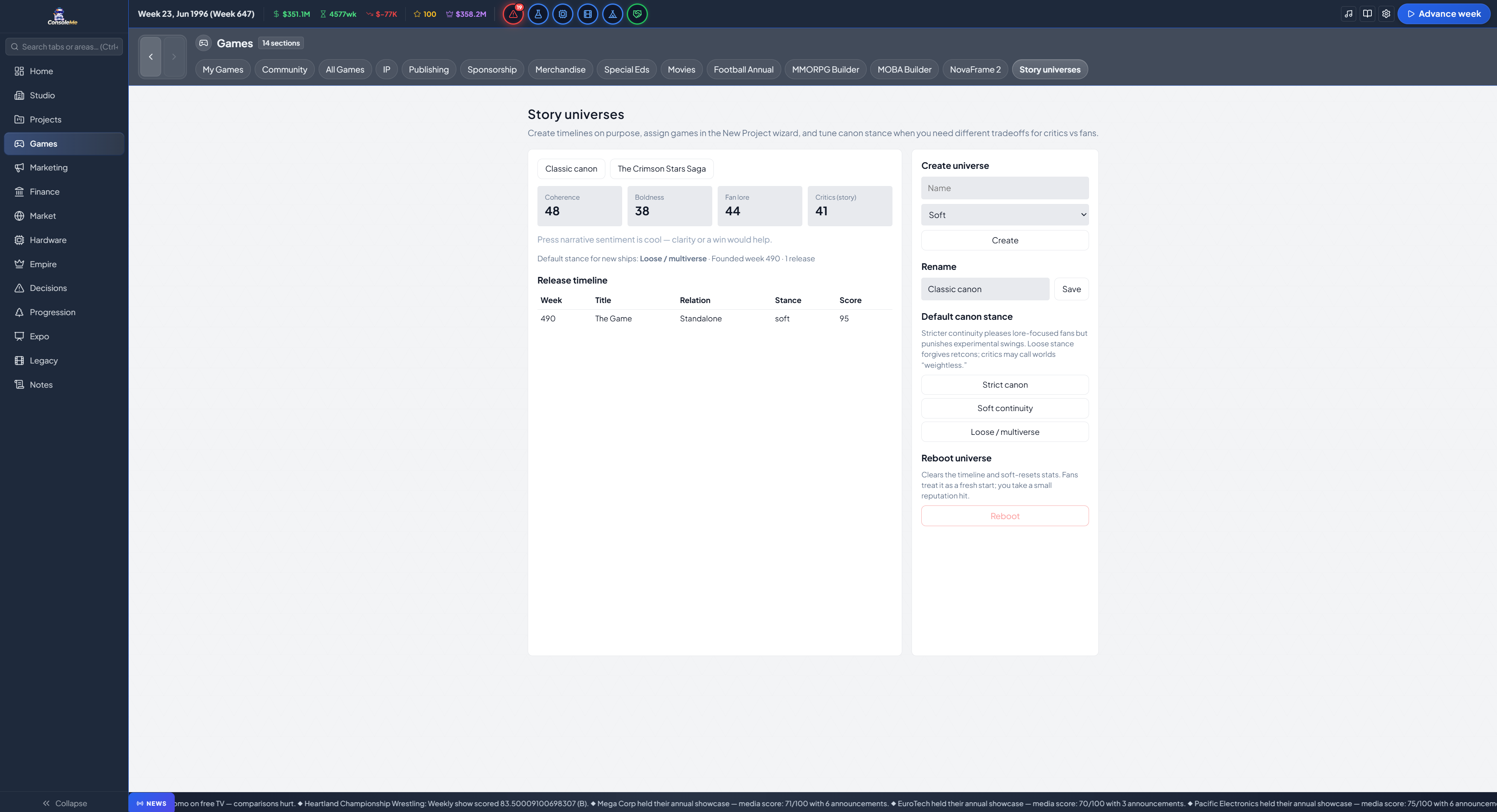
Where to find it: Games → Story universes.
What it does: Create named universes, set how strict canon is, and see a timeline of every release you attach (sequel, spin-off, reboot, remaster, standalone, experimental). The hub shows coherence, boldness, fan lore sentiment, and critic narrative pressure so your choices have readable consequences.
How to use it
Create a universe from the right-hand panel (name + strict / soft / loose default stance).
Or start a normal New Project and choose New universe in the flow — same end state.
Rename or change the default canon stance anytime; stricter pleases lore fans but punishes wild swings; looser forgives retcons but can feel “weightless” to critics.
Reboot clears the timeline and soft-resets universe stats (with a reputation cost) — use when you want a clean slate in-fiction.
Note: Some project types (e.g. yearly sports annuals, MMO, MOBA, non-game software) are not wired into this fiction layer by design — use universes for traditional series where worldbuilding fits.
Football Annual — yearly soccer franchise hub
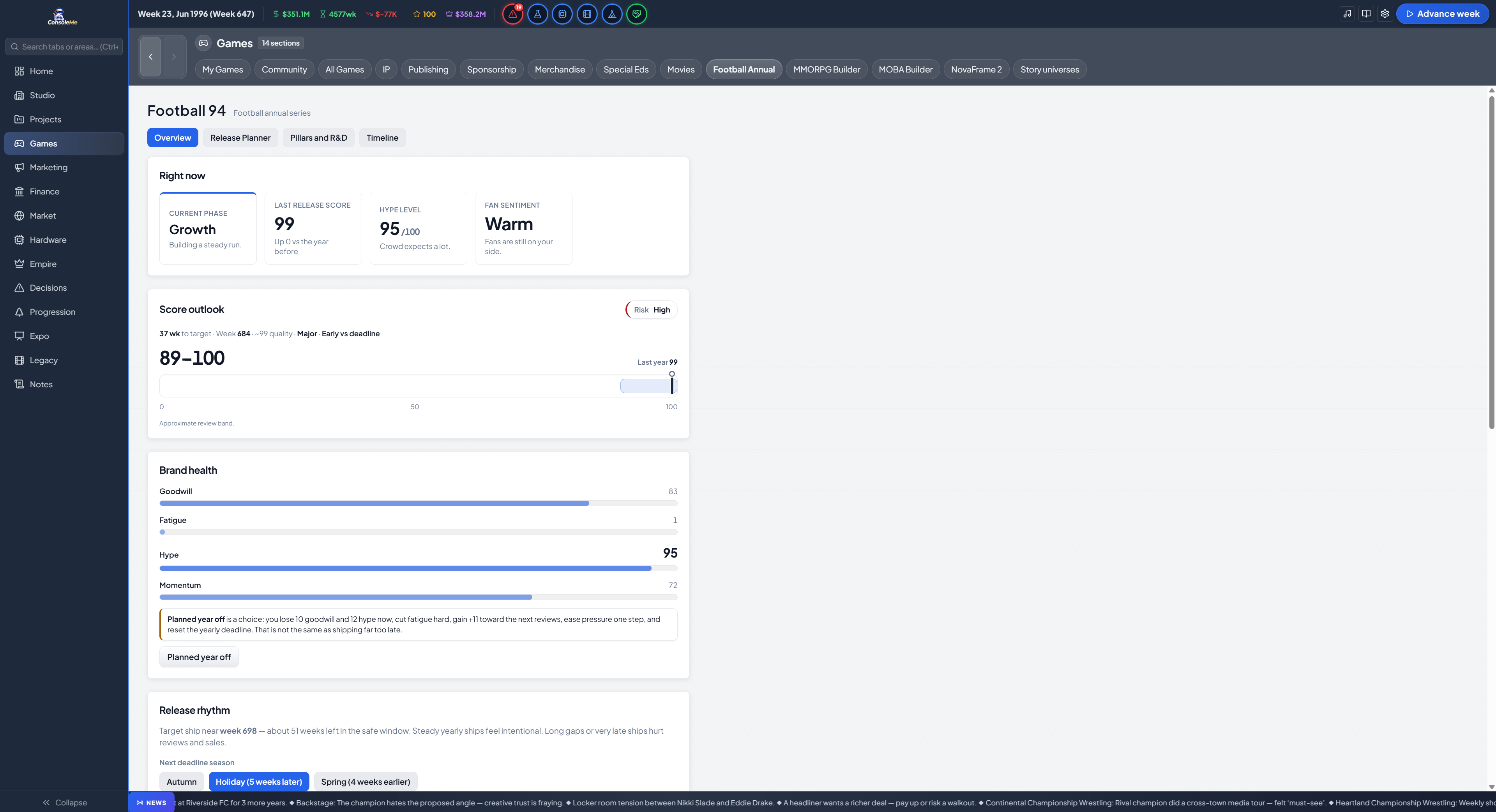
Where to find it: Games → Football Annual.
How to start
You need calendar year 1992 or later and at least $120,000 cash (the hub tells you if you’re early). Start the series from the hub when the game allows it.
Hub tabs (click path on the hub itself)
Overview — brand health, focus strategy, warnings, forecasts, and context for deadlines and rival pressure.
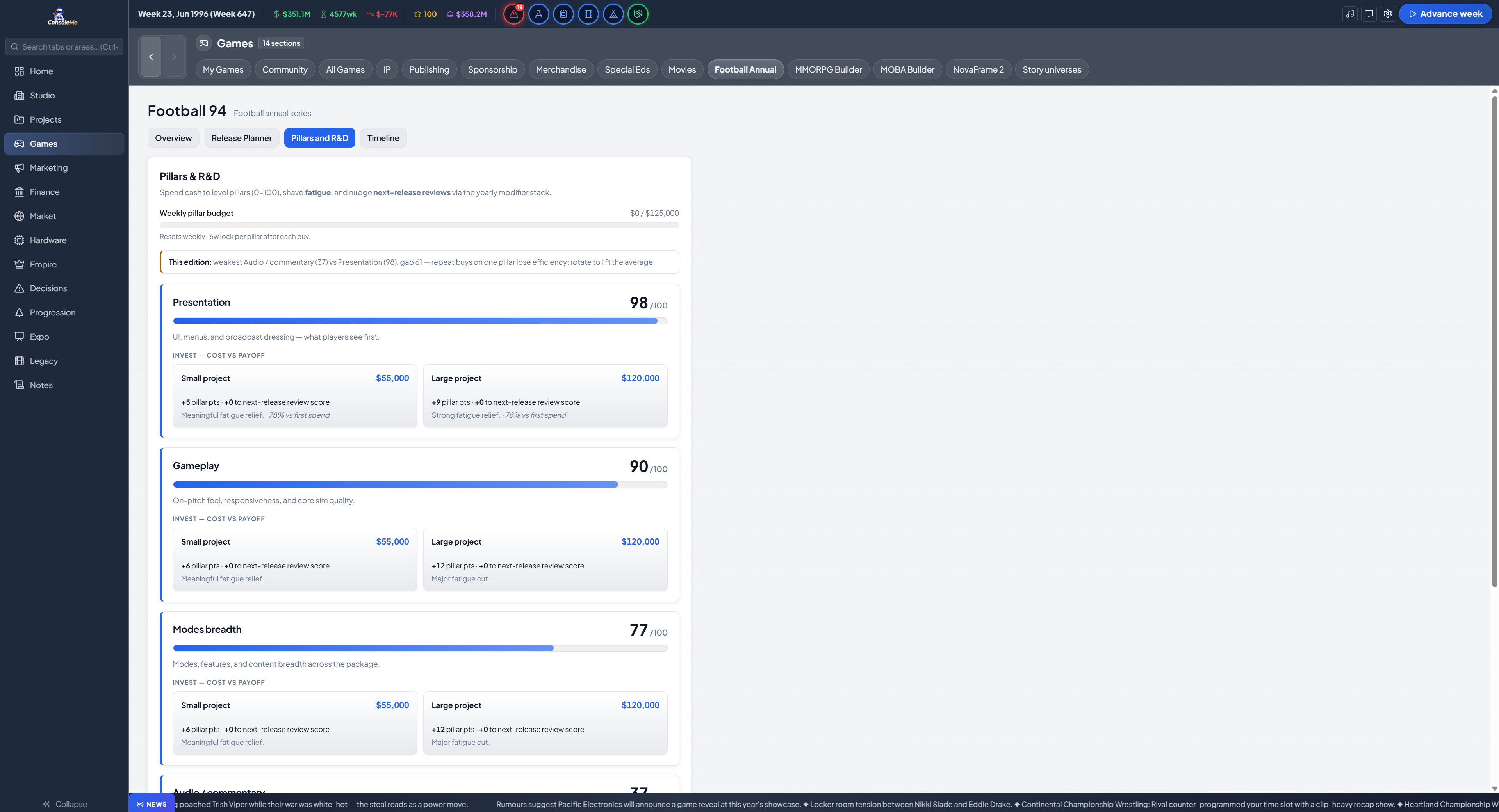
Pillars and R&D — invest in Presentation, Gameplay, Modes breadth, and Audio. Spending has weekly caps, lockouts, and diminishing efficiency if you hammer the same pillar; previews show cost and effect before you commit.
Timeline — edition history and rhythm.
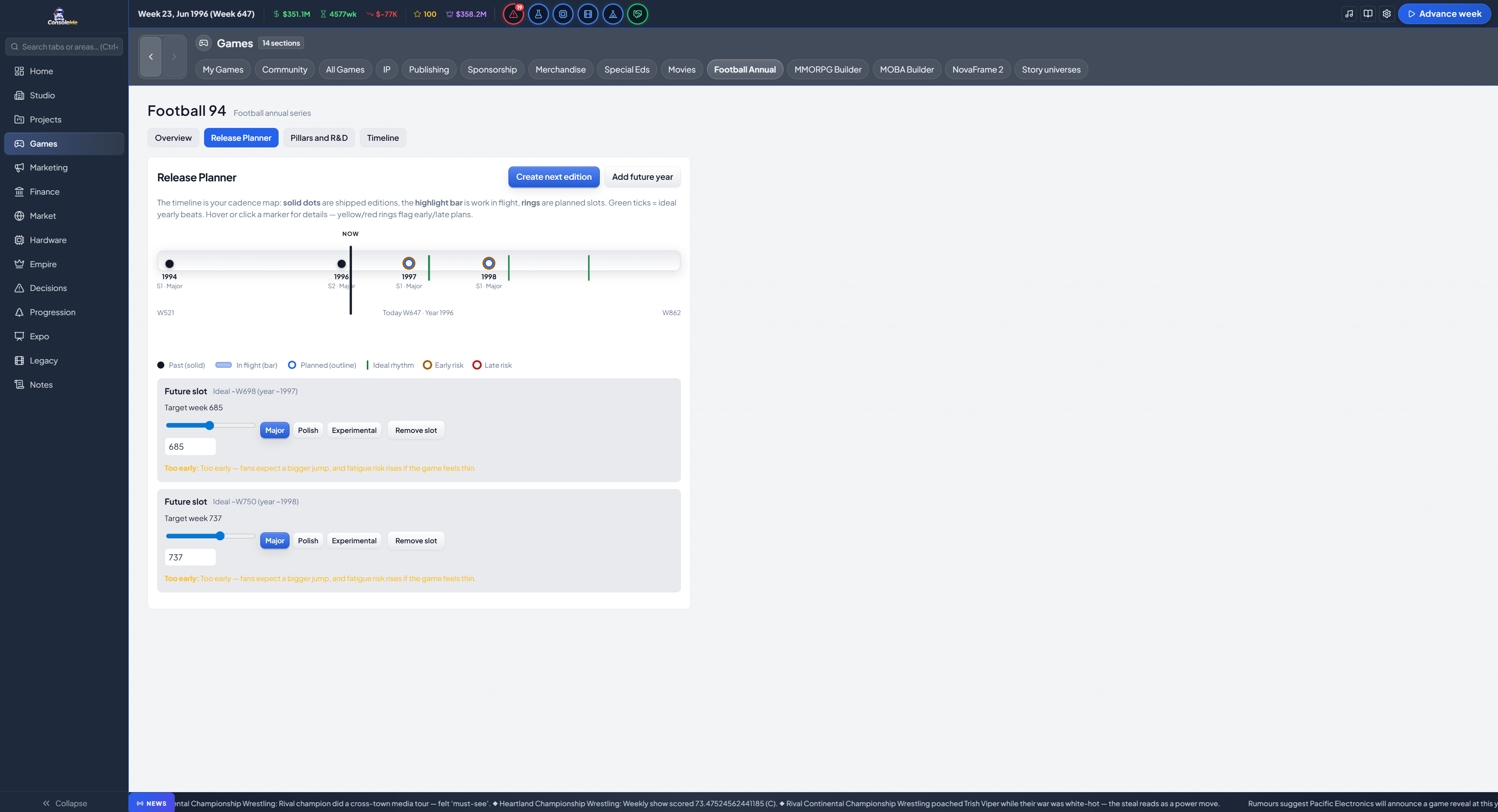
Release Planner — visual annual beat: past releases, the current annual project if any, and planned slots about a year ahead. You get too early / too late warnings vs the ideal window; you can line up the next edition from here when rules allow.
Rules that matter
Only one Football Annual project in progress at a time — finish or cancel before starting another.
New editions must continue from the latest shipped release (sequel link is enforced).
Each year you choose a focus: Major (bigger swing, extra upfront cost), Polish (safer), or Experimental (breaks streak fatigue, risk/reward).
You can take a planned skip year (cooldown and prerequisites apply): trades hype/goodwill for breathing room, staleness relief, and a rebound boost for the comeback — different from silently shipping extremely late.
If you also run your own engine product, the hub can surface engine-relevant tips where it matters for annual quality and timing.
Wrestling Federation — promotion sim (passion project)
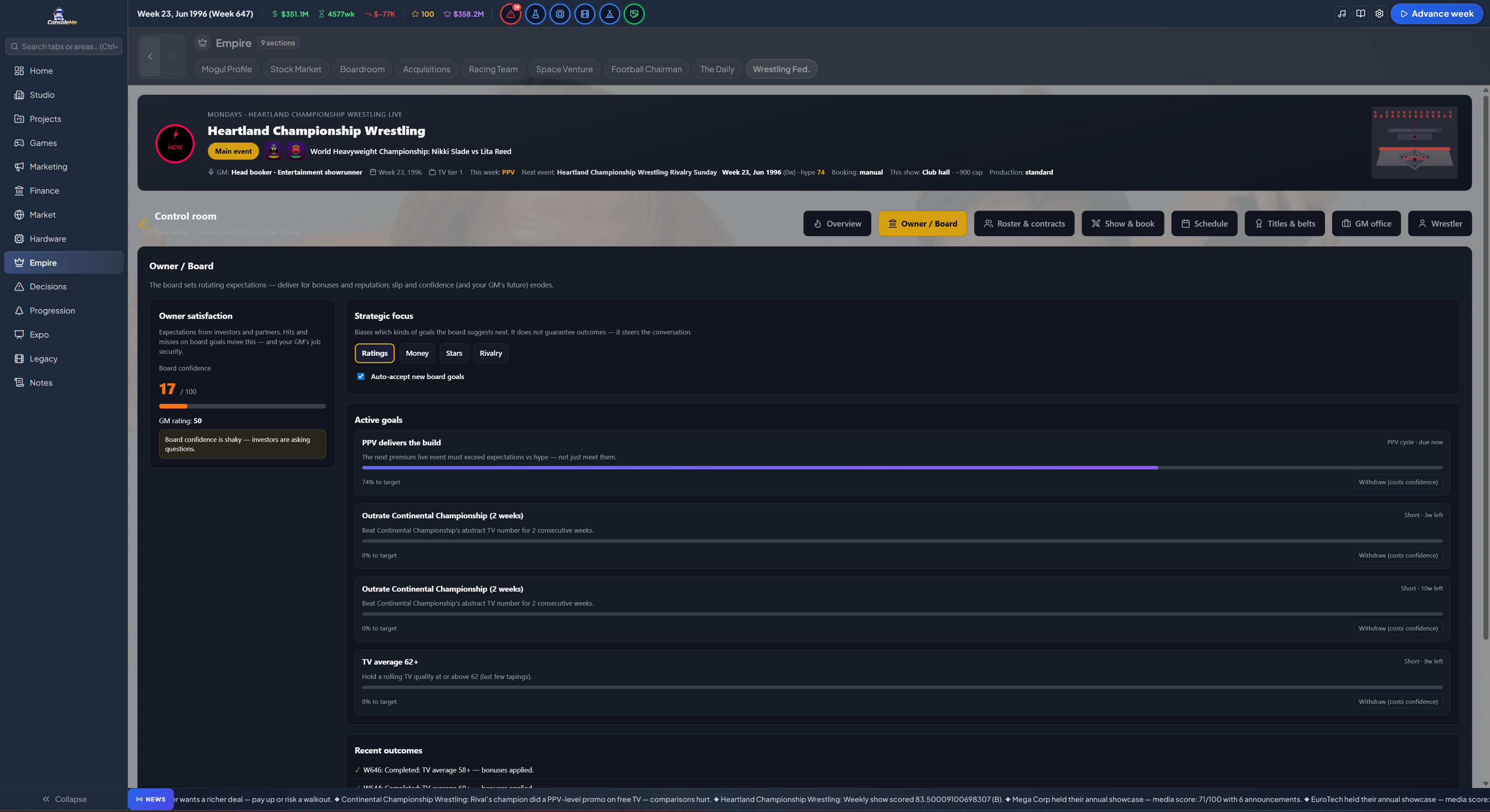
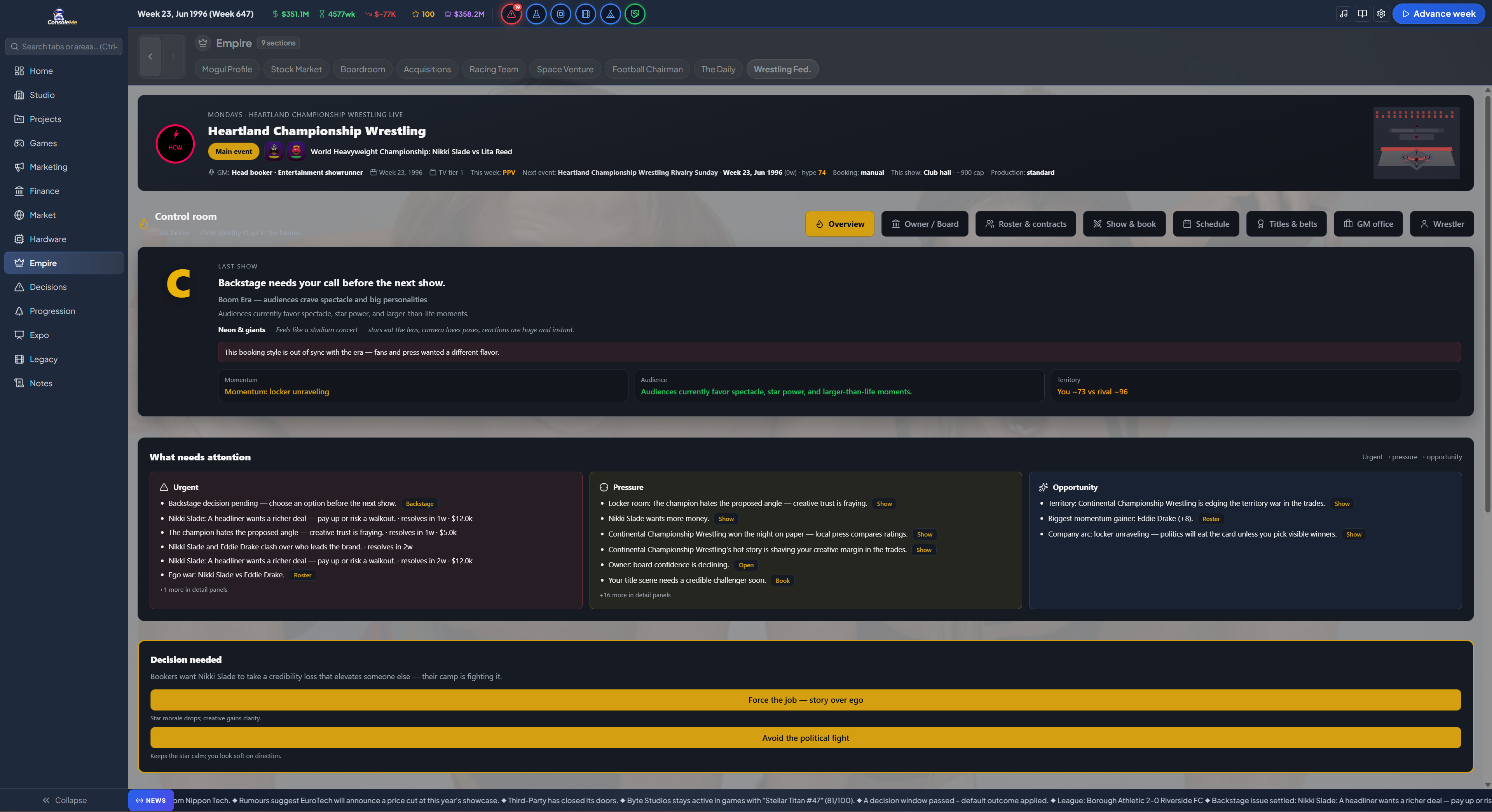
Where to find it: Unlock/buy the mode from Empire → Mogul Profile → Passion Projects (as in-game), then day-to-day is Empire → Wrestling Fed. tab.
What you’re managing: A regional federation: roster, weekly show booking, TV deals, titles and belts, storylines, backstage decisions, and an owner / GM layer (hire a GM, set personality and delegation, use presets).
Main areas (subtabs)
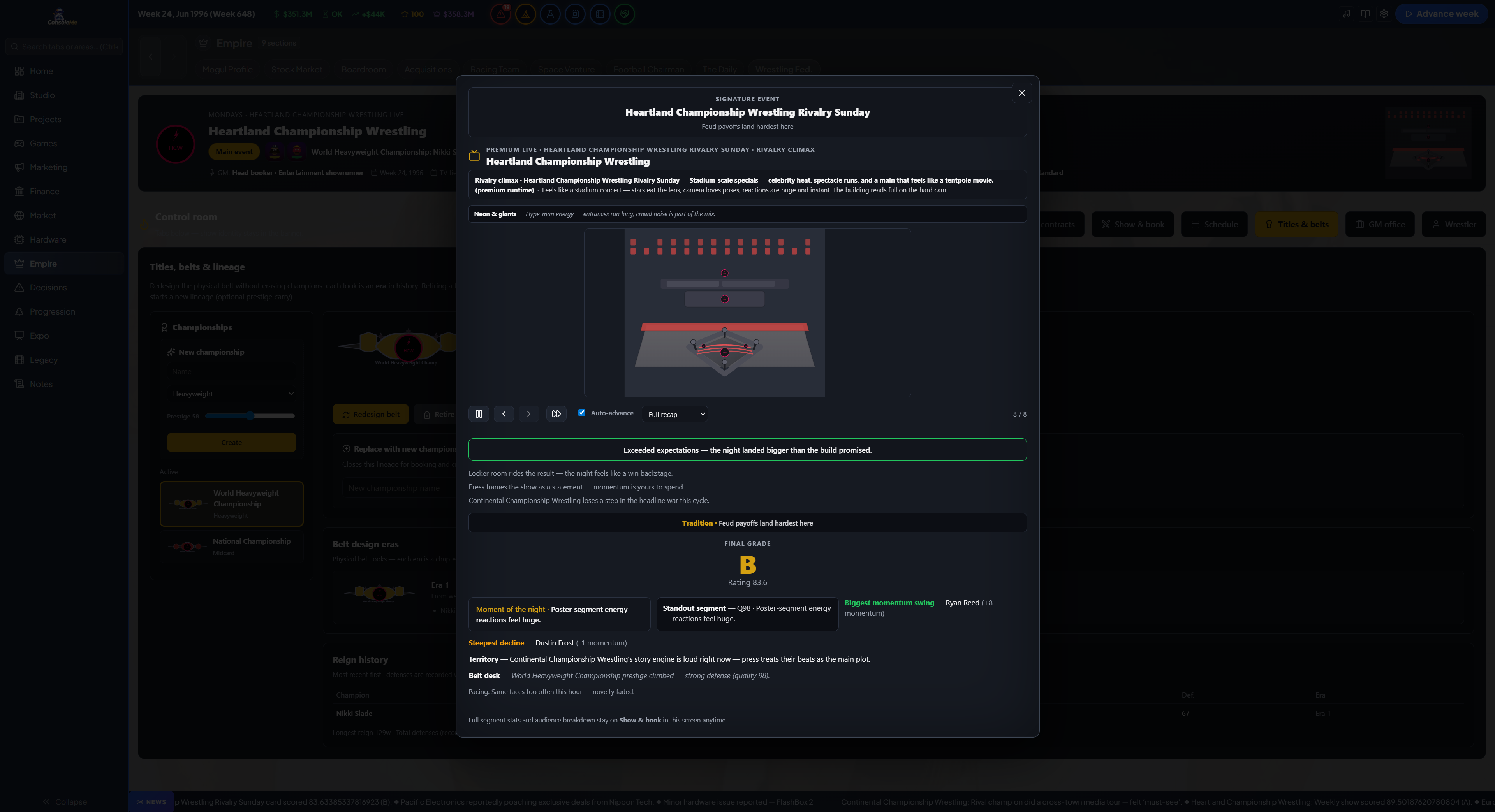
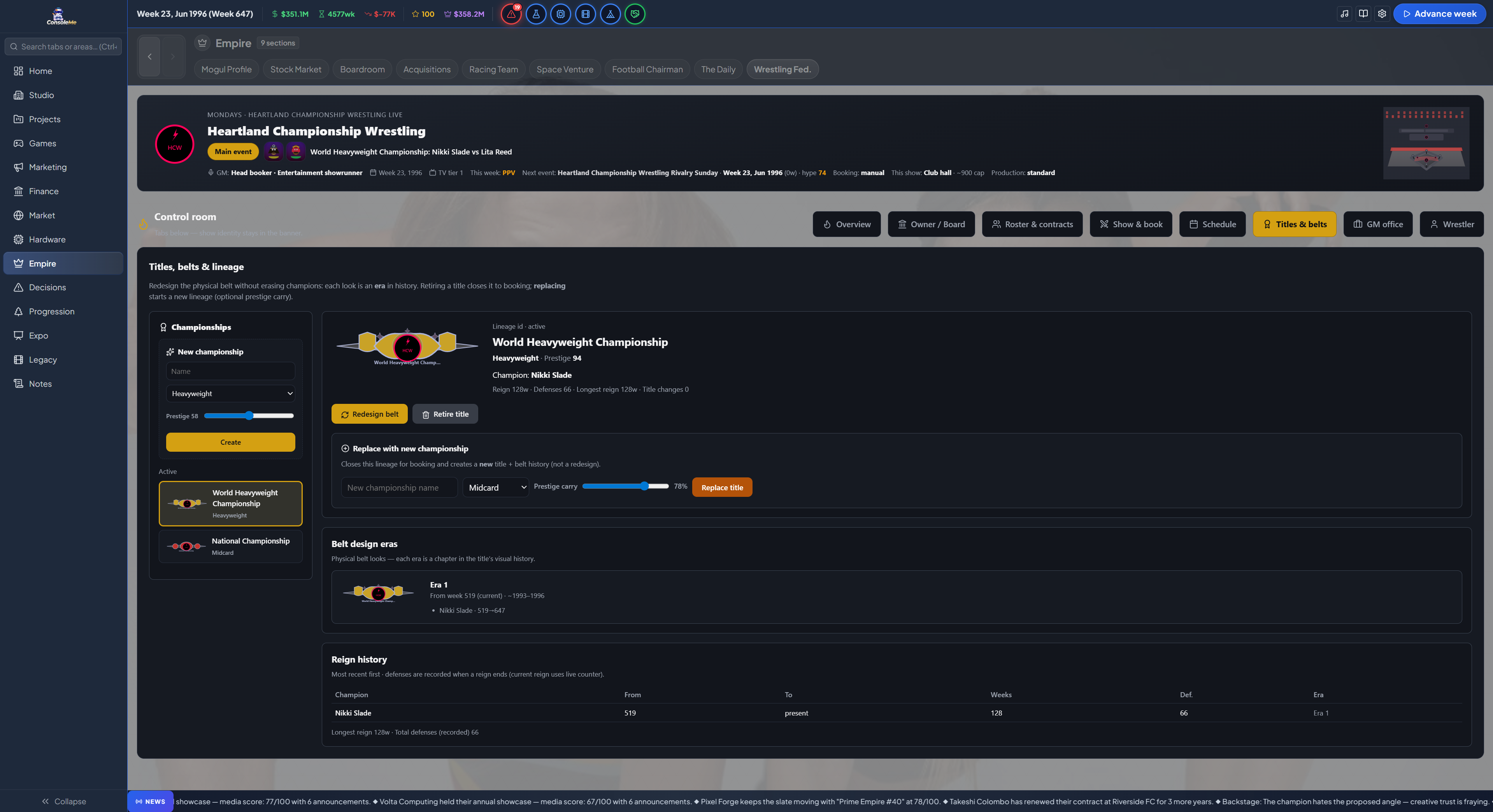
Overview · Owner (goals, priorities) · Roster · Show (build the card) · Schedule · GM · Championships · Profile (deep dive on a wrestler).
Helpful systems
Auto-book, optimize card, and slot suggestions when you want the sim to propose structure.
Venue tier, show presentation, and booking mode to tune how shows feel.
Sign free agents, renew contracts, renegotiate TV.
Titles: create, redesign belts, retire or replace lines.
Portraits: regenerate one wrestler or regenerate all.
Future show plans on the calendar; signature events for big dates.
Docks/modals for TV recaps and era transitions when the sim fires those beats.
Progression is week-by-week: run shows, manage money and morale, and react to alerts — costs and outcomes live inside this screen as well as the abstract passion-project fee.
Player Guide — learn the game without leaving it
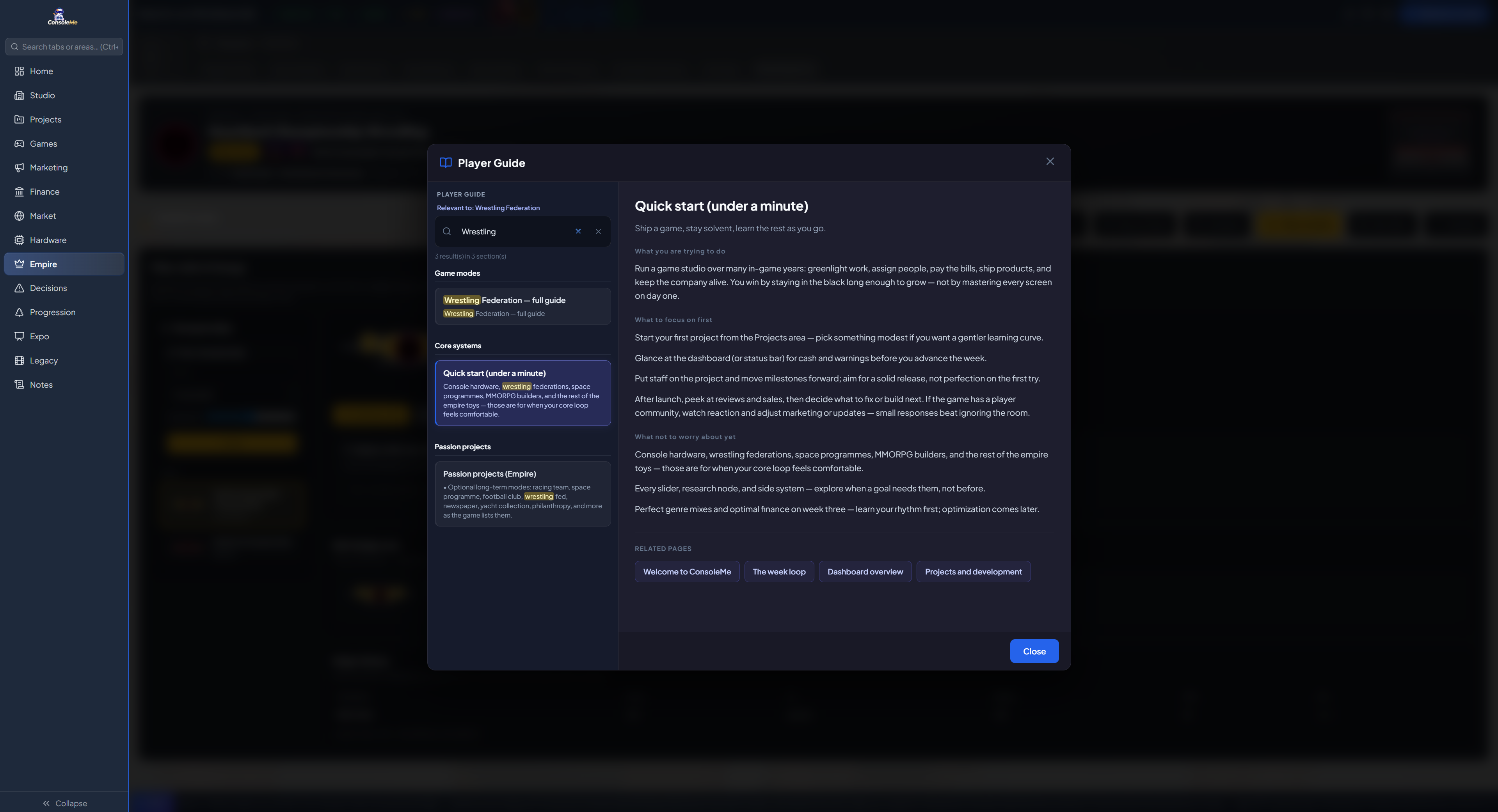
Where to open it: Status bar → Player Guide (book icon), or links from section help where offered.
What’s new
Three clear sections: Core systems, Game modes, Passion projects — each with a header and short blurb so you know what you’re browsing.
Full-text search across all pages (titles + article body). Results are grouped by section; search terms are highlighted; one click opens the page.
Context-aware layout: if you open the guide from a specific area, the sidebar puts the most relevant section first and pins the matching article to the top of that section (e.g. Football Annual guide while you’re on that tab, Wrestling guide on Wrestling Fed., MMO/MOBA guides on those builders, Engine and Story universes on those tabs, Racing / Space / Football Chairman / The Daily when you’re on those screens). You can still scroll everything — nothing is hidden.
A line at the top can read “Relevant to: …” so it’s obvious why the order changed.
Related pages at the bottom of articles; deep links from help stay stable so old tips still land on the right page.
Default entry remains a Quick start when you’re not in a special context, unless you opened a specific article from help.