
Early Access Update 3 — "The Studio Vision Update"
Hey everyone,
Another update landed.
This one's all about making ConsoleMe feel like running a game studio, not just looking at numbers. We've added a project wizard, a box art design tool, and a bunch of fixes based on your feedback.
Let's get into it.
New Project Wizard
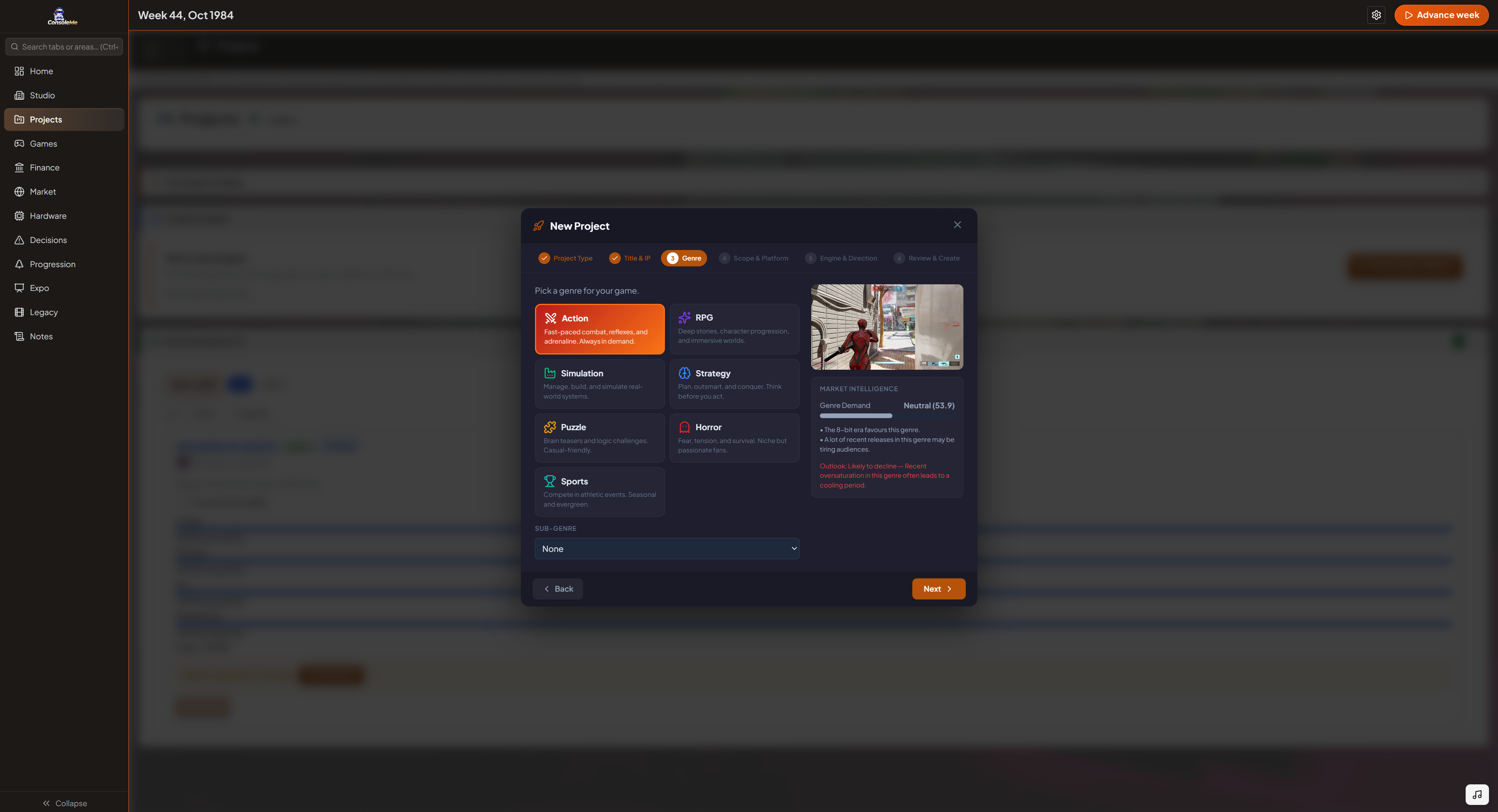
Starting a new game used to mean scrolling through a long form. Not anymore.
The new Project Wizard is a full-screen, step-by-step experience that walks you through every decision, project type, title, genre, scope, platform, engine, and creative direction, one step at a time.
But the real magic is what happens when you pick a genre:
Genre videos — Each genre plays a short atmospheric video clip to set the mood. Action gets intense, horror gets dark, puzzle gets playful.
Genre sounds — A unique sound effect plays when you select each genre.
Live market intelligence — A panel shows you genre demand, trend outlook, recent competitor releases in that genre, and how your own games have performed. Make informed decisions, not guesses.
The old quick-create form is still there if you prefer speed, just click "Show quick create form" under the wizard button.
Box Art Design Studio
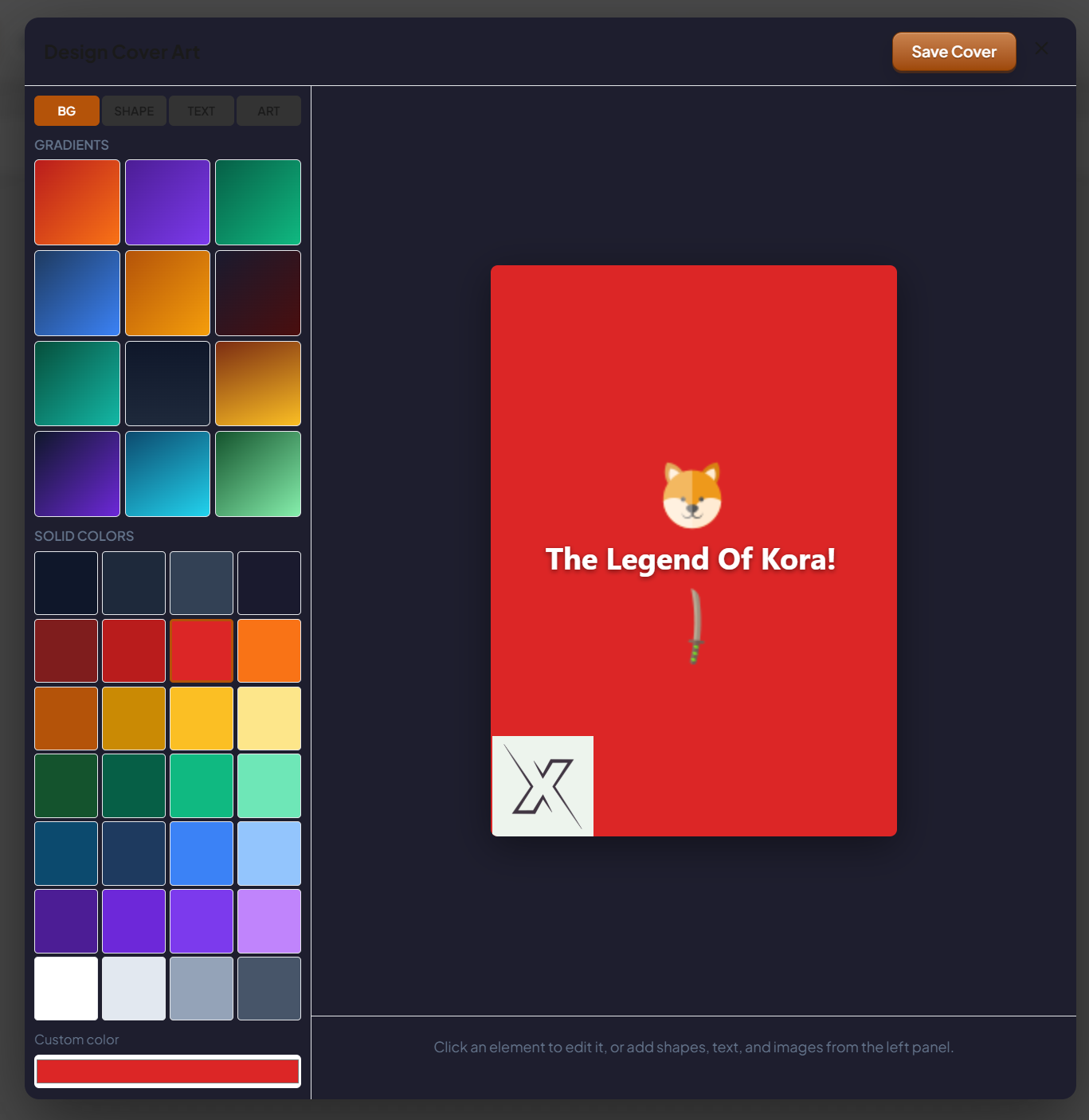
Every game you make can now have custom box art, designed by you.
We've added a full drag-and-drop design tool where you can:
Choose from gradient backgrounds themed to each genre, or pick solid colours
Add shapes (rectangles, circles, triangles, diamonds, stars)
Add text with font, size, weight, and colour controls
Drop in images, eg., console logos, icon packs, your company logo, etc.
Drag, resize, and layer everything on a live preview canvas
Save the result as your game's official cover art
Your box art shows up on the release celebration screen, in the trophy room, and on the project detail screen.
New pre-release prompt: When you go to release a game without box art, the game now asks if you'd like to design one first or skip and use the auto-generated fallback.
Design anytime: You don't have to wait for release. There's a "Design Box Art" button right on the project detail screen, so you can work on it while the game is still in development.
Save Compatibility
Your existing saves are fully compatible. No migration needed, just update and keep playing.
What's Next
We're reading every piece of feedback. Next up we're looking at deeper visual improvements, more interactive elements, and continuing to make every screen in the game feel alive.
As always — thank you for playing, thank you for the feedback, and thank you for being part of this journey.
See you in the next update.
— The ConsoleMe Team