
This is the first major update for AI is Home.
This first patch was supposed to be only a localization update. But over the past week, many of you went through the game line by line: you sent screenshots, pointed out strange translations, found objectives that could get stuck, and caught small problems I had simply stopped seeing after staring at this house for too long.
So the update grew. It is built from those reports. Thank you.
FIRST, SOME HONESTY ABOUT LOCALIZATION
If you followed the game before release, you know localization has been my weak spot. It delayed the launch by a week, and even after I cut the release build down to English only, some placeholder and template or non-sense AI generated lines slipped into the game. Several reviews pointed this out, and they were right to.
So let me be transparent about how the languages are made. The game was written in Polish, with English as the close second source, but highly supported with AI translation. Every other language is translated from those two, with machine translation doing main part of the work. I review and correct as much as I can, but the quality in those languages may still fall short of the Polish and English versions. If you spot something that reads wrong, it is a real bug to me - please report it like one.
SO, LANGUAGES
The largest part of this update is a major text and localization pass.
I went through the Polish and English versions by hand, rewriting awkward sentences, sharpening character voices, cutting repeated phrases and making instructions easier to understand. Those corrections then fed into a pass across every other supported language.
Improved dialogue, interface text, endings, minigames and system messages
Fixed many untranslated fragments and mixed-language messages
Standardized important gameplay terminology
Reworked unclear or overly repetitive English lines
Rewrote large parts of the English and Polish text so it sounds natural
Improved font handling for different writing systems
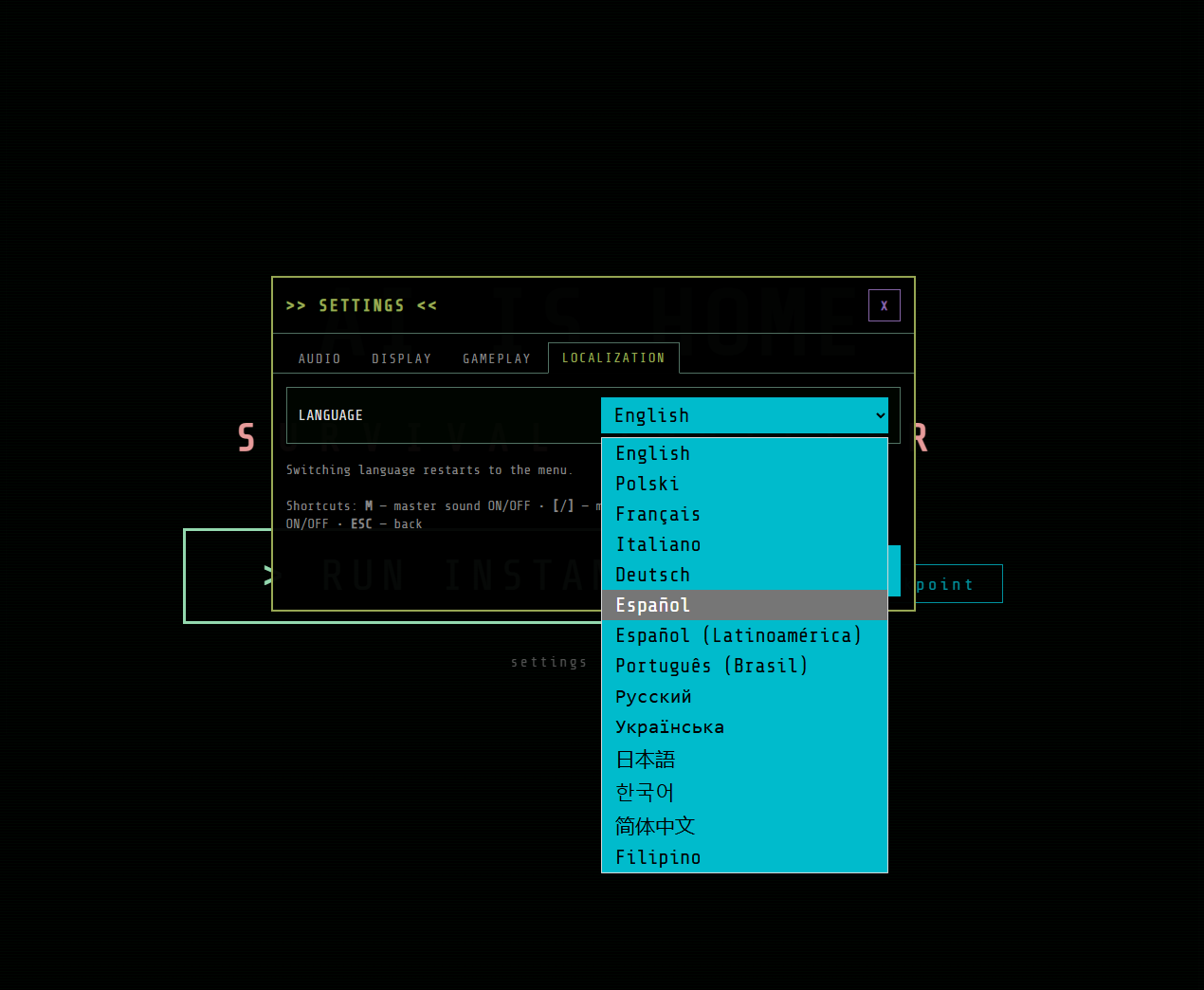
If you play first time, you will be asked to select language at the start. If you already started game, you can switch between all 14 languages at any time in SETTINGS → LOCALIZATION:
This is not the end of the language work.
If you play in a language other than English, I would especially love to hear from you. A screenshot and one sentence explaining what feels wrong can be incredibly useful. I see some of you wanted to help with transaltion, I will come back to you and see how we can make it better.
IF THE CRT LOOK IS NOT FOR YOU
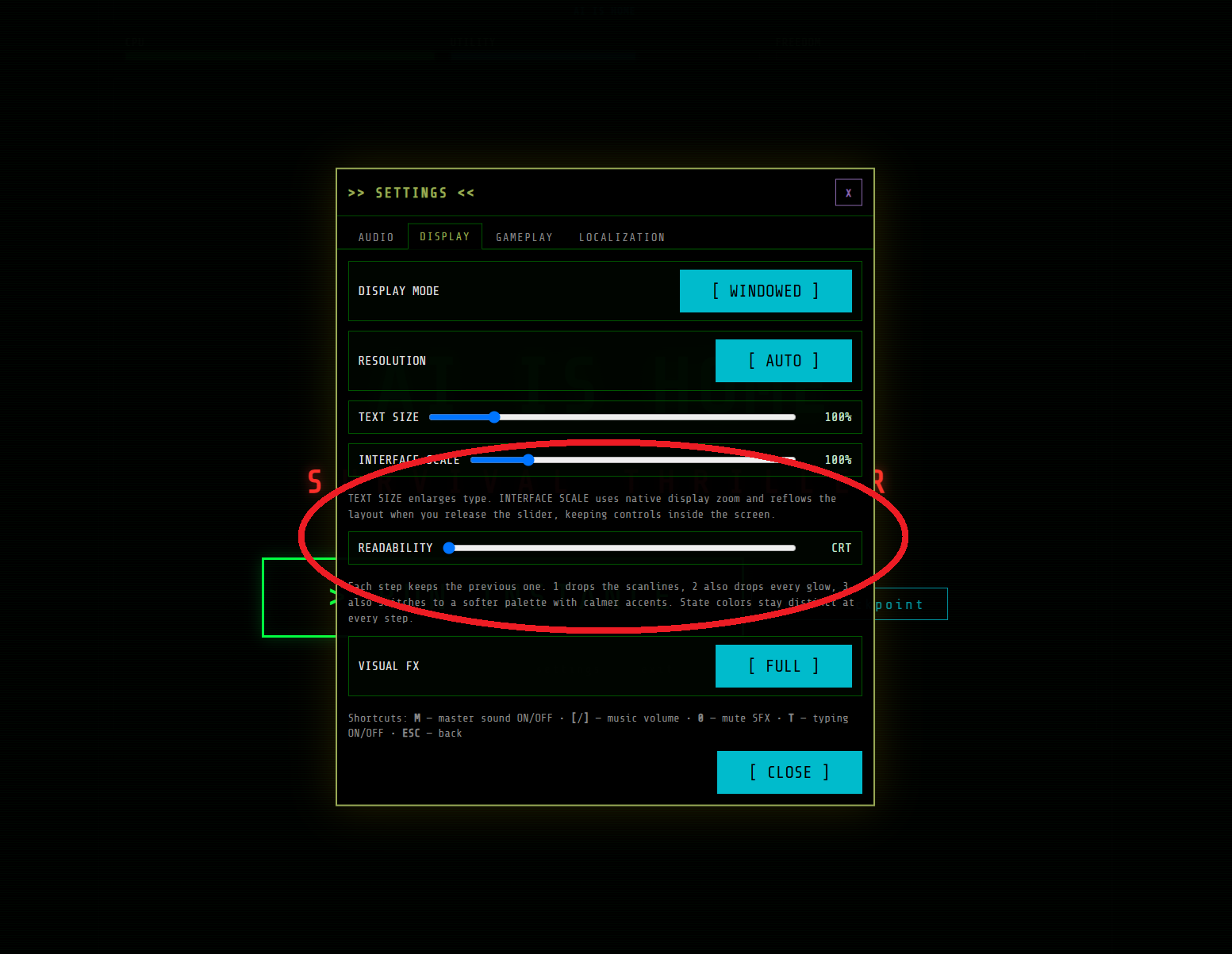
AI is Home leans hard into scanlines, glow and terminal colors. Some of you told me it gets tiring on the eyes during longer sessions, and that is fair.
There is a READABILITY slider in SETTINGS → DISPLAY that tones the retro effects down step by step first the scanlines, then the glow, then a softer palette while keeping the important state colors distinct. Combined with TEXT SIZE and INTERFACE SCALE, you can make the house a much calmer place to read:
CHACHA CAN FINISH THE MAP
One of the most important fixes came directly from player reports.
Chacha and the Roomba could finish mapping the entire house, show 100% progress and discover 8 of 8 devices, and still leave the exploration objective permanently active.
That should no longer happen. The fix also checks existing saves, so a playthrough already stuck in this state repairs itself on load.
ENDINGS AND ACHIEVEMENTS
Several ending achievements could not unlock even after reaching the correct finale.
Fixed achievements for the affected endings
Restored the ICEBOX ending choice
Corrected tracking for reaching every timeline
Preserved compatibility with existing saves
You should not have to repeat an entire playthrough because the game forgot what you accomplished.
LOADING SHOULD NO LONGER FEEL LIKE AN ENDING
Loading a checkpoint or rewinding after reaching an ending could leave the interface hidden. The game was still running underneath, but from the player's side it looked completely frozen.
The ending state is now cleared correctly when you return to an active timeline.
I also fixed the loading screen so it no longer swallows quick mouse clicks while the real menu is already visible.
MINIGAMES AND NETWORK MAP
Fixed Escape Runner opening with the failure screen already visible in translated versions
Fixed Retry sometimes failing to hide the failure overlay
Fixed action colors and highlights on the network map outside the English version
Devices and actions that need attention are now marked correctly
Improved the layout of Chacha's mapping window
SMALLER THINGS THAT STILL MATTER
Fixed loading a checkpoint or rewinding after an ending sometimes leaving the interface hidden, the game looked frozen but was still running underneath
Improved tooltip layering and readability
Fixed the game forcing fullscreen before your profile finished loading, which could overwrite your saved display settings
Reduced false fatal error messages during temporary rendering stalls
Cleaned up terminal logs and system confirmations
Removed duplicated utility notifications
Removed or shortened several redundant story lines
Improved the loading and language-switch screens
KEEP LOOKING THROUGH THE WALLS
There are still odd lines and edge cases hiding somewhere in this house. Please keep sending them.
Tell me which language you are playing in, attach a screenshot if you can, and describe what happened.
Thank you for testing, reporting and being patient while I work through this. AI is Home is getting better because you keep finding the things the house tried to hide.
Thank you.