
Thank you all for playing NnaPix! 🍬
We have released a new update.
This update mainly focuses on highly requested feature improvements,
as well as fundamental fixes for long-standing issues.
We have also added new puzzles. We hope you enjoy them.
Content Added
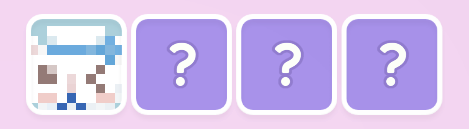
Added normal puzzles
You can play them from each difficulty tab, or from the “✨” tab
Added achievements
Feature Improvements
Added “Sticky Notes” to Puzzle Mode as a temporary marker feature
This feature can be used freely as a visual marker
Sticky Notes can be removed at any time, and placing them does not affect answer checking
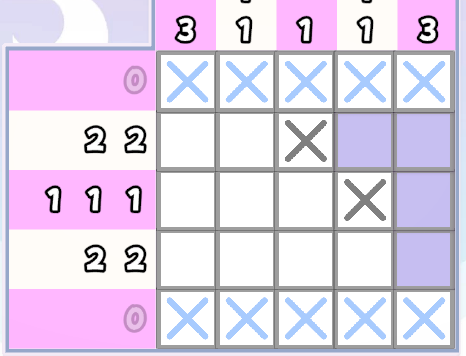
Changed the colors of confirmed empty X marks
X marks placed on confirmed lines are now light blue
X marks placed by the player are gray, as before
X marks on incorrect squares are red, as before
Added a setting to suppress diagonal input in Puzzle Mode
This setting helps prevent unintended diagonal movement
You can turn it on or off from “Suppress Diagonal Movement” in the config menu
It is turned off by default
Added support for controlling puzzles and UI with the left stick on game controllers
Changed the BGM volume setting so it can now be lowered to 0 in the config screen
Changed button assignments
Game Controller Controls
Fill square: A Button
Empty mark: B Button
Hint: X Button
Sticky Note: Y Button
Mouse Controls
Fill square: Left Click or Enter
Empty mark: Right Click or Backspace
Hint: H Key
Sticky Note: Middle Mouse Button
Bug Fixes
Fixed some puzzles that were difficult to clear
Fixed subtitle text that overlapped the puzzle board
Fixed an issue where movement input could get stuck on the puzzle board
Fixed an issue where squares on confirmed lines could be overwritten with empty marks
We will continue making fixes and improvements to make the game easier to play.