
0.6.0 is here! We’ve got a bunch of new art, features, and bug fixes to tell you about. Thank you SO MUCH to everyone who has let us know about bugs, made suggestions, and left reviews. We read everything and are so grateful for the feedback!
Here’s what’s new in this release: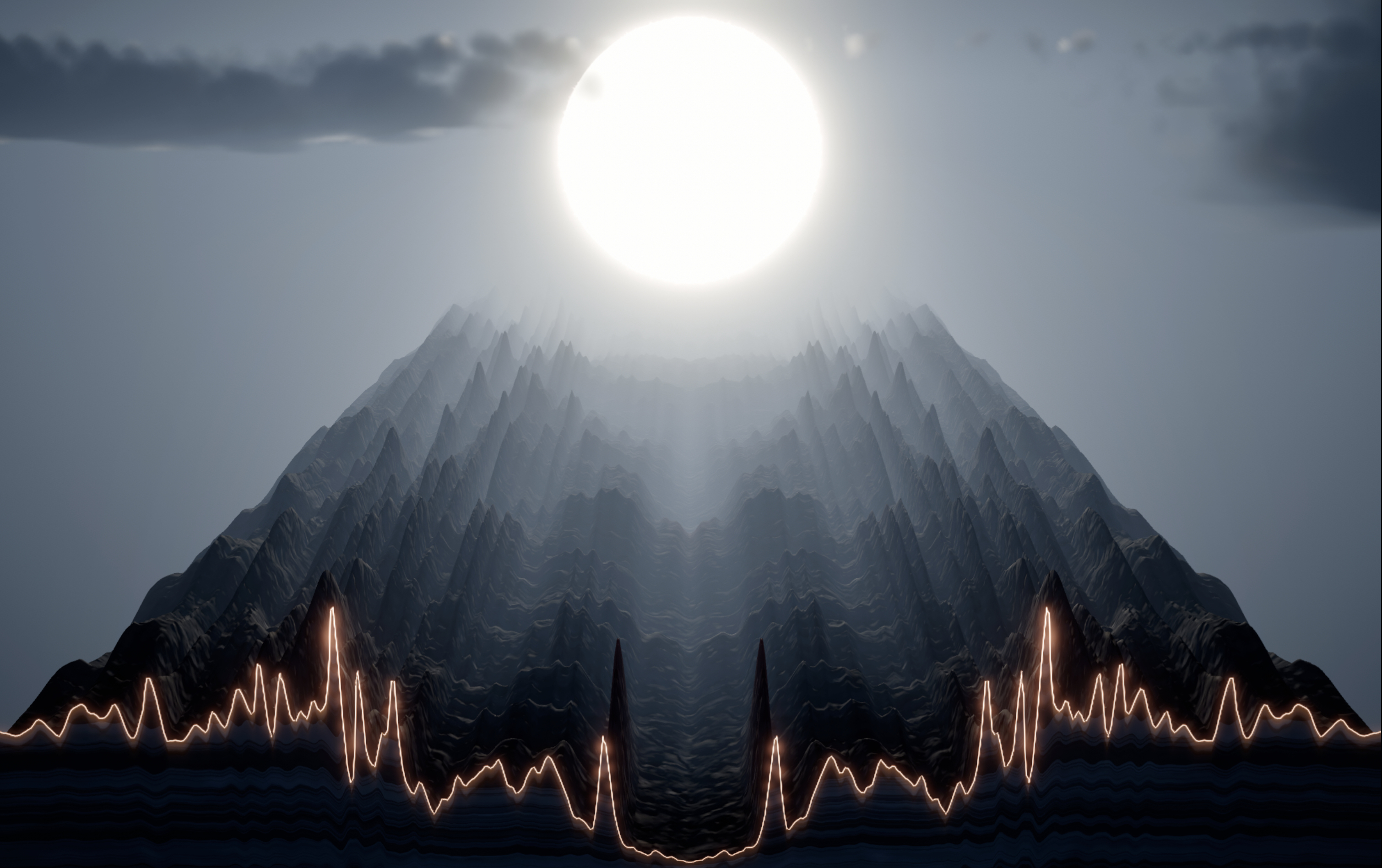
New Vibe: Peaks
Immediately after releasing 0.5.0, we went to Iceland for the Iceland Eclipse Festival, slept in a tent for three weeks and woke up next to Snæfellsjökull, a glacier-topped volcano each day. Alongside about four dozen artists, scientists, and even astronauts, we built a scrappy, space-blanket-clad 49-person music venue within the festival. The landscape was deeply inhospitable at times, but the vibes were immaculate. We got to let people play with Vibralizer to live DJs by hooking up the Filter sliders to flight controls and foot pedals with an installation we called “The Many-Handed VJ.” We even ended up doing live visuals in the dome stage for two sets! It was epic, profound, exhausting, and transformative, and we learned SO much. Thanks to some impeccably-timed Icelandic weather, we didn’t exactly see this eclipse. Instead, we saw only clouds and the familiar glacier fall into darkness.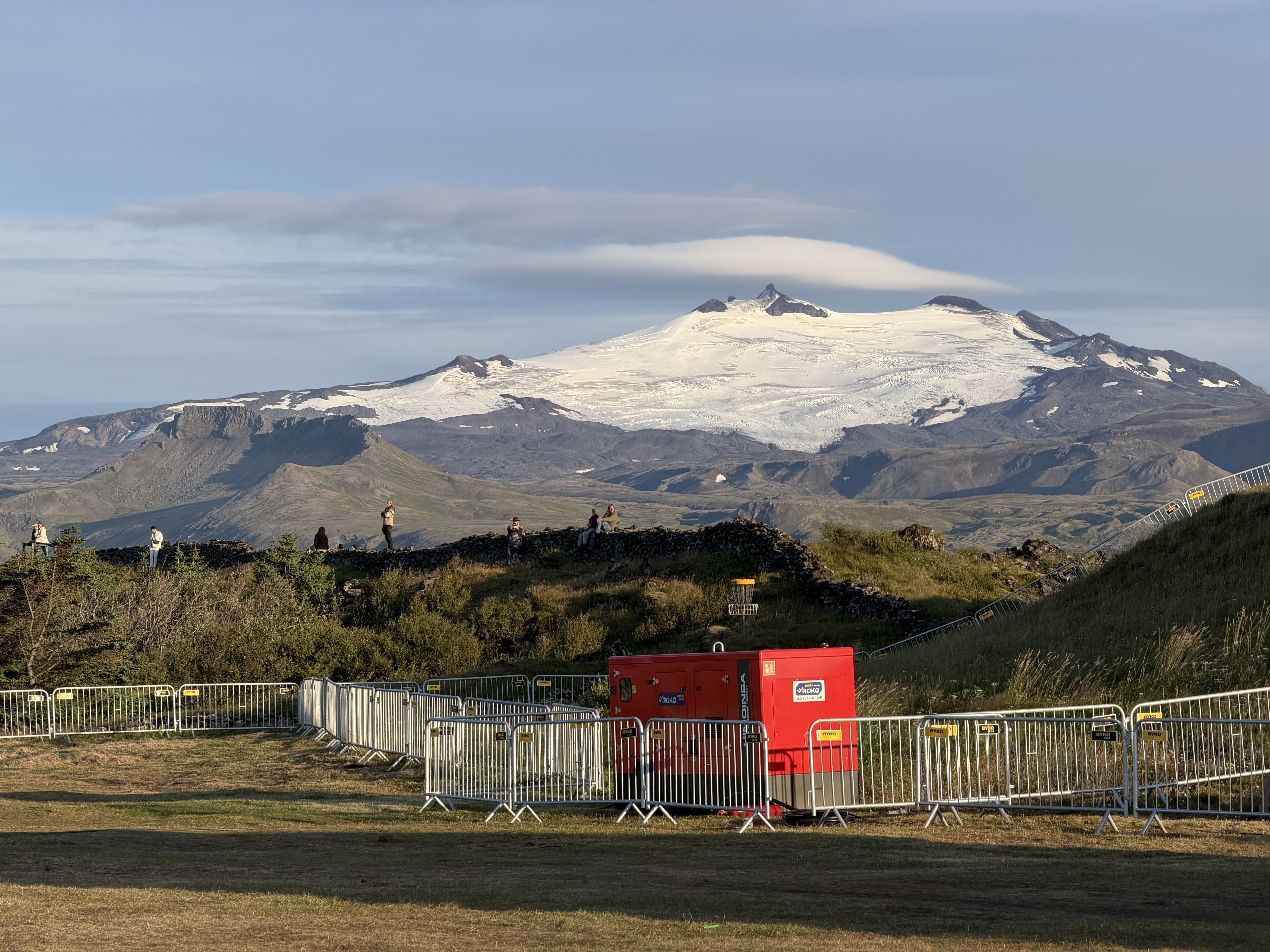

We got back from Iceland, slept for a few days, and then got to work bringing y’all this update.
Peaks is one Vibe we’ve had on our Miro board since the beginning, when I (Kate) told Nick I wanted to make a three-dimensional spectrogram that looks like mountains. The landscape of Iceland inspired us, and we finally put in the work to bring it to life. Nick did an incredible job with the design and performance optimization. Also, we built our own eclipse. Stay on this Vibe for a few minutes to see it yourself.
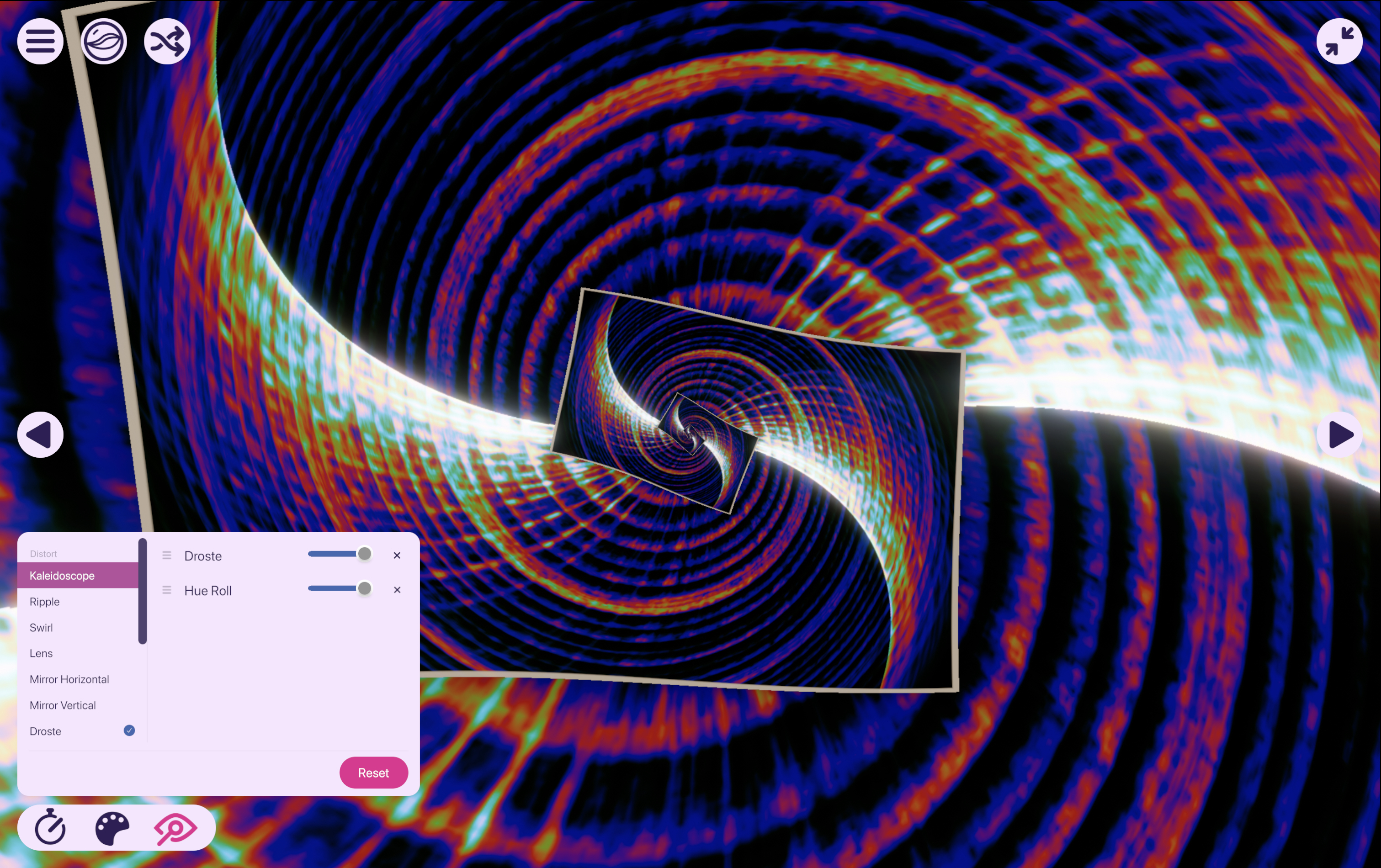
Four New Filters
Experience the infinite recursion of Droste (named after the Droste Effect)
See Vibes through a cycling rainbow with Hue Roll
Embrace Spooky Season with Noir
Get inverted with Negative
Vibe-Specific Controls
One of our favorite Vibes, Spectrogram, now has some features tied to the reason Vibralizer exists in the first place: SCIENCE! The spectrogram is scientifically useful as a visualization of measurable frequencies over time, and now you can see lines and labels on the frequency (y-) axis in Vibralizer. Further, you can change the scale of the frequency axis! Want to see sounds only in a certain frequency range? Set the minimum and maximum frequency with “Range”. Or, transform the axes: until this update, Spectrogram has only shown the Linear frequency scale (every frequency band is given equal space on the y-axis). This is great for birdsong, but less great for a lot of human music and voices. Try switching to the Mel or Log scale to see the lower frequencies stretched over a wider range (which is closer to how humans perceive sound).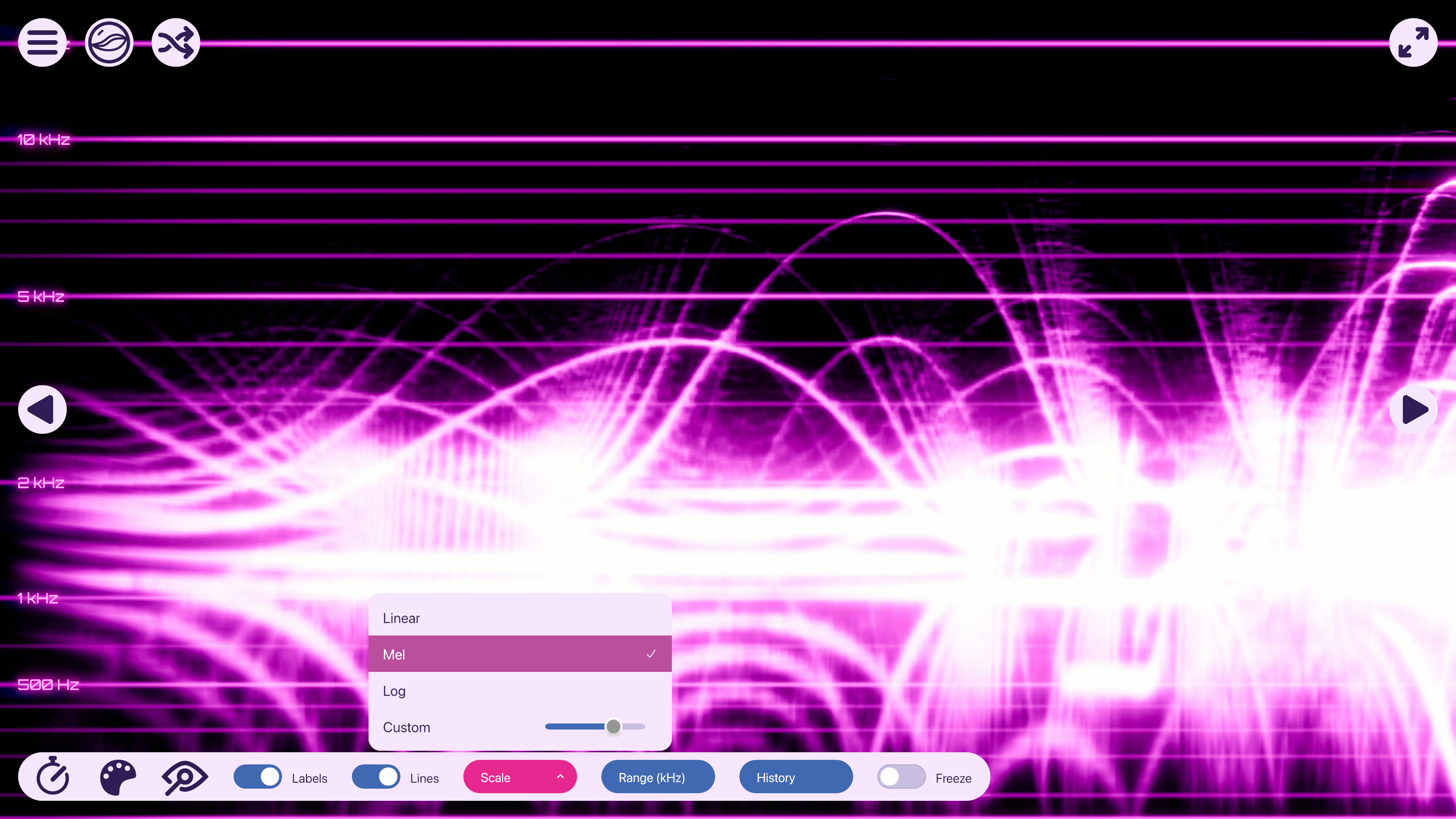 Finally, change how long the sounds are visible on the screen with “History,” which sets how many seconds worth of data are visible on the screen at once, or use “Freeze” to stop the scroll of the spectrogram to look at a sound more closely.
Additionally, Stargate now has a toggle to turn the eyeballs off. Or back on if you decide you miss them.
Gamepad Support
We’ve added our initial support for gamepads so that you can use a controller to navigate the user interface. For now, we only officially support USB wired controllers, but you might be able to get it working over Bluetooth in some cases. When you plug in a controller, you’ll see glyphs on the screen indicating which buttons activate which controls. You can also launch Vibralizer with a controller, navigate the menus, and exit, all without using a keyboard and mouse.
In future updates, we plan to continue building on this initial foundation with support for more controllers, more robust Bluetooth support, and maybe some other stuff. If there’s a specific feature you’d like to see or if there’s something that doesn’t work the way you were hoping, let us know in Steam Discussions or on our Discord.
v0.6.0 Release Notes
Features & Updates
New Vibe: Peaks, bringing the library to 12
New Filters: Droste, Hue Roll, Noir, and Negative
Vibe-Specific Controls: Turn the Eyeballs off in Stargate and adjust frequencies, scales, and labels in Spectrogram
Gamepad Support: Plug in a controller and navigate the user interface without a keyboard and mouse
New Setting: Adjust the “Shuffle Rate” slider to adjust how long Vibralizer should show each Vibe when Shuffle is active.
New Setting: On Windows, you can change the “Shuffle Mode” to “Change with Track”. When Shuffle is active, this will cause Vibralizer to switch Vibes at the same time as a music track change.
New Setting: When “Start in Last Vibe” is active, Vibralizer will open to the Vibe you were using the last time you used Vibralizer, rather than going to the Vibe Gallery.
When you add a Filter to a Vibe, it now gets added on top of the current filter stack (so it’s way more obvious what it’s doing to the visuals), rather than the bottom.
When you add a Filter, a blue dot appears next to it indicating that it is active on the current Vibe, and you can click the name again in the list to remove it.
The Vibe Gallery features new lighting and animated sunlit shadows, giving it the feeling of a calm afternoon.
Vibes now load much faster. Shader compilation now occurs when Vibralizer first launches. Subsequent launches are considerably faster after that, and in most cases, won’t show a progress bar at all.
Camera movement in Static is smoother and the default camera angle is tighter.
Waveform now scrolls to the edge of the screen rather than tapering.
When the Camera Motion setting is off, the fixed camera position in Galaxy is now top-down.
Color palette changes now transition smoothly rather than instantly.
Changing a Vibe’s Speed no longer changes camera motion.
The size of the application is much smaller! Content, textures and fonts the app doesn't use are no longer included, and each font and filter is included only once
A and D no longer change Vibes; the arrow keys, the number pad's 4 and 6, and LB and RB still do.
Media Controls (Windows only) now shows an icon indicating which app is playing music, such as Spotify, TIDAL, or Apple Music. Many popular music apps are supported, and anything not recognized gets a generic icon.
Bug Fixes & Performance Improvements
General
Slower Speed settings no longer drop part of the audio.
Crash Reports off now means off: declining on the welcome screen or turning Crash Reports off keeps the crash reporter from starting, so no crash or error report is sent.
Quitting mid-save can no longer damage save files. If startup fails, Vibralizer shows Retry and Quit instead of staying on the splash screen.
The Filters, Colors, and Speed panels keep their size and no longer shake after the window is resized narrower and then wider.
Fixed an issue where clicking a marble before the gallery finishes appearing could leave the gallery stuck.
A glitchy audio sample (from a driver, a Bluetooth dropout or a virtual cable) no longer freezes every Vibe at full level until you switch devices or restart.
Going back to the Vibe Gallery no longer flashes a few frames of the Vibe without its filters.
Audio Help and the other dialogs show their title, text and buttons centered.
Fixed several issues where Media Controls (Windows only) could behave erratically or become desynced from the app playing sound.
The "Decline Analytics" label fits its button
We’d accidentally left the watermark out of the Spout/Syphon output in 0.5.0; it’s back in (for now)
macOS
When sound output is an audio interface or BlackHole, system audio no longer fails at every launch.
If Vibralizer can't confirm it still has system-audio access after an update, it now asks you again at launch.
When AirPods or another Bluetooth headset is connected, starting Vibralizer no longer switches the headset to its microphone.
The twelve marble slots in the Gallery might be filled, but we’re far from finished. We’ve got plans, but we would love to hear from y’all! What do you like most about Vibralizer? What do you want to see next? Let us know!