
Hello everyone!
This update adds three major new ways to organize ideas and references on the endless canvas: drawings, linked task trees, and audio players.
Linked Task Trees
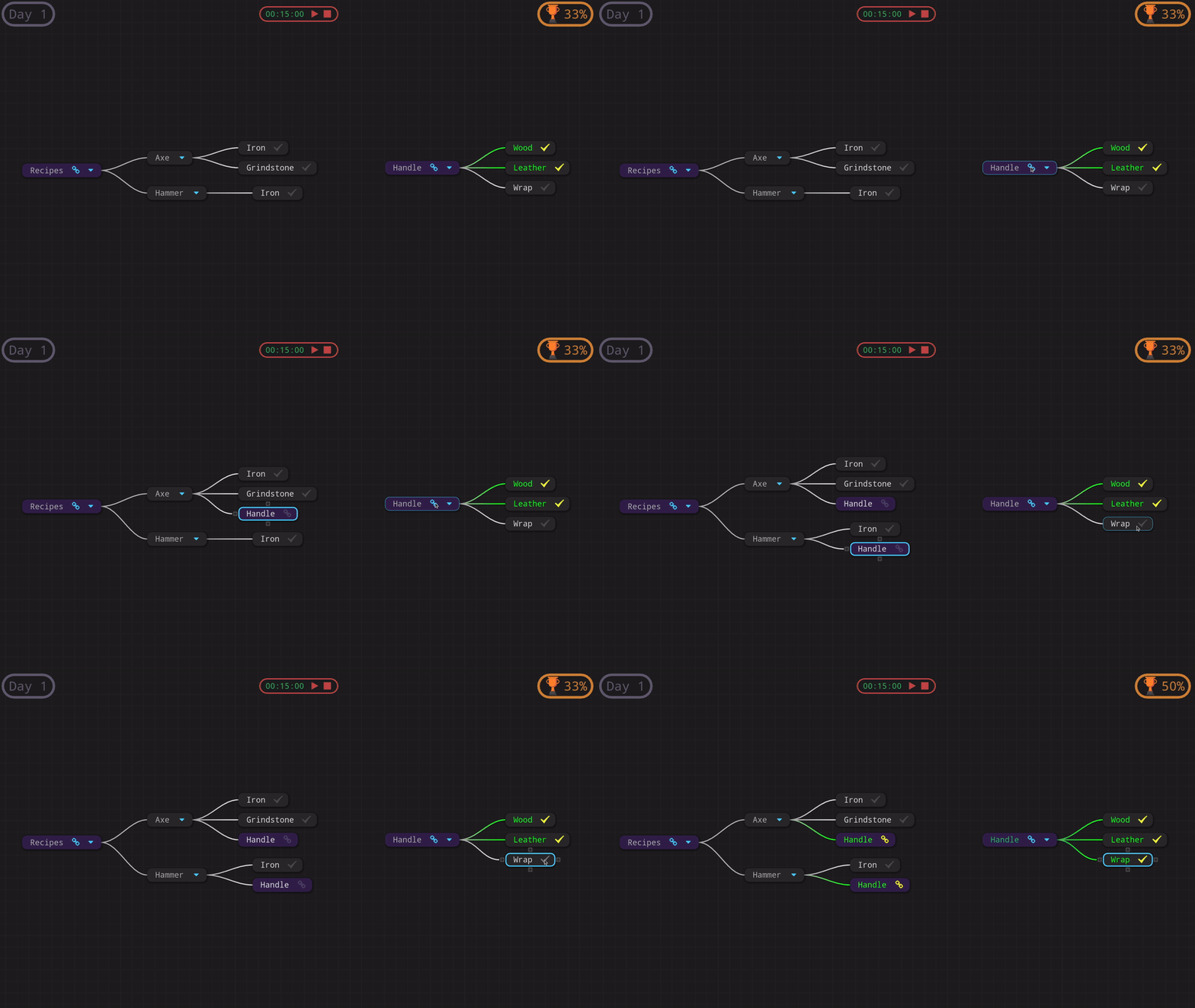
In programming, functions let you reuse one piece of code instead of copying it everywhere. Linked task trees bring the same idea to your plan: create a task tree once, then reference it wherever it belongs.
Drag the link handle from one tree's root task into another tree to create a linked task.
Linked tasks stay synchronized with the original task tree.
Double-click a linked task to jump to its task tree.
Reuse goals and connect dependencies without duplicating them.
Drawings
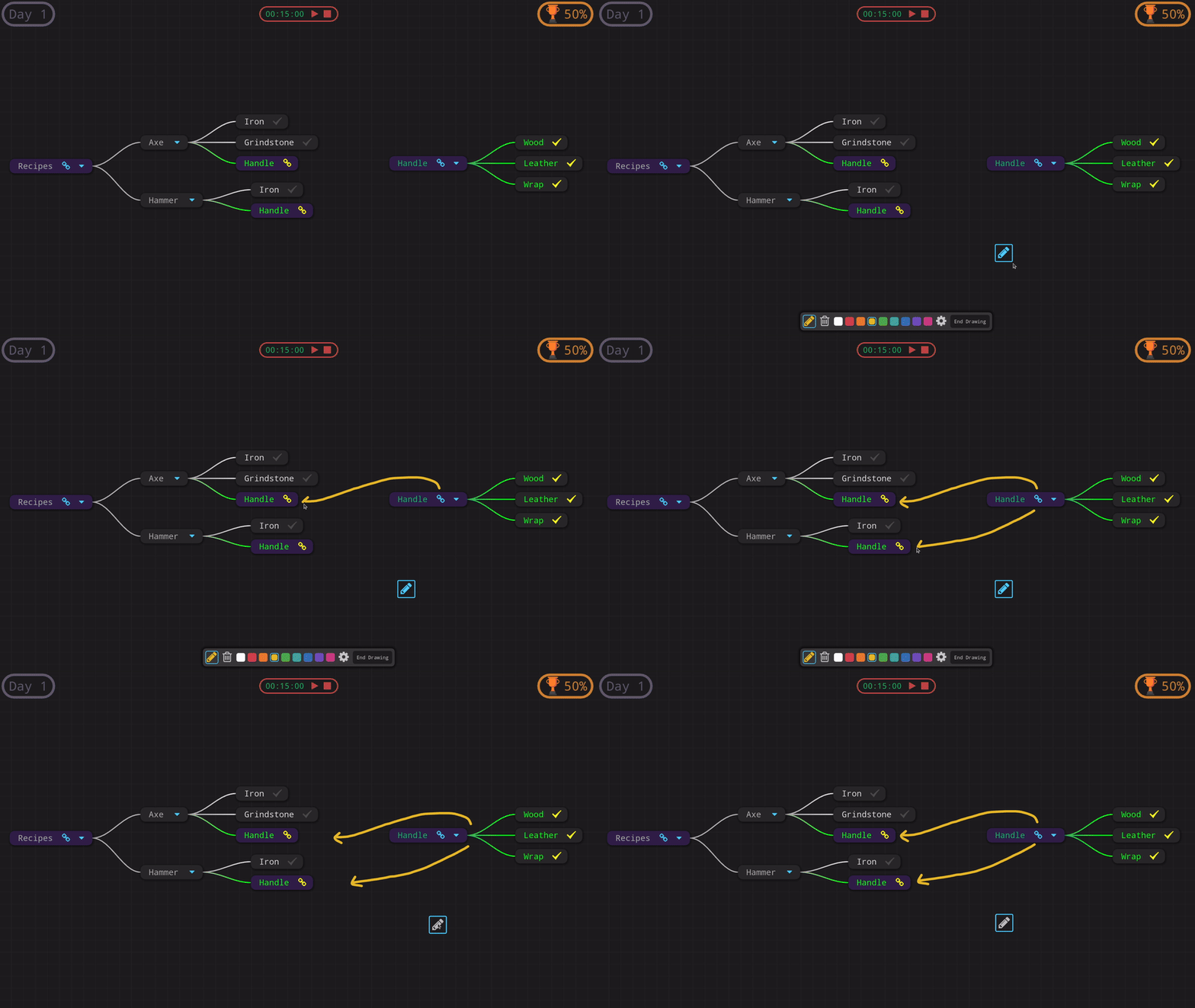
Sometimes an idea is easier to sketch than describe. Drawings let you add quick notes, shapes, and visual connections directly to your plan.
Draw directly on the canvas with a pen or eraser.
Choose from nine colors, customize them with the color picker, and adjust the stroke size with Ctrl+mouse wheel or Ctrl++/Ctrl+-.
Undo and redo individual strokes while drawing.
Move, copy, paste, and remove finished drawings like other canvas objects.
Drawings and their creation timestamps are saved with the project.
Canvas Audio Players
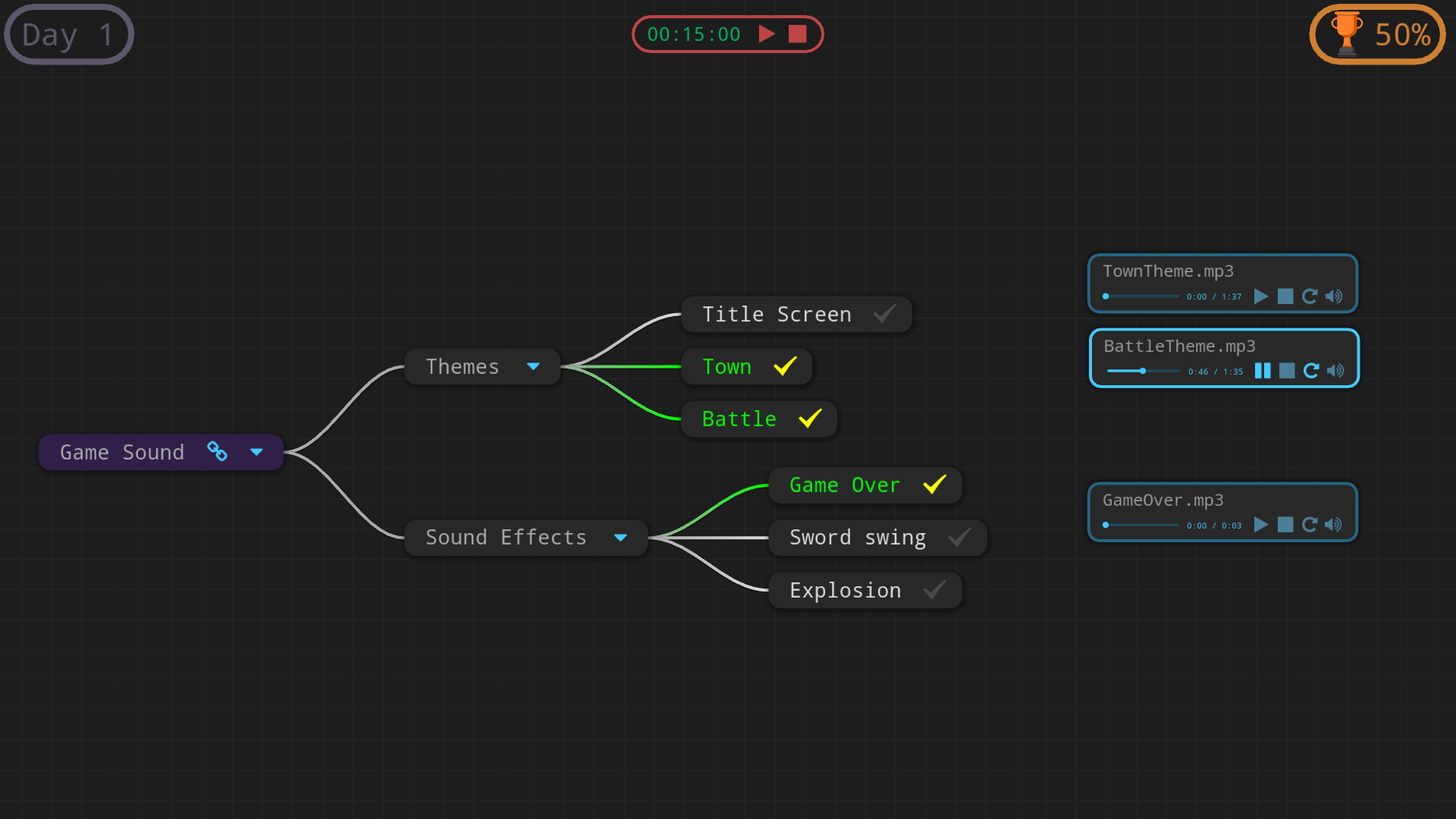
Not every useful reference is visual. Audio players keep music, voice notes, and sound ideas on the canvas beside the tasks they belong to.
Add WAV, MP3, OGG, Opus, and FLAC files directly to the canvas.
Play, pause, stop, seek, repeat, and adjust the volume inside the project.
Move, copy, paste, and remove audio players like other canvas objects.
Player positions, volume, repeat settings, and creation timestamps are saved with the project.
Play multiple audio files at the same time.
Fixed:
Timestamps now use local time instead of UTC.
Canvas objects now come to the front consistently when clicked.
Clicking outside an open context menu now selects the topmost canvas object under the pointer instead of only recognizing tasks.
Tasks and images no longer appear hovered through overlapping audio players or drawings.
Right-clicking a selected root task tree now preserves its group selection.
Ctrl-clicking additional task trees or images no longer removes the first object from the group selection.
Image removal is now covered by group selection, so removing an image no longer selects the next or previous image.
Pressing Esc while moving or resizing a canvas image now restores its original position and size.
Undo and redo now restore the matching task and canvas object selection.
Copied tasks and canvas objects remain available to paste after undo or redo.
Large undo and redo histories now use much less memory.
Undoing Ctrl+Backspace or Ctrl+Delete while editing task text no longer unexpectedly selects restored words.
Thank you for all your feedback and support!