
Hello everyone!
This update introduces two of the biggest additions to Plan My Game so far: support for multiple task trees and canvas images. It also includes many usability improvements, new language support, and a number of bug fixes.
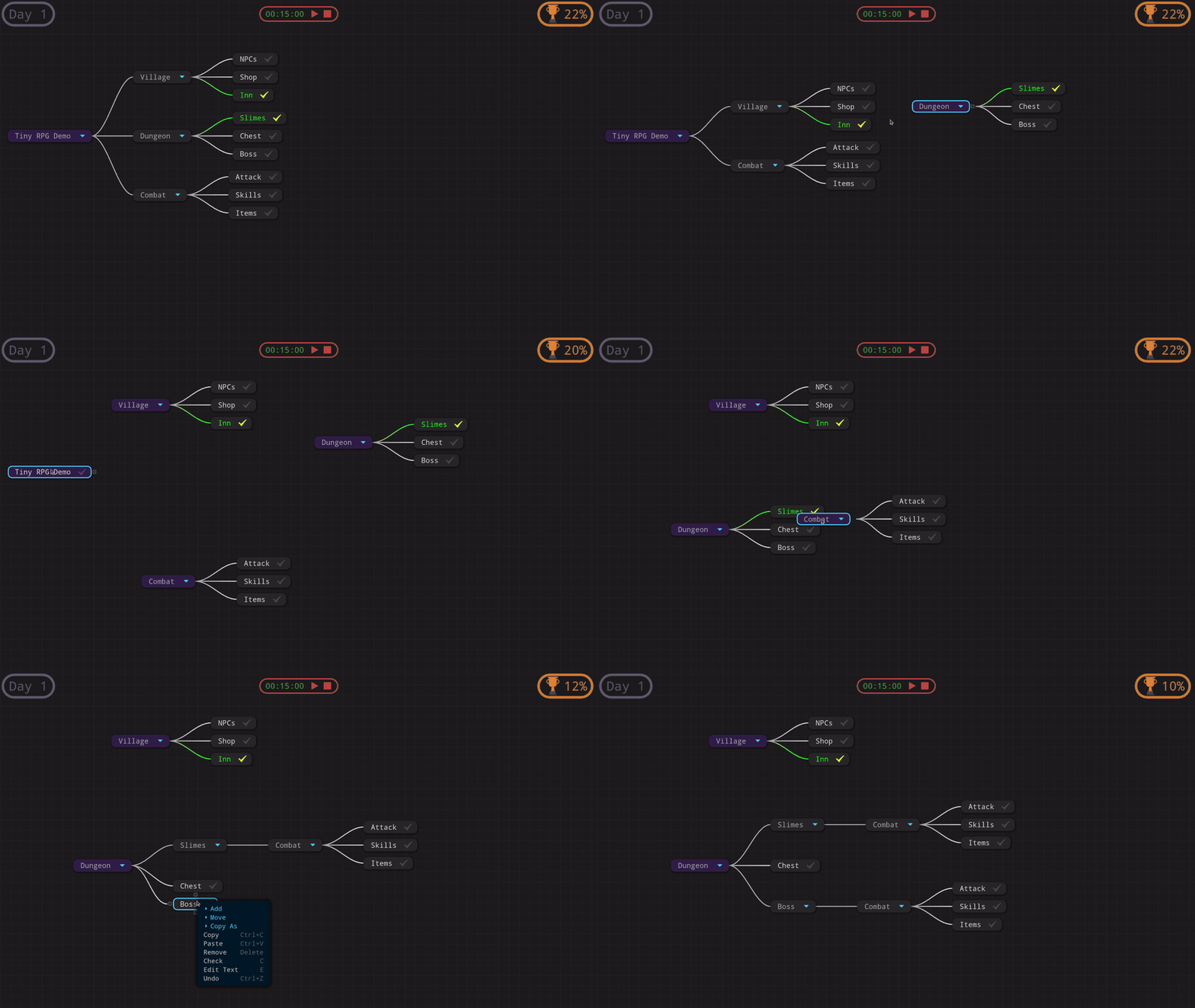
One of the core strengths of an endless canvas is spacial organization. Gameplay top-left, engine bottom-left, programming is next to engine, ... By allowing only one task tree per project this strength is wasted. This feature patch corrects this!
Multiple Task Trees
Create multiple independent task trees within a single project.
Drag root tasks to reposition task trees.
Move tasks between different task trees.
Reorder, remove, undo, and redo task trees.
Copy and paste entire task subtrees.
Projects now save and restore all task trees and their positions.
Project progress now accounts for all task trees.
Task trees now have drop shadows because they can overlap.
Canvas Images
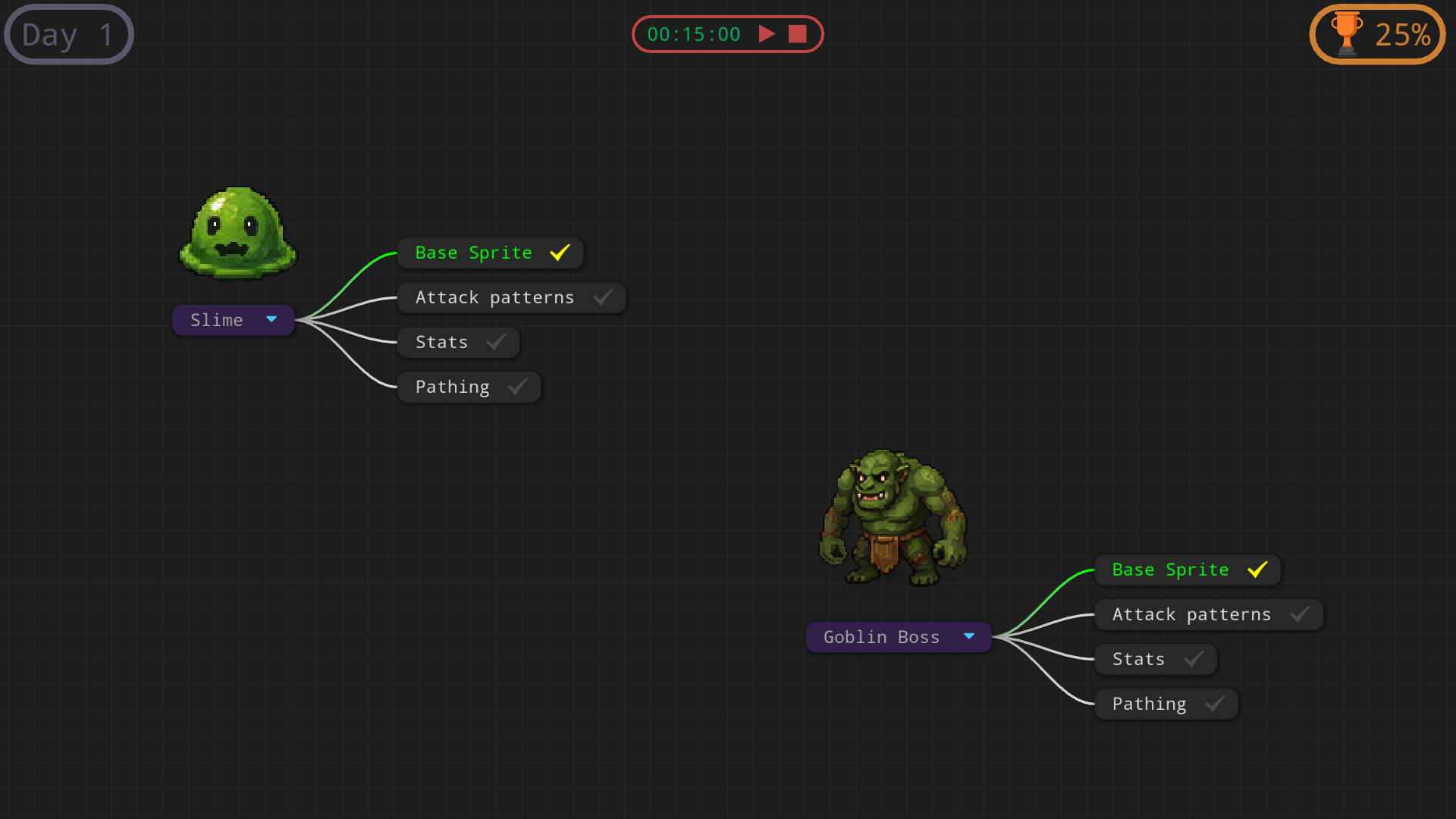
Add images directly to your project canvas.
Import entire image folders arranged automatically into a grid.
Move, resize, remove, undo, and redo images.
Projects now save and restore all images, including their size and position.
Images automatically refresh when their source files change.
Missing images remain visible as placeholders instead of disappearing.
Copy as Markdown Text
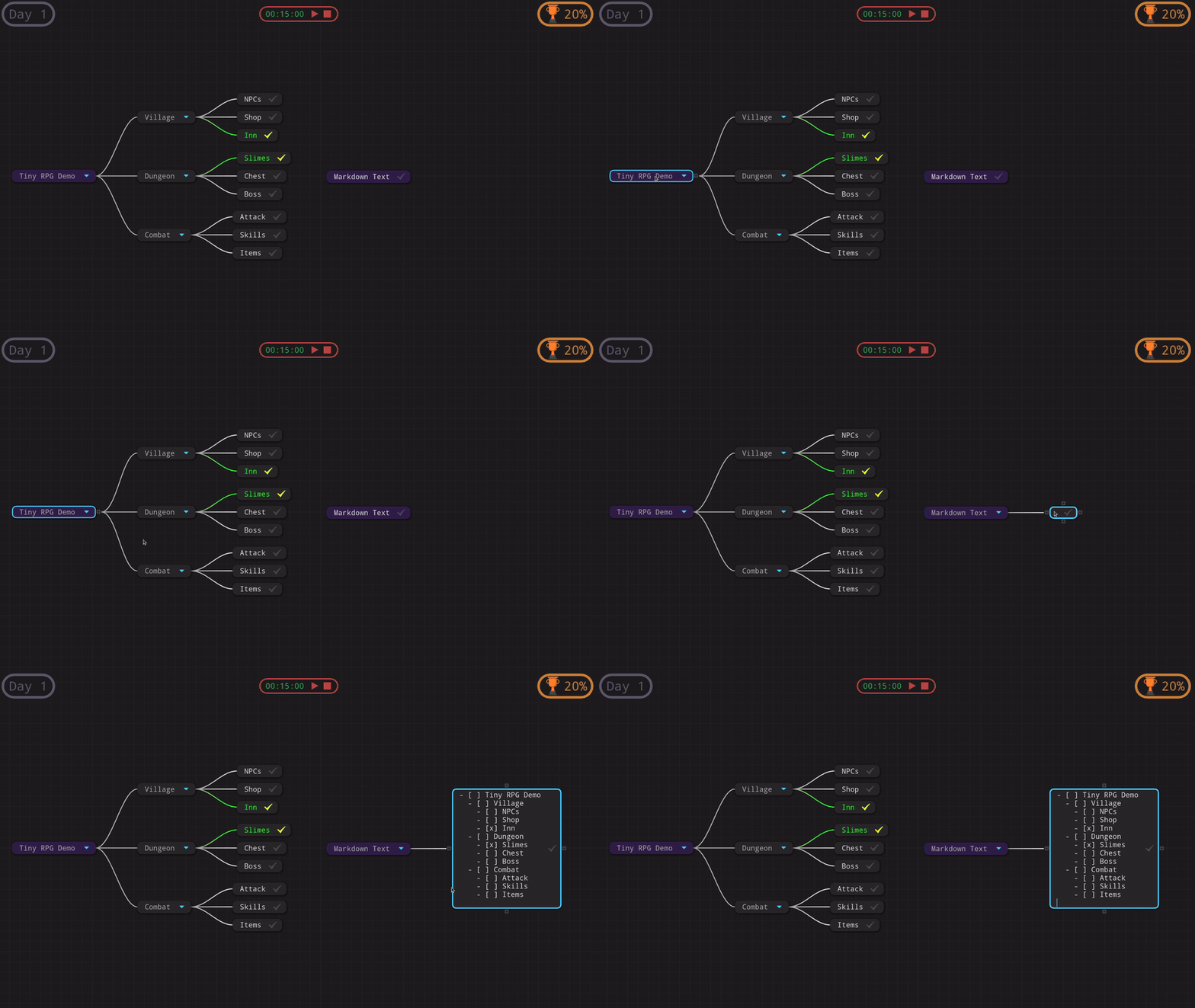
Copy your task tree to clipboard and send it to a friend, your boss, an AI or store it for yourself in another text document.
Improvements
Added support for 25 languages.
Added an option to show or hide GPU memory usage.
Reorganized the menu into Project, Add, View, Settings, and task-specific actions.
Save prompts now use Plan My Game's own Yes/No/Cancel dialogs. This also fixes a Linux X11 BadWindow error.
Projects created with version 1.1.1 remain fully compatible. I did quite a lot of testing here but I recommend to make a backup of your old save files.
Bug Fixes
Esc no longer quits the application when nothing is selected.
Clicking a task no longer moves the camera.
The task check button is easier to click reliably.
Checking and unchecking tasks now works correctly while editing text.
The timer display now refreshes immediately after pressing Stop.
Thank you for all your feedback and support! Every update is shaped by your suggestions, and there's much more to come.