
This update adds a new Challenge mode where you solve MiniScript exercises, along with plates and nicknames shared with Touhou Madouroku.
It also includes a lot of improvements and fixes for the code editor.
[New: Challenge Mode]
- Added a mode where you solve MiniScript exercises
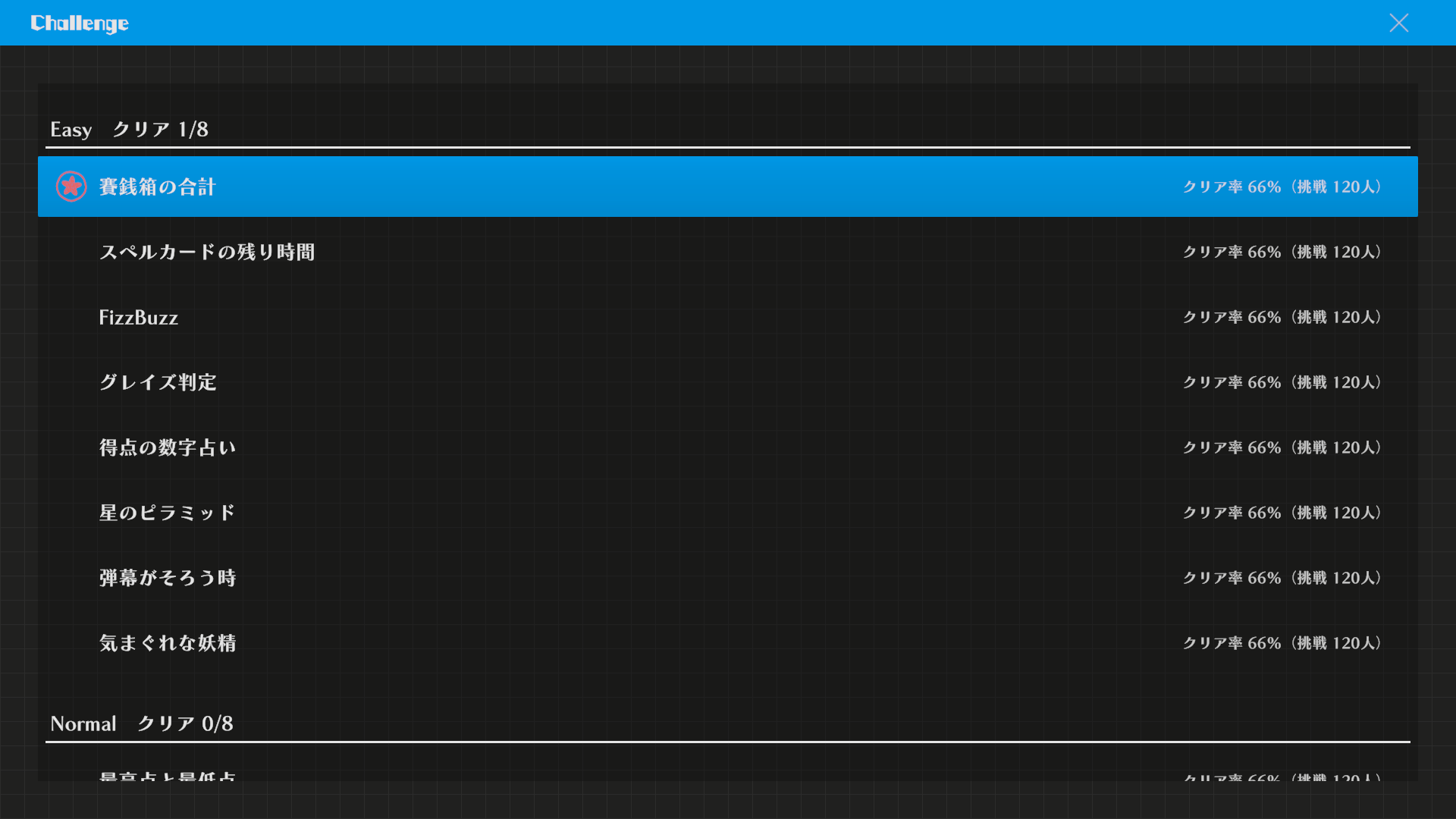
There are 30 problems across five difficulties, from Easy to Extra.
When you clear a problem, you'll see how your solution compares with other players on three metrics (Lines, Steps, and Characters): the distribution, your top %, your rank, and the top 5 players.
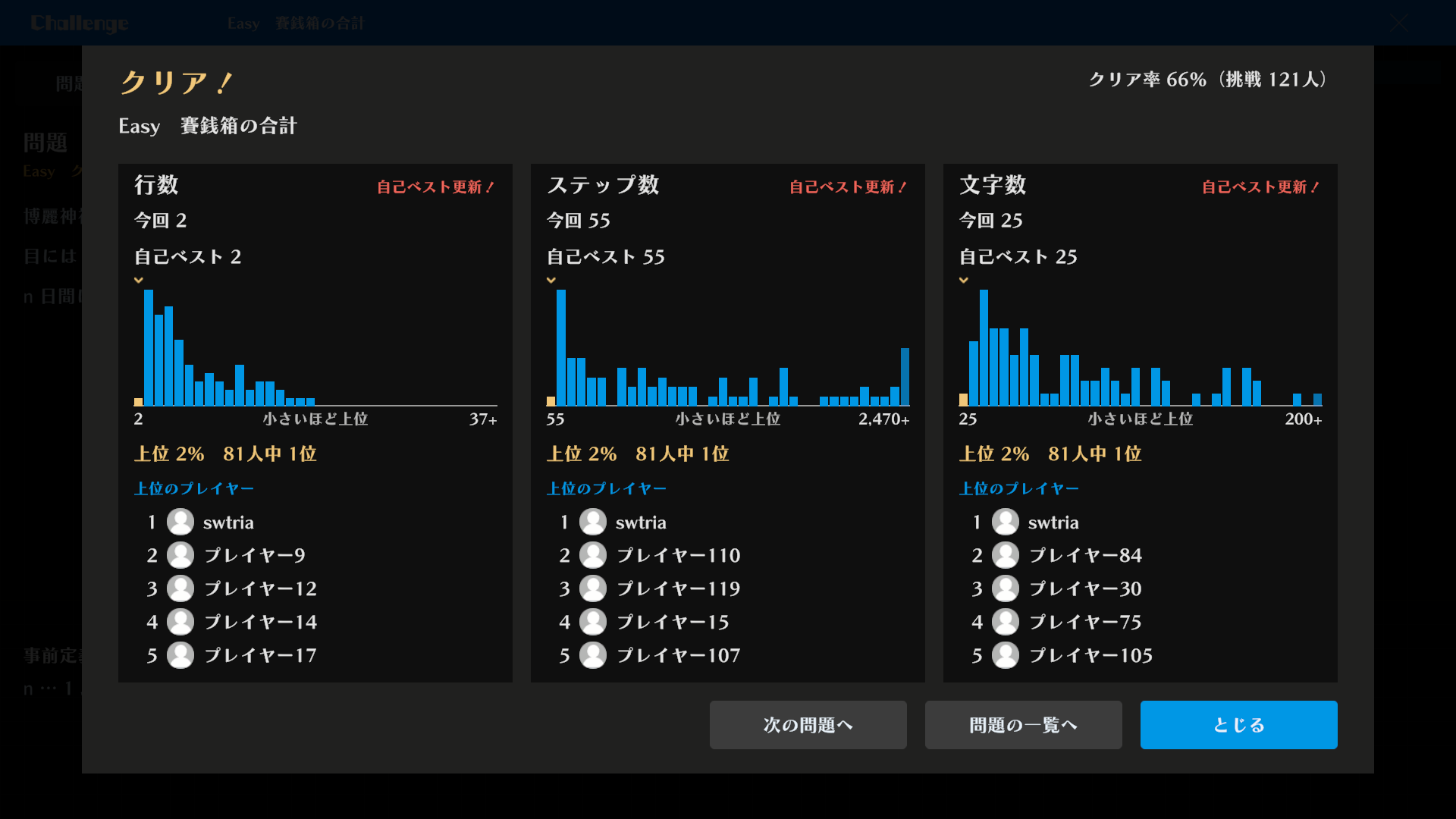
You can also play offline. Your records will be sent once you're back online.
[Start Screen]
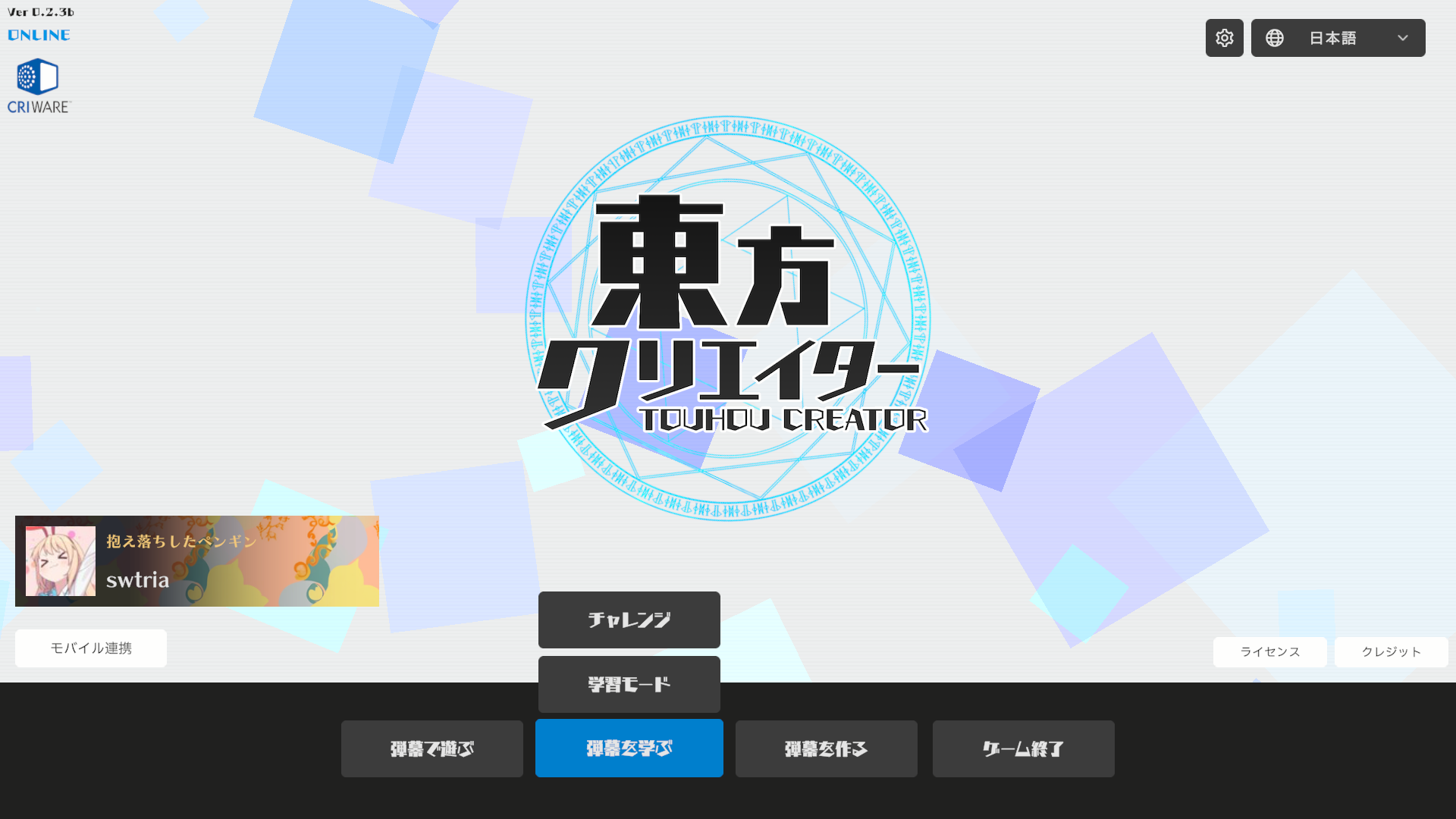
- The menu now has four options: Play / Learn Danmaku / Create / Quit Game
- Learning Mode and Challenge are now under Learn Danmaku
- Settings moved to the gear icon in the top right
[New: Plates and Nicknames]
- Your plate (name, nickname, Steam avatar, and plate art) is now shown in the bottom left of the start screen
- Click your plate to open the Profile screen, where you can choose your plate and nickname (1st and 2nd parts)
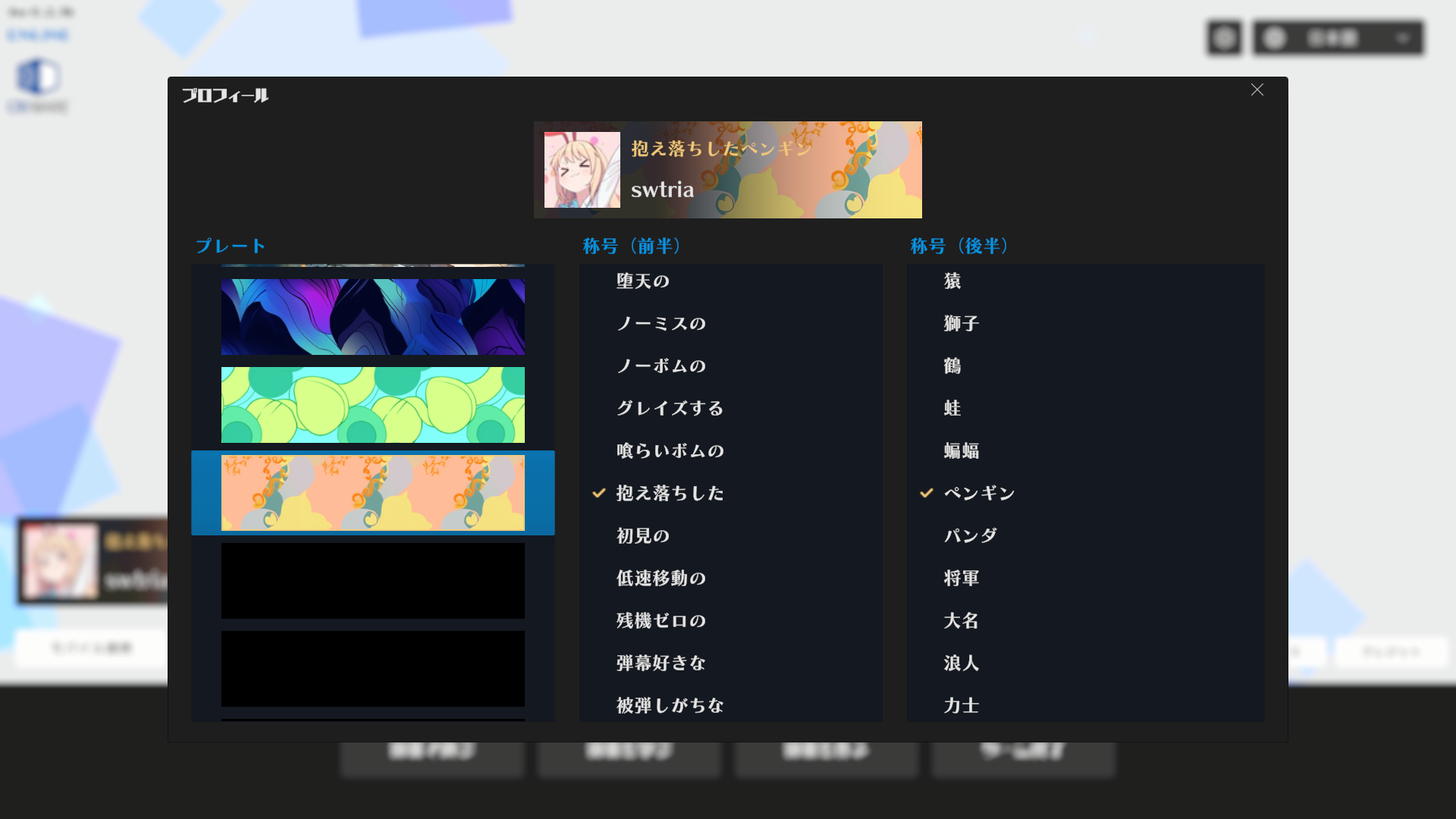
- Your plate and nickname also appear in the details on the search screen and in the author field on the play screen
* This data is shared with Touhou Madouroku, so plates and nicknames you've set there show up as they are.
* Some plates are currently blank. I'm planning to replace them with new art in a future update.
[Editor Improvements]
- While you're typing inside a function's parentheses, the editor now shows the function's syntax and a description of the current argument
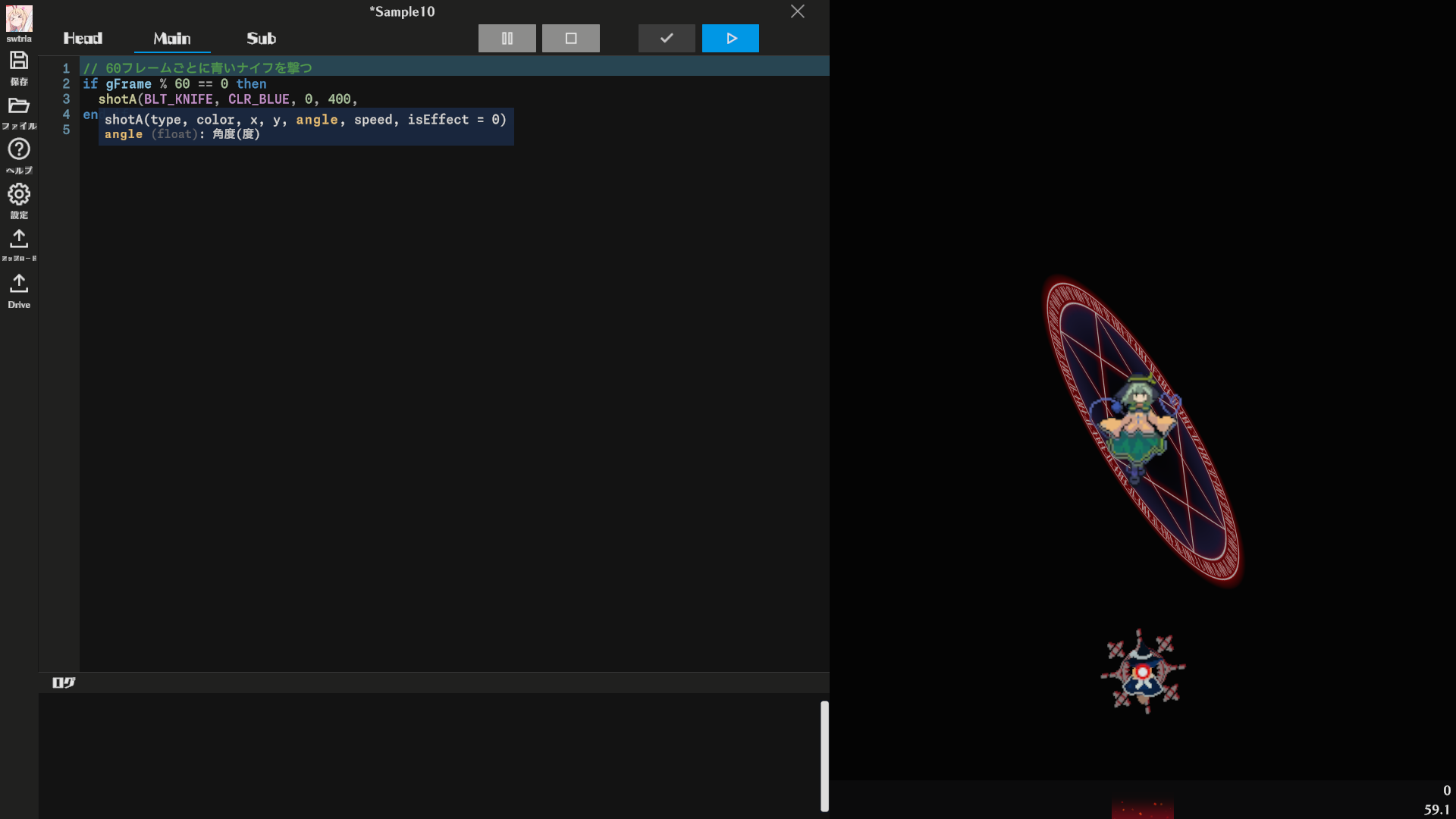
Press Esc to close it.
- The Help and argument descriptions now use the BLT_XXX / CLR_XXX / ENM_XXX identifiers instead of numbers for bullet types, colors, and enemies
- Added Sample10 to the samples
- Fixed a bug where pressing Esc would undo your edits
- Fixed a bug where autocomplete suggestions could be accepted unintentionally (Enter now accepts a suggestion only after you pick one with Up/Down; otherwise it inserts a new line)
- Pasting is now treated as a single action, so one Undo (Ctrl + Z) reverts it
- Fixed garbled text after emoji
- Fixed incorrect auto-indent and auto-unindent
- Fixed a bug where characters could be lost when typing quickly
- Fixed line numbers getting out of place on wrapped lines
- Fixed a bug where switching tabs with the tab buttons could show a blank page
- Typing no longer slows down in long scripts
- Fixed a bug where blank lines piled up at the end of Head, Main, and Sub each time you saved
- Fixed a bug where the Shot State page in Help couldn't be scrolled all the way down
[Uploads]
- Public uploads are now limited to spell cards you've cleared in the editor's test play (0 lives, 0 bombs)
If a spell card hasn't been cleared yet, you'll be asked to clear it in test play before uploading. A no-miss clear in regular play also counts. Saving to Drive isn't affected.
- Raised the source code limit for uploads to 65,536 characters, and the Drive limit to 64KB
If your source code is over the limit, the character count and the limit are shown before uploading.
- Fixed a bug where long spell cards would show "The file is corrupted" for other players and couldn't be played
[Other Fixes]
- UI images look less jagged
- Fixed a bug in test play where stopping during the defeat effect and immediately playing again would end the new play right away, and where invincibility after stopping carried over to the next play
- Fixed extra spacing between Cyrillic letters in Russian
- The Russian option in the language menu now reads "Русский"
- Fixed a bug where the online connection check never finished when the server didn't respond (an error is now shown after 15 seconds)
Thanks for playing, and see you in the next update!