
Heyo!
It's update day!
Since launching GameZone, we've been listening to your feedback and working on the areas that needed some extra love. This update brings smarter employees, Steam Workshop games, new perks, more decorations, improved stations, and a whole bunch of quality-of-life improvements.
There's quite a bit to get through, so let's jump in!
Employees Have Been Busy!
Your employees have been putting in some serious work behind the scenes, and they're now smarter and more useful than ever!
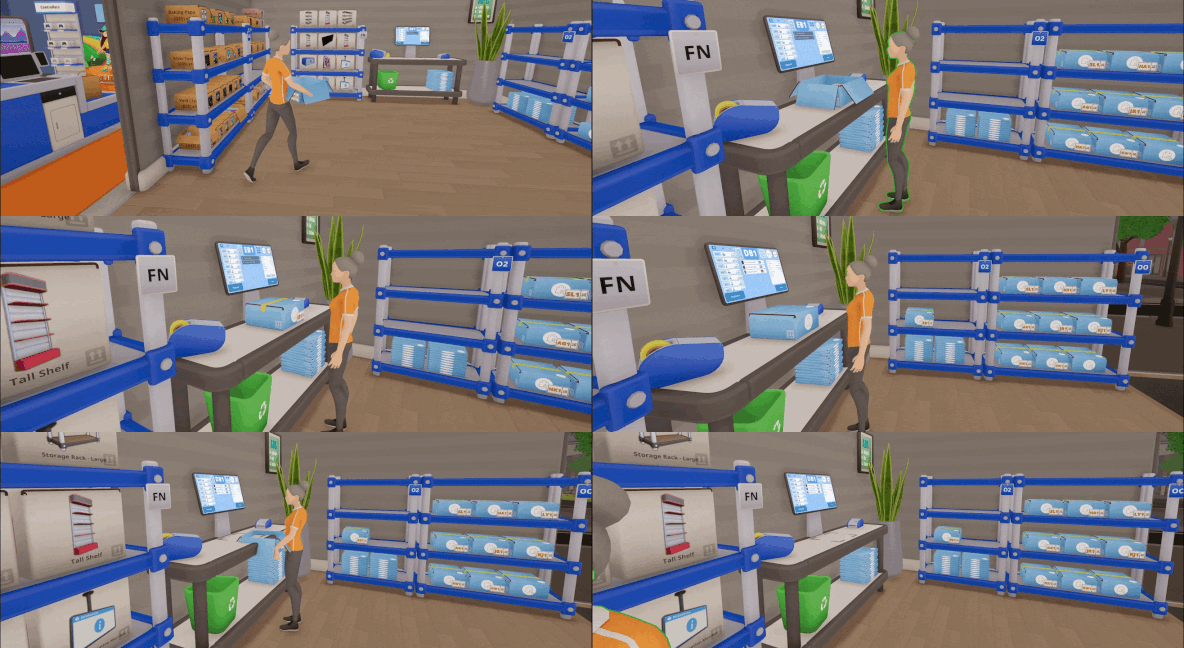
Employees can now prepare online orders! Assign them to "Prepare Orders" and they'll get to packing. You'll still need to keep the Online Order Desk stocked with boxes, tape, and paper rolls, though. They're not that clever.
We've also improved their performance and expanded what they can do:
Employees can collect items from the top of stacks, including Online Order Boxes.
Storage Rack slots can now be locked to specific products, helping keep your stockroom organised.
Employees will try to return leftover stock to the rack slot they originally collected it from.
The new Employee Management screen lets you keep an eye on what everyone's doing, including online order progress.
Steam Workshop Games!
You can now bring custom games from the Steam Workshop into your store!
Workshop games support their own cover artwork, and your selected games are automatically shared with everyone in multiplayer.
We've also made sure removed Workshop content can be handled safely, so you can clear out remaining stock without leaving your store in a mess.
Create and import mods using the custom GameZone Mod Creator Tool. A walkthrough can be found here.
Four New Perks!
We've added four new perks to make running your store a little easier:
Handle With Care: Your delivery driver will finally stop launching products at your walls and start placing and stacking them neatly.
Batch Picker: Automatically selects consecutive matching items in the same box at the Sorting Station.
Standing Order: Automatically restocks your Online Order Desks with flat boxes overnight, reusing loose boxes first and keeping a $400 cash buffer.
Pickup Ping: Automatically marks pickup orders as ready once a completed box has been sealed.
Smoother Stations & Smarter Stacking
We've given the Refurbishment and Sorting Stations some much-needed attention.
The Refurbishment Station now has smoother animations, improved camera behaviour, and stackable refurbishment bundles.
Over at the Sorting Station, Quick Boxing lets you pull up a fresh box with a click, while new controls make collecting completed boxes easier.
And speaking of boxes...
You can now place entire stacks onto Storage Racks! Hold left-click to place the whole stack, or tap to place a single item. Product stacks also work with retail shelves, allowing you to place or retrieve individual products.
Computer mice and keyboards can now be stacked too.
No more cardboard skyscrapers taking over the stockroom floor! Well, unless that's your preferred decorating style.
Make Your Store Your Own!
We've added some new ways to liven up your store and stockroom:
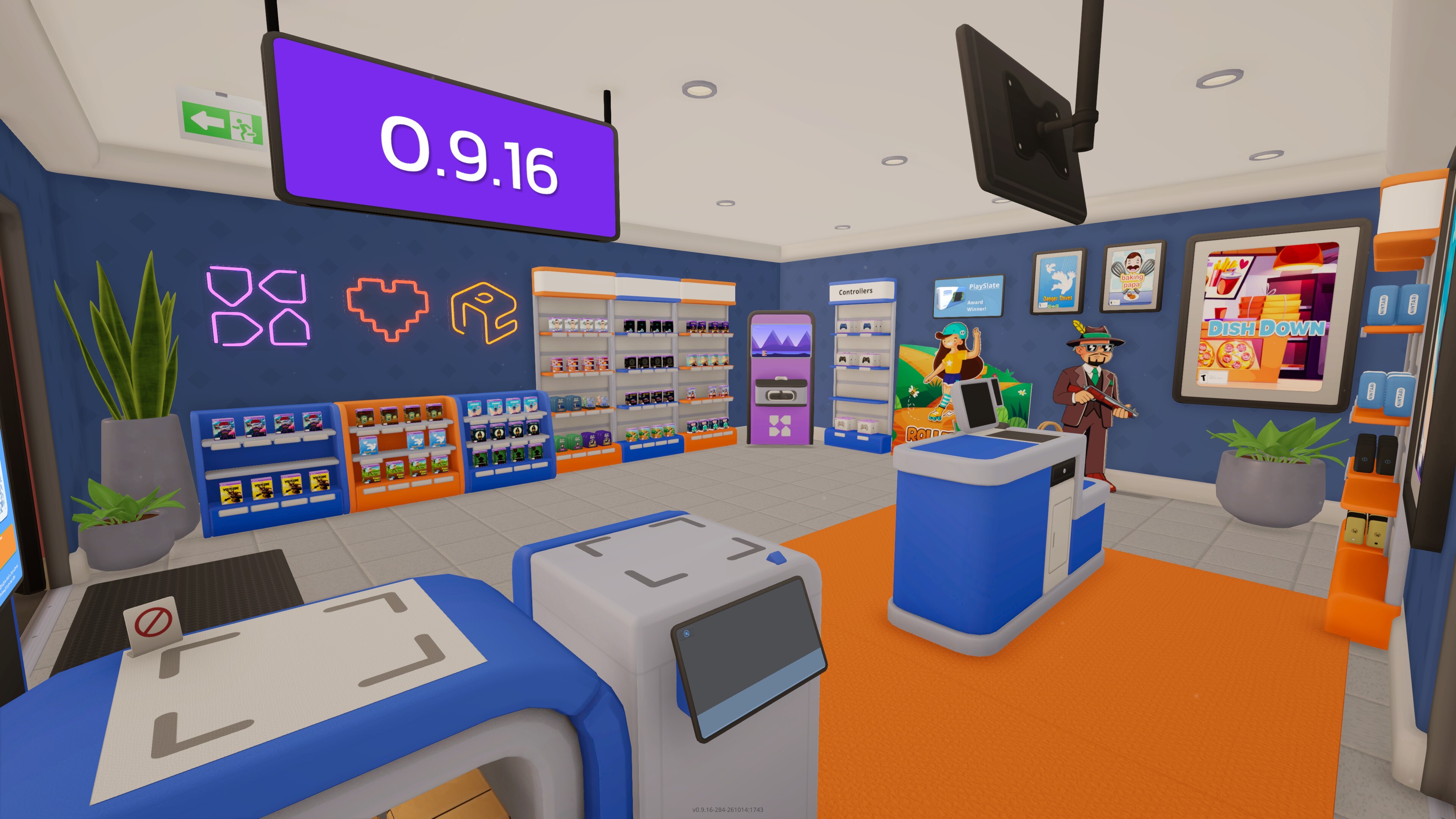
Neon Signs: Choose between different designs using the decoration tool.
Cardboard Cutouts: Give your store a little extra personality.
Motivational Posters: Perfect for inspiring your employees, or at least making the stockroom less beige.
Plants: For when you need to touch some grass.
Small Information Desk: A more compact option for helping customers.
Hanging Information Monitor: All the information, none of the sacrificed wall space!
We've also overhauled the lighting system, brightened indoor areas, improved shaders, and finally added shadows to furniture. Yay!
Better Information at Your Fingertips
The Information Monitor has received several improvements to help you stay on top of things.
Alongside the new Employee Management screen, you can now see who's handling online orders, what's loaded onto your delivery van, and what's still waiting at the warehouse.
We've also improved the Low Stock Handling screen, making automatic ordering easier to configure, with stock thresholds and targets now supporting values up to 128.
A Little More Personality!
Playing with friends? You can now communicate through the art of mime!
Hold B to open the new Emote Wheel and point, wave, nod, or shake your head at your fellow store managers. Perfect for those moments when words just aren't enough.
We've also added Twitch Mode and Channel Point reward information, with improvements to how returning Twitch viewers appear as customers in your store.
And of course, there's plenty more tucked away in this update, including fixes, performance improvements, and a few little surprises.
Thank you to everyone who's been playing GameZone and sharing their thoughts and suggestions. Your feedback genuinely helps us figure out what needs attention, and we've still got plenty more planned!
We hope you enjoy the update!
Onto the next one!
Enter Games <3
Full Patch Notes
Employees and Stockrooms
Employees can now pack online orders.
Employees can now collect eligible items from the top of placed stacks, including Online Order Boxes.
Employees hired after closing now arrive immediately with Work Overtime automatically enabled.
Storage Rack slots can now be locked to specific products.
The Information Monitor Online Orders screen now shows which employees are handling orders.
Employees now clear empty boxes from rack slots locked to other products.
Added an Employee Management screen to the Information Monitor showing employee activities and online order progress.
Improved employee performance.
Employees no longer unnecessarily interrupt their work when unrelated checkout items or registers change.
Employees remember the original rack slot of a box collected for restocking and prefer returning leftovers there.
Fixed employees sometimes freezing after restocking.
Online Orders and Information Desks
Online order handover screens now correctly show newly scanned pickup orders.
Fixed pickup customers becoming permanently stuck when their order was cancelled, removed, or restored during a completion transition.
Fixed manual Online Order Scan Stations remaining occupied after an order became invalid.
Fixed changing or cancelling an order during the final handover potentially leaving the customer, box, and order in an inconsistent state.
Removed the order cancellation button from the Online Order Handover Station. Orders can still be unselected using Clear.
Empty receipt, ticket, and tape dispensers now display refill notifications even when nobody is operating the station.
Online Order Desks now highlight how to shred stale or duplicate printed labels.
Online Order Desk boxes can now be collected while leaving by holding right-click on the box.
Fixed the Online Scan and Collect Station sometimes selling or packing only one side and leaving the station unusable.
Fixed the online order scanner sometimes ignoring pickup attempts while station control was transferring.
Added progress indicators when applying or discarding online order tape and tickets.
Service bells now alert players when customers wait too long at Online Order Scan Stations or Information Desks.
Added the Standing Order perk.
Added the Pickup Ping perk.
Information Desks now provide reminders when customers are waiting for package requests.
Added the Small Information Desk.
Refurbishment, Sorting, Shelves, and Stacking
Refurbishment bundles can now be stacked for easier carrying and organisation.
Fixed the missing box bounce animation for multiplayer clients while stocking shelves.
Added mouse-wheel cycling for products on shelves, making it easier to choose a particular colour.
Item stacks can now be placed on Storage Racks. Hold the interaction to place a full stack or tap to place a single item.
Product stacks can now place and retrieve individual products from retail shelves using tap or hold controls.
Fixed computer mice failing to form item stacks and producing stacking errors.
Keyboards can now be stacked.
Keen Eye now highlights shelf locations for the top product in a held stack.
Added the Batch Picker perk to the Sorting Station.
Fixed the box contents display remaining visible after placing boxes on Storage Racks.
Reduced the cleaning applicator's volume and made its sound fade naturally with distance.
Deliveries, Stock, and Store Balance
Halved the speed at which packages are thrown out of the delivery van.
Stock cards now show whether ordered products are in transit, split across deliveries, or queued for the next van.
Stock delivery tooltips now explain what each delivery-status colour means.
Added the Handle With Care delivery perk for neater, stacked deliveries.
Reduced the Hanging TV price to $285.
Automatic Ordering now only restocks products that your shop has previously acquired.
The Information Monitor Delivery screen now shows items on the current van, stock waiting at the warehouse, and a compact item manifest.
Improved the Low Stock Handling screen by bringing the selected category's action, threshold, target stock, and ordering strategy together for editing.
Low-stock thresholds and target stock levels can now be configured up to 128.
Low-stock categories can now be dragged to set automatic-order priority
Dice Sets now unlock at Shop Level 2.
Increased starting cash from $500 to $650.
Added Dish Down, a new game available on GS5 and PC.
Customers, Checkouts, and Kiosks
Customers now favour player-operated checkouts, followed by employee-operated checkouts.
Customers now balance between equally staffed checkout queues.
Customers no longer start or continue playing at gaming kiosks after closing time.
Smoothed background NPC movement for the host.
Steam Workshop Games and Multiplayer Joining
Added per-world Steam Workshop games with automatic multiplayer synchronisation.
Added safe mod retirement, clearance selling, missing-item recovery, and personal Workshop game artwork.
Added receipt-style startup and joining progress during scene transitions for hosts and clients.
Decorations, Furniture, and Visuals
Added Cardboard Cutout decorations.
Added a hanging Information Monitor.
Added new Motivational Posters to brighten up storage rooms.
Added Neon Signs for wall decoration.
Updated the shaders and lighting system, and added shadows to furniture.
Hanging Signs now support up to 40 visible characters, excluding completed formatting tags.
Added significantly broader support for colour emoji in in-game text.
Furniture placement controls now use context-specific screen positions for furniture boxes and the move tool.
Fixed price tags disappearing incorrectly on some sides of the Square Display.
Fixed trash cans sometimes becoming permanently tilted or stuck during their animation.
Twitch, Multiplayer, and Emotes
Added player emotes.
Added Twitch Mode and Channel Point reward information.
Redeemed Twitch viewer names can now return as customers throughout the current session.
Returning Twitch customers retain their body, face, eyes, hair, and facial hair while still changing clothes between visits.
Fixed flickering or shaking hands while carrying trash bags in multiplayer.
Added a little extra pizazz to player farewells.
Emails, Guides, Interface, and Performance
Email offer costs now display as payments and cannot be accepted without sufficient funds.
Mixed-goods email offers now correctly deduct their listed cost.
Previously viewed guides can now be continued or closed immediately when reopened.
Updated the Blipbud guide to clarify that Blipbud display shelves are decorative and cannot be used to sell Blipbuds.
Expanding and collapsing boxes now plays an audio cue.
Fixed camera rotation remaining locked after closing the Tablet or switching away from other menus.
Prevented rapid Shop Sign interactions from immediately closing the store again.
Reduced End of Day report stuttering, particularly in large stores.