
Please note: Save data from demo versions released before June 19, 2026 cannot be transferred to the full version.
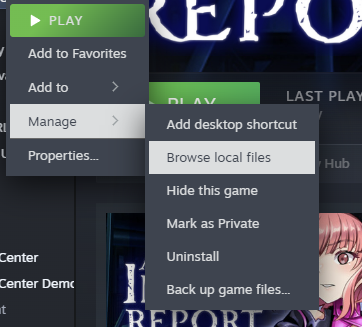
① Right-click the demo version and select Manage → Browse Local Files.
② Open the alisa folder. Inside, you will find a folder named save. Right-click it and select Copy.
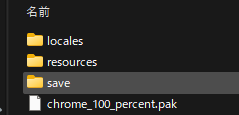
③ Right-click the full version and select Manage → Browse Local Files. Open the alisa folder, then paste the copied save folder into it.
④ Launch the full version. Select your save data from Continue, and the save transfer process will begin.