Video
https://youtu.be/M0ZbfJiKiwo
Be sure to subscribe for more videos + updates!
New Vehicle
I've added a Light Plane vehicle!
The plane can remove blocks and take damage if it hits something! To do maximum damage I recommend pitching down to build speed before impact. For taking off, set throttle to maximum and take off on a flat, solid surface (concrete, asphalt, etc), and slowly pitch up once you are up to speed.
New Buildings
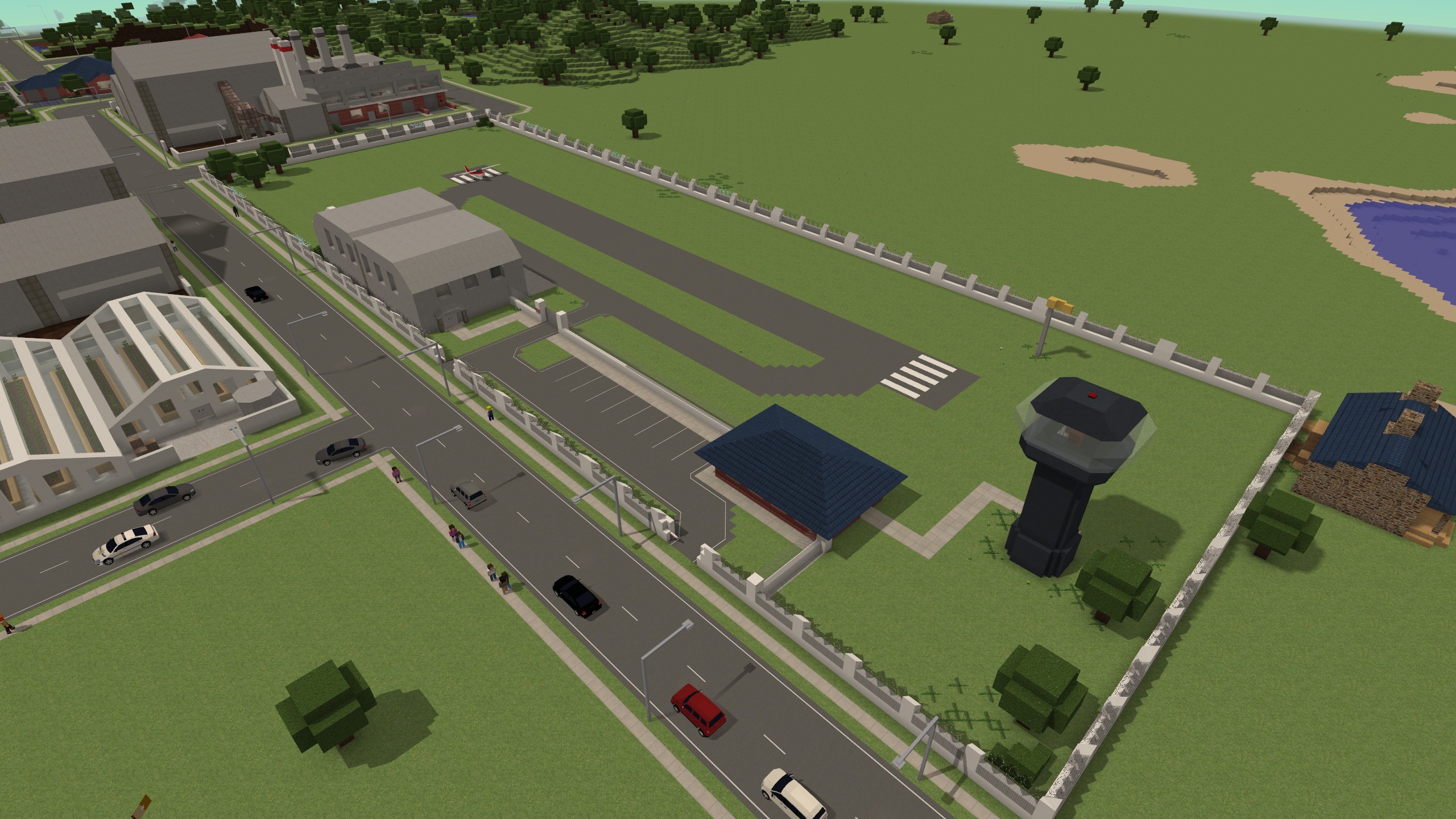
A new vehicle needs new spawn buildings yeah? I've added two: a Commercial Airfield
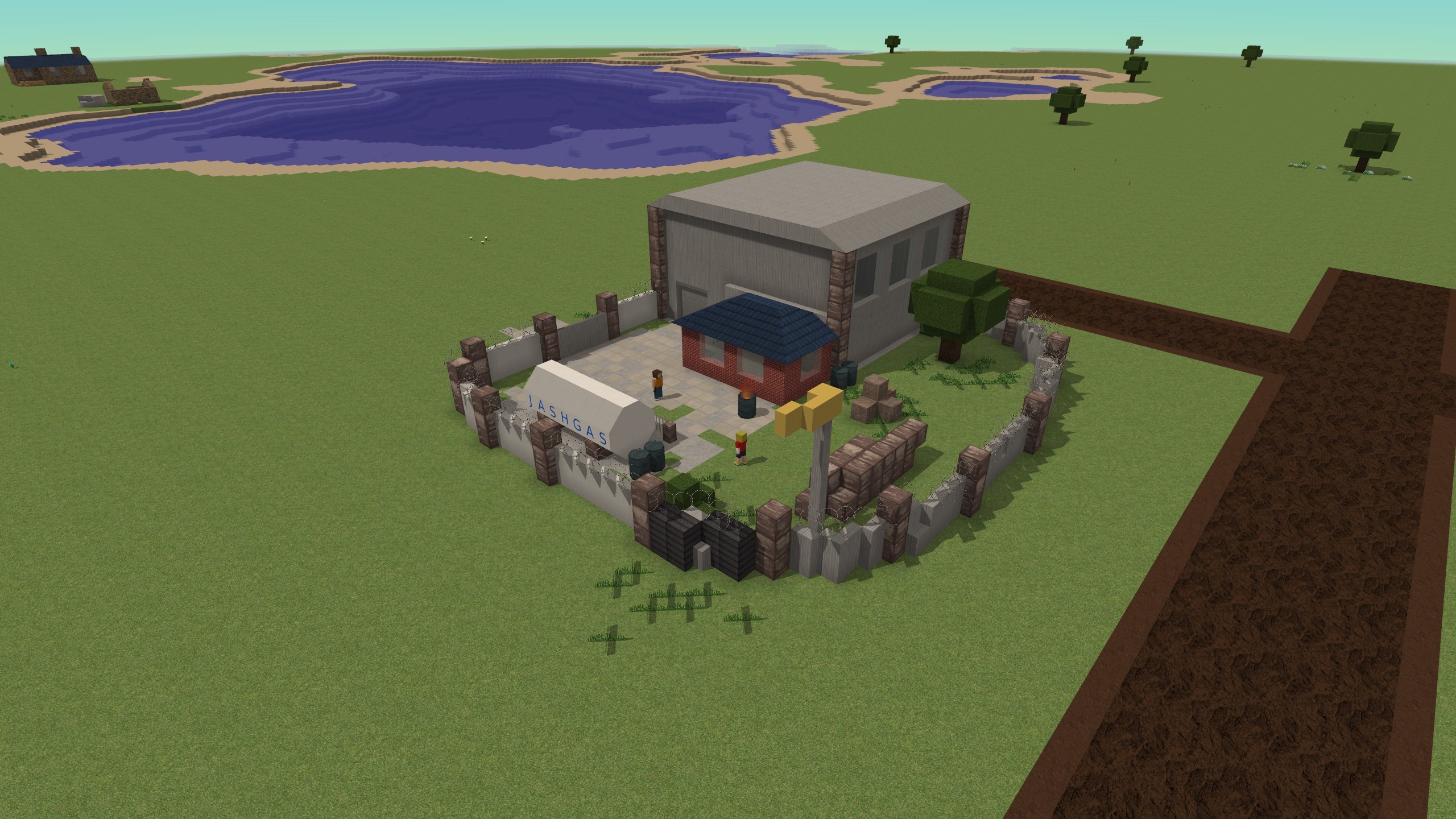
...and a Bandit Base variant!
Control Info Windows
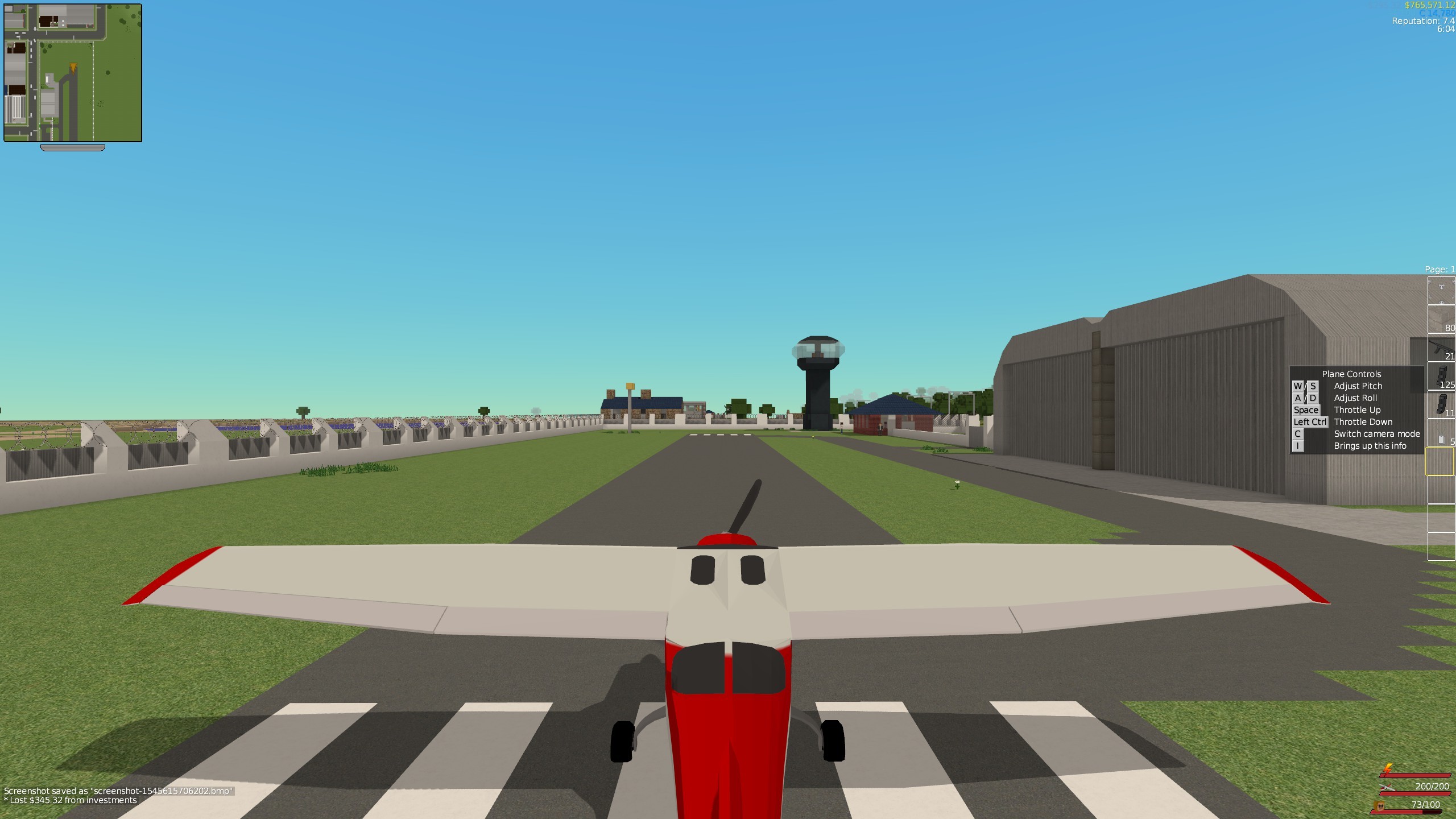
Now control info windows appear to show you how to use vehicles, etc.
Server Reset
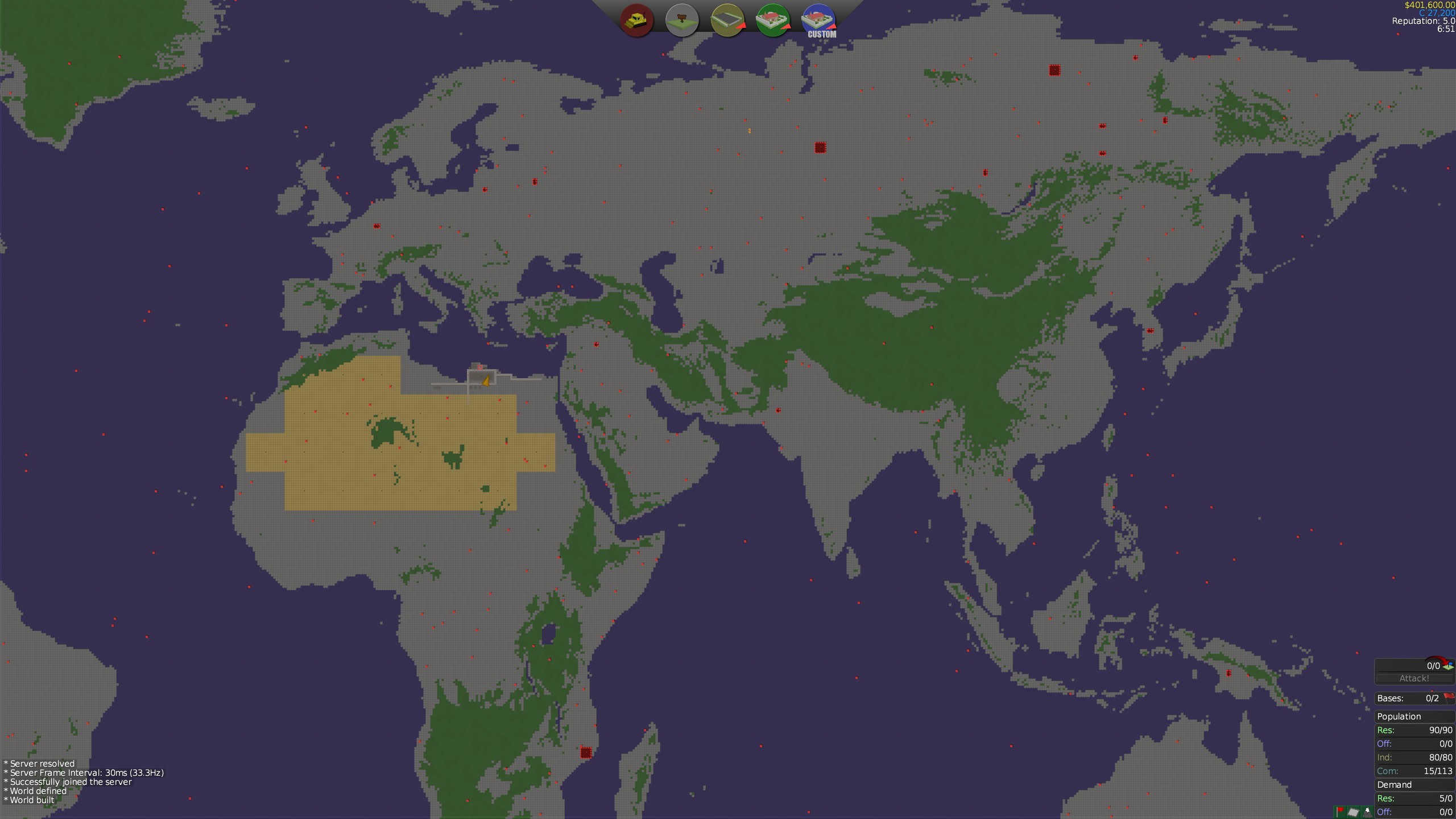
I've made a new map for the multiplayer Lets Build server - this time it's THE WORLD! I've also put the map onto the Steam Workshop in-case you want to play the map in singleplayer. This map is gigantic, measuring at 16km x 8km. I've made a small spawn area around Toburk
Bitmap Map Generation
You can now generate maps from bitmaps! Running the server from the command line using the "--loadBitMap file.bmp" argument will make the game generate a map from the specified bitmap. The game will take the red channel as the hight/biome info - heights below 70 (bottoms out 56) will be sea biome, heights above 143 will be hills (maxes out at 158). The bitmap file does *not* have to be the same size or even aspect ratio as the game map - vtserver will automatically interpolate between values provided by the bitmap.
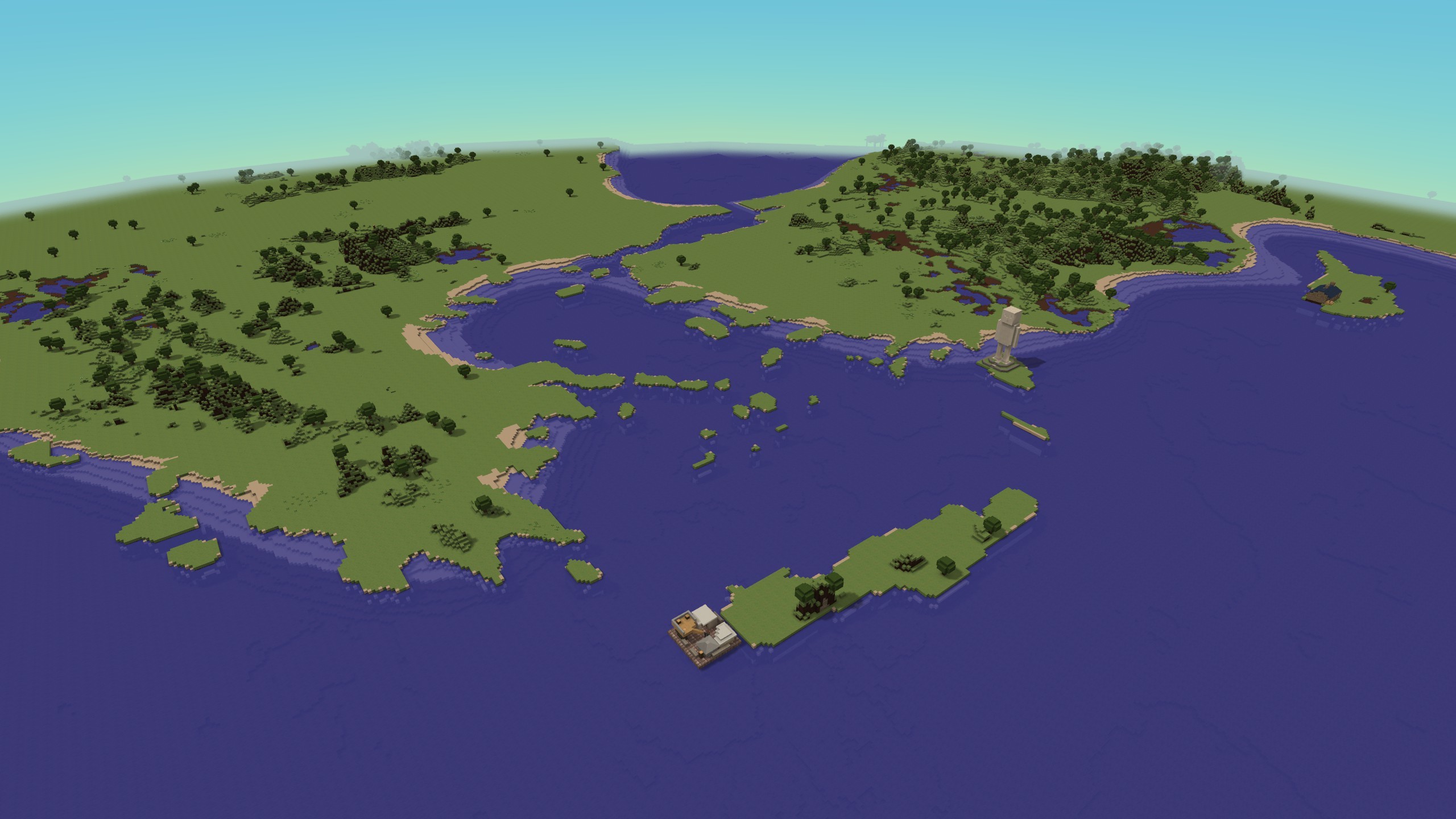
This an edited version of the command I used to generate the "Lets Build The World" map.
vtserver --saveGame SAVE_NAME --genmap VERT_SIZE HORZ_SIZE --loadBitmapMap YOU_BITMAP.bmp --mapGenSeaMod -30 --mapGenHillsMod -35 --gameMode "Turf Zero"
Be sure to save your bitmaps in RGB24 format.
Workshop Map Support
You can upload maps to the Steam workshop!
I recommend zipping the world0 folder and then deleting the folder before you upload, as Steam tends not handle very large numbers of small files. Now when you start a game using an existing map, vtserver will check for the existence of world0.zip and unzip it if required. If you look at my example:
https://steamcommunity.com/sharedfiles/filedetails/?id=1601439756
you can see how I zipped the files.
Changelog
VERSION: 1.4.0 - 27/12/2018
==============
No changes
VERSION: 1.4.0-RC2
==============
- [Feature] - Added a "News" window to the main menu
- [Misc] - Opening a URL while playing thorugh Steam will now open the link in Steam's browser (fixes "can't start game - game already running" issue caused by the game starting the web browser and Steam thinking that the web browser is a child process of the game).
- [Misc] - Map files that contain zipped worlds will now unzip the world data on a new game (fixes Steam Workshop not handling folders with lots of files)
- [Misc] - Improvements to map mod support
VERSION: 1.4.0-RC1 - 21/12/2018
==============
- [Feature] - Added a Light Plane Vehicle
- Two liveries - a red and a blue "CDF" one
- The plane can damage blocks by ramming into them
- [Feature] - Added an Airfield commercial lot (like the helifield) and a bandit-airfield mob base. Both these lots spawn planes
- [Feature] - Added lot zones to spawn aircraft
- [Feature] - Added "controls" tooltips for when you start a the game, first hold a block placing item, first hold a weapon, first enter a vehicle, etc. You can press "I" to view this info at any time
- [Feature] - Added bitmap map generations
- [Misc] - Added a Kage848 Flag Emblem
VERSION: 1.3.4 - 03/09/2018
==============
- [Modding] - Added CDF_VEHICLE, CDF_ARMOURED_VEHICLE, CDF_TANK, CDF_HELI zone types
- [Misc] - Updated Steamworks to version 1.4.2 (latest)
- [Misc] - Updated OpenVR to version 1.16 (latest)