
Battle Maps
I have been working really closely with the community to make MITHOS's next big feature update! The Map Display tool has grown up and earned a new title. Battle Maps is now a full encounter tool: build encounters with multiple battlemap scenes, each holding its own map, fog of war, tokens and effects, and switch between them mid-session with a click. Paint and reveal fog with brushes, marquees and named regions, drop shapes and spell templates, sketch with the drawing tools, and measure with a ruler that understands your grid scale. Anything marked DM only stays invisible to players until you choose to reveal it. Prep the ambush, spring it on cue.
This is a massive change to the platform, so please keep me up to date on what you think and how I can improve. Thank you to the Beta Testers that contributed to this update. You guys rule.
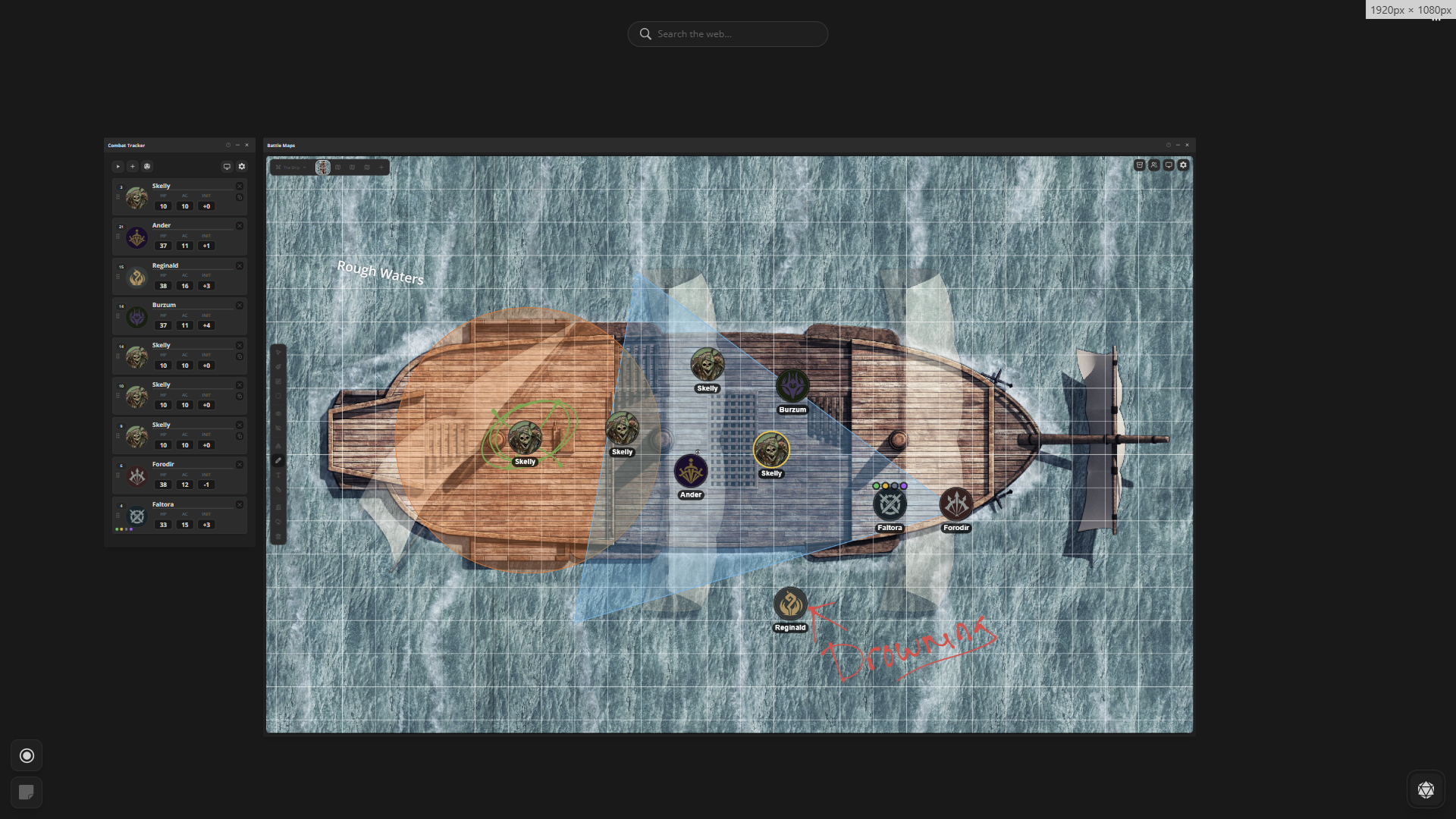
The Map Vault
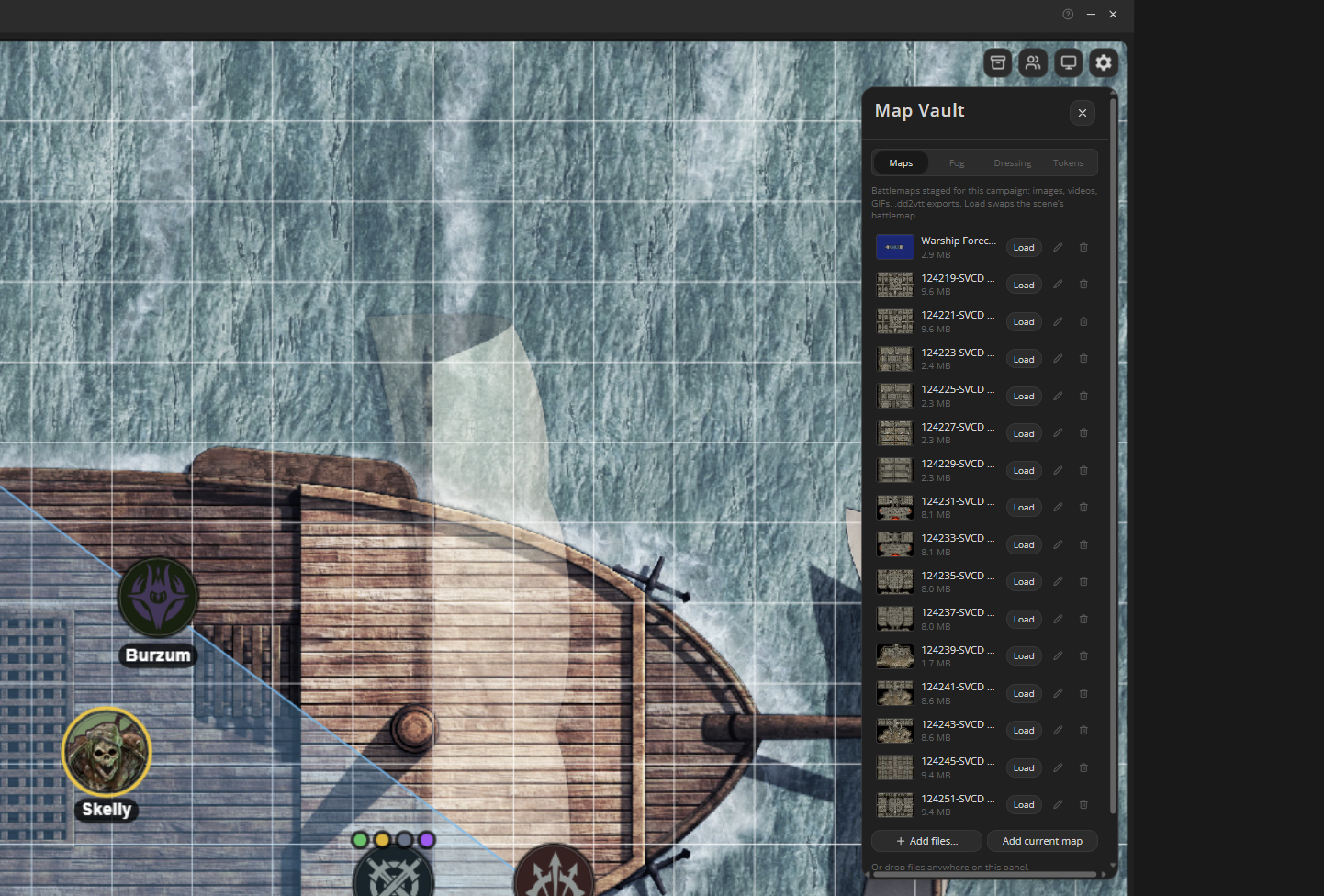
There is now a full map dressing library that you can browse in-app as opposed to digging through your files on your OS. The Map Vault is a shelf where you stage battlemaps, fog overlays, dressing props and token art ahead of the session, then drag them straight onto the map during play. It takes images, videos, GIFs, and even .dd2vtt exports with the grid setup carried over automatically.
Encounters and Scenes
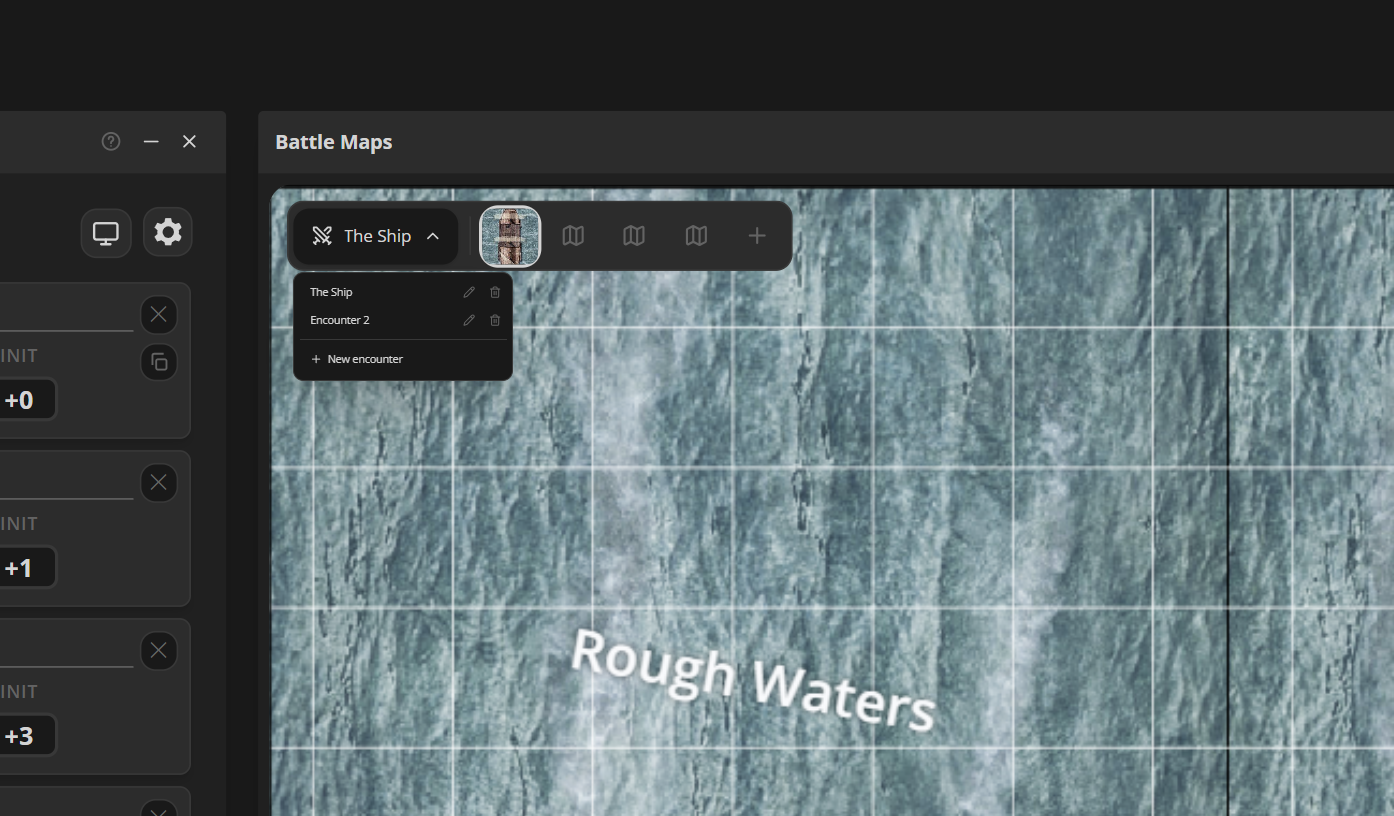
Want to set up your maps before your session? Yeah me too. There is now a top rail where you can set up each phase of your encounter. All settings are distinct for each scene: Grid, colors, tokens, all saved per Scene. You can save multiple Scenes per encounter to stay extra organized before you begin your session.
New Tools
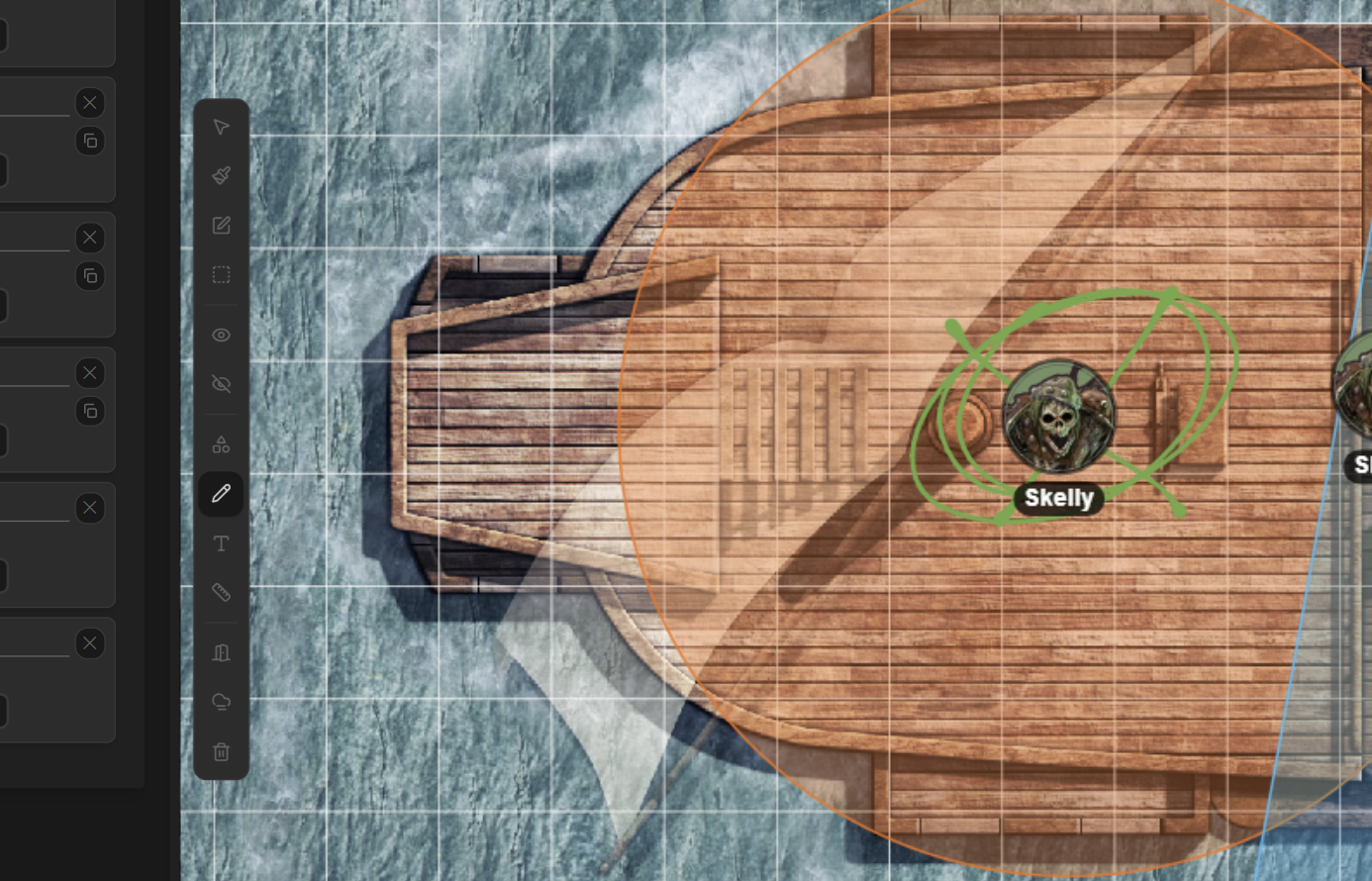
A new Tools Rail on the left side of your Battle Maps window allows you to interact with your encounters in tons of new ways.
Fog Rectangle: Stop brushing, start blocking. You can now drag large areas to reveal or hide areas of your map
Shapes and Spells: Drag shapes on your maps to show spell radius' and distances
Draw: Scribble on everything!
Type: Type notes for you or your players directly on the maps.
Ruler: Measure distance for... ya know, measuring distance.
Fog Regions: Preset areas on the map that you can reveal with one click. Like a room, or a cave.
Grid Offset: Fine tune the grid's X and Y coordinates
Grid Align: Drag a grid square to accurately adjust the size of the cells with your mouse (if you hate inputting values)
AURAS: This is my favorite. Place an Aura on your TV Table in front of your players to show who's turn it is AND who's up next. Pretty neat.
Ok, I think that's all of it. Thank you guys so much. I also want to point out that this update did cause a few performance issues that were resolved as of today, (8/27/2026). Thanks for bearing with me on this. One man show, so some things do fall through the cracks.
Thank you all again for your help and support. I cannot explain how much it means to me.
-Michael