
👣 First Steps
Two small things you asked for in the weekly threads, and a big one for beta testers: the beginning of the game, rebuilt from scratch.
🏆 Claim all
When two or more missions are ready, a golden Claim all button appears at the top of the Missions screen, showing how many are waiting ("Claim all (3)"). One click claims them all, adds up every reward and tells you the total ("3 missions claimed: +1.2K") – with one fanfare instead of three. Every mission still counts for achievements and stats.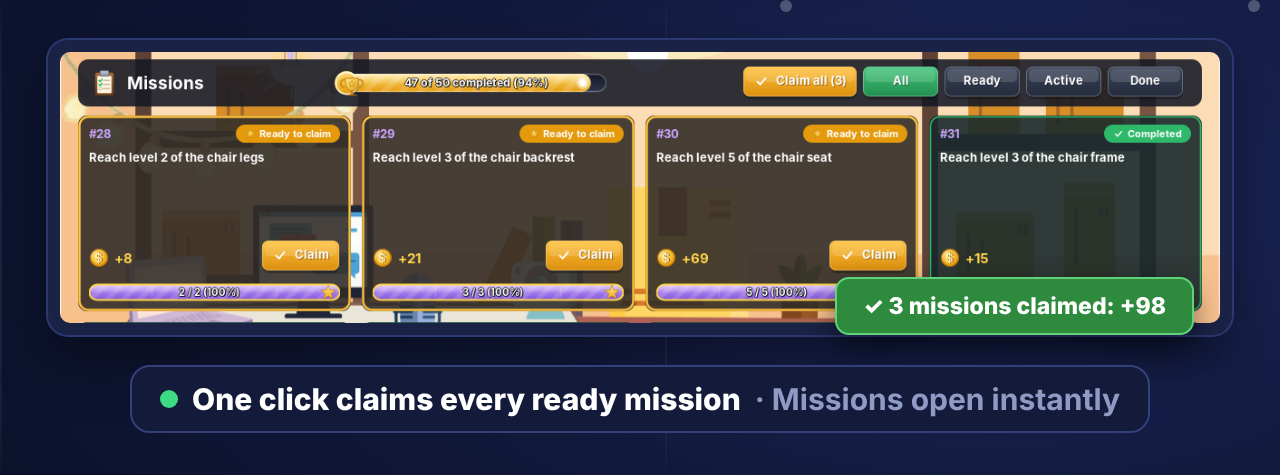 The Missions screen is also much faster now: it opens and claims instantly, even in the medium storage room with its 50 missions.
🛒 Prices in the shop
Shop buttons now show what each component costs ("Camera · 75"). If you can't afford it yet, the price is shown in red, and it updates by itself as you earn money – no more opening an item just to check whether you can buy it.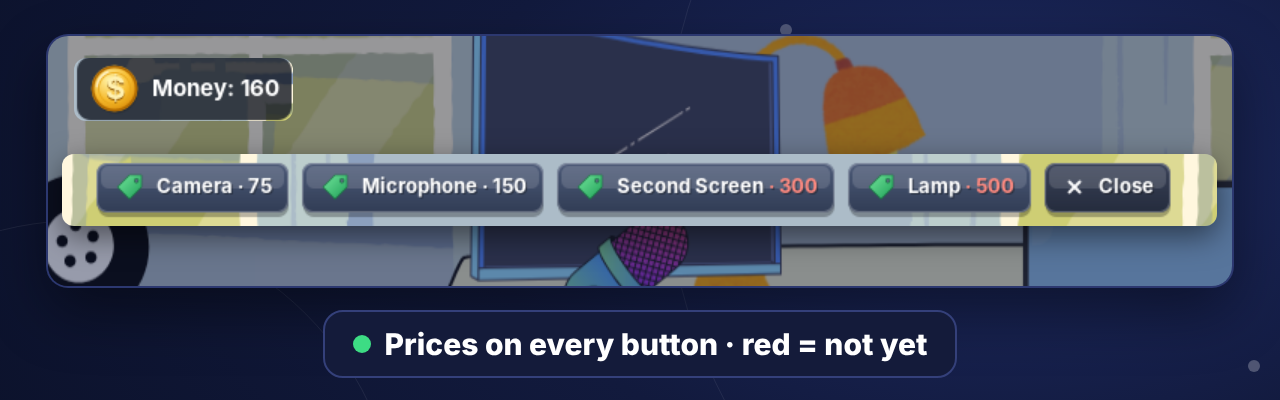
🧪 Beta 2: Yaarmi's bedroom
The First Day beta now starts where the story does: in Yaarmi's bedroom, with grandma's old PC tower on the floor. It's a short, guided map – about 15 minutes – that teaches everything step by step: your first video, buying and improving a component, closing screens, claiming missions, saving up, the map bar, and moving to the next room.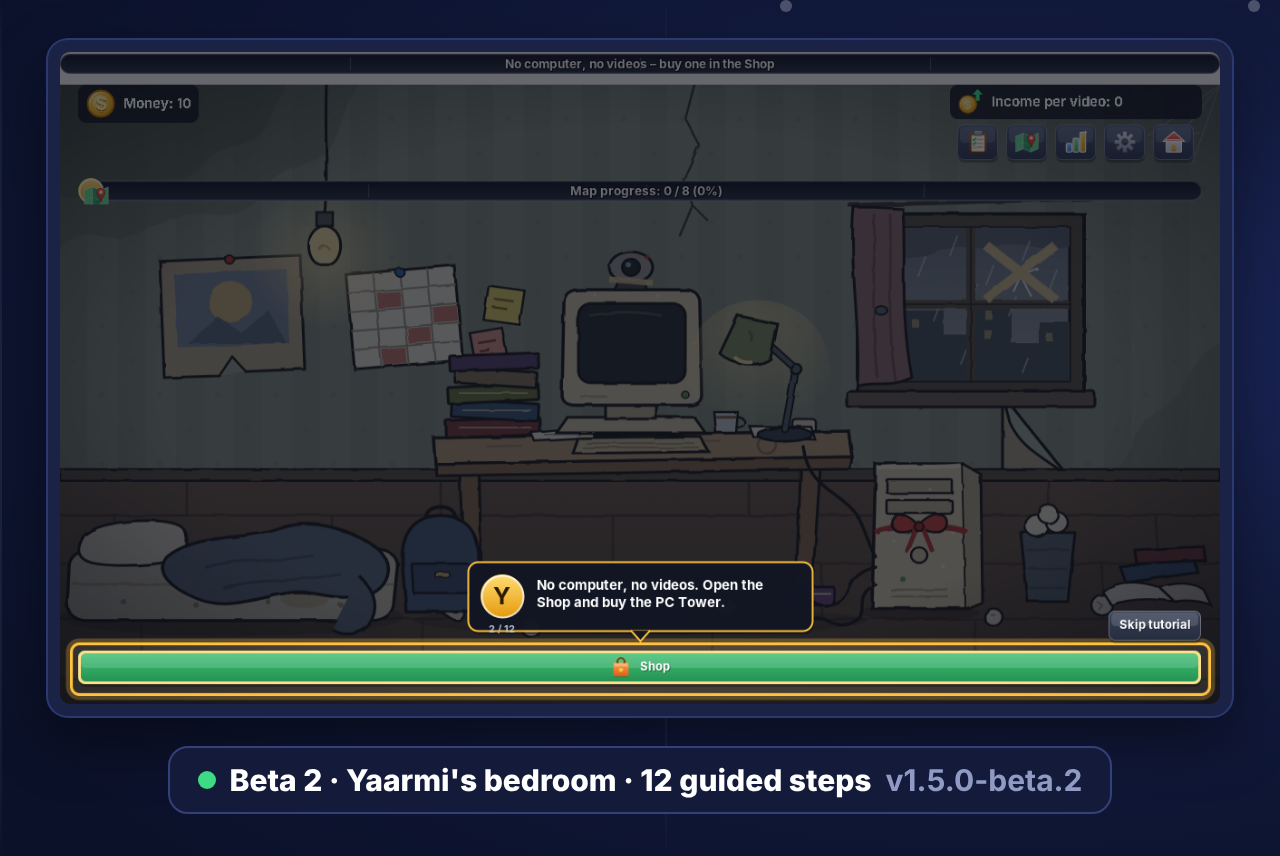
12 short steps, each one pointing at the exact button you need. You can skip the whole tutorial at any time.
Three components (PC Tower, Webcam, Desk Lamp) and three missions of its own.
Veterans don't have to play it: if your save comes from the normal game, you start where you were – the tutorial appears in Maps as optional.
When you finish, the game tells you your time: "Tutorial complete in 13:42!".
Also new in the beta: every map starts by buying a computer. No computer, no videos – the video bar stops and the shop button glows until you buy one. If an existing save is missing its computer on a map, the game gives you the money to buy it, once. The medium storage room now starts with 155 so you can buy its laptop right away.
The bedroom has brand-new art, and it's not pretty: rain on a taped-up window, a mattress on the floor, piles of textbooks and grandma's PC tower, still wrapped in its red bow. The worst studio a channel ever started in.
How to join the beta: Library → right-click Yaarmi Tycoon → Properties → Game Versions & Betas → beta. Your normal save is copied, never changed.
📋 Full changelog – 1.1.6
NEW – "Claim all" button in Missions (shows when 2+ are ready), with the total reward
CHANGE – Shop buttons show the price, in red if you can't afford it yet
CHANGE – The Missions screen opens and claims instantly
BETA – Beta 2: tutorial map (Yaarmi's bedroom, with its own art), 12 guided steps with a timer, skippable
BETA – Every map starts by buying a computer; one-time starter grant for existing saves
Your save carries over as always.
🔜 Next week
Stable: "Buy max" for upgrades. Beta 3: a brand-new story – and the full First Day release candidate.
– Yaarmi (solo dev)