How to Launch in Windowed Mode
If you need to run the game in windowed mode, please follow these steps:
Right-click Traveler's Diary in your Steam Library.
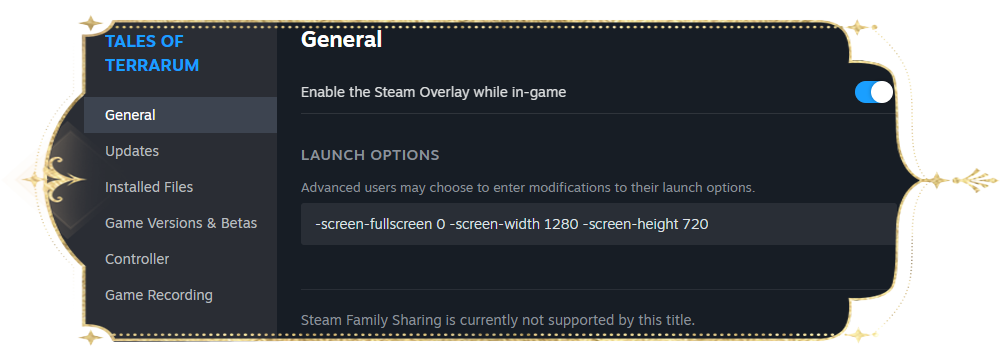
Select Properties > General.
Under Launch Options, copy and paste the following: -screen-fullscreen 0 -screen-width [Width] -screen-height [Height]
1080p: -screen-fullscreen 0 -screen-width 1920 -screen-height 1080
900p: -screen-fullscreen 0 -screen-width 1600 -screen-height 900
720p: -screen-fullscreen 0 -screen-width 1280 -screen-height 720