
We promised to go over how to use your demo save for the main game. It's not that hard if you just follow these steps.
1) First open your steam account and go to the Dimensional Gates Demo in your Library.
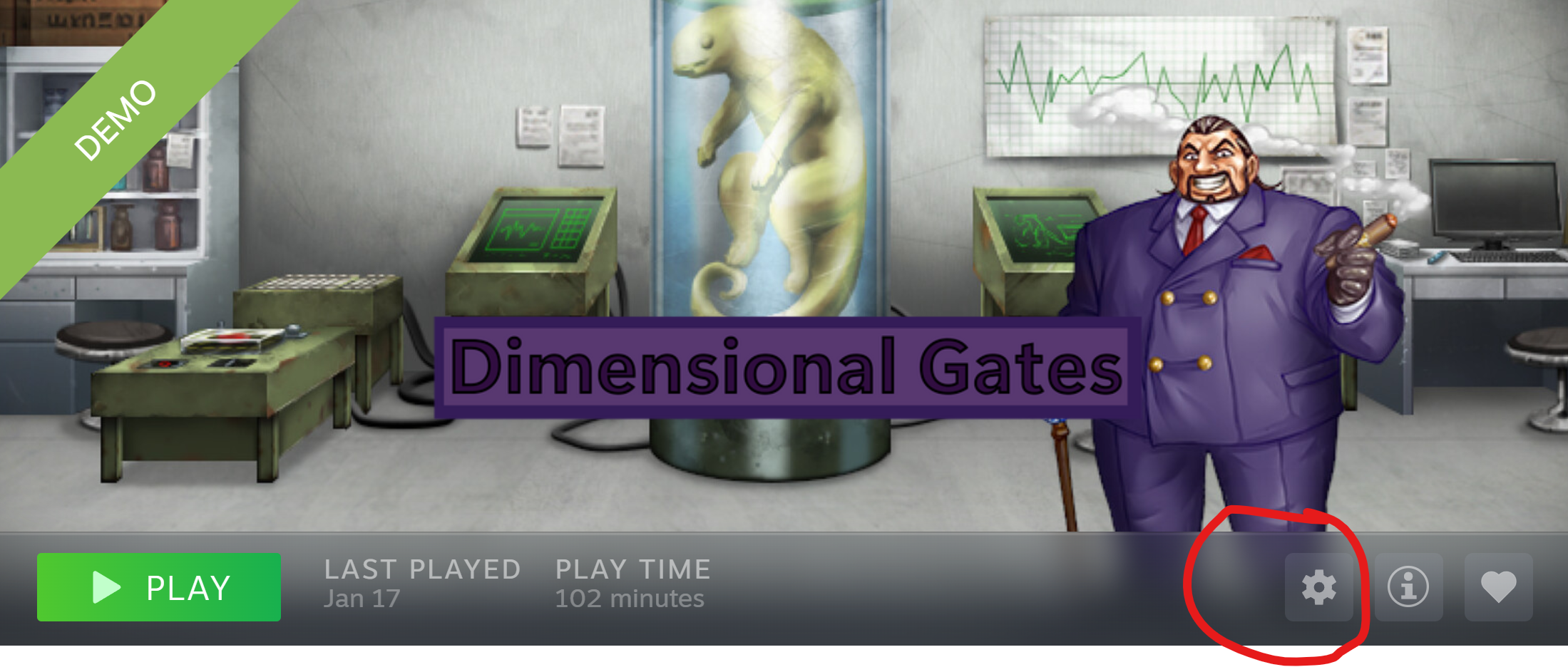
2) Click on the gear and open Manage, Browse Local Files
3) This will open a window with your entire DG Demo folder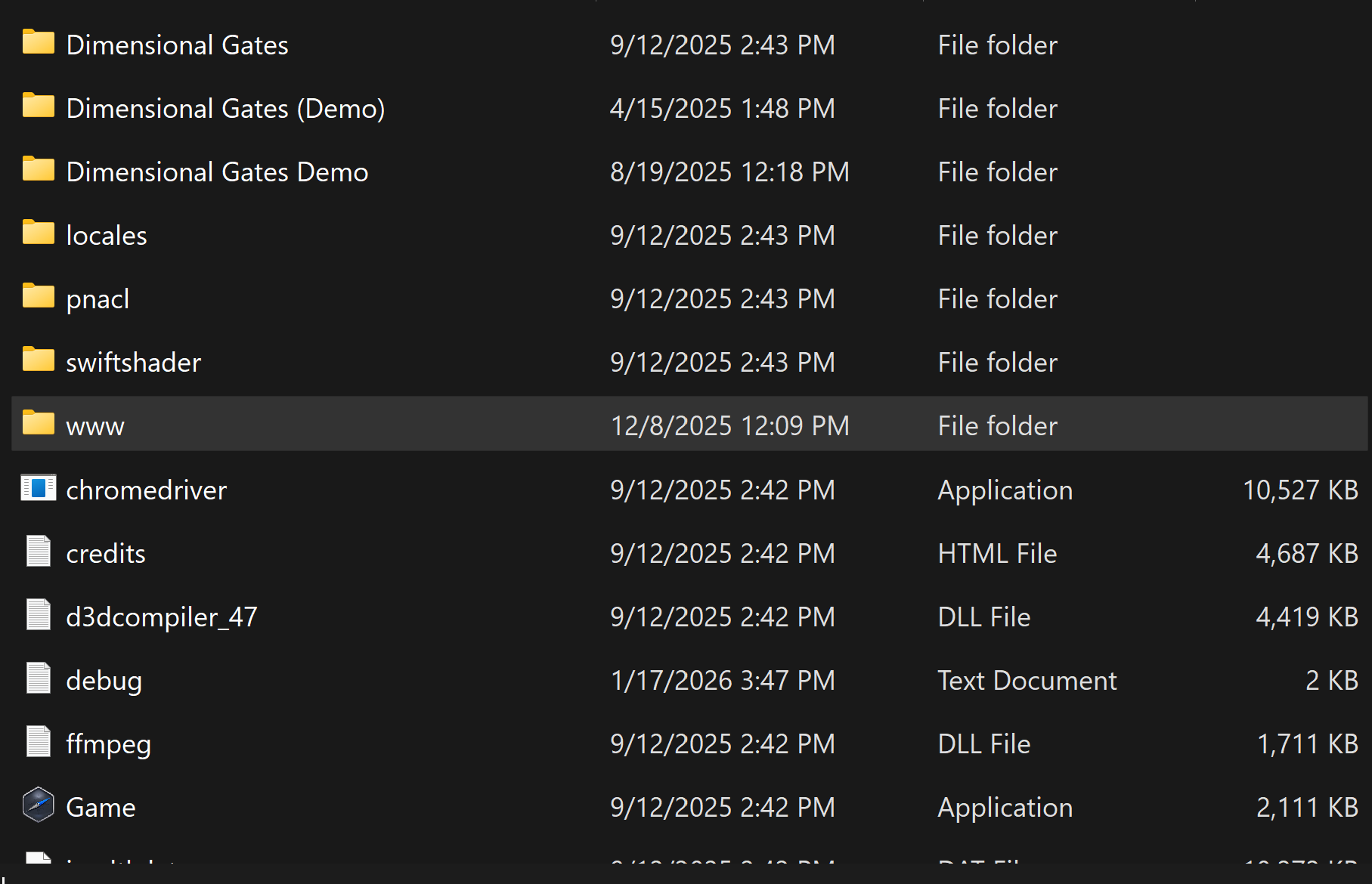
4) Open the WWW folder
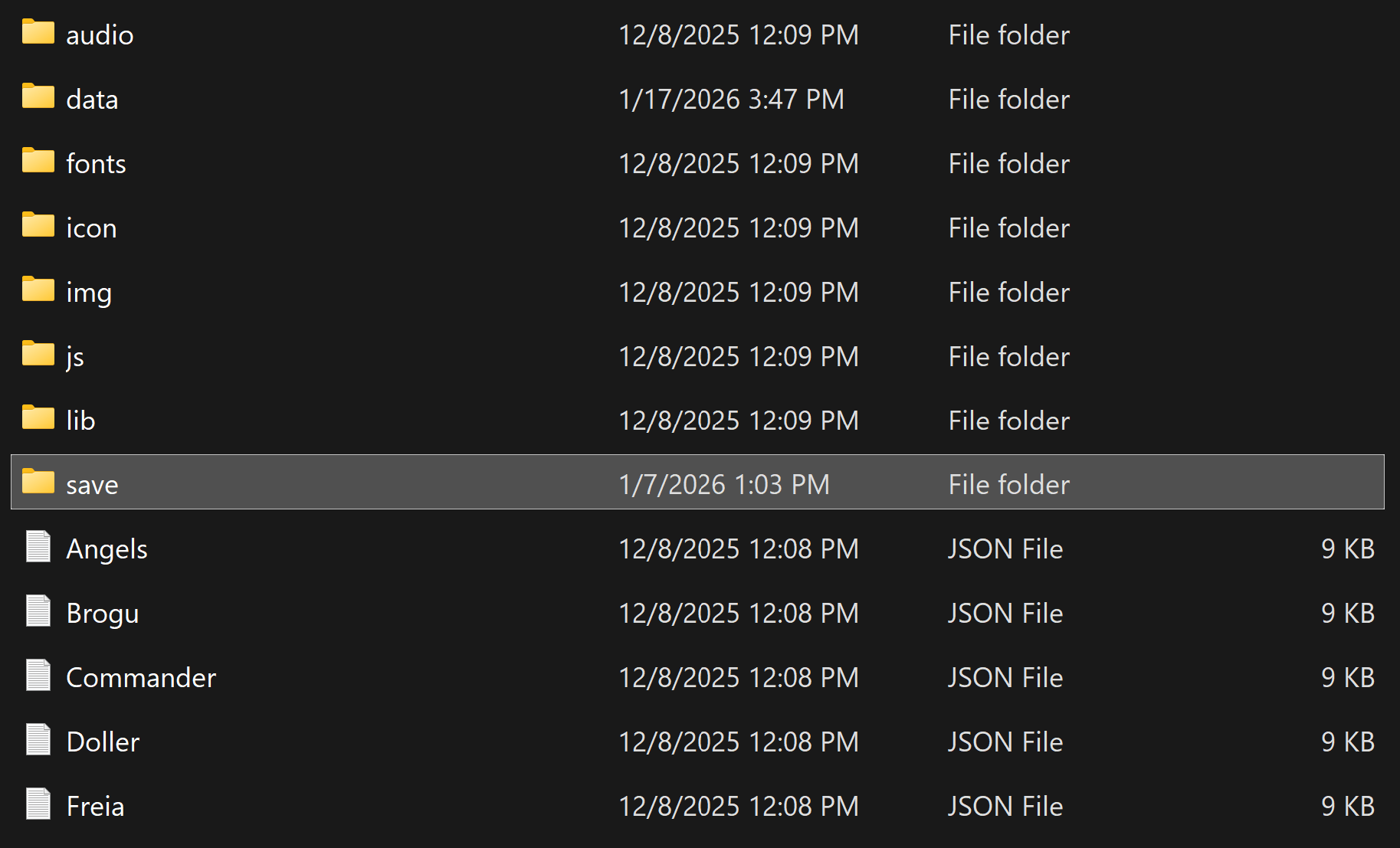
5) Open the Save Folder
6) Here are your save files
7) Hold down Shift and click on the top File Save to the bottom one (or whichever you want to move to the main game) then copy them
Repeat the above but with the Dimensional Gates Library and paste the save file into the folder. That should do it.