
The Co-op Update
Touching Grass Simulator is co-op now. You can pull three friends into a world and all stand around
touching grass together, which is honestly what it was missing the whole time.
This is a big one. Most of what you remember is still in there, and most of it doesn't work quite
like it used to. Here's the tour.
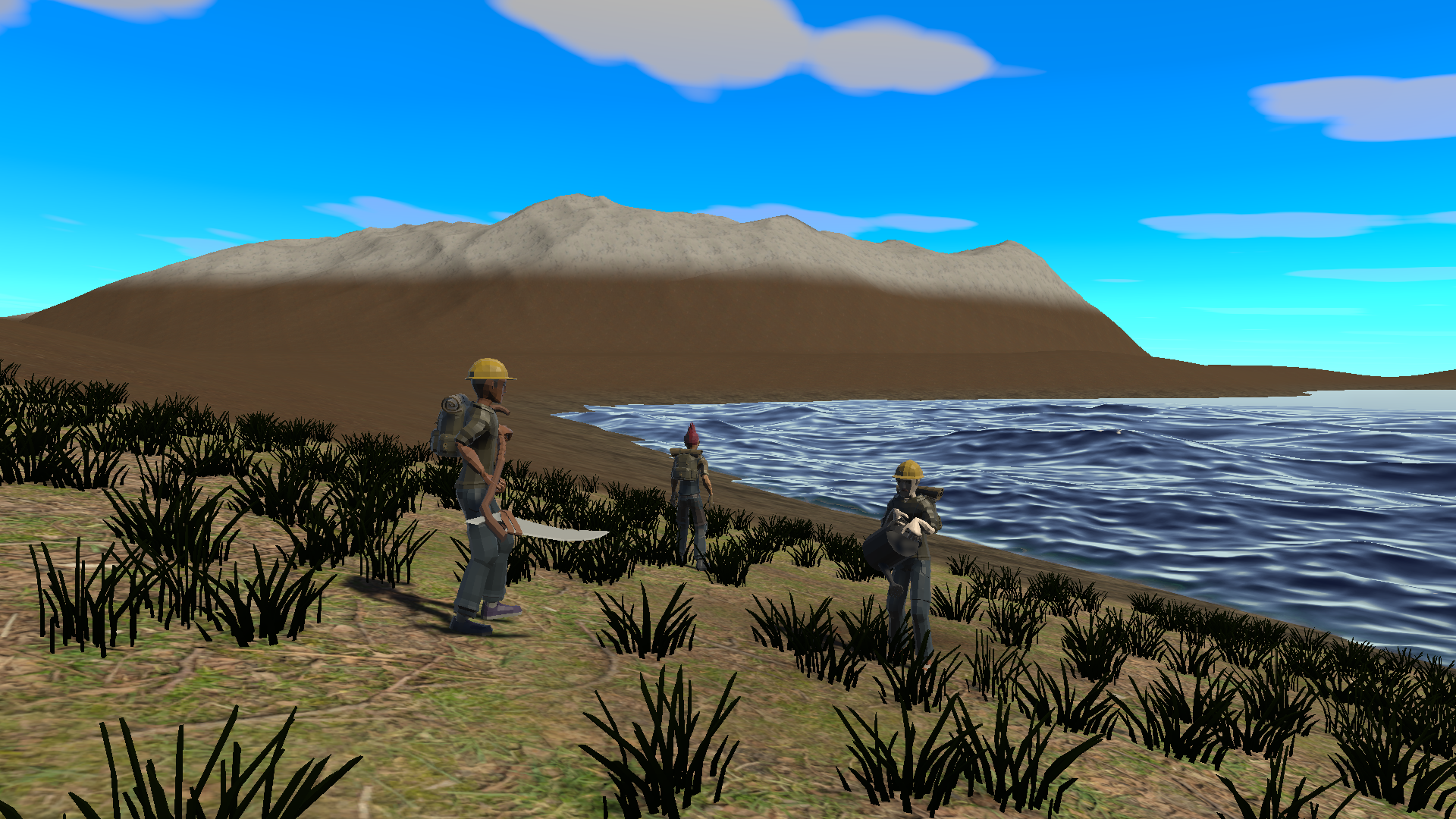
Bring friends
Up to four of you in one world, over Steam. No accounts, no servers, no port forwarding, none of
that.
There are three ways in: the friend list in the main menu, the Steam overlay invite, or "Join Game"
from your friends list. If you accept an invite while the game is closed, it just launches you
straight into the world.
You can see what everyone else is holding and swinging, and the world keeps track of each of you
separately, so your pockets and your patch are still yours when you come back tomorrow.
There's an actual world now
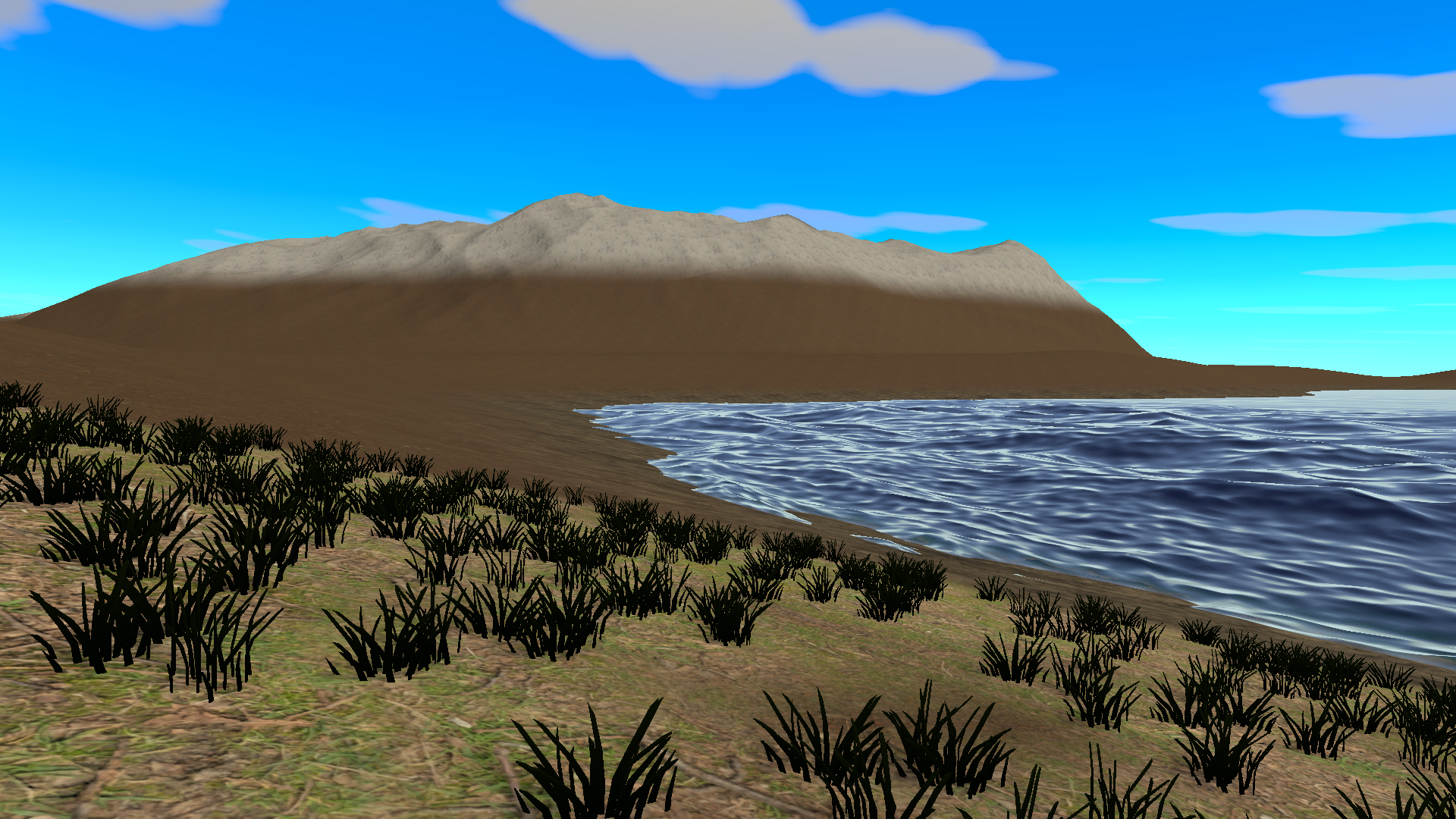
Not a field. A whole generated world, different every time you start one, and identical for everyone
who joins you.
- An ocean with waves that roll in properly, beaches, foam in the shallows, and a real underwater view if you go for a swim.
- Mountains with snow on them. Flat farmland. Muddy shorelines. Lakes anywhere the ground dips low enough.
- You can just walk. It keeps going.
The ground you plant on matters now. Mud already holds water, so grass on the shoreline more or less
looks after itself. Snow grows things about ten times slower, so a farm up a mountain is less a plan
and more a flex.
Somebody to talk to
Zoey gets you going. She gives you your first seed, buys your first harvest, and hangs around after.
If you ever manage to end up with no grass, no seed, nothing growing and no money, she'll quietly
slip you another seed rather than let you sit there stuck.
Chris turns up later with the field lab and explains what it's for.
There are quests, with a log on J and a tracker in the corner. They're the tutorial, except
you're playing instead of reading.
Growing grass
Watering got torn up and redone. Soil isn't watered-or-not any more, it's wet by degrees. Grass grows
fastest in damp ground, and if you soak it, it stops. You can absolutely drown your own harvest,
which I promise you will do at least once.
The can is aimed now. Hold the button and you pour a cone in front of you, with a marker on the
ground so you can see exactly what you're hitting.
You can refill from the sea when there's no tap nearby, but seawater is bad water and your grass will
sulk about it. Rain out of a tower is the clean stuff.
- The seed bag throws a handful in a ring around you instead of you placing blades one at a time. Faster, and about twice the money. It'll tell you when the ground around you is full.
- The scythe cuts everything ripe in front of you in one click.
- Every plant is slightly different, so two seeds planted together don't finish on the same second any more. A field comes in as a wave instead of all at once.
Water
The old rain barrel is a water tower now and holds about five times what the barrel did.
It won't actually collect anything until you bolt a water catcher onto it, and after that it fills
itself whenever it rains. Walk up and press E to top up every can you're carrying.
There's also a fluid storage expansion that fits both the tower and a watering can and makes either
hold half again as much.
Weather, and hiding from it
It rains a lot more than it used to. A game about grass where it's dry half the time is really a game
about carrying buckets, so I turned the sky up.
Rain now rolls in and back out over a few seconds instead of snapping on, the sky goes grey with it,
and the music changes when it does.
If you'd rather not deal with it, build a carport. It keeps rain off whatever is underneath while
your watering can still reaches through, so weather that would have drowned a crop is something you
can build against now.
Earthquakes
At some point the ground moves. It takes your field. It takes what's in your pockets. Then it hands
you a bit of cash and a market stand and lets you get on with it.
Everything you grew before it hit comes back as research points, so a quake isn't a punishment so
much as a cash-out.
You can bolt buildings down with quake-safe foundations so they survive the next one. And once you've
researched it, you can set one off yourself at the lab whenever you decide the field has done enough.
Research
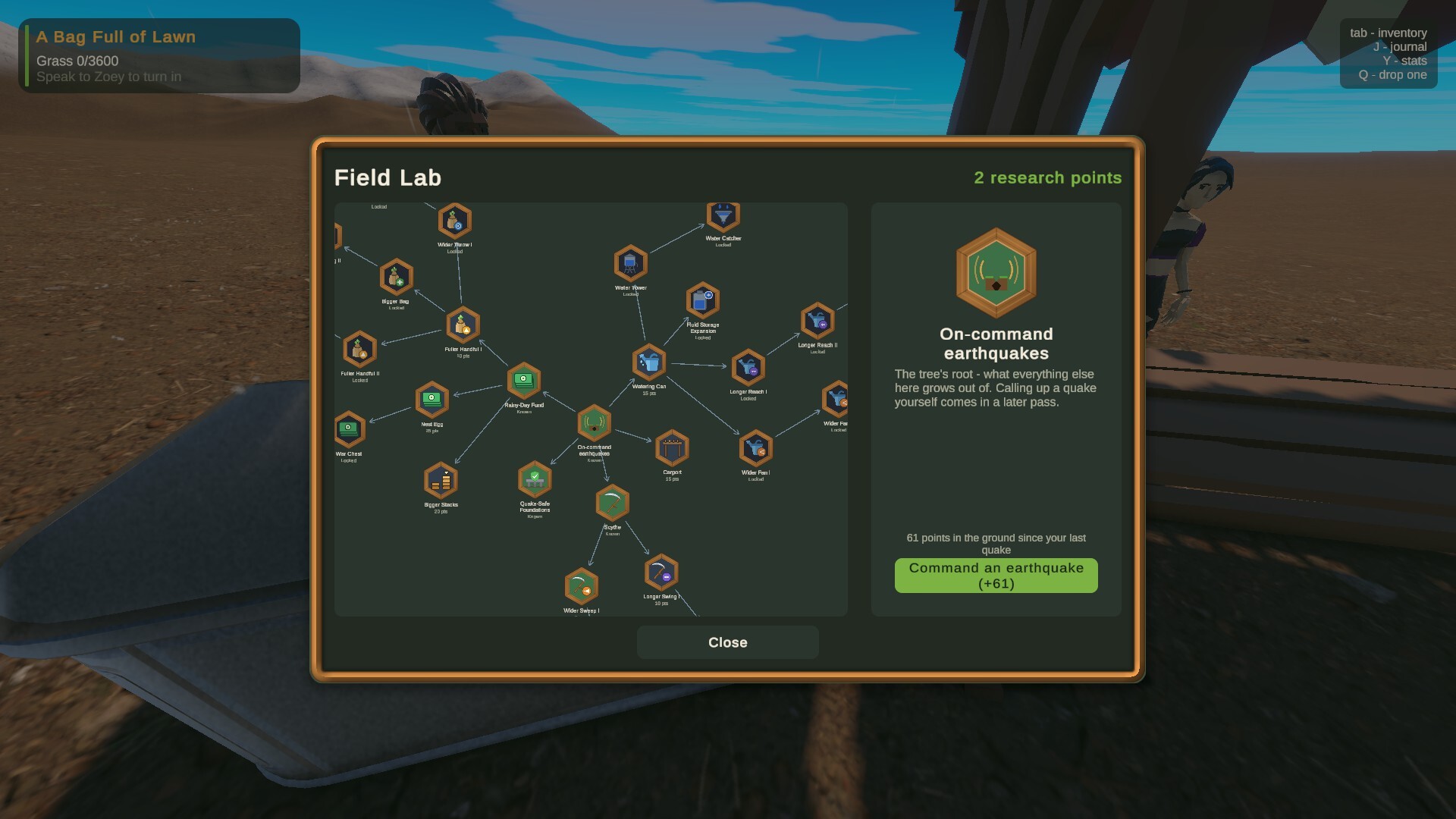
There's a skill tree at the field lab, paid for with quake points.
- Longer reach and a wider fan on the watering can.
- Fuller handfuls, a bigger bag, a wider throw on the seed bag.
- Longer swing and wider sweep on the scythe.
- Bigger stacks, so everything you carry goes further.
- A bigger pile of cash to restart on after a quake.
Some things you can't even buy until you've studied them: the watering can, the scythe, the water
tower, the catcher, the carport.
Pockets
The inventory got rebuilt. Vertical hotbar, drag and drop, shift-click to shove a stack across.
Items remember things about themselves now. A particular watering can knows its own water and what's
mixed into it. Click on anything and it explains itself, including a little chart for what's in your
can and another for the seed bag's odds.
Stuff you drop stays in the world as an actual object you can see and walk over to. Q to drop.
There are chests to keep things in and a trashcan for everything else.
Cash is an item now and lives in your bag with everything else, which does mean an earthquake takes
that too. Sorry.
You
There's a character creator in the main menu. Body, head, hair, clothes, colours.
You have a body now, and so does everyone else, so you can watch your friends wander about and swing
things. Footsteps sound like whatever you're standing on, too: grass, mud, snow, ankle-deep water.
Look and sound
Every screen in the game got redrawn. There's a new sky that actually reacts to the weather, and the
main menu now sits over the real game world instead of a picture of one.
There's music, in the menu and out in the world, and it changes when the sky does. And underwater
finally sounds like underwater.
Saves
You can have as many worlds as you want, name them, rename them, and pick one off a list.
It autosaves every two minutes and again when you leave, so you can stop losing an hour to closing
the window.
Settings
- Shadows are their own setting now: Off, Low, Medium, High. High is Medium reaching twice as far at the same sharpness, not Medium smeared over more ground.
- Field of view, brightness, view distance, VSync, frame cap, resolution and window mode, split into Display and Graphics so the tab isn't a wall.
- Separate sliders for master, music and effects.
- Everything is rebindable, and bindings follow the character on your keyboard, so those of us on QWERTZ get the keys we actually pressed.
Settings sit next to your saves, so they travel with them.
Playing offline
If Steam isn't running, the game says so in the corner and lets you play anyway. The only thing you
lose is being joined. Previously the Play button just did nothing, which was not a great look.
Telling me when it breaks
You can report a bug from inside the game now, from the Escape menu.
Press N whenever something looks wrong and the game keeps that frame. You can stick up to
three of them on a report and flip through them before sending, so nothing goes out that you haven't
looked at.
Your world goes along with it automatically. A plant that won't stand up, or a quest stuck a step
behind, used to be me guessing from a sentence and a screenshot. Now I can just load your world and
go look.
And there's a tab in the game that blinks when I've answered you.
A benchmark, if you're curious
There's a benchmark tool in the launch menu. It builds ground, stands up a field of a hundred
thousand blades and flies a camera through it.
It tells you your frame times, what settings the run used, and which of them it had to override so
two people comparing numbers are comparing the same thing. It also checks the game gives the memory
back afterwards.
If the numbers look bad, one button sends the whole run to me. Hardware, settings, timings, all of
it, nothing to type. "Runs bad on my rig" is a lot more useful when the rig comes with it.
One download, and a menu when you hit Play
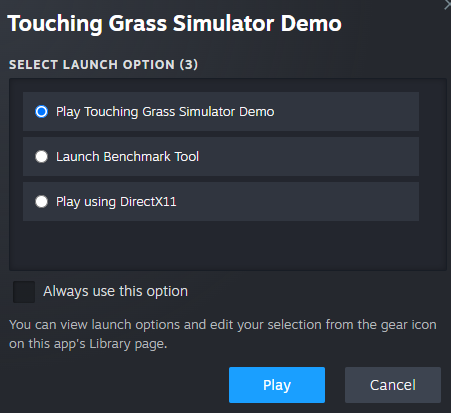
DirectX 11 and 12 are both in the same download, so there's no second version to hunt for. Steam will
ask which one you want:
- Play Touching Grass Simulator runs on DirectX 12. This is the one you want.
- Play using DirectX11 is there if your machine doesn't get on with 12.
- Launch Benchmark Tool is the benchmark above.
Tick "Always use this option" if being asked every time annoys you.
What's not in the demo
Two things from the old build aren't in here, and that's a decision rather than an accident.
Flowers and grass skins are staying for the full release. The demo's job is to show you the
loop and show it clearly: plant, water, harvest, sell, get flattened by an earthquake, spend the
points, go again. Piling flower buffs and cosmetics on top of that makes for a busier demo, not a
better one, so I pulled them out of this build and they'll be in the full game.
Your old saves won't load
I'm sorry. The world comes from a seed now, and an old save has no world in it to find, so there was
nothing honest to convert. Start a fresh one. At least this one autosaves.
Thanks to everyone who played the demo and told me what was wrong with it. Most of the list up there
started out as somebody complaining, so keep doing that.
Go touch some grass. Take a friend.