Features
Your rocket now shows a little fuel bar floating above it, so you can check how much fuel it has left without climbing in.
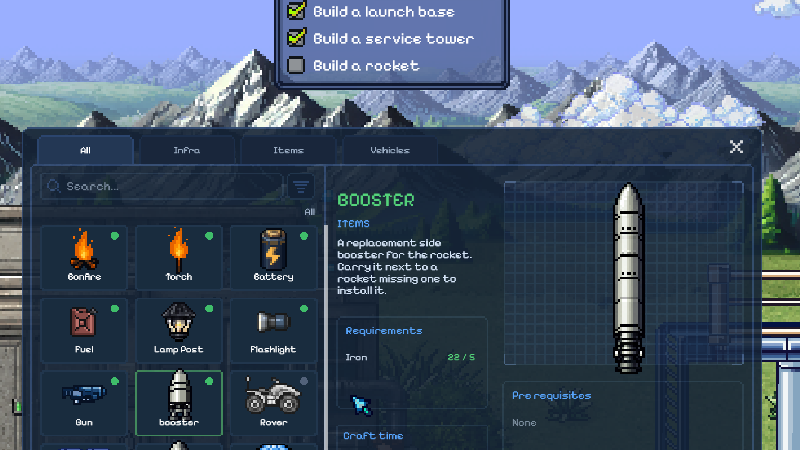
Lost a booster? You can now craft a new one and bring it to your parked rocket to fix it right up!
Changes
Moved Booster and Main Booster to the Vehicles crafting tab.
New rocket controls: A/D to turn, W/S to speed the engine up or down, and Space to switch the engine on or off. The engine starts instantly now, no more waiting around!
Made the rocket's engine sound a bit quieter.
The "Hold X to stabilize" tip now only pops up if you've been spinning out of control for a little while, instead of right away.
Made the rocket, radar, and status screens smaller and tidier.
Bug Fixes
Added missing booster names and descriptions in all supported languages.
Fixed the first-night warning interrupting the lab-exit dialog and leaving the player stuck.
Kept shuttles centered between service tower supports, including without boosters.
Boosters you drop from your rocket now explode when they crash into the ground, like they're supposed to.
Fixed the stabilize tip not showing up correctly in other languages.
Explosions now sound quieter the farther away you are, instead of always being super loud.
Fixed the little rocket map disappearing when you looked inside the shuttle.
Fixed the rocket engine sound not stopping properly after you hopped out.
Fixed extra fuel vanishing for no reason if you'd ever dropped a booster.
Fixed the rocket's flames showing up in the wrong spot or staying lit when they shouldn't.
Fixed the clock covering up the crafting menu.
Fixed fuel canisters disappearing even when your rocket was already full.
Fixed items looking like they were floating in the air near the launch tower.
Fixed a couple of rare crashes that could happen in unusual situations.