
Release Notes:
New Features and Improvements
Added phono preamp next to turntable with volume control and clipping indicator
Added keyboard shortcut to load next queued track (Shift + N)
Added "Up to Eleven" achievement
Improved built-in documentation by adding animated images
Bug Fixes
Fixed next vinyl record being loaded while the current one is grabbed
Notes:
Controlling Volume
The volume of the turntable can be controlled using the rotary knob on the phone preamp next to it.
Click and hold the Left Mouse Button and move the mouse up or down to increase / decrease the volume, or scroll the mouse wheel up / down while hovering the mouse over the knob.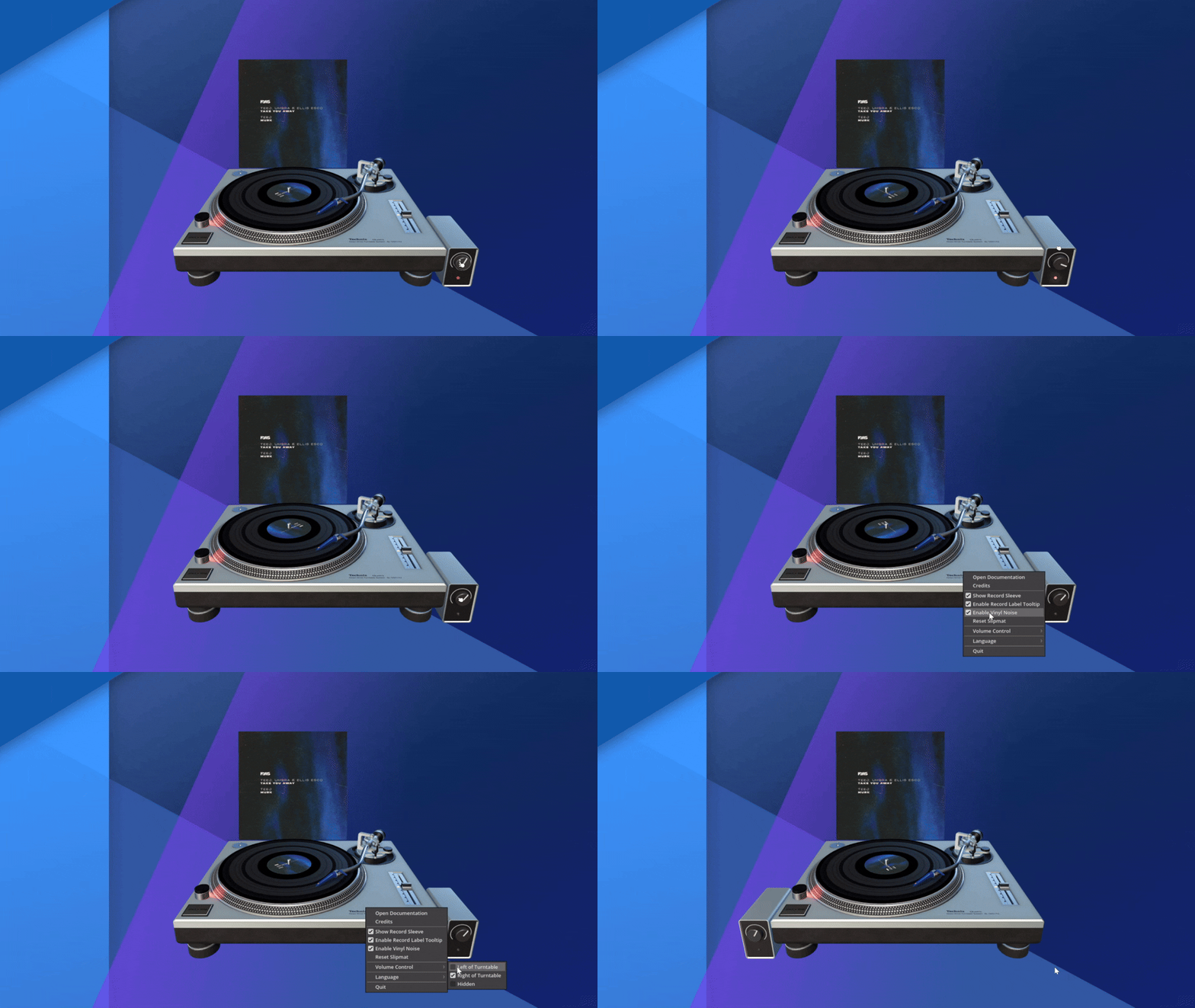
The volume control can be moved to the other side of the turntable or hidden, using the Volume Control setting in the menu.
The red indicator light on the preamp illuminates when the output volume exceeds 0 dB and is digitally clipping.
To avoid audio distortion in the output signal it is recommended to lower the volume until the red clipping indicator light stops illuminating.