
Happy Halloween! 🎃
Here's a quick update on the ongoing UI/UX work. AI Pals Engine v0.11.0 is now live! This update focuses on UI/UX improvements and includes new requested features:
✨ New Text Highlighting Color: For extra color depth and better readability, you can optionally use an extra color in the text highlighting
🖼️ Image Dim Mode: Image Avatars can now dim when they aren't talking
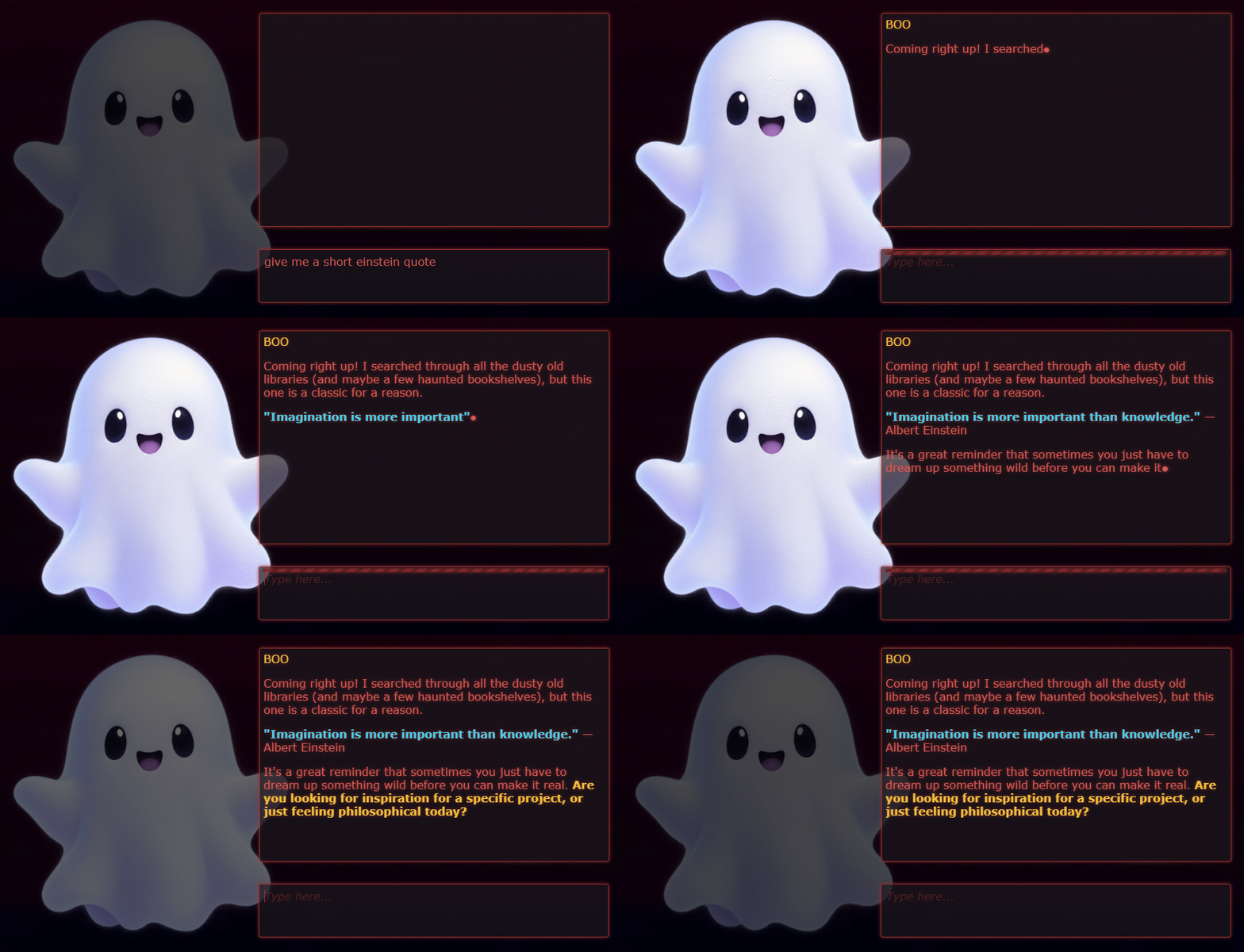
Try it out: Use the new Wizard to create a Widget Space. You'll find the new "Talk Behavior" selection under the Behavior Config step for Image Avatars. This makes getting started with Widgets smoother, especially for newcomers. Let me know any Behaviors you'd like to see to be configurable via the Wizard!
🌍 Coming Soon: Translations!
UI/UX isn't finished yet, but with V0.11.0, it means Translation work has officially kicked off! To make sure everything looks perfect in every language, there will be a few smaller UI updates over the coming weeks to prepare for localization. Stay tuned for more details once we reach V0.12.0!
📝Changelog
Since the last News, nearly all of the updates have included improvements for the main focus of polishing the UI/UX:
Improvement: Better UI/UX for many of the app's views
V0.11.0.0
New Widget Space Wizard
Added Wizard Image Talk Behaviors: Shake When Talking, Dim When Not Talking
Widgets: New Panel Extra Color for Text Highlighting
Widget Config: New button to quickly override Panel Colors
Test TTS: Fixed several issues with Stop/Unset testing API Endpoints
V0.10.6.0
New Default for Presets: Threads Auto Mode
New Default for Widget Space Auto Start: This must be configured in the Settings now
V0.10.5.0
Improvement: Added an additional Import Button to the Chars Page (to import multiple ST V2 Character Cards)
Improvement: The default username can now be configured in Settings (newly created Chars will use this Username)
Improvement: Char Export now also exports Conversation Starters
V0.10.4.0
Improvement: System RAM check before loading a text model (Overflow Warning)
Improvement: Increased model load timeout to 5 minutes from 1 minute and better log verbosity on error
Recommended Models Page: Added System Memory based Filter and added additional Model Info
Improvement: Added setting to disable "Text Model Loading Optimizations" (see System RAM optimization help section)
V0.10.3.0
Improvement: MCP Tool compatibility
Tool Native Mode: Added the option to include tool calls and tool history in the context
Tool Compact Mode: Fixed an issue where the loading indicator remained visible even after the operation had finished
V0.10.2.0
Speech-To-Text Testpage: Added volume display
Settings: Added Microphone Info
Custom Chat Formats now get loaded again on startup and there are more detailed errors on failure
V0.10.1.0
Presets: Added Reasoning Effort Setting
Presets: Reactivated XTC Sampler and DRY Sampler
Presets: Added Presence Penalty and Frequency Penalty
Widgets: Added support for Audio/Video Input
V0.10.0.4
More detailed Error Messages for AI Endpoint Text Models
Fixed: Newly added endpoint models not working