
Hi, controllers!
We've been making changes to the game's underlying systems to prepare for multiplayer, so we've had fewer new additions to share lately. We're nearly finished with those changes, though, so let's take a look at what you can try on Nightly this week.
Multi-window support on Windows
First up, if you're playing on Windows, you can now pop out in-game panels into separate windows and move them to another monitor. And if you've been waiting for this, thanks for your patience!
To get started, click the window editing button in the bottom-left corner, or press L, to enter window editing mode. Then click the pop-out button on a panel to open it in a separate window. From there, you can drag it onto another monitor and keep your radar on the second screen, so it never has to block your view of the airport again.
As for macOS and Linux, we'll add multi-window support in future updates.
And while we're daydreaming, imagine using your phone or iPad to display ATC information, too. For now, though, we're just thinking out loud.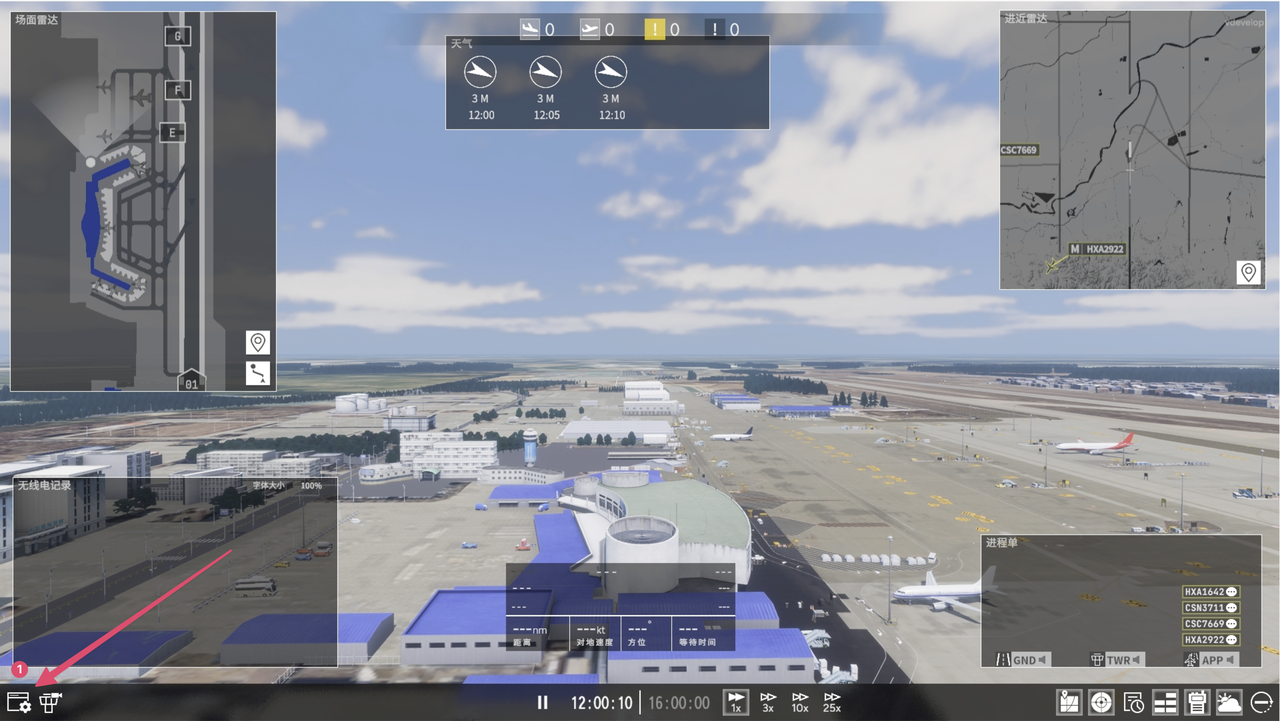
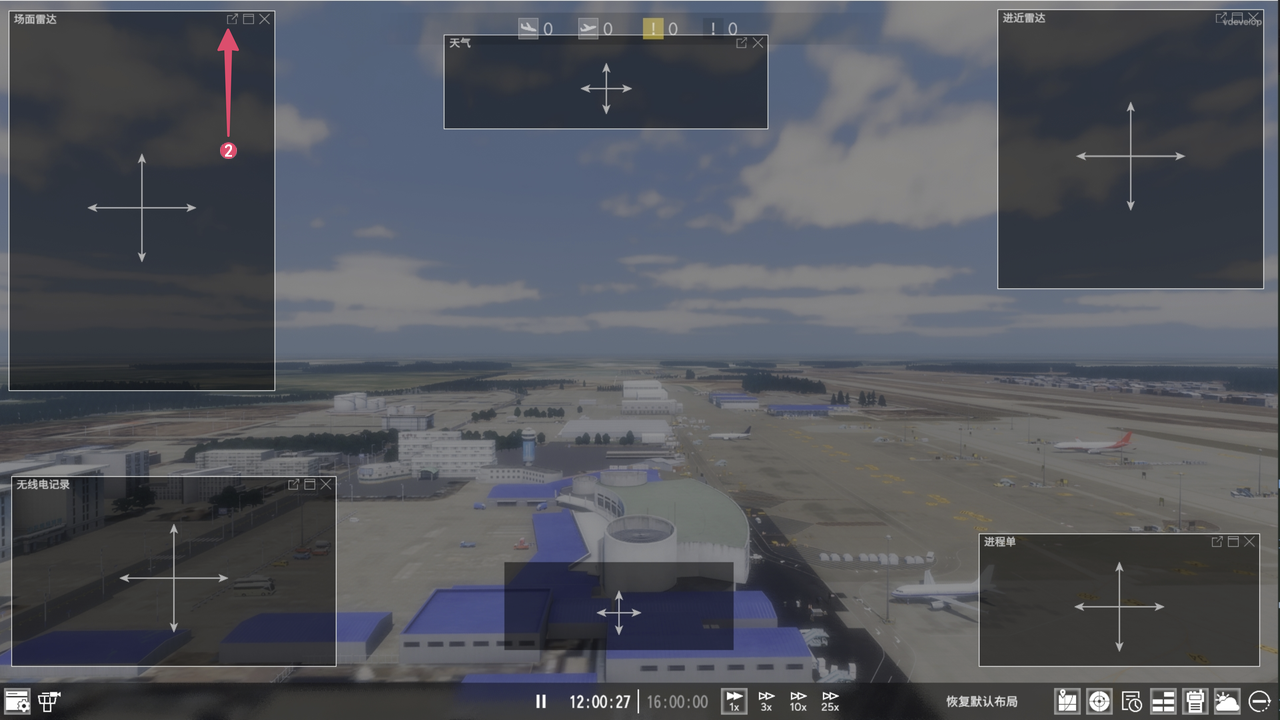
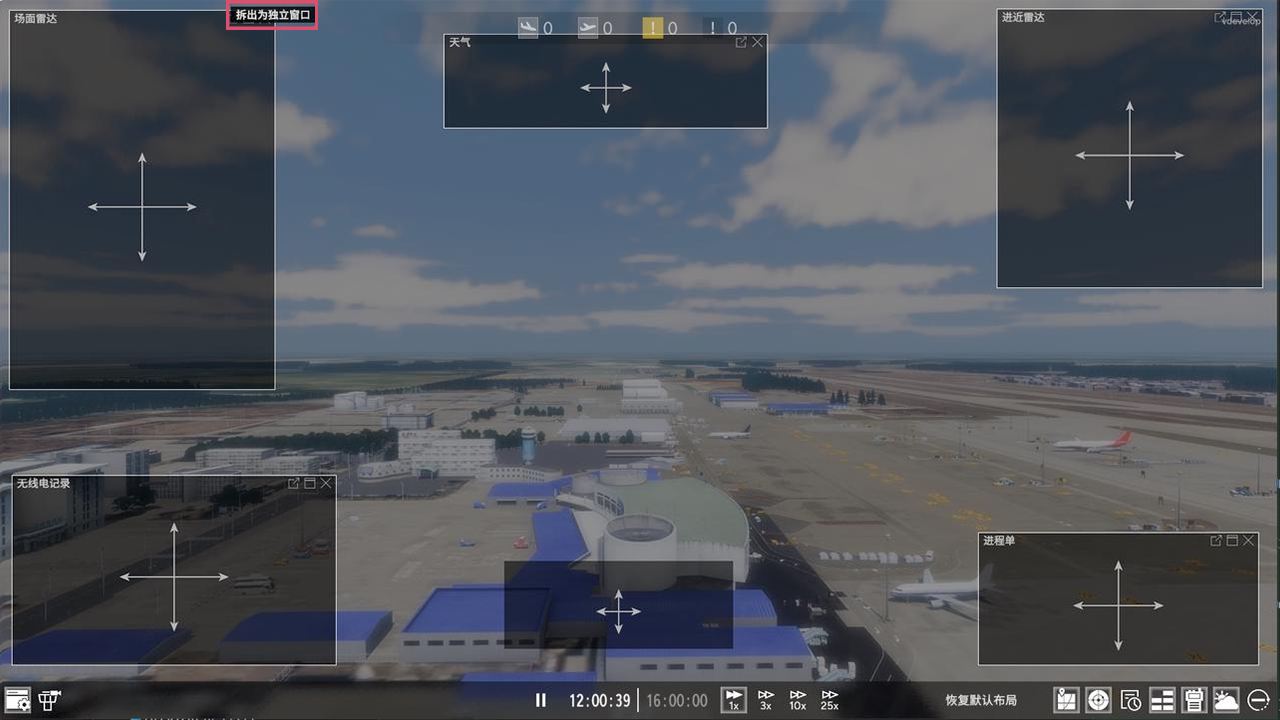
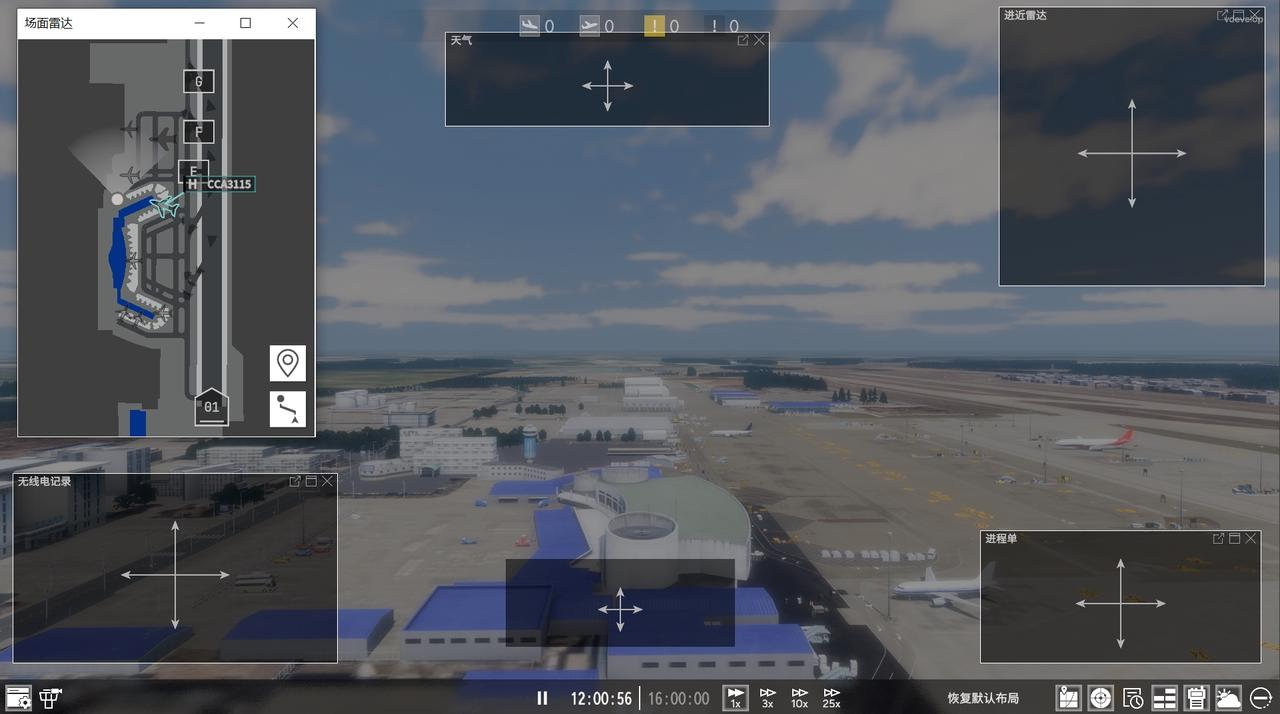
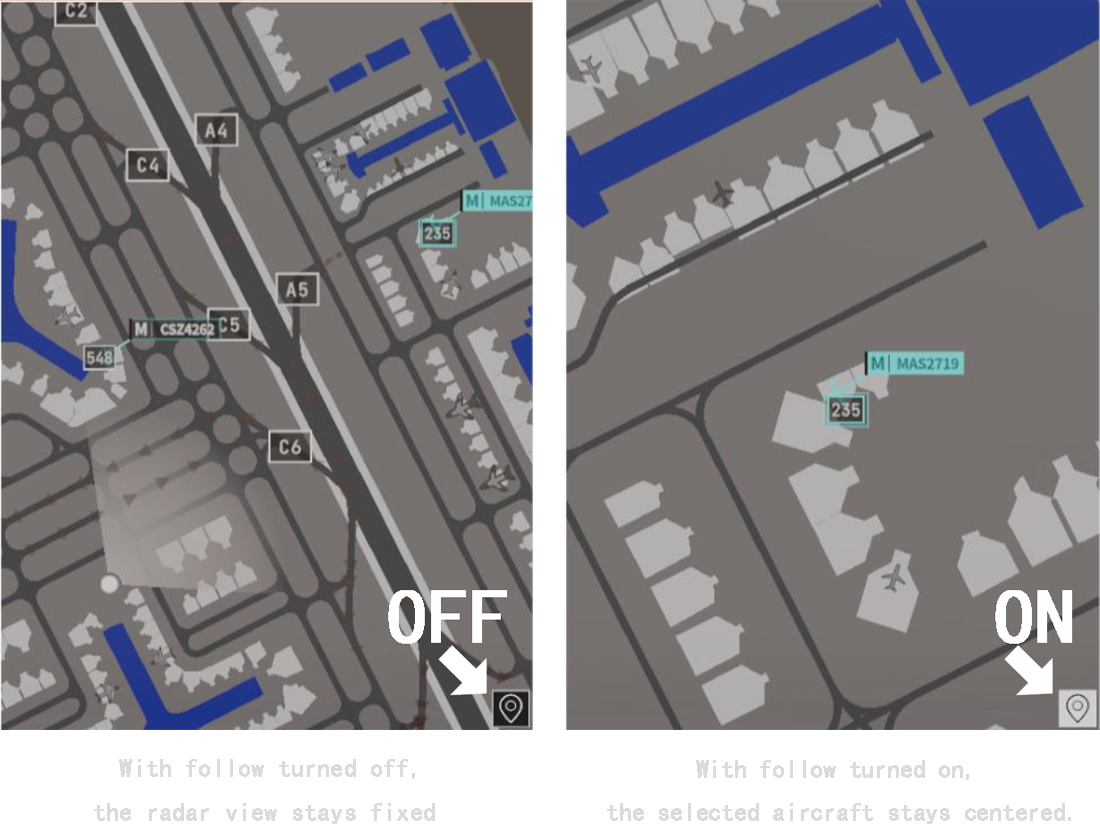
Toggle follow directly on the surface movement radar
Some of you have also told us that you just want to select an aircraft, but end up having to drag the radar view back because it moves to follow that aircraft.
Previously, you could turn following off in the settings, but you had to go through a few menus to find the option. So we've now added a toggle directly to the radar.
If you want to keep the radar view fixed on the current sector, turn following off. Then, when you want the view to follow the selected aircraft, turn it back on.
A little news from the team
Alongside development, we're also getting ready for a exhibition. Once we're there, we'll take some photos to share with you.
If you'd like to try this week's updates, right-click Airport Control 27 in your Steam Library → Properties → Betas → select the nightly branch, then wait for the update to finish.
See you next week!
The Airport Control 27 Team