
Underline sections have already been applied to the demo version.
Skeleton Update
- Reduced Skeleton Damage:
- Skeleton Archer: 0.8 → 0.6
- Skeleton Warrior: 0.6 → 0.5
- Skeleton: 0.6 → 0.5
- Reduced the attack timing of skeletons.
- Removed super armor from the Skeleton Warrior after being hit.
Inventory Fixes:
- Fixed an issue where using items directly in the inventory would cause a different item to be used due to overlapping delegates.
- Fixed an issue where the item usage menu was cut off if it was for the item at the very bottom.
- Fixed an issue where tooltips would continue to display information for an ability even after a regular item was assigned, if the inventory button previously showed ability info.
Boss Battle Fixes:
- Fixed issues when escaping during a boss fight.
- Fog walls now disappear correctly.
- Lock-on is automatically released.
- The boss forgets the player.
- Fixed an issue where the above fixes were not applied to bosses that spawn in specific forms.
Level-Up Menu Updates:
- Changed the Confirm/Cancel buttons to Apply/Reset.
- The level-up UI now displays the stat associated with each icon.
Return Stone Updates:
- Using the Return Stone now clears any status effects.
- Using the Return Stone will close all open menus.
Loading Screen Update:
- Disabled saving while the loading screen is displayed.
- This is expected to prevent save data errors if the game crashes during loading.
Nature's Resilience Ability:
- Lowered the stat requirements.
- before 0/0/8/10 → after 0/0/0/5
- Increased the effectiveness of Nature's Resilience.
- Previous: Restored 1 HP per second for 30 seconds → Now: Restores 5 HP per second for 15 seconds.
Environmental Changes:
- Removed some inconveniently placed dead trees in the field.
- Moved the mine key location next to the save point.
- Added some missing translations.
Poison Cloud Ability:
- Fixed an issue where the damage dealt by the Poison Cloud ability was not displayed.
- Fixed ESC no longer working when closing a window with ESC.
- Added tutorial message.
- Conditions under which SP is consumed when running
- To use a quick slot item, you must first register it in the equipment window.
Known issues
- investigating reports of intermittent game crashes.
ETC
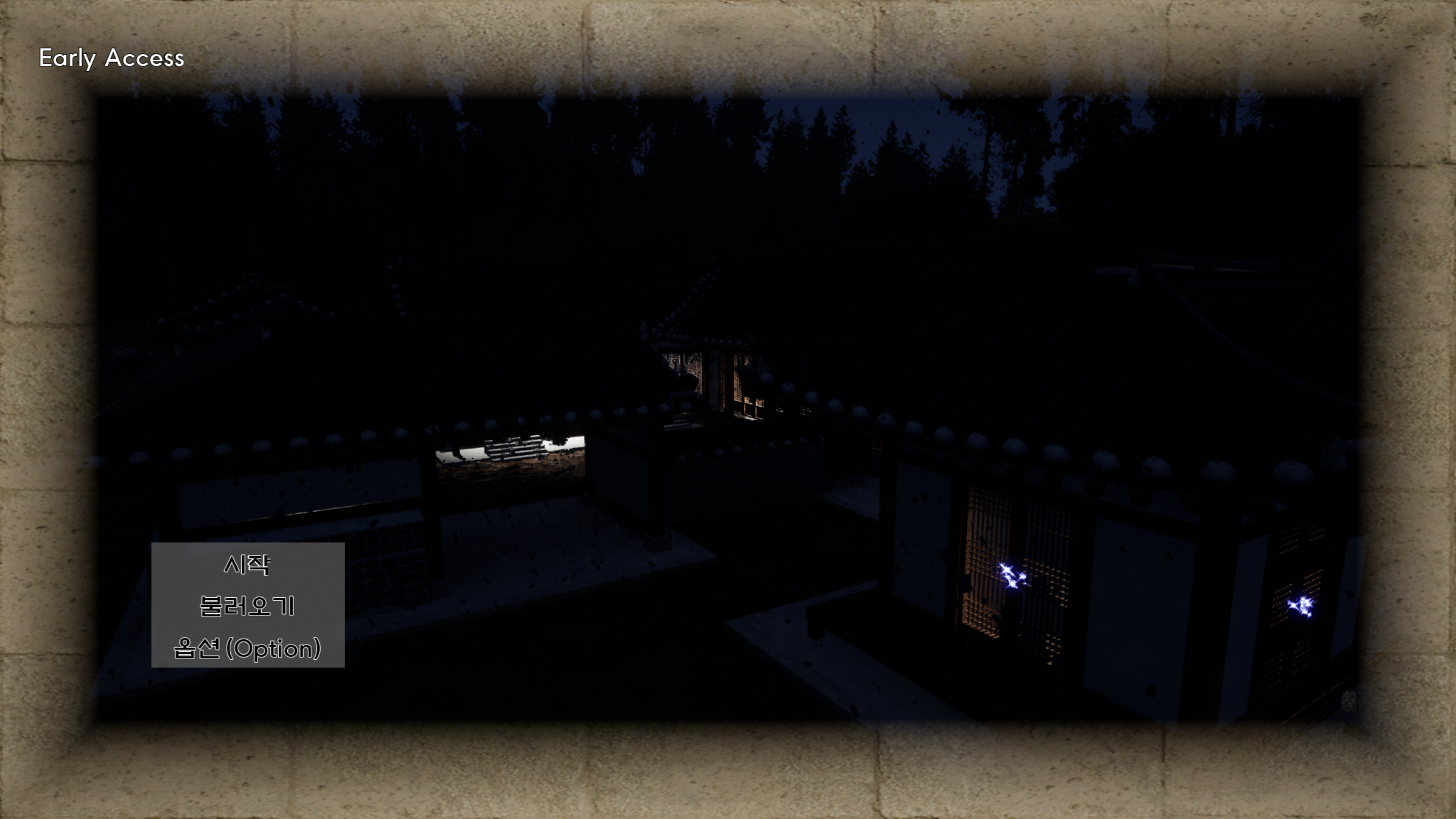
If something appears along the edges, as shown in the image,
it will disappear immediately if you set the general graphics options to 'High' or above, or set the 'Visual Effects' option to 'High' or above in the custom settings.
If you prefer not to change the options, please wait until it disappears before starting the game.
Starting the game before it disappears may cause visual issues with the sky or other visible elements.
If you have any suggestions or issues with the game
please contact at [email protected].