
Multiplayer Rooms just leveled up in a big way‼️
1) We added “Persistent Multiplayer Room IDs” and “Favorites” 🎉🎉🎉
Previously, your Multiplayer Room ID changed every time you hosted. We’ve removed temporary IDs and now implemented issuing persistent ID per room slot.
And with persistent IDs, you can now favorite Multi-Rooms!
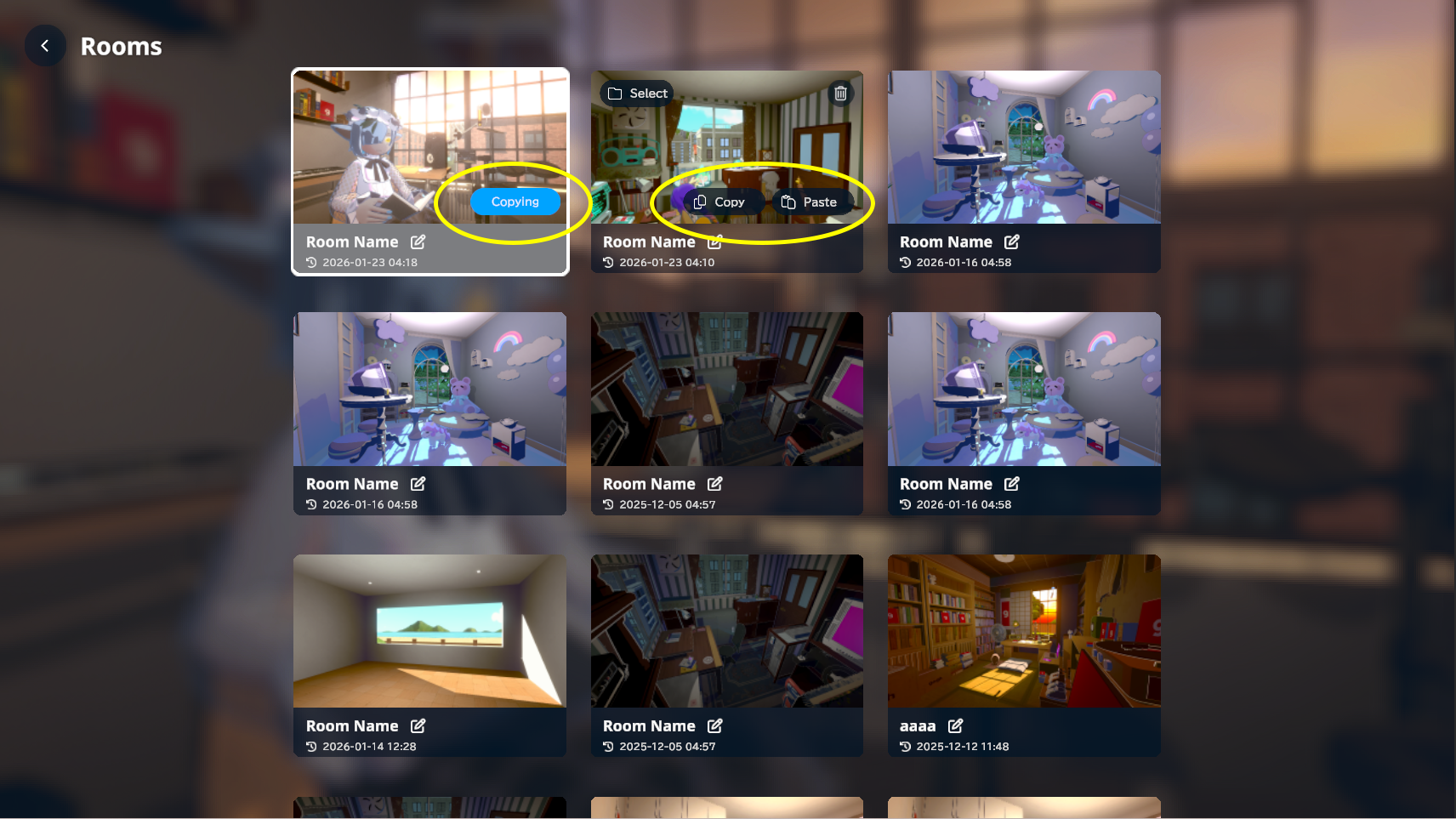
2) We added “Room Copy” and “Reset Persistent ID”, and increased room slots by +3 🎊
Duplicate a room to create variations, or separate “public” and “private” rooms by slot—room management is now much easier.
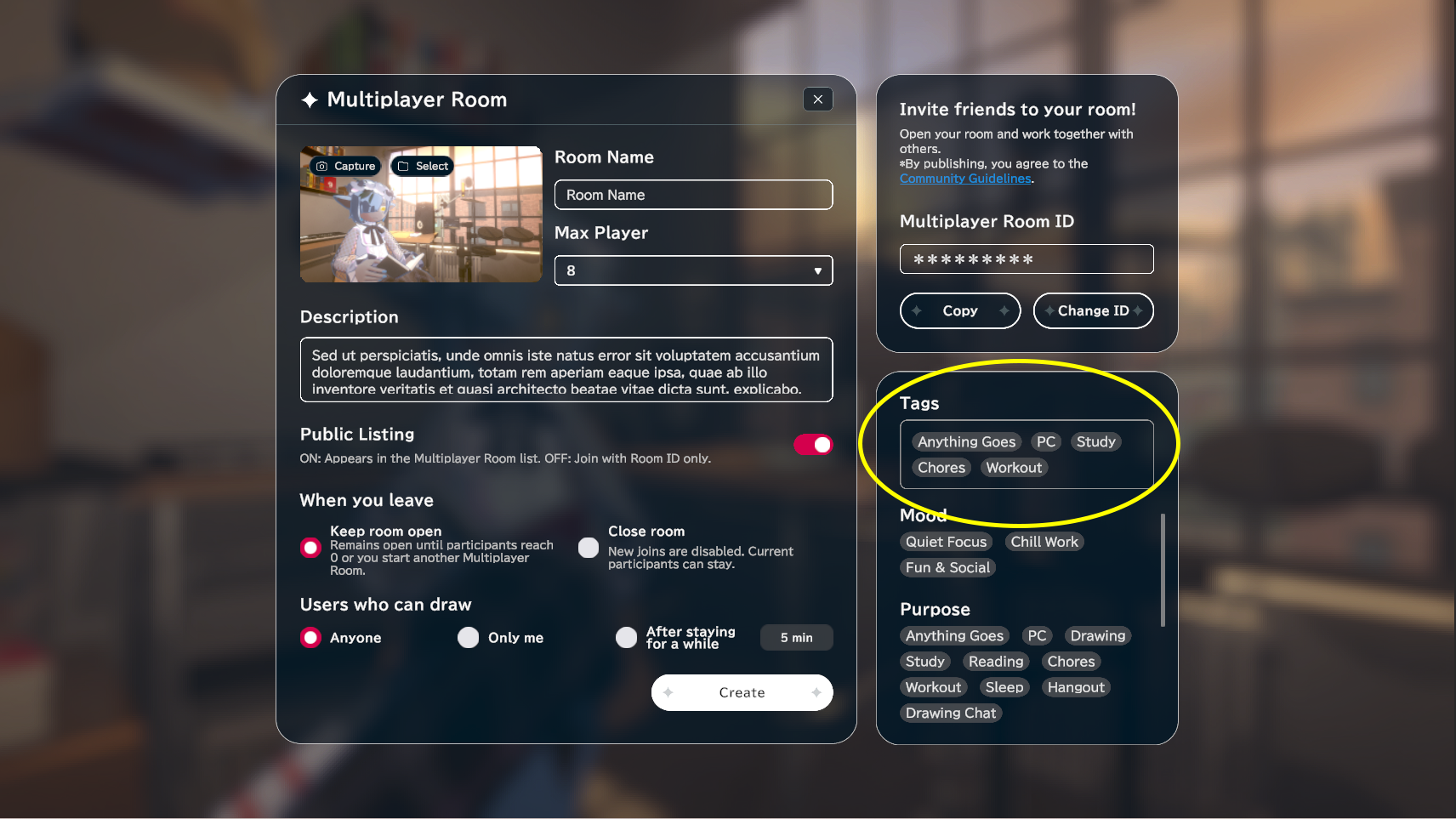
3) We added Tags (up to 5) and Tag Search ✨️✨️
Ever hesitated because you weren’t sure what vibe a room had? With tags, you can quickly communicate a room’s mood/intent—so others can jump in with confidence!
⚠️ Please read before using ⚠️
Knowing a persistent ID does NOT mean anyone can use that room at any time!
Just like before, other users can only join while the host has the room open.
If you share a persistent ID publicly, unexpected users may join—even if you host the room as “unlisted.”
If someone learns your room is currently open, they may search the ID and join.
We recommend managing separate slots for rooms you use publicly vs. privately.
Persistent IDs can be reset. If you delete a room slot, a new persistent ID will also be issued.
After a reset, users who favorited the room will need to favorite it again using the new ID.
Even if a room is favorited, it won’t appear in the Multiplayer Room list unless it’s currently open!
If you host the same room twice, both host and guests will enter the newer Multiplayer Room from then on.
The original Multiplayer Room remains until it reaches 0 users, but new users can no longer join it.
If you leave unintentionally and want to return to the original room, use Join and search by ID.
Updated UI
If you like a room, open its details and hit the Favorite button!
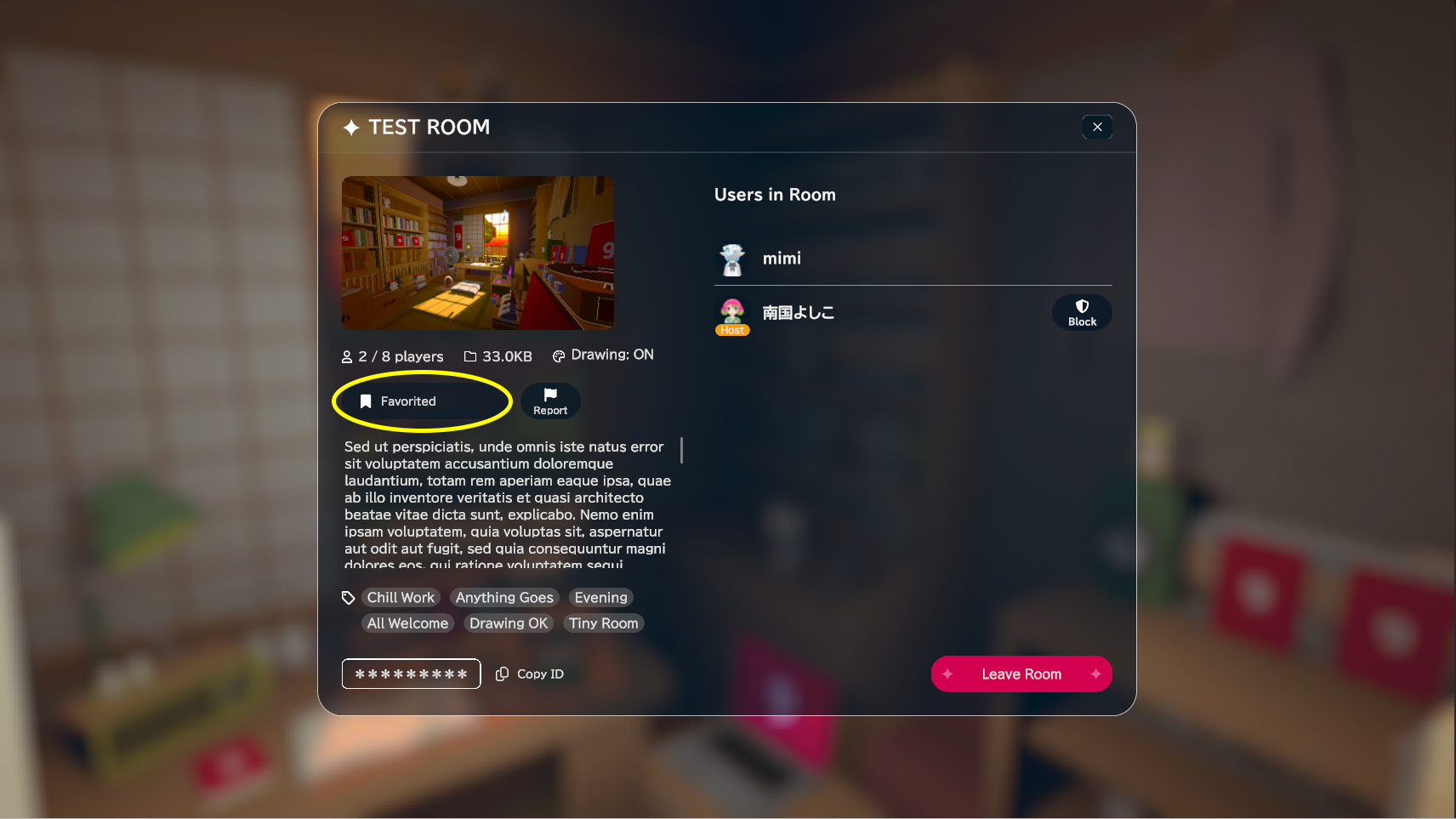
Favorited rooms appear in the Multiplayer Room list only when they’re currently open.
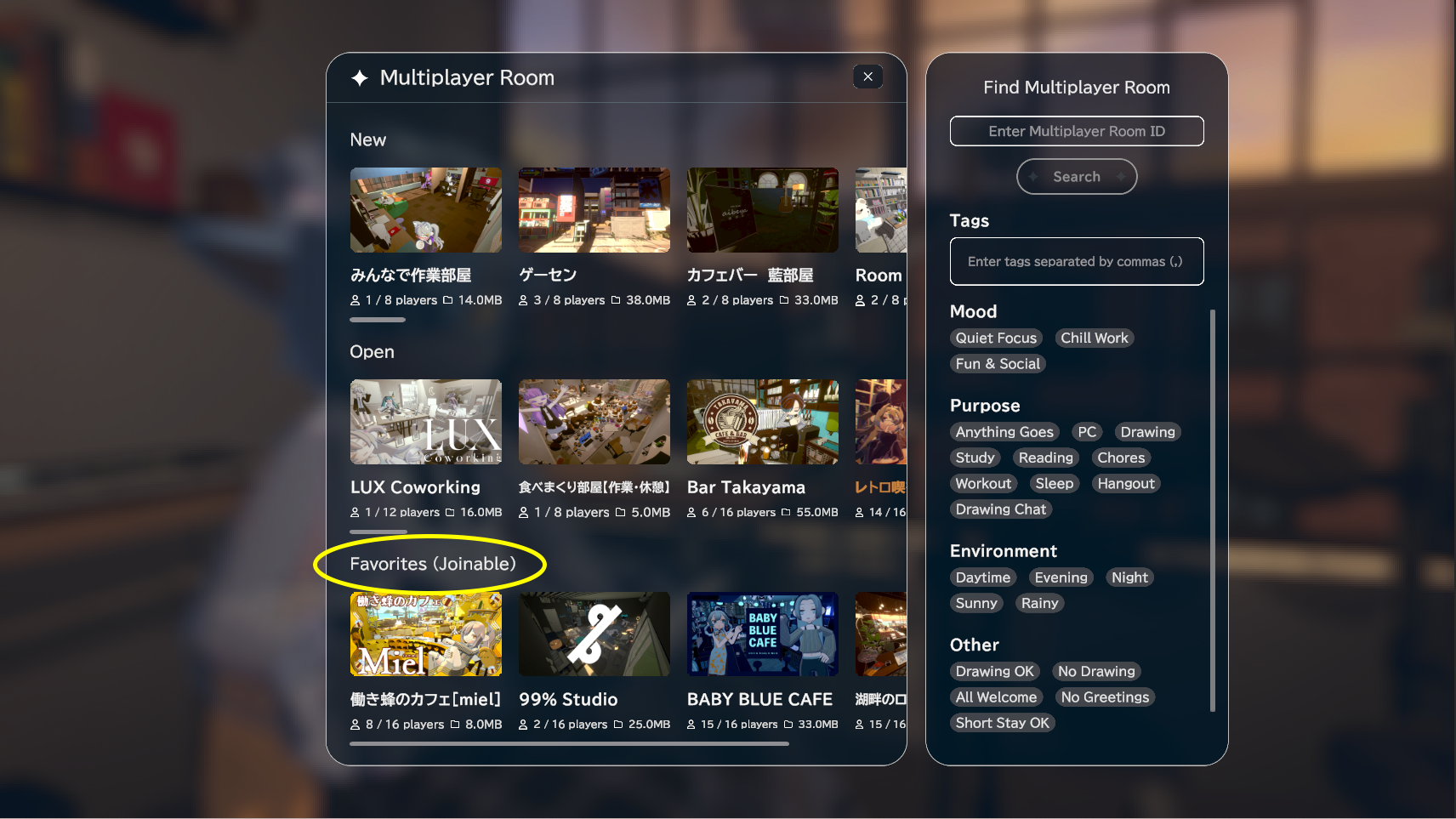
When hosting, you can add up to 5 tags! Use official tags or create your own.
Copy & Paste buttons for room slots appear when you hover over a slot.
Other improvements & bug fixes
Changed so “Maker Buddy” items (floor/wall/ceiling) are shown only while editing a room
Fixed an issue where Vignette was too strong on Filter 3
Fixed an issue where sticker images could be stretched depending on the Record Player’s placement angle
Improved performance related to avatars
Improved performance related to multiplayer
We’ve added a lot of new features—please try them out, and we’d love to hear your bug reports and feedback!
Until next time—enjoy your gogh life!