
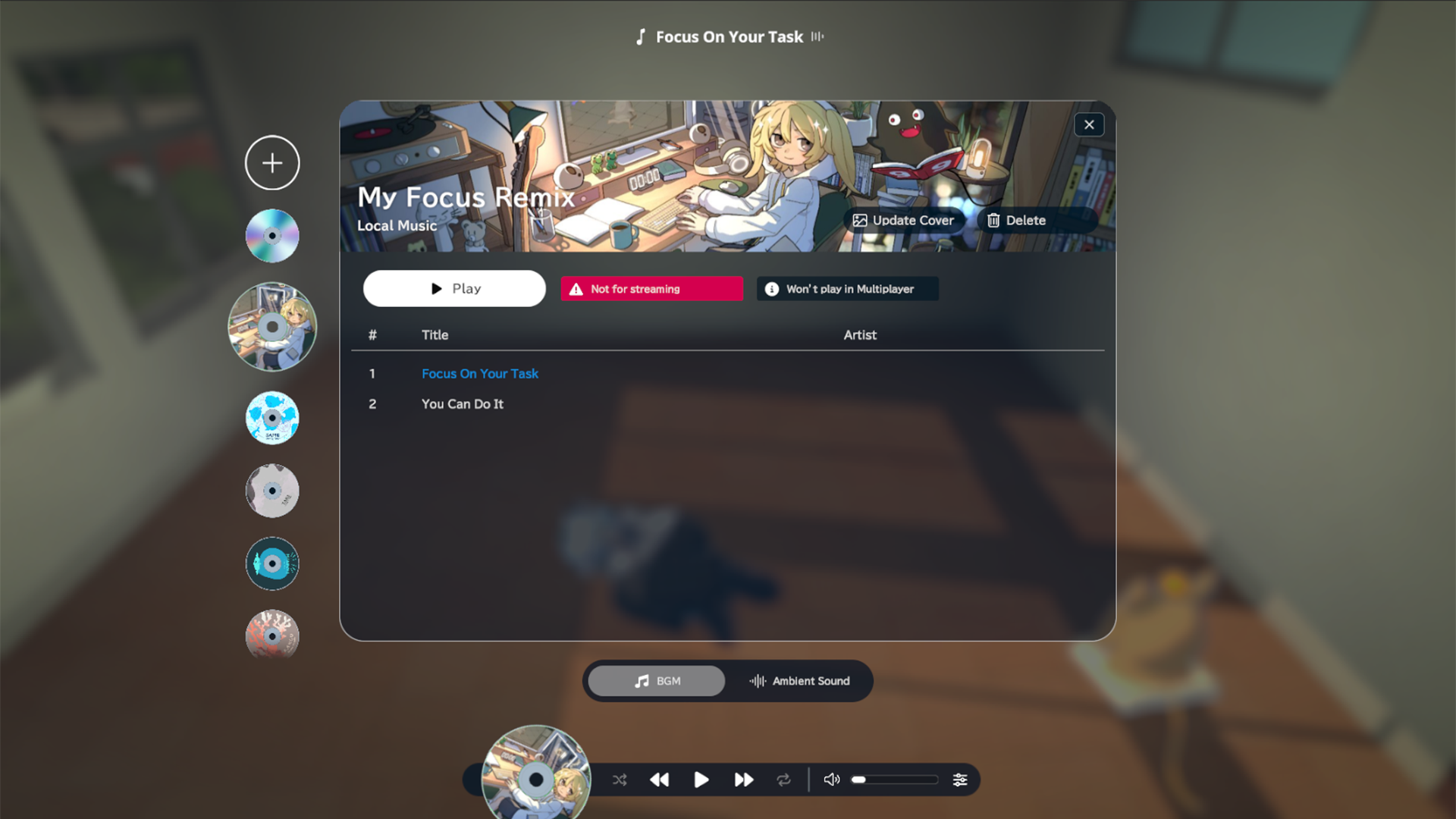
To all the music lovers out there,
You can now play your own favorite music in gogh!!
Select folders of your locally stored music files and create multiple custom playlists. You might also enjoy mixing your favorite tracks with gogh’s ambient sounds.
Please read the notes below before you start.
Supported formats: “.mp3”, “.wav”, “.ogg”, “.aiff”, “.aif”, “.vorbis” only.
Track order can’t be controlled. Please rename files in advance with numbering such as “01”.
Playback isn’t shared to other users in a multi-room.
Added playlists are saved locally per PC device.
We’ll keep expanding the easy-to-pick gogh Selection playlists as well.
Enjoy building your ideal work environment in gogh!
More updates, too!
Added a feature to import local music and create playlists
Added room owner display on the Multiplayer Room info screen
Added FAQ to the Settings screen
Adjusted startup sound volume to be lower
Fixed lighting settings for the “Brooklyn(L)” room
Fixed an issue where indoor lighting brightness couldn’t be changed in the “Classroom” room
Fixed an issue where focus couldn’t be changed on the capture screen, preventing clicking Kuroda42
Other minor bug fixes