
Hello Coders,
This update makes failure states clearer, learning tools more useful, and stage transitions smoother.
The biggest change is battery depletion: when your robot runs out of power, the game now clearly stops execution, shows a failure state, and gives you a clean restart path. The in-game Guide also received a major usability pass with rich formatting, highlighted Python examples, copy buttons, and direct links to function help and upgrades.
Major Additions
Battery depletion now properly fails the stage
Running out of battery is now treated as a clear stage failure instead of an unclear stopped state.
- Active code execution now stops immediately when the robot runs out of battery.
- The HUD now shows a dedicated Battery Failure panel.
- A Restart Stage button is now available from the failure panel.
- The robot now plays a short depleted reaction with face feedback, sound, and motion.
- Battery and wave timer text now better reflect the depleted state.

A richer, more useful in-game Guide
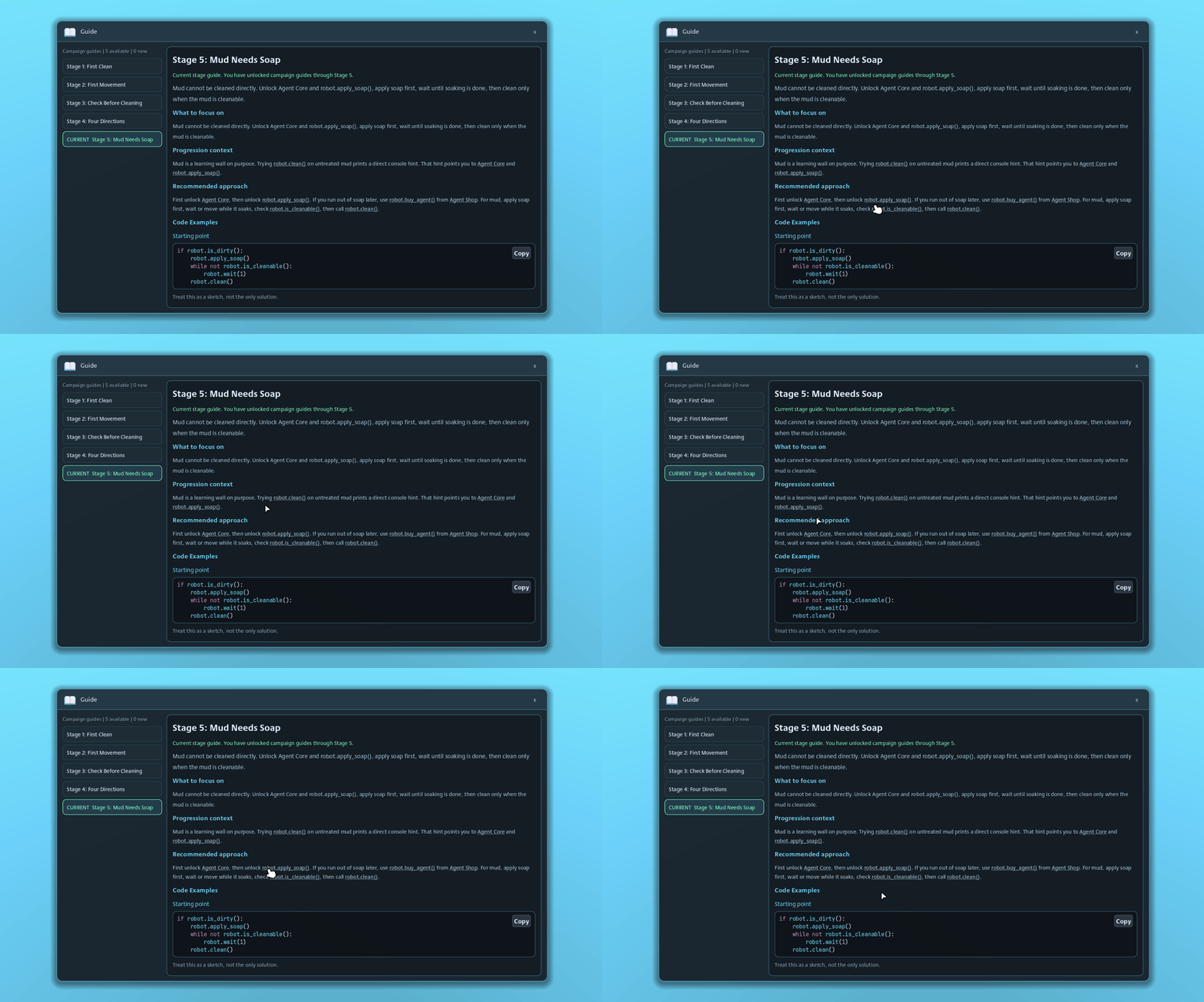
The Guide has been upgraded from plain text into a more readable learning tool.
- Guide sections now support rich text formatting.
- Python examples now use code highlighting.
- Examples now include copy-to-clipboard buttons.
- Guide links can now open related function documentation.
- Guide links can also point directly to upgrade tree nodes.
- Level 5 guide content now better explains the recommended use of robot.is_cleanable().
Gameplay & Feel Improvements
Smoother docking station transitions
Stage transitions now handle the docking station more gracefully. The active docking station can move, fade out, and return near the end of the floor transition, making stage changes feel cleaner and less abrupt.
More reliable dirt placement rules
Dirt spawning now uses more consistent placement checks around occupied tiles and docking station positions. This should help keep generated dirt patches aligned with the intended stage layout rules.
Creator / Workshop / Editor Improvements
No major creator or Workshop-facing changes in this update, but several internal tools were improved to make testing stages, objectives, upgrades, and robot states faster during development.
UI / Quality of Life
Upgrade tooltips are easier to read
Upgrade tooltip presentation has been cleaned up with stronger formatting, clearer level colors, and better emphasis on next-level values.
- Upgrade level text can now use richer formatting.
- Next-level values are highlighted more clearly.
- Tooltip icon rows now use more consistent spacing and sizing.
- Impact and unlock information is laid out more cleanly.
Settings code preview improved
The Settings preview now uses rich text with lightweight syntax highlighting, making code style changes easier to read before applying them.
Bug reporting remains available in demo builds
The Report Bug button now stays visible in demo builds, so players can send feedback and issues from the demo as well.
Fixes & Polish
- Improved how code execution is stopped and reported when a stage failure occurs.
- Improved HUD behavior when battery state changes.
- Improved upgrade tree navigation so linked help text can focus specific upgrade nodes.
- Cleaned up tooltip sizing and icon layout.
- Prepared build/export settings for release packaging, including Linux release export setup.
Closing Note
This update is focused on clarity: clearer failure feedback, clearer learning tools, and clearer upgrade information. Thanks for playing, testing, and reporting issues — that feedback continues to shape the next passes on the game.