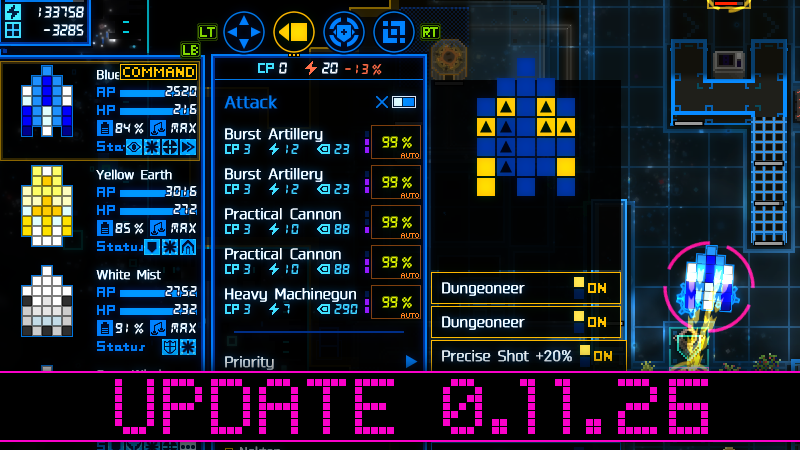
Until now, modules and skills that require a target were excluded from automatic control. However, we have now enabled automatic control for many of these.
Also, when attacking objects like grouped boxes, you no longer need to select each object one by one.
These changes are expected to reduce the number of actions required during typical gameplay.
Right-clicking was previously assigned to open the individual module/skill settings. This has now been changed to toggle automatic control on and off, which is consistent with non-target-based modules/skills. Individual settings can now be accessed via a middle-click or Ctrl+left-click.
Modifications
- 🐈Added support for automatic control of weapons (excluding certain special weapons).
- 🐈Automatic control has been also supported for some target-based skills (such as Magic Missile and Energy Drain).
- Made it possible to select adjacent objects, such as boxes, that can drop items when destroyed as attack targets all at once.
- Reduced the contribution of visibility to hit rates against static objects and points.
Bug Fixes
- Fixed: Auto Fire may not always behave as expected.
- Fixed: Unable to attack a location containing an object that has already been detected, is outside your field of view, and has a 100% projectile screening rate.
- Fixed: The attack plan arrow can reveal the presence of obstacles in areas outside your field of view.
- Fixed: During tutorials, certain unintended actions are possible using a gamepad or keyboard.
Changes marked with 🐈 were inspired by user feedback. Thank you for your participation!