
Thank you for participating in the beta test.
Please uninstall the Playtest version and then install the full version.
Migration Steps
1. Close SteamVR.
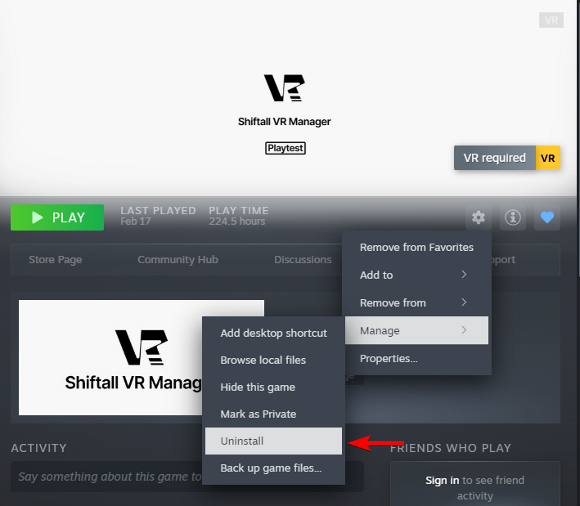
2. Uninstall the PlayTest version (Shiftall VR Manager Playtest) from your Steam Library.
Steam Library gear icon > Manage > Uninstall
3. Install Shiftall VR Manager.
4. Ensure SteamVR is not running before launching the application for the first time. The SteamVR driver will be installed.
Important Notes
- Settings from the PlayTest version will not carry over to the full version.
- The SteamVR driver will be uninstalled and reinstalled during both the uninstallation of the PlayTest version and the first launch of the full version. Make sure to perform the migration while SteamVR is not running.