Producer Letter #20: Introducing the New “Maker Mode” UI
Hello everyone, it’s me, producer Morino for ACTION GAME MAKER again!
Thank you as always for your continued interest in ACTION GAME MAKER. In this, the 20th Producer Letter(!), I am happy to introduce the new UI we announced at our first anniversary in June, using actual screens from the build currently in development.
◆ About the New “Maker Mode” UI
We have named the new UI “Maker Mode,” to convey our aim of making it as approachable as the Maker series has always been known for.
First, let me start with the most important point. This mode is one of two options: the existing Godot UI remains fully available. So if the new UI doesn’t feel quite right to you, or if you have been using editor plugins made for Godot, you can simply switch back to the UI you have been using all along!
◆ The Concept and Design Intent Behind “Maker Mode”
Our design goal was to approach and recapture that “ease of creation of the classic Maker series.”
It is built specifically around creating with our Visual Script system. Screens dedicated to map creation, object creation, and more have all been rebuilt from the ground up. \[] We have rebuilt it as a single-tab, modal-style UI, much like the classic Maker tools. As a result, you can no longer open several tabs and switch between them. Some users might find this slower, but it’s less visually overwhelming and makes it harder to make unintended mistakes such as accidentally opening the Visual Script for the wrong object.
Changes are not just for side view projects, as top view is now much easier to work with as well.
Beyond that, we have added a large number of new settings windows in pursuit of the best usability we could achieve.
Now, let’s take a look at these features using actual screens from the current build.
◆ The “Maps” Screen

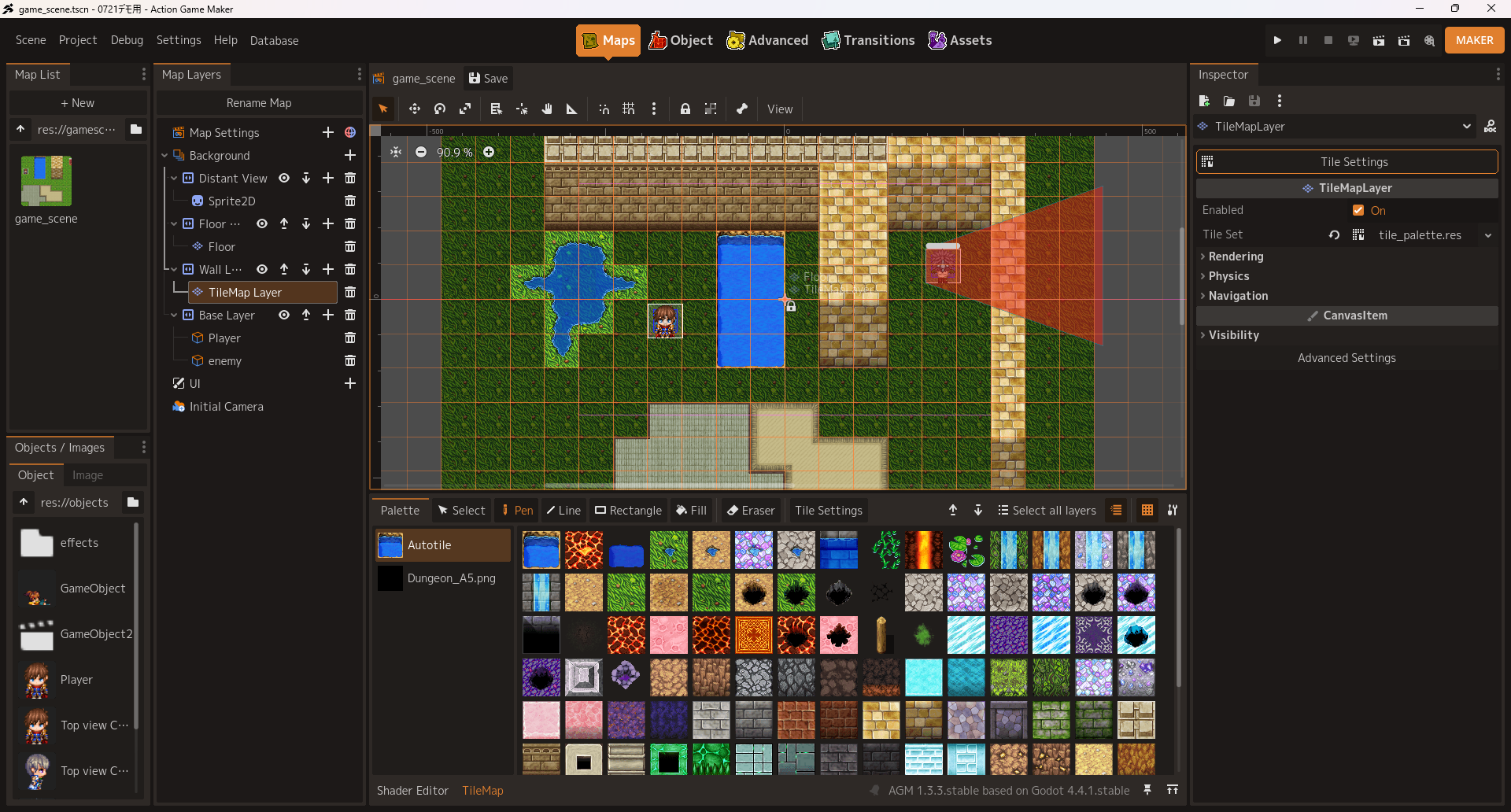
*These screens are from a build in development and may differ from the release version. The same applies to all images that follow.
Nearly all of it is freshly built.
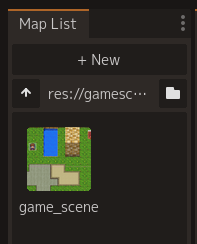
We split the “FileSystem” dock into variants: one that shows only scenes, one that shows only objects. This should reduce confusion for any user.
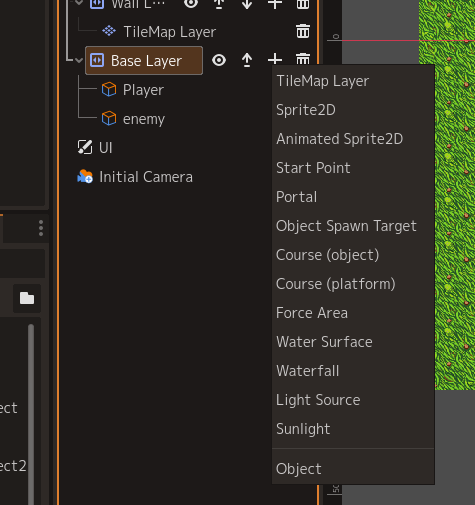
Map Layers now show only the nodes you need, and you can easily add just the nodes each layer requires. On top of that, everything is fully translated into every supported language.
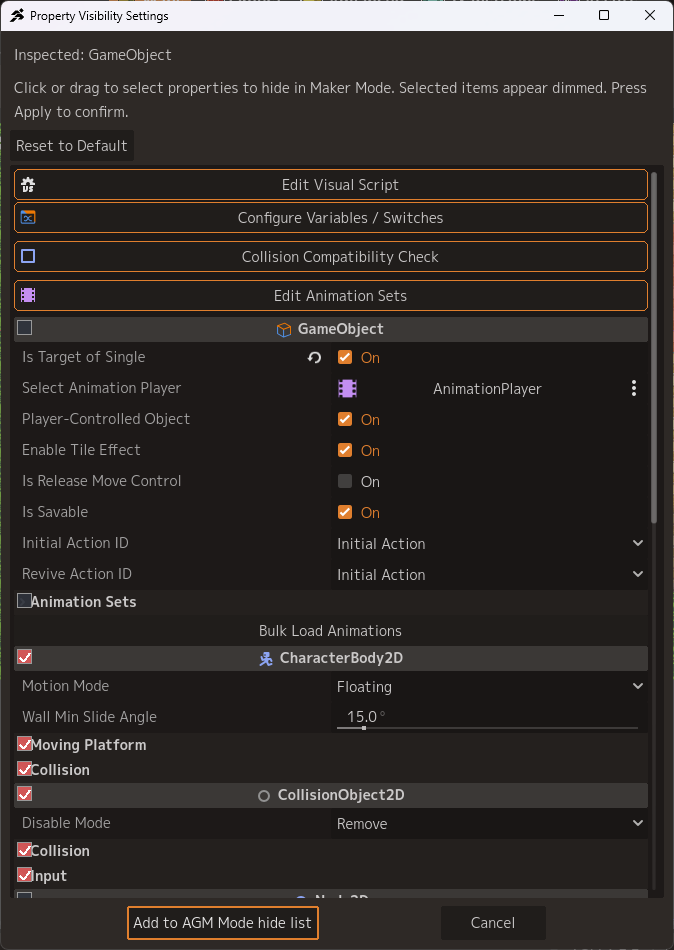
The “Inspector” now hides items that are rarely used. Which items are hidden can be freely adjusted in your personal settings.
There is plenty more, but the single biggest change is the tile system.
◯ A Redesigned Tile System
We rebuilt it around palettes, like in RPG Maker. Auto tiles (terrain) get an auto tile list palette, and everything else gets one palette per sheet.
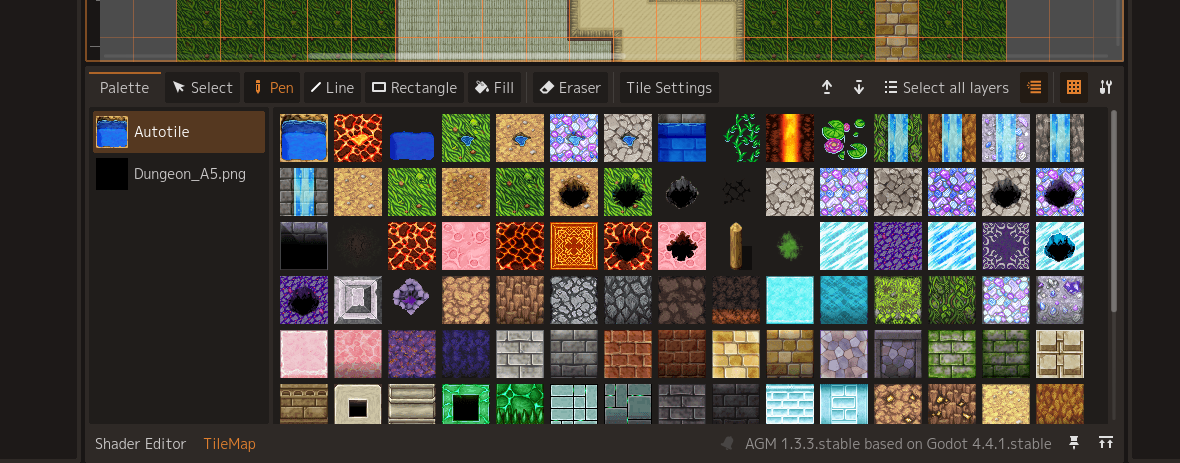
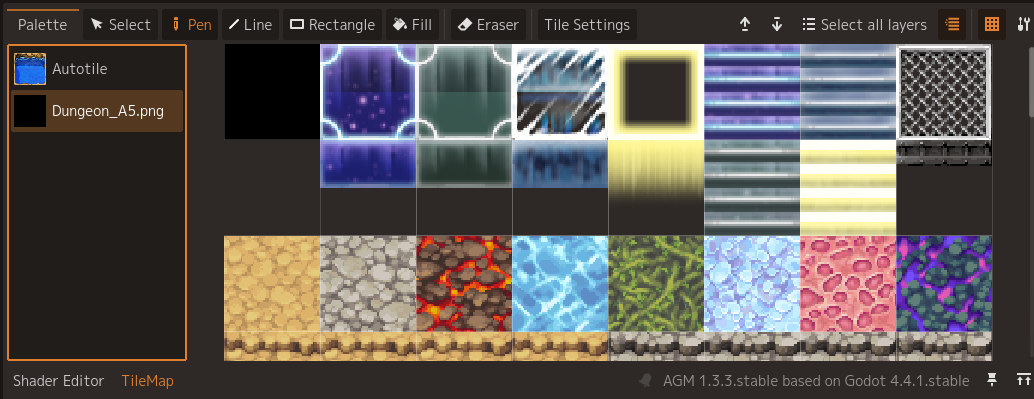
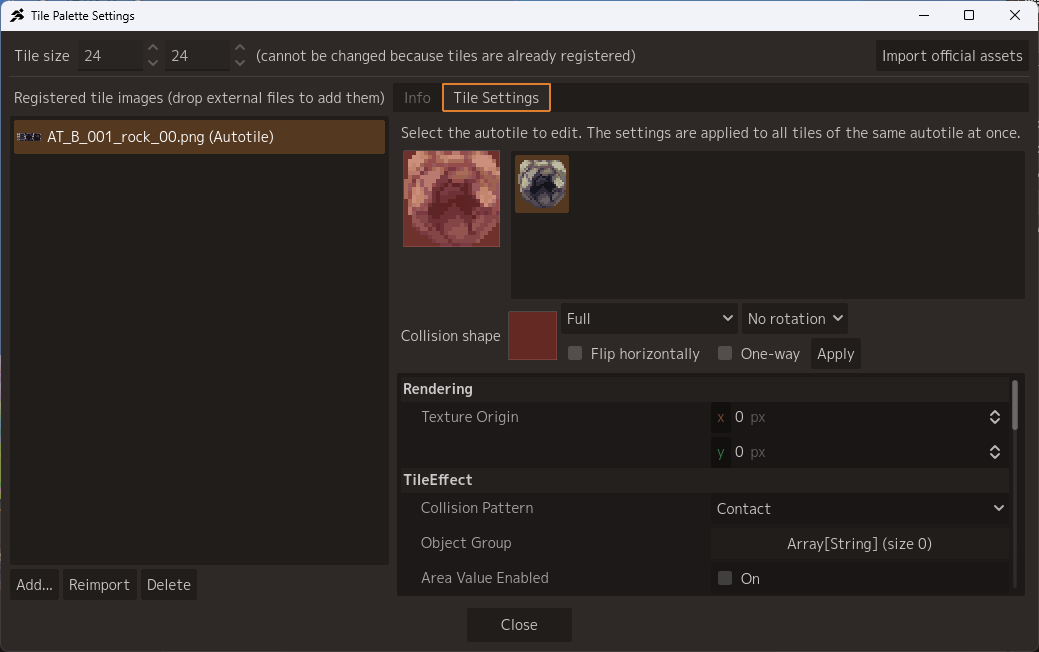
We added a shared palette feature. Tiles loaded in one scene are now loaded automatically when you create a tile map layer in another scene. \[] We added a new Tile Palette Settings window. Everything from importing to configuring tiles, such as collisions and so on, is handled in a single window.
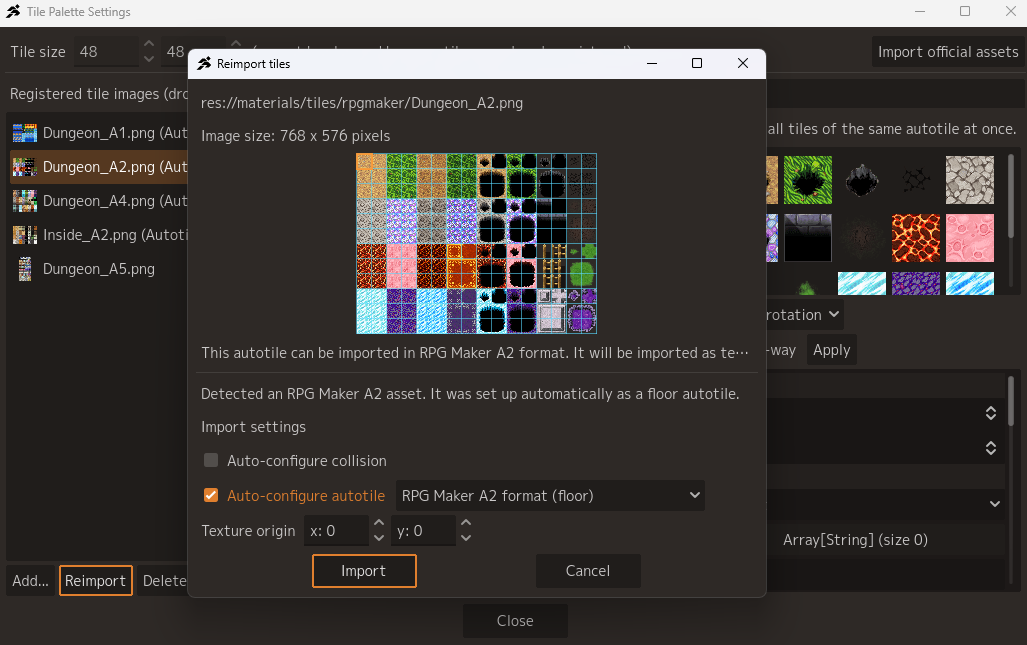
We added the RPG Maker format as a newly supported auto tile format, so you can use those assets as game resources for top view.
◆ The “Object” Screen
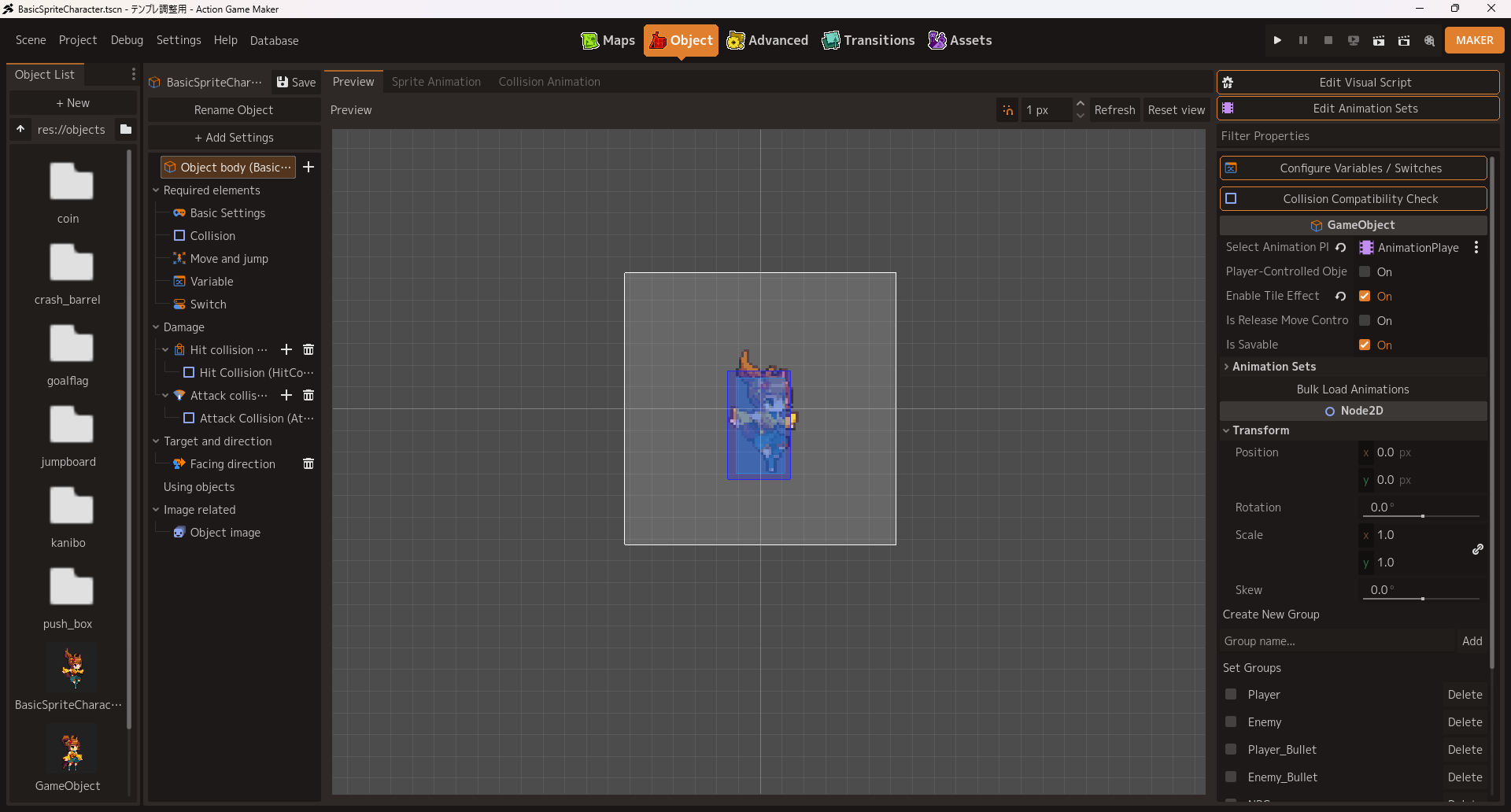
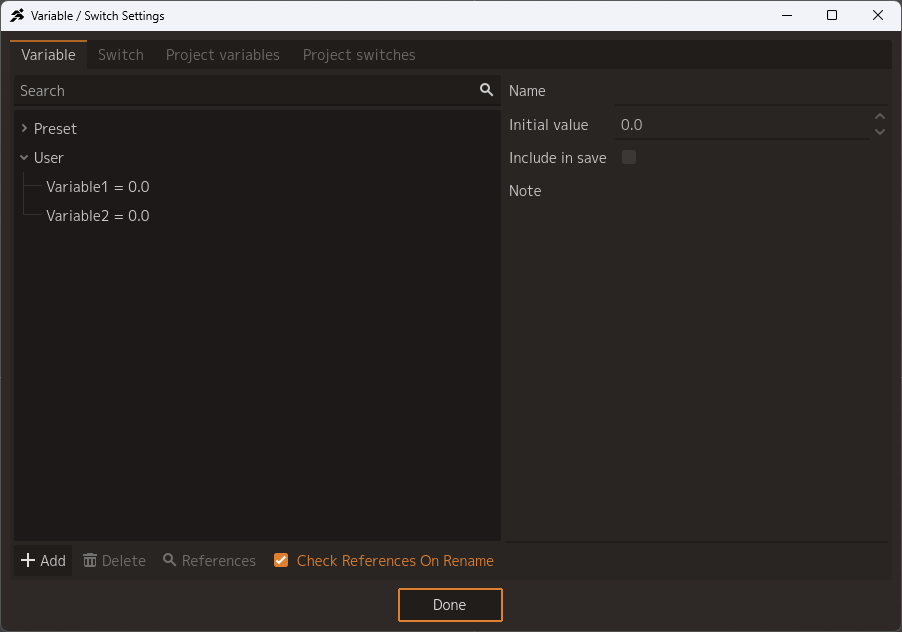
As with the Maps screen, we built this from scratch so that only what you need is shown. \[] We added a new Switch/Variable settings window. Project variables and switches can be changed here as well.
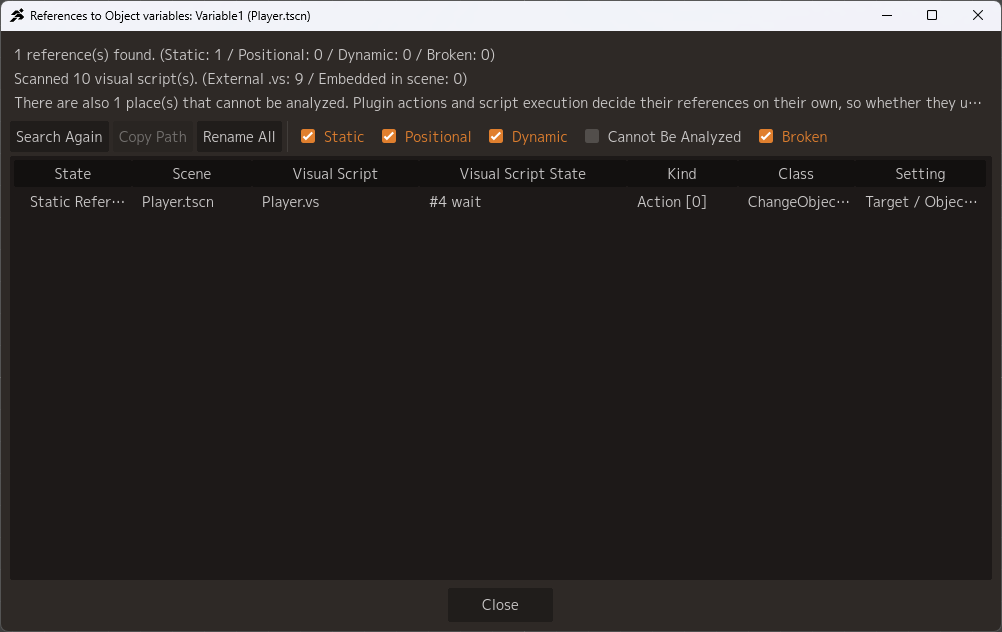
You can now search for where a switch or variable is used.
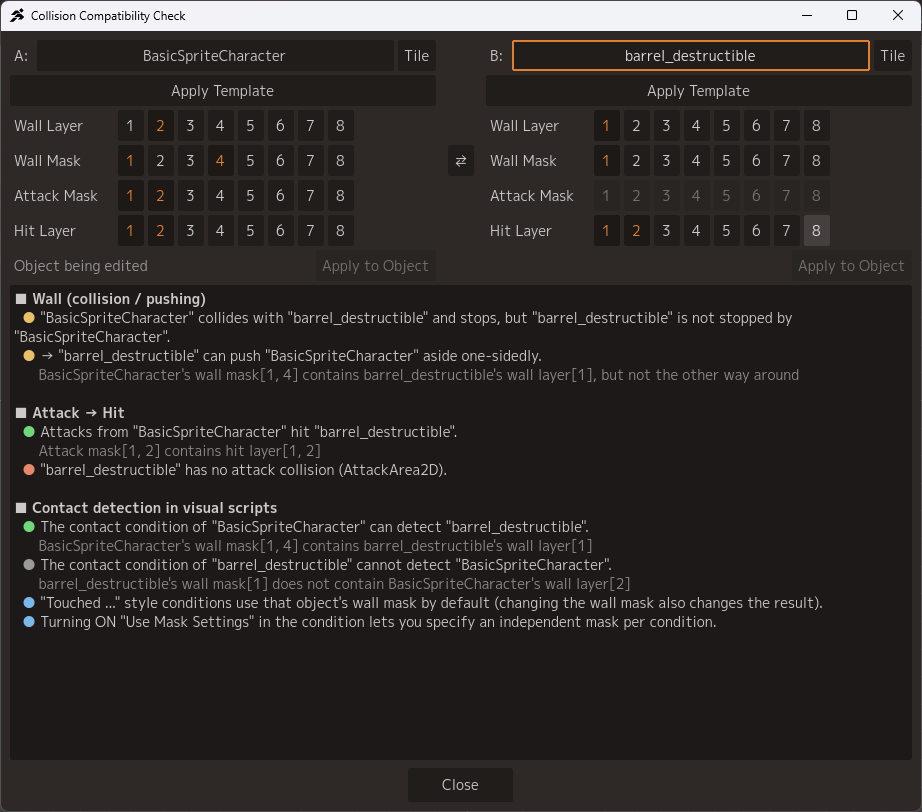
We added a new feature that checks the collision settings of two objects and determines the results automatically for quick and easy confirmation.
“Groups” can now be configured from the Inspector.
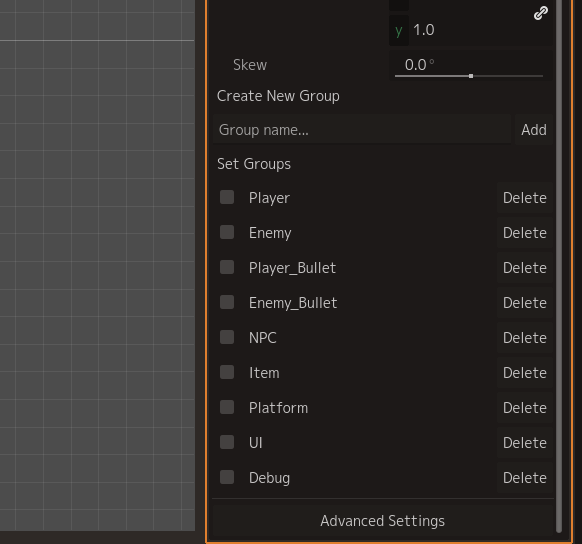
The biggest change in object creation is the animation authoring feature.
◯ Sprite Animation
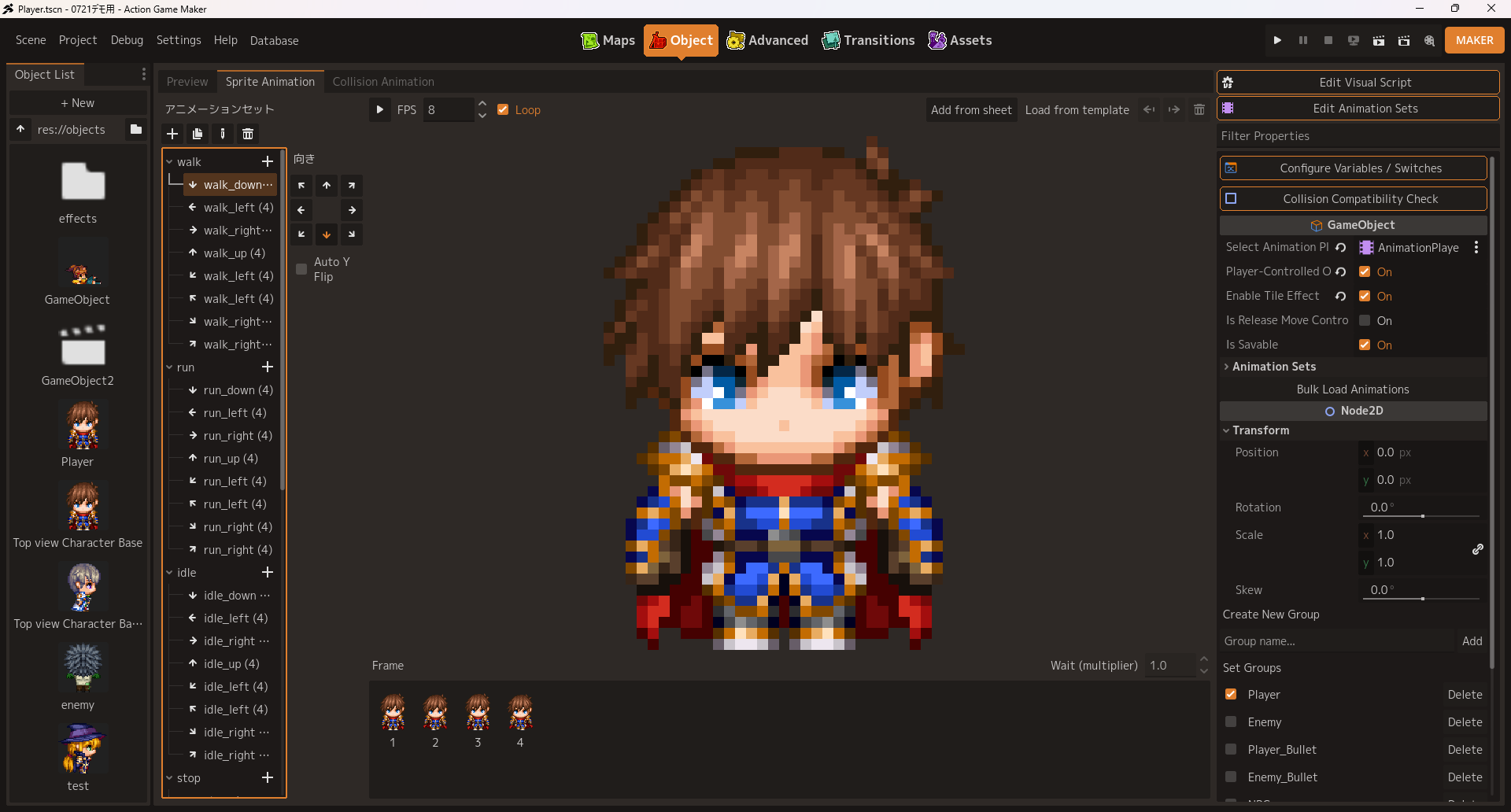
You can now create animations in the AnimatedSprite2D format. Sheets loaded here are always synced and applied to the AnimationPlayer automatically.
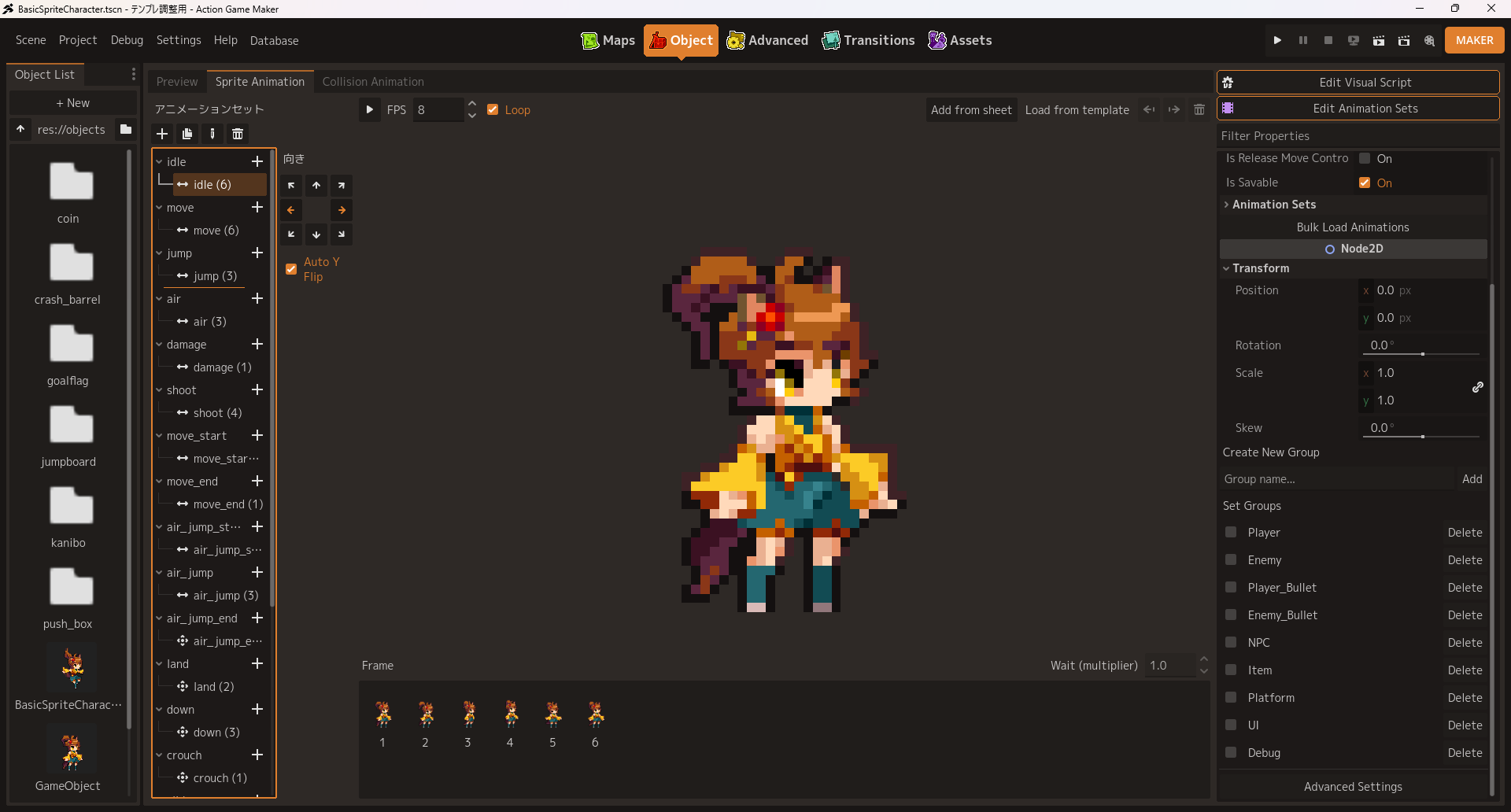

We added a frame-based “Collision Animation” feature. Here, instead of working on a timeline, select frames and build the animation by adjusting attack collisions, hit collisions, and so on to fit that frame.
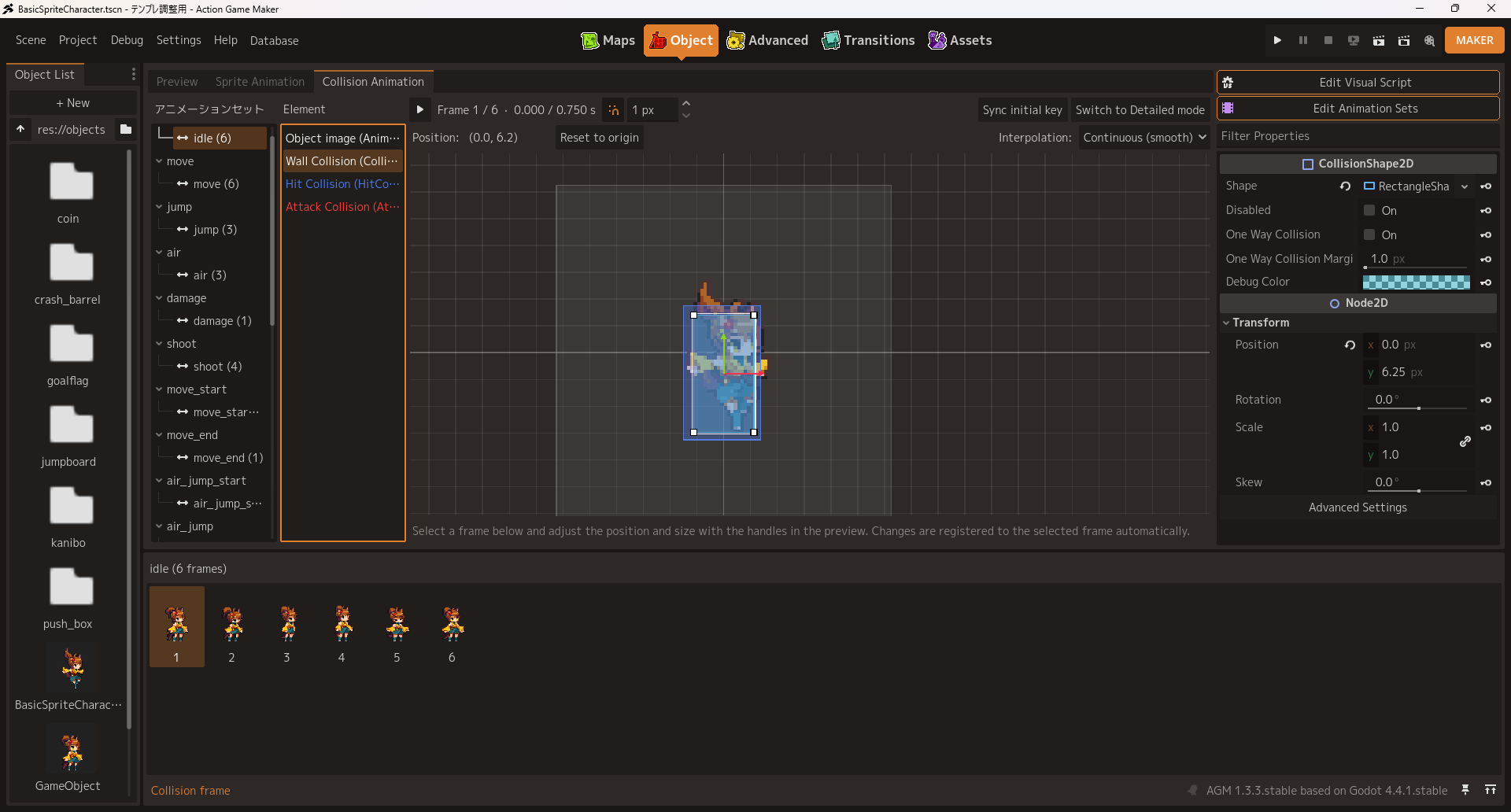
Switching the Collision Animation feature to detailed mode allows timeline editing, if that is preferred.
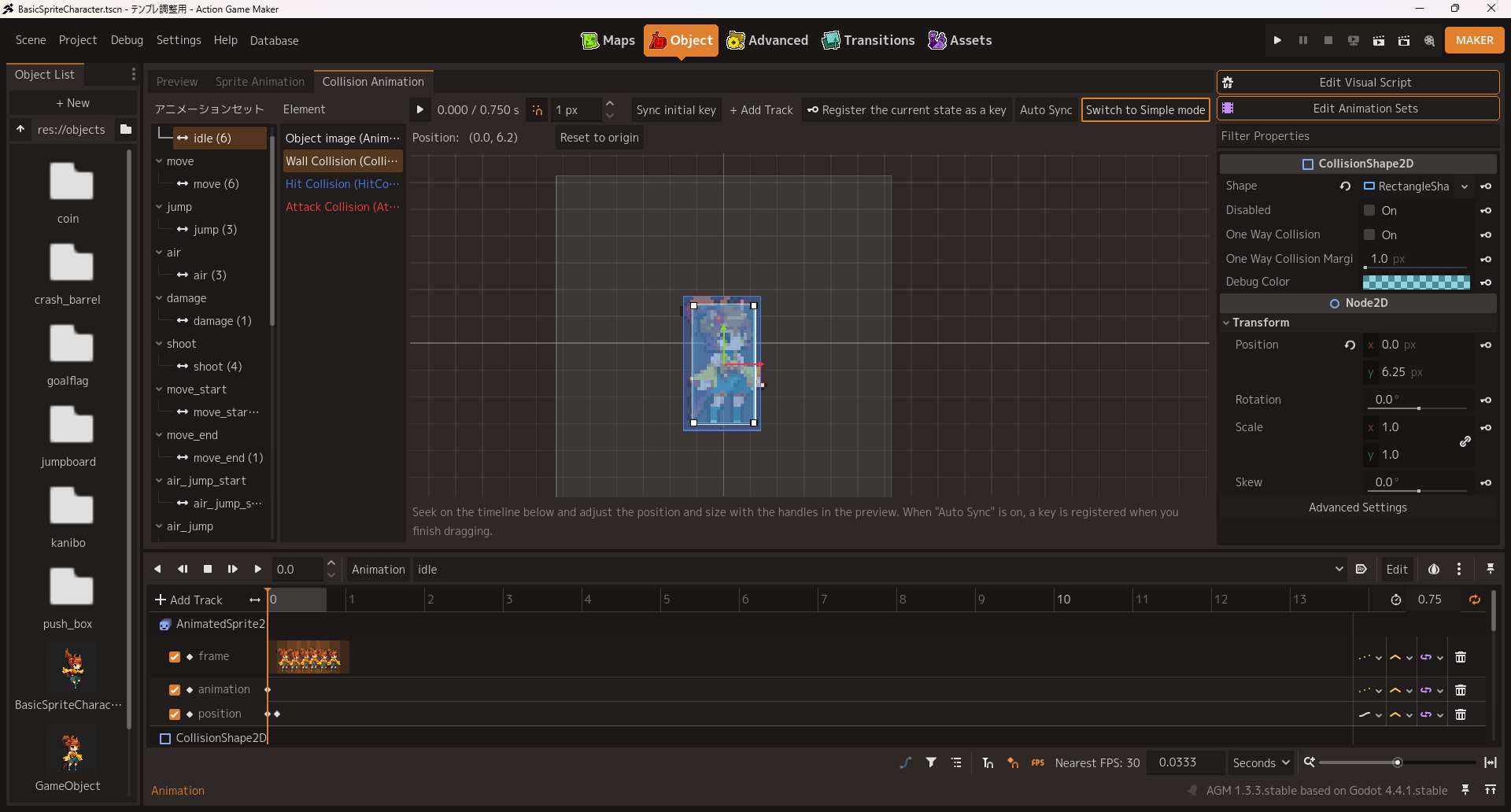
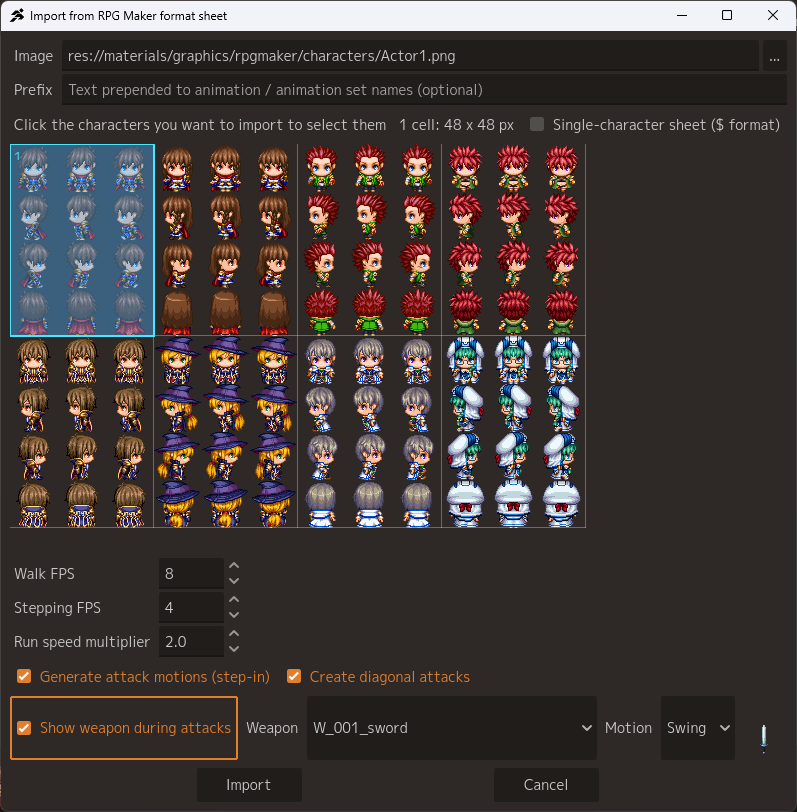
Just like auto tiles, if you prepare a sprite sheet in a specified format, our new template animation feature will handle everything at the press of a button — loading the frames, adjusting the collisions, and registering the animation set. Top View Template: RPG Maker-compatible sprite sheets can be used as they are. There is no diagonal movement, but diagonal attacks are generated automatically along with everything else. We have also added the ability to auto configure swinging or thrusting weapons using a specified PNG image, so you can get straight to making a game in the vein of Zelda or the Mana series.
 Side View Template:
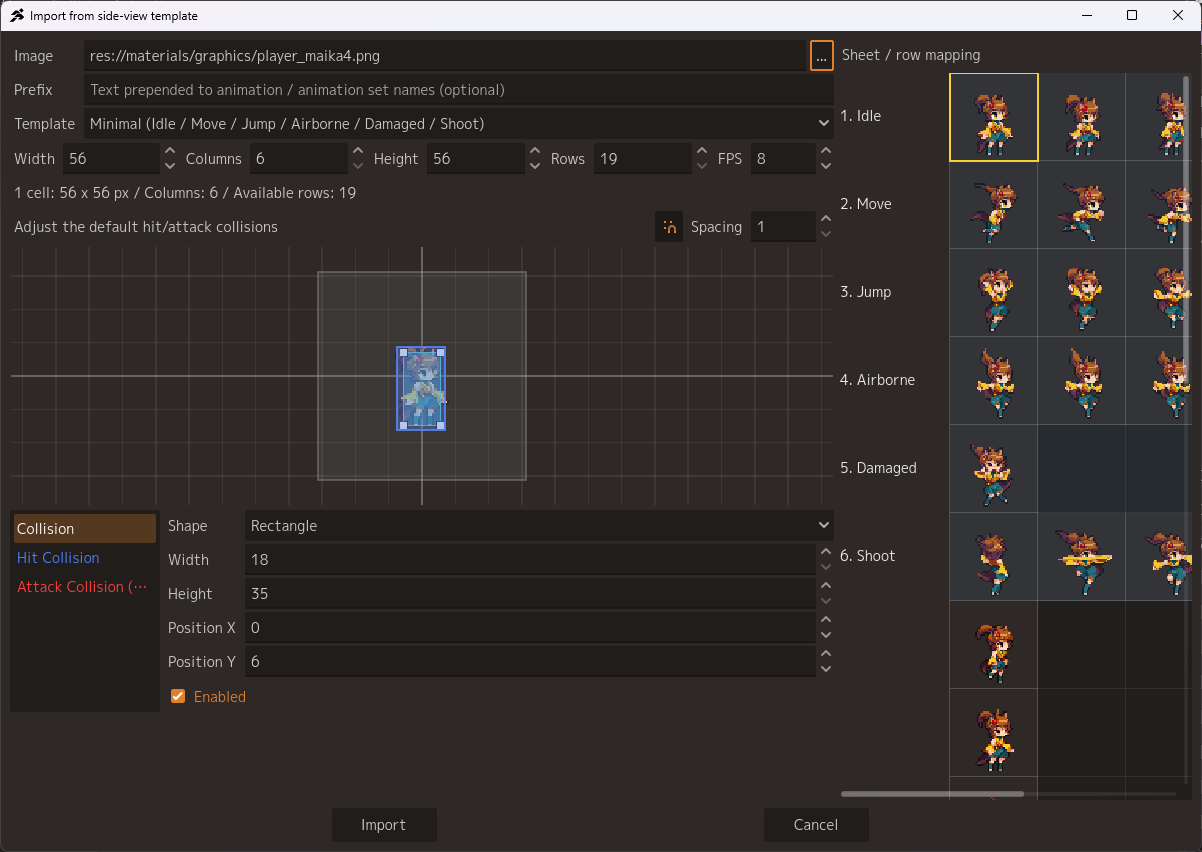
This is a new template: setup a sprite sheet with one motion per row in the intended order and the motion will be auto-generated. As long as the order of the motions matches, the number of frames is up to you, and blank cells are skipped intelligently. Attack collisions and hit collisions are manually configured, but you can adjust them from this screen during the initial configuration.
Side View Template:
This is a new template: setup a sprite sheet with one motion per row in the intended order and the motion will be auto-generated. As long as the order of the motions matches, the number of frames is up to you, and blank cells are skipped intelligently. Attack collisions and hit collisions are manually configured, but you can adjust them from this screen during the initial configuration.
◆ The “Visual Script” Screen
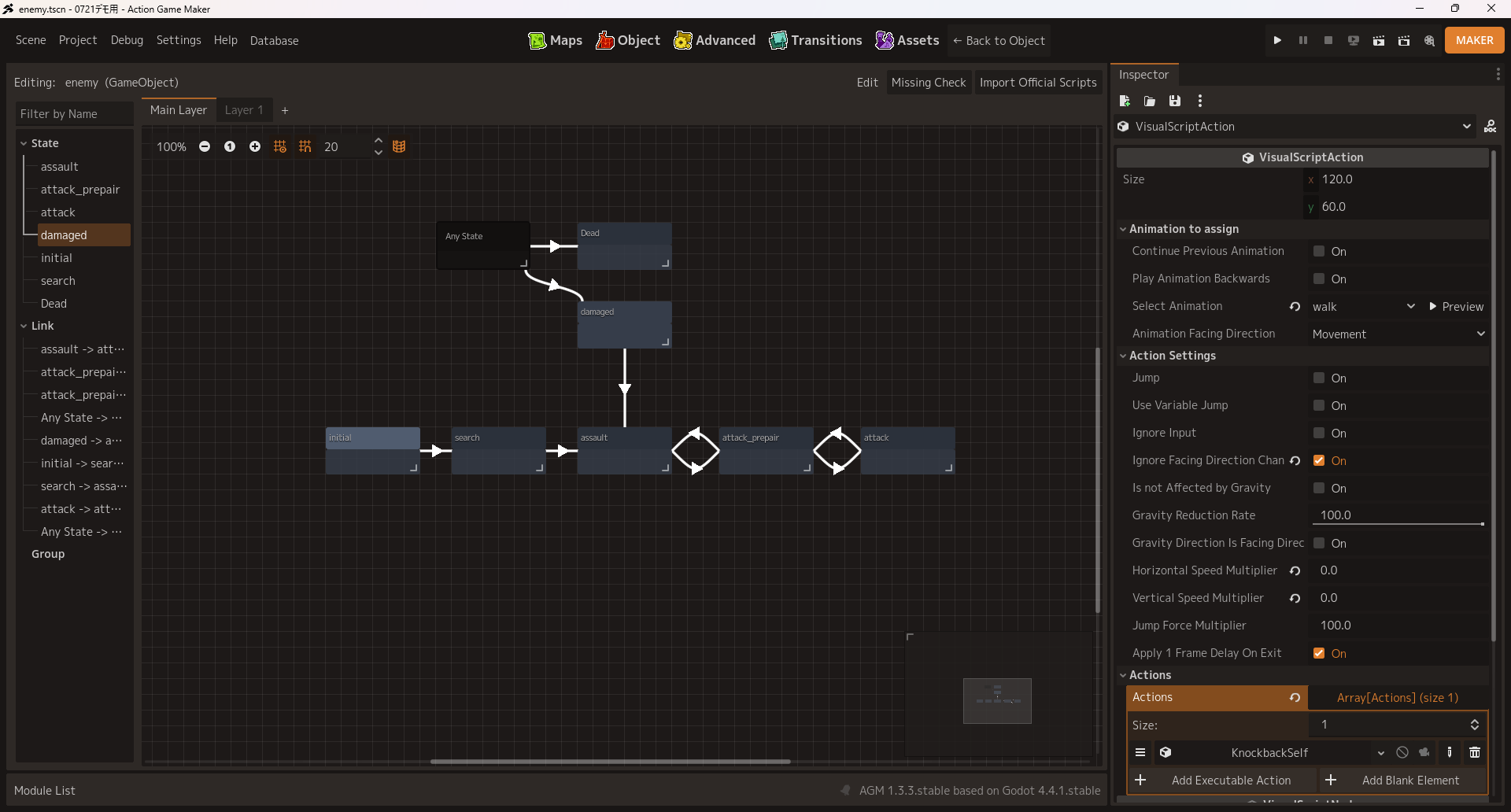
This one doesn’t look very different, but it is now accessed from a game object by clicking the “Edit Visual Script” button. Not only does this eliminate working on the wrong object, it also feels much cleaner now that view is focused exactly where you need it.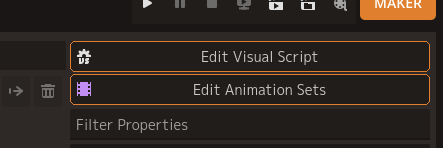
◆ The “Advanced” Screen
By now, some of you may be worried that Godot’s own features have become completely unavailable. We simply moved the Godot functionality to this new “Advanced” screen. Note also that all ACTION GAME MAKER provided features, such as the tile map and sprite animation tools, are still created with existing Godot nodes. This means you can still edit them through the “TileMapLayer” and “AnimationPlayer” nodes just as before.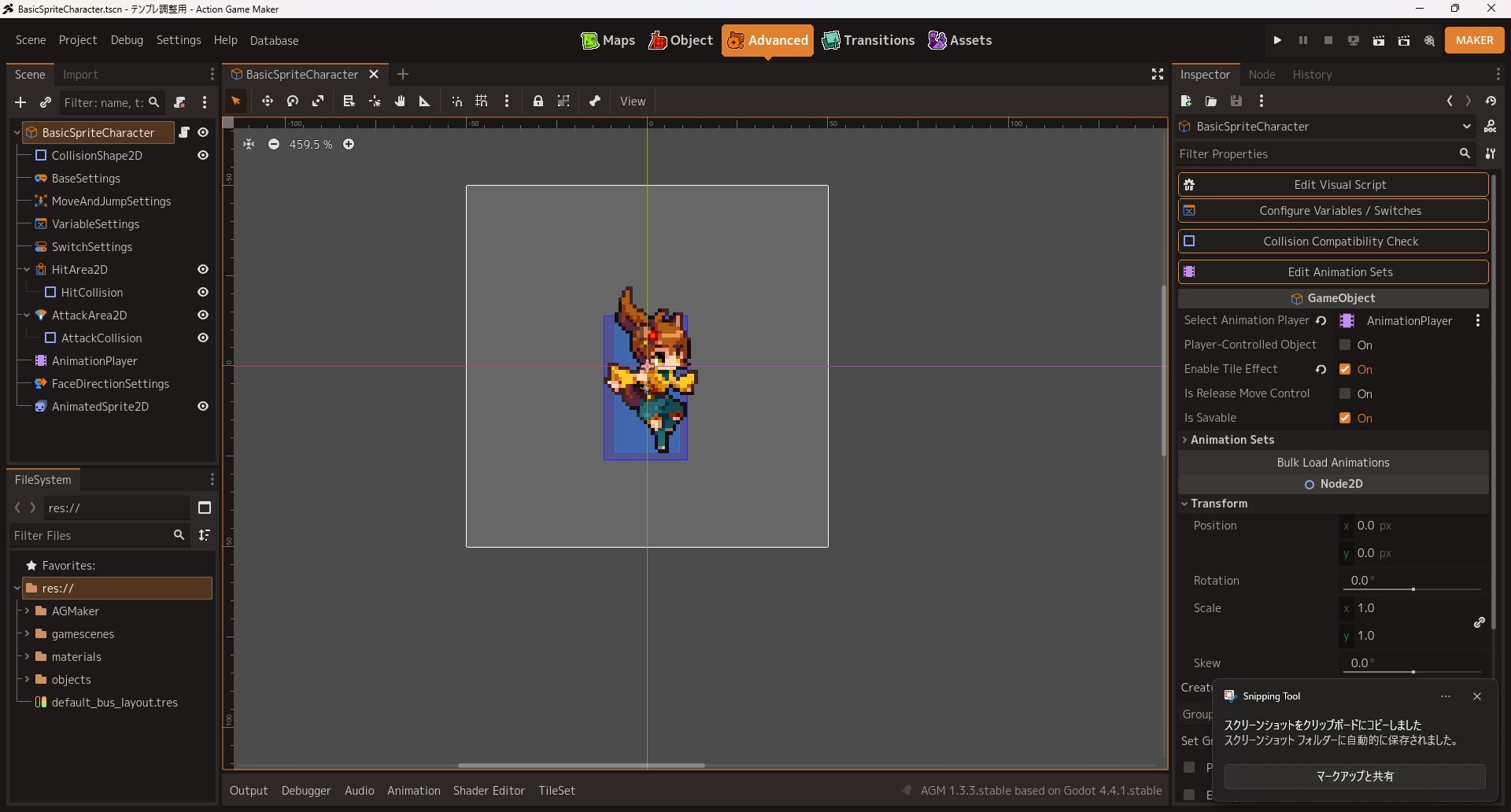
This screen is nearly identical to Godot’s 2D view, but with a few differences.
This screen is modal too, so you cannot open an endless number of tabs.
There is no equivalent of the “Script” view, so GDScript authoring happens in a separate floating window.
For that reason, if you write a lot of GDScript, or you like to keep many tabs open and switch between them, there will be cases where you are better off switching to the original Godot Mode.
◆ The “Transitions” Screen
Like Visual Script, this hasn’t changed dramatically, but the FileSystem now shows only Scenes, and it should feel much cleaner with unnecessary elements removed.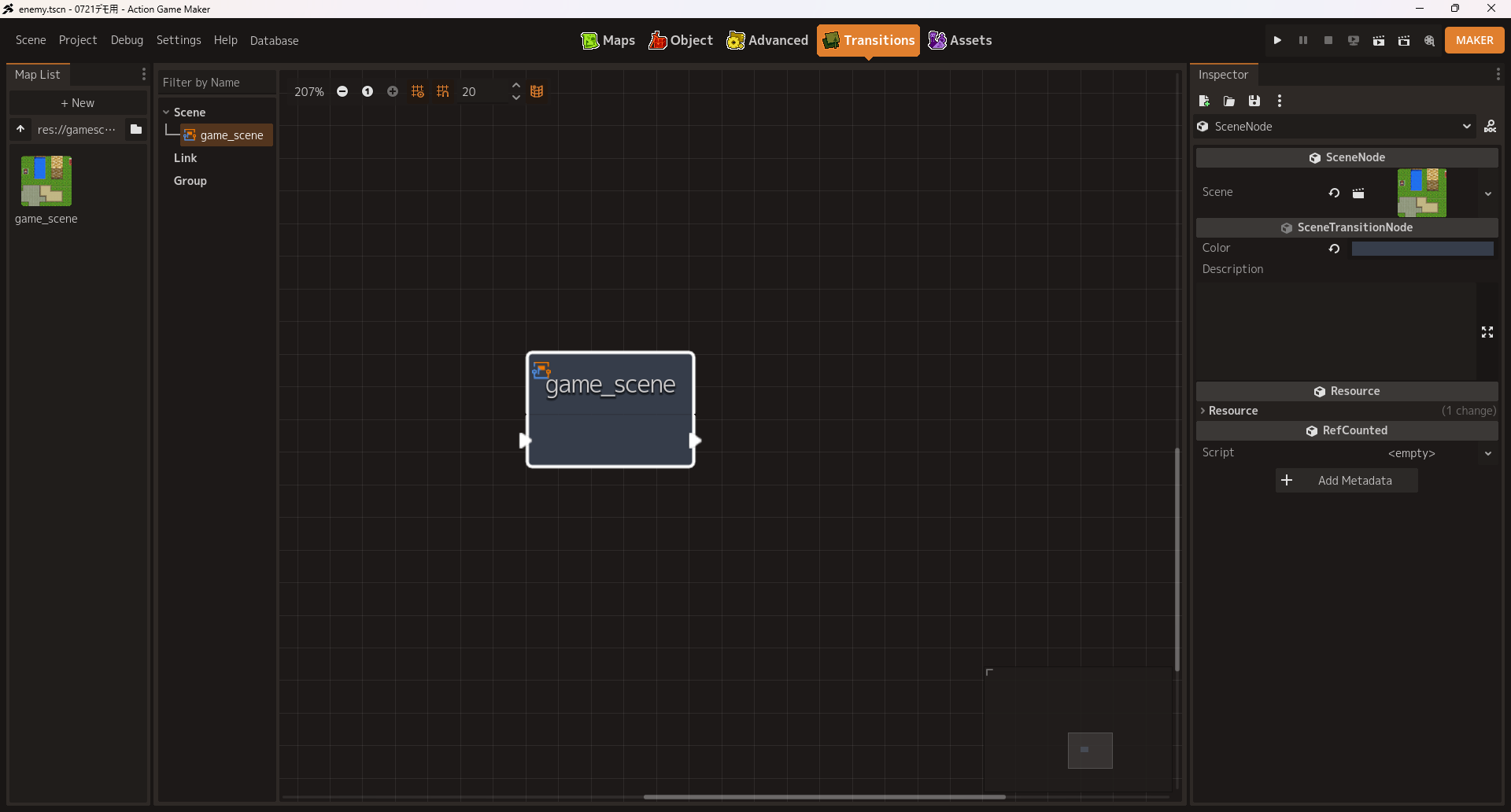
◆ The “Assets” Screen
Up to this point I’ve described how the FileSystem on each screen “shows only what you need.” That made things clearer, but it also makes importing assets inconvenient. To improve this process we added a new “Assets” screen. Users of ACTION GAME MAKER’s predecessor may find it familiar.
With the addition of asset management system, each type of asset is assigned a designated folder. Projects created before this change will have their own folder structure, so you will need either to change that structure to match or continue managing those files through the normal FileSystem on the “Advanced” screen.
We’ve also add a major feature to the Asset management system: the official asset and official system import features.
◯ Official Asset Import
ACTION GAME MAKER has shipped with a large number of official assets, but the only way to add them was the inconvenient route of creating a sample project and copying the wanted assets from it. So we built a system to import the desired assets in a batch operation.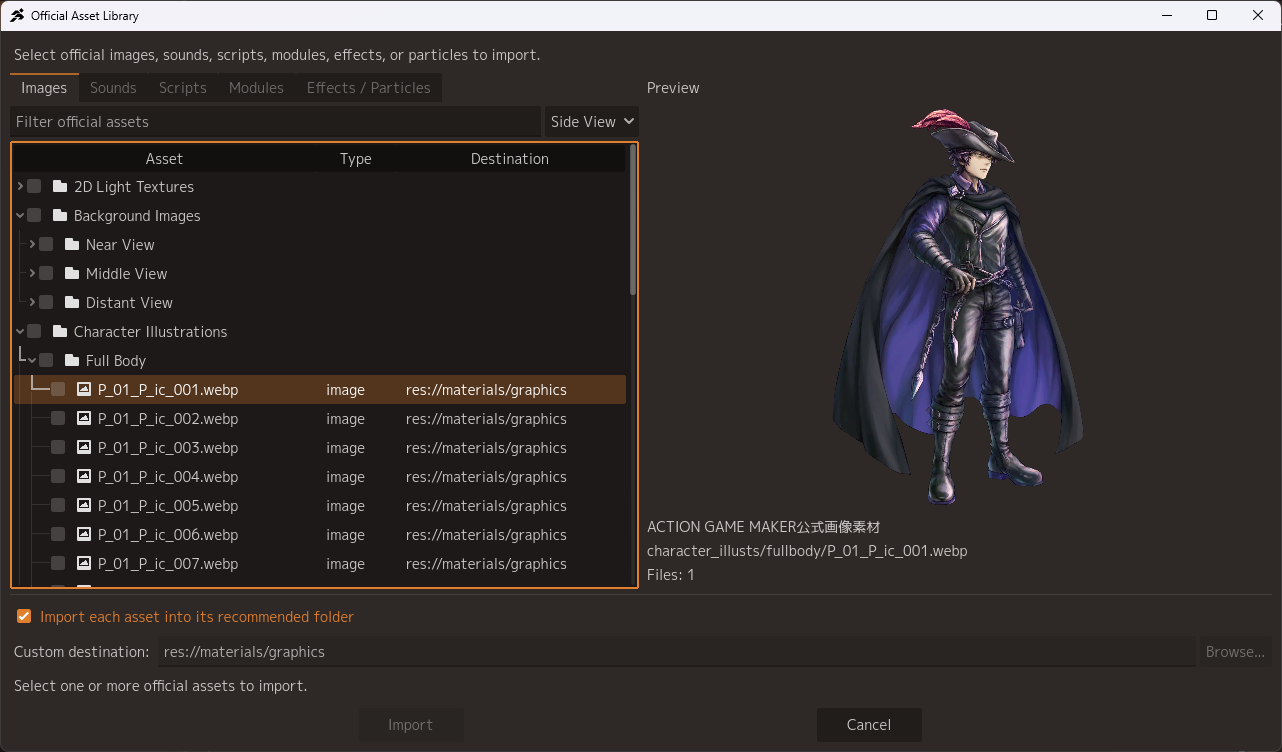
◯ Official System Management
In addition to Assets, we have created system for adding plugins written in GDScript. The first plugin to use this system will be a brand new menu system plugin. It installs and uninstalls easily, at the press of a button!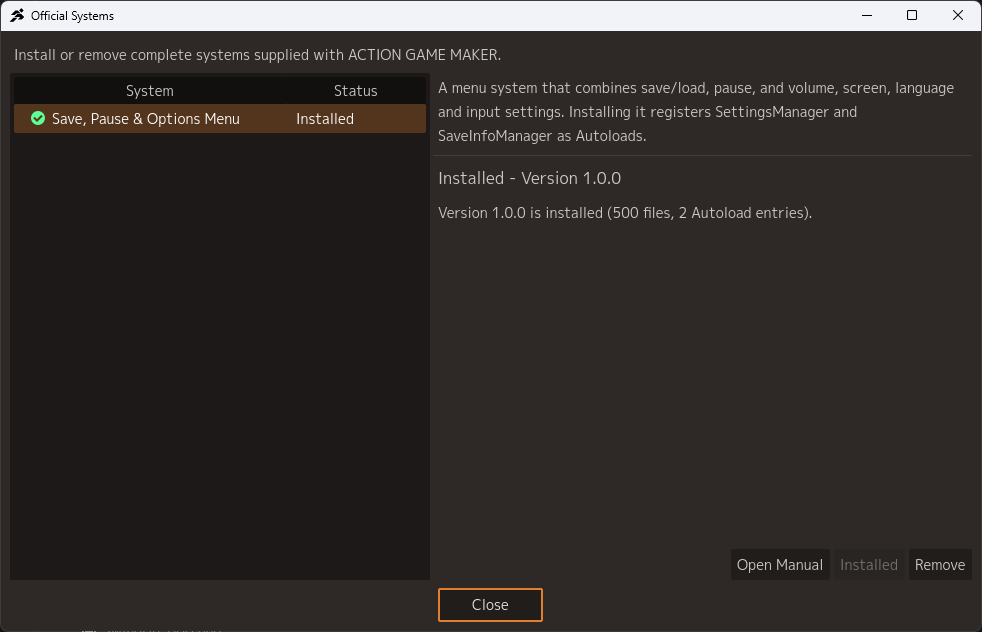
Menu System:
This system plugin bundles together saving, loading, volume settings, key rebinding, resolution changes, language changes, and more. All you need to do is call the relevant scene with “Show Menu.”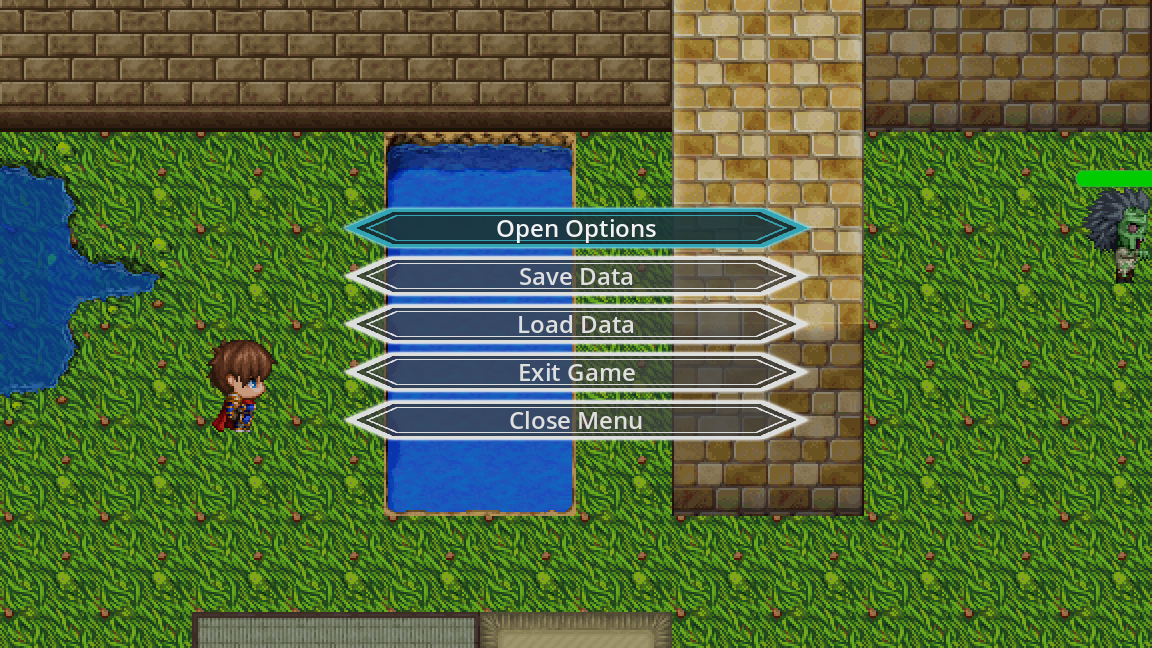
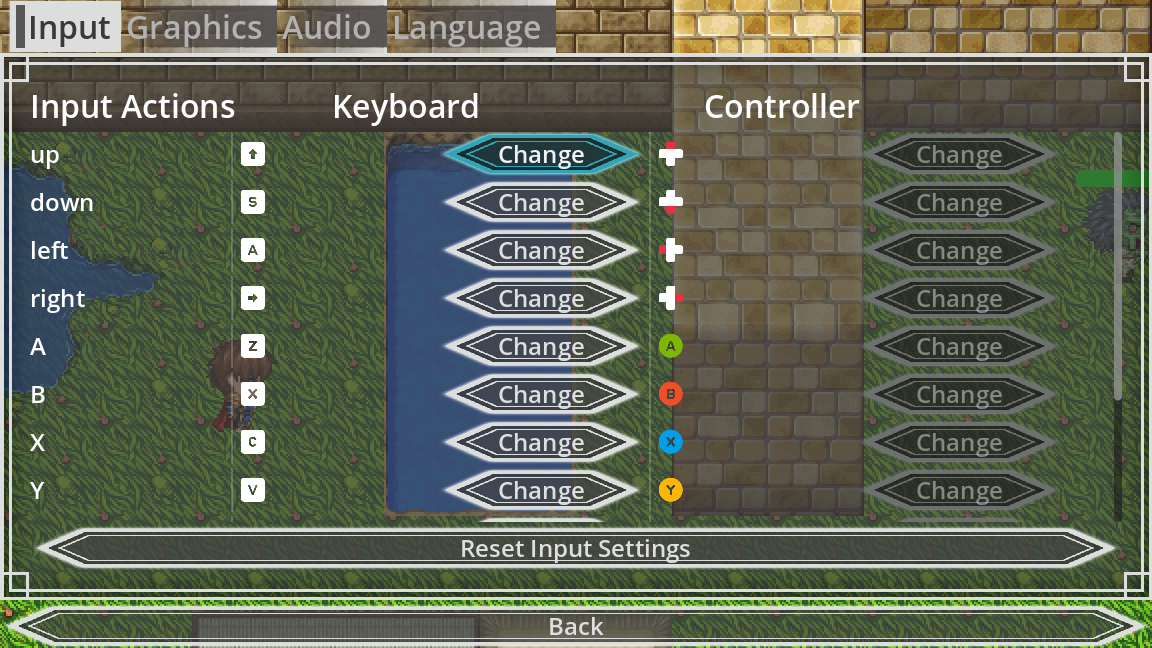
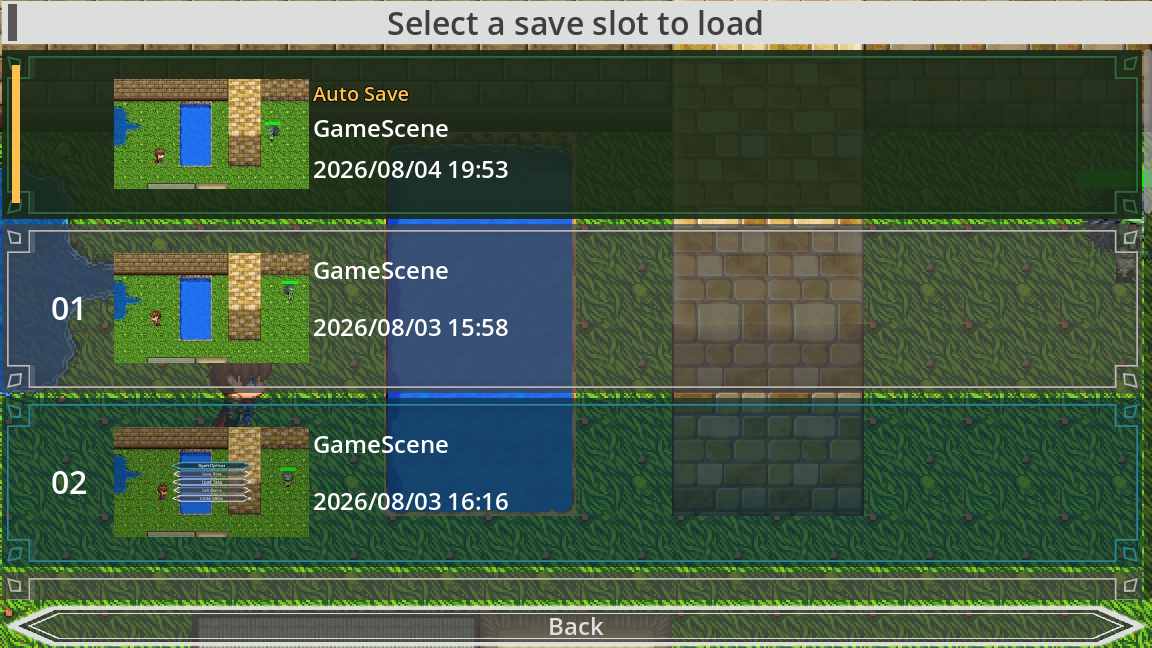
Like this menu system, we hope to keep distributing official plugins and systems that are in demand but difficult to build only with Visual Script.
◆ Other Additions
Input actions now come as presets. Beyond that, there are new custom nodes for building moving platforms, an Action for configuring knockback, a preview system for placing portals, preview features for displaying text and images, autosave, quick restart, returning to the last platform you touched, and much more. There is too much to cover here, so I’ll leave it at that: we have prepared so many great features that promise to make version 2.0 truly amazing!
◆ Things to Keep in Mind About Maker Mode
You can generally carry over your existing projects, but some systems assume use of the new preset folders, input actions, collision settings, and so on. In some cases you may need to modify your project to match in order for everything to work as expected.
We have corrected some behaviors as part of implementing Maker Mode. These are mostly cases of things that previously did not work correctly are now working. But as a result, there are some behavioral differences that may occur.
If you are using editor plugins or add-ons made for Godot, they may not work correctly in Maker Mode.
◆ In Closing
That concludes our introduction to “Maker Mode.” Text and images alone may not fully convey how it feels to use, but every part of the UI shown here was built from the ground up for Maker Mode. We are hard at work so that those who felt it wasn’t Maker-like enough, or harder than our previous title Pixel Game Maker MV, and gave up along the way, will pick it up once more. We hope you’ll look forward to it.
As for development status, picture something just shy of a beta. We are at the stage of testing internally and with a very small number of partners, so implementation is still some way off — likely sometime in autumn. Once things are far enough along, we would like to run a closed or perhaps even an open beta test, and we would greatly appreciate your help when that time comes.
That’s all for this Producer Letter. Thank you for your continued support of ACTION GAME MAKER, and I’ll see you all again soon!