
Masters don't draw four lines pixel by pixel. 1.1 builds them from sliders.
In short
The designer builds a crosshair from lines, a center dot and an outline
Hotkeys for visibility, size, position, glow and rotation
Your settings stay saved when you close the app
A new designer
I added a second way to build a crosshair. The Design page now has two layers: a Base layer made of lines, a center dot and an outline, and the Drawing layer, the pixel drawer from 1.0.
Lines: rectangle or triangle, width, height, spacing and rotation, and each of the four arms can be shown or hidden
Center dot: circle or square, size and rotation
Outline: size, with its own color
Lines, center dot and outline each have their own color wheel and R, G, B, A sliders
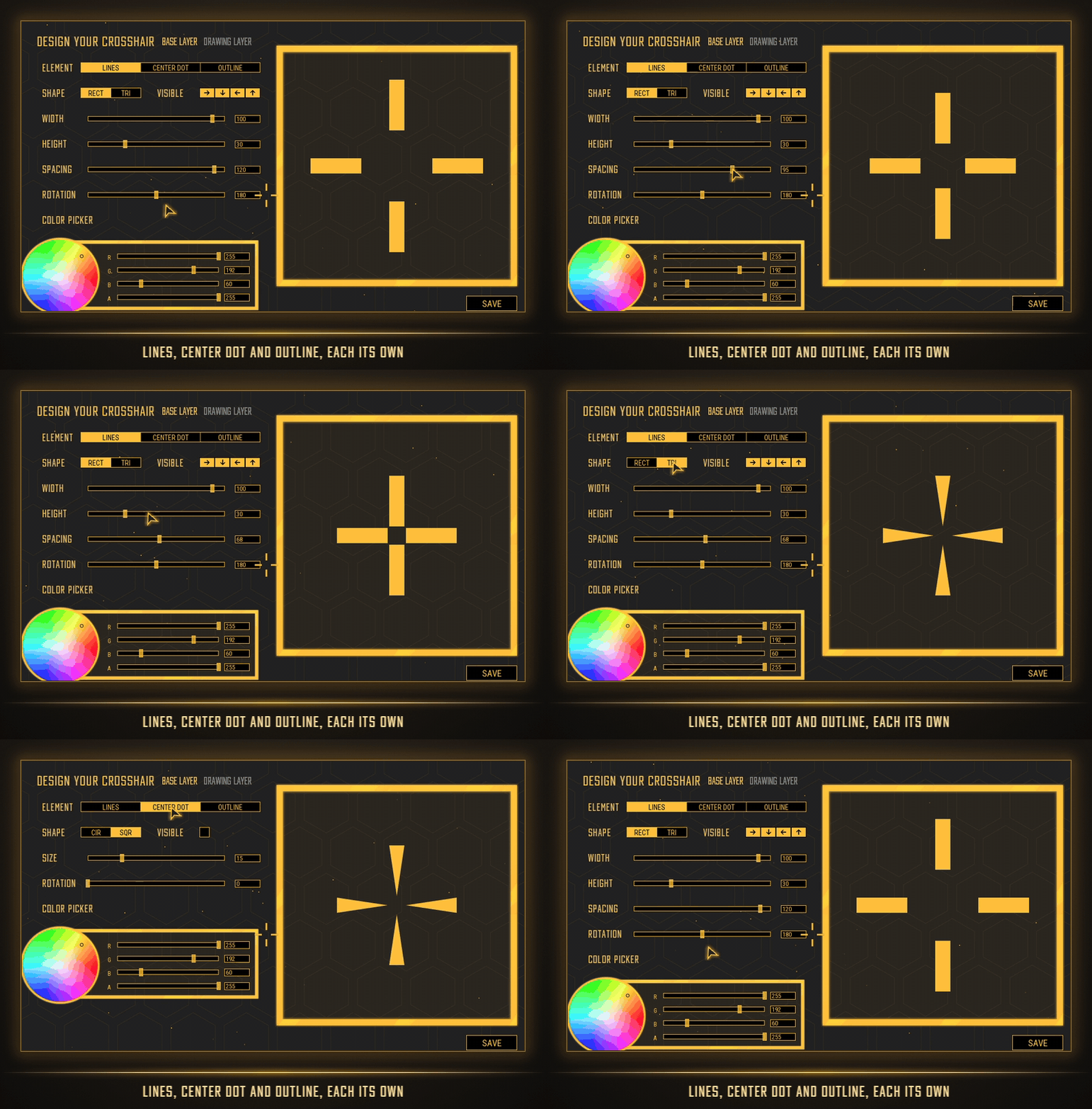 Why: most crosshairs are four lines and a dot. Drawing them pixel by pixel was slow.
Hotkeys
Change the crosshair while you play, without opening the app.
Show and hide, size, position, glow and rotation each get a key (Custom > Configure hotkeys)
Each key can be reset to its default
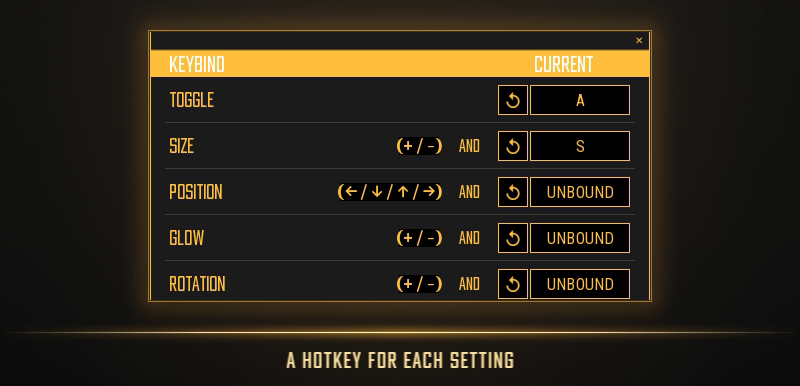 Why: a crosshair that's too big or in the way should be fixable mid-game.
Smaller changes
Your Custom settings are saved, so the crosshair is the same the next time you start the app
A wider range of sizes: at the top of Custom > Size, the default crosshair now measures 208 px across on screen
A clearer font across the app
Fixed
The hexagon pattern in the background was drawn wrong in places
The Browse icon didn't light up
Questions or problems: post in the Discussions. I answer within a day.
Aim true.
Ahmad, PC Master Aim