
Testing Grounds
- Added the Testing Grounds, accessible from the main menu.
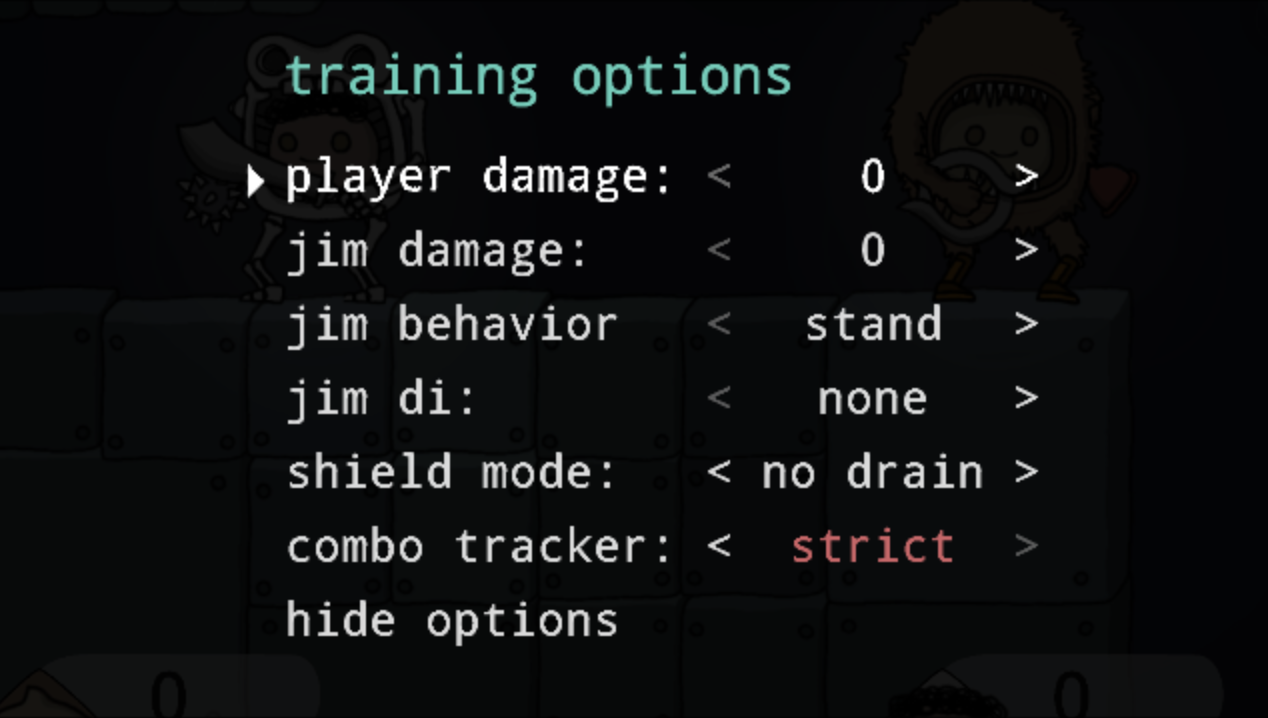
- The Testing Grounds combines the functionality of the Loadout Gallery and Stage Gallery into one place, while also providing additional training features.
- Training features:
- Set player damage
- Set Jim's damage
- Set Jim's behavior (stand, recover, shield, lvl 1-9 bot)
- Set Jim's DI (none, random, in, out)
- Set shield mode (normal, no drain, no break)
- Combo tracker (off, lenient, moderate, strict)
- You can also set Jim's loadout directly in the Testing Grounds.
- Removed the Loadout Gallery and Stage Gallery (they have been replaced by the Testing Grounds).
Balance
- Shields
- Reduced maximum shield health. Reduced bonus shield damage of Pincers and Crossbow to account for this.
- Reduced shield regeneration speed.
- Reduced popup height of shield break.
- Removed shield break damage (previously breaking an opponent's shield dealt 10 damage automatically).
- Passive shield decay no longer occurs during hitlag.
- Projectiles (excluding crossbow) deal 20% less shield dmg.
- Hitting an opponent's shield no longer stops all grounded momentum (this was most noticeable when hitting a shield while wavedashing as Ice Cube).
- Oleg
- Increased rage threshold from 80 damage to 100 damage.
- Slightly increased knockback resistance.
- Flame Cannon
- Reduced backwards momentum gained from forward strong. (This compensates for the universally reduced ground friction in the last patch).
- Slightly reduced vertical size of hitbox of charged forward strong.
- Warp mine
- Now auto-detonates after 10 seconds of being stuck.
Previously, shield break (shields running out of health) was rarely a threat, so defenders could take their time sitting in shield until their opponent made a mistake or used their Secondary weapon. Now, with the incresed threat of shield break, defenders are forced to act out of shield more quickly. This should make shield play more dynamic, and should make hitting an opponent's shield feel more rewarding.
UI/UX
- Main menu revamp:
- Less critical menu options now use icons instead of text.
- Removed all social media icons. (Discord is now linked in the Bulletin).
- Redesigned the "Bulletin" to be more compact.
- The Upgrade Gallery now uses dynamic tooltips to show upgrade details.
- Previously, all in-game text and icons had a "wiggle" effect. Now the wiggle effect is only applied to the currently-focused menu item, damage number popups, and mid-match chats.
- Removed FPS counter.
- Ctrl/Start can now be used to unpause menus.
- Improved mouse support for horizontal selection UI elements.
These changes are intended to simplify the UI and reduce on-screen clutter.
Palettes
- Added new palettes for Pincer's Mandibles skin (Orchid Mantis), Imp face (green, gold), Warp Mine's Pie skin (Coconut), Folding Blade's Fish skin (tetra).
- Ice Cube Frost Knight's Iron palette now requires a Silver paint instead of a White paint.
Bugs
- Fixed bug where KO credit sometimes wouldn't be counted for daily and weekly tasks.
- Fixed bug where bots would sometimes fail to recover.
- Fixed bug where bot would not recognize certain platforms when attempting to recover. (This only affects certain non-standard stage layouts).
- Fixed bug where switching from named CPU to training bot in local multiplayer would cause bot's name plate to be incorrect.
- Fixed bug in lobbies where it was impossible to switch from a named CPU to a training bot without recreating the bot.
- Fixed bug where pressing back immediately after creating or joining a lobby could cause the lobby chat to fail to load and subsequently could cause the game to freeze.
- Fixed issue where attacking someone's shield while shorthopping upward could cause you to gain additional height. (This issue primarily surfaced when using Shine Bracer down special immediately after short hopping).
- Fixed some minor glitches in advanced tutorials.
- Fixed bug where bound mouse inputs wouldn't register while testing out custom stages in the Stage Builder.
- Improved mouse support for horizontal selection UI elements.