Source: Steam Community (opens in a new tab)
UI Overhaul
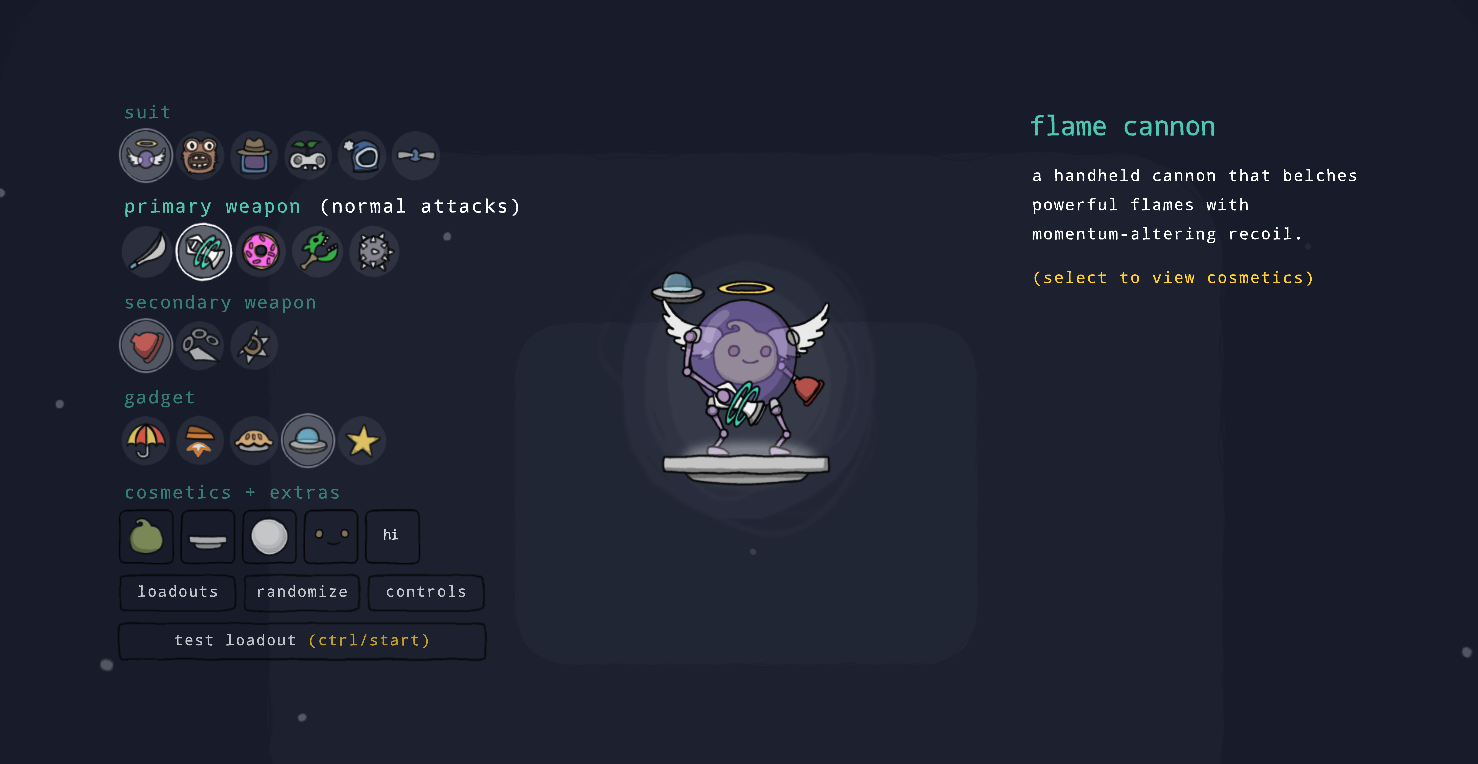
- Redesigned Loadout menus.
- Instead of being text-based, Loadout menus now use a comprehensive set of menu icons representing gear pieces and skins.
- Players can now create Loadout Presets to easily swap between their favorite gear combinations.
- Flattened menu and sub-menu structure, allowing for loadout edits with fewer menu actions.
- Cosmetics are now accessible without toggling to a separate menu.
- In the Loadout Gallery players can now equip unowned skins and palettes in order to preview them in action and in combination with other unowned cosmetics.
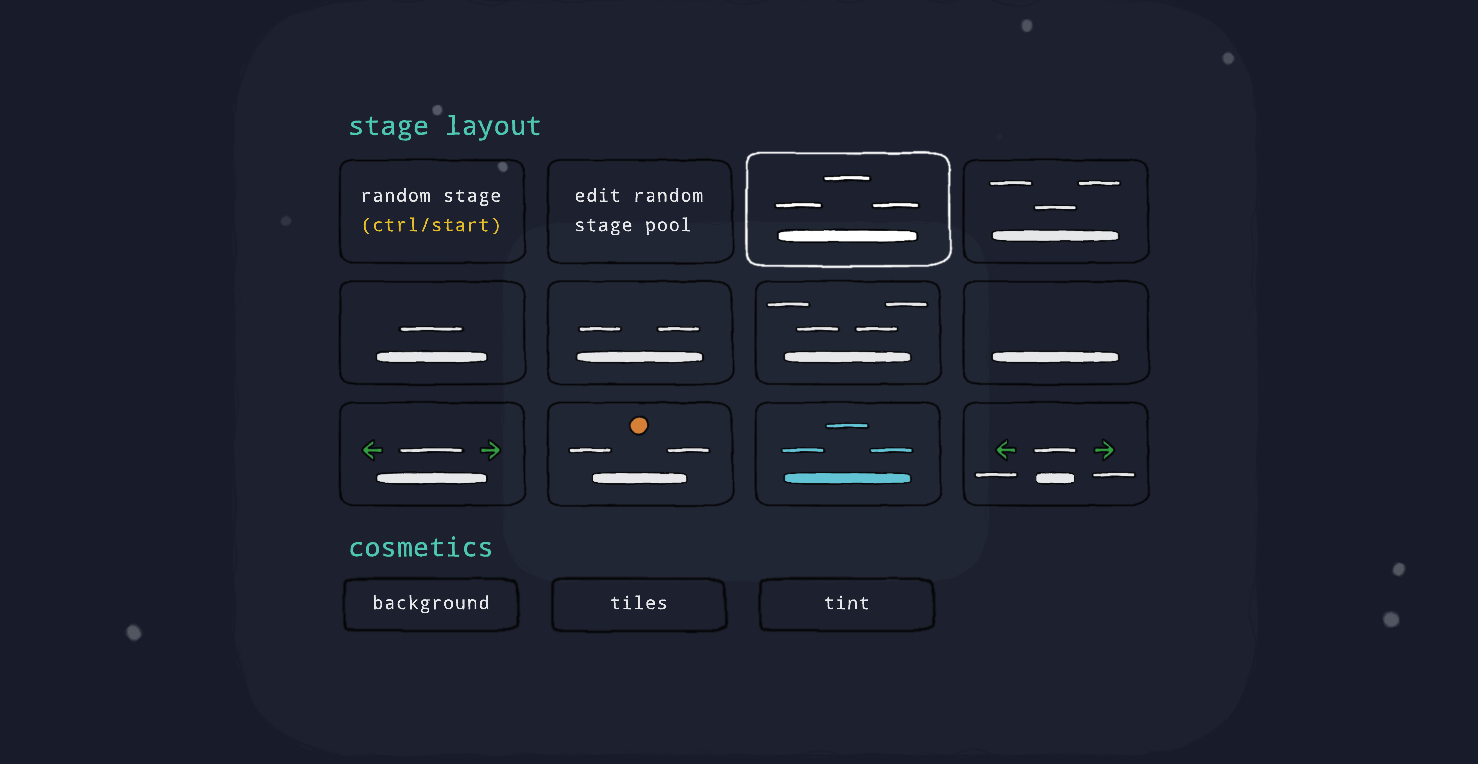
- Redesigned Stage Selection menus.
- Stage selection is now icon-based and flattened. Players no longer need to enter a sub-menu in order to change the stage.
- Added icons for stage cosmetics, simplifying skin and palette selection.
- Added the ability to customize one's random stage pool for local and lobby matches. Increased the prominence of the random stage selection option.
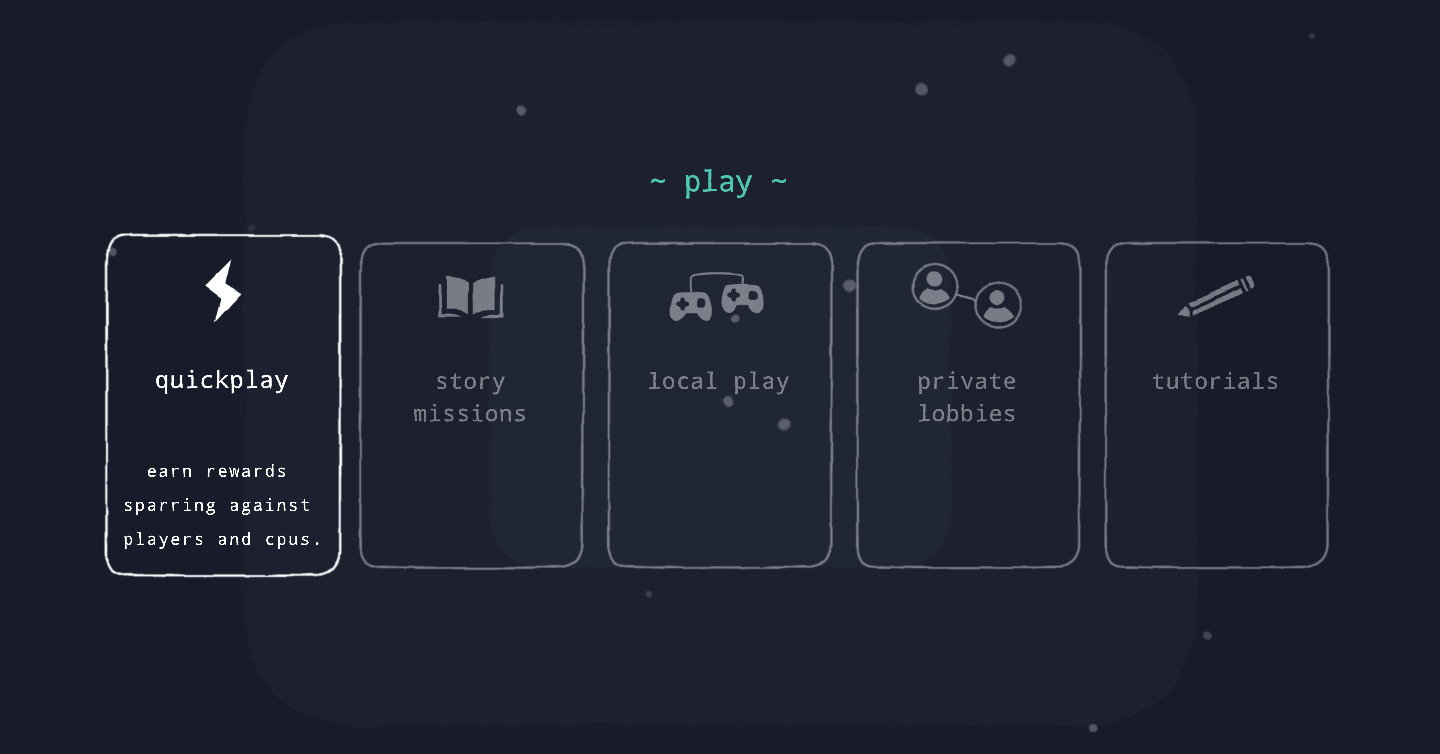
- Redesigned Play menu.
- Redesigned top-level Controls menu.
- The Upgrade Gallery (which shows all available upgrades and their effects) can now be viewed directly from the game mode selection menu.
- Re-arranged various other menus. Several intermediate menus have been removed, flattening the game's overall menu structure. This should simplify menu navigation.
- Added a slight zoom effect indicating menu depth. This should help with the feeling of getting lost in sub-menus.
Bugs
- Fixed visual glitch where Copter blades would sometimes disappear for a period of time.
- Fixed visual glitch where UFO's shading would sometimes disappear while using down special.
