
This update adds a couple quality-of-life improvements that have been requested:
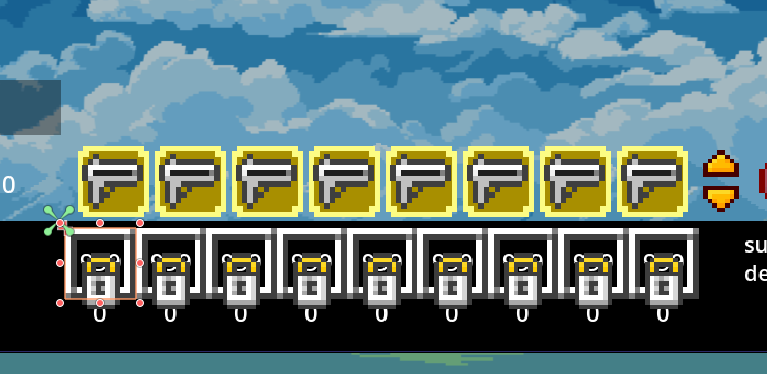
Added Lock Functionality for Material Slots - if you press 'L' when hovering a slot, a lock will toggle on it - this keeps the slot tied to that material identity even if you empty it, so you don't accidentally change your slot assignments around. - If you are not hovering a slot, 'L' will toggle lock on whatever the current selected slot is. - The tooltip when hovering a slot will tell you when it is locked. - Lock status is saved/restored in the savegame
Added Ctrl+Mousewheel & Ctrl+Shift+Mousewheel as shortcuts for changing rows (in Toolbar and Material Bar, if you have the multi-row upgrades)
If you hold Specific Material hotkey (Ctrl by default) over empty space, it will use whatever is in the current material bar slot
BUGFIX: added release-focus to the row-select buttons for the toolbar and material bar so they don't get retriggered by keys after you press them
More updates coming soon!