Hey Goblins 👋 Thank you for reporting issues to us around redeeming Twitch Drops items during our live September Drops period! The team is currently hard at work fixing these Twitch Drops issues. We aim to release a patch for Goblin Cleanup soon to fix the issues you are experiencing! When we have more news on when this patch will release, we will update you here and across our other social media platforms! Thanks for your patience whilst we investigate this, Goblins 💚 |
|---|
Hey Goblins 👋 Ready for a cool coconut drink and some inflatables? 🥥
🫵 Dungeon Master has invited YOU to his Twitch Pool Party on September 1st! Unlock pool party-themed cosmetic early in our second summer themed Twitch Drops event! 🏖️
Alongside this, the previous Twitch Drop items from our July Drops will be available to all from tomorrow, in the in game shop! 🥳
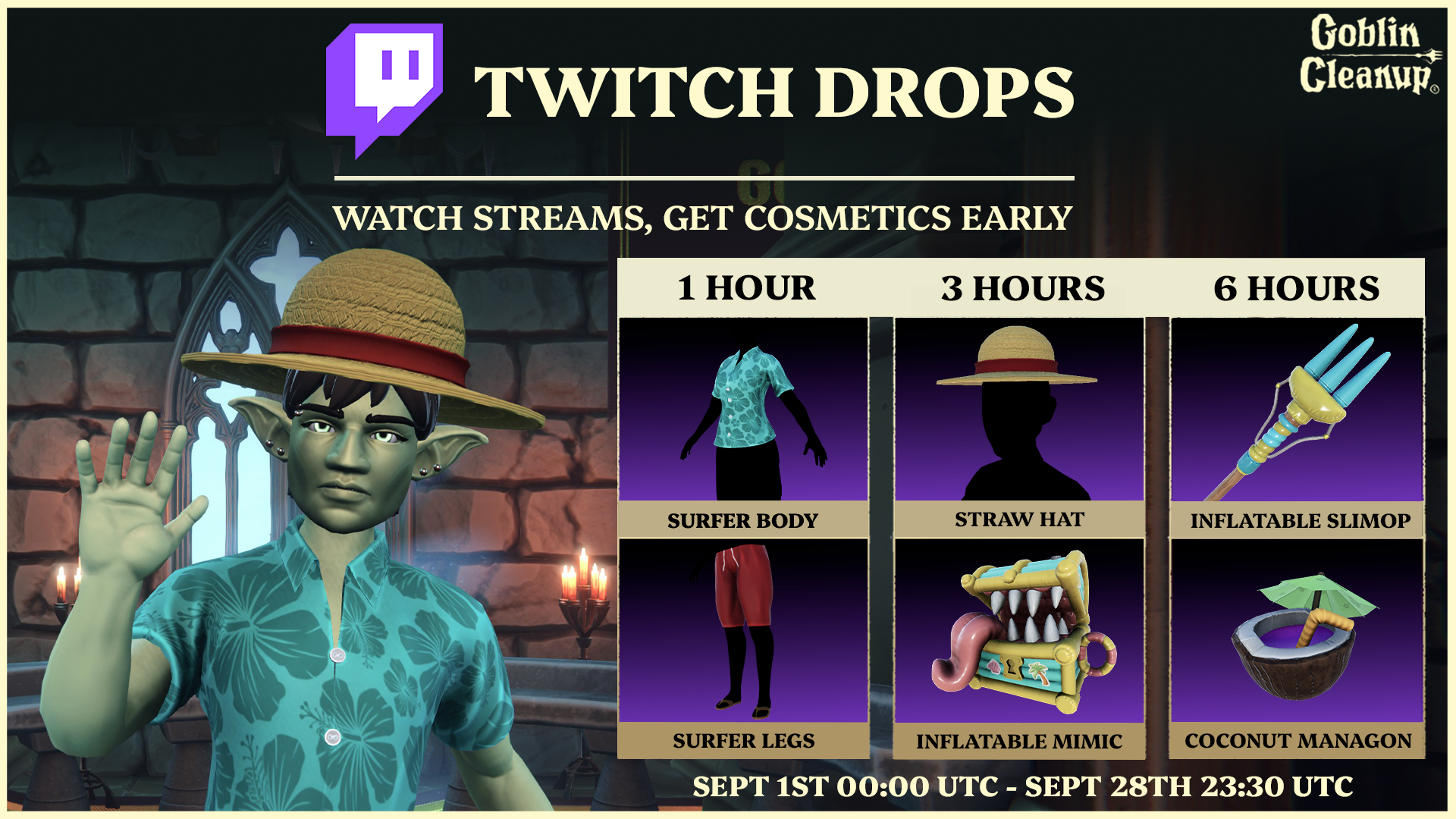
You can find more details about our Twitch Drops, including timings, items and steps to redeem below: ⬇️
🏊 Pool Party - Twitch Drops
Our Twitch Drops for Cosmetic Items begins September 1st at 00:00 UTC and end on September 28th at 23:30 UTC. During this time-frame, you can watch Goblin Cleanup Livestreams on Twitch and earn in-game cosmetics early! Here's what's available to claim in September:
1 Hour:
Surfer Outfit Body
Surfer Outfit Legs
3 Hours:
Straw Hat
Inflatable Mimic
6 Hours:
Inflatable Slimop
Coconut Drink Managon
Not the biggest Twitch viewer? We've got you covered, Goblin 🤝 The above items will not be limited to Twitch Drops! Our Drops allow you to claim items early; however, all Twitch Drop items will arrive for Goblin Cleanup in future updates.
If you're new to our Twitch Drops and can't wait to get your hands on our inflatable items and more, then you can follow the steps below to start redeeming drops from September 1st! 💚
🤔 How do I redeem Twitch Drops?
1️⃣ STEP ONE: Head to the Goblin Cleanup Twitch Drops website: Goblin Cleanup | Twitch Drops
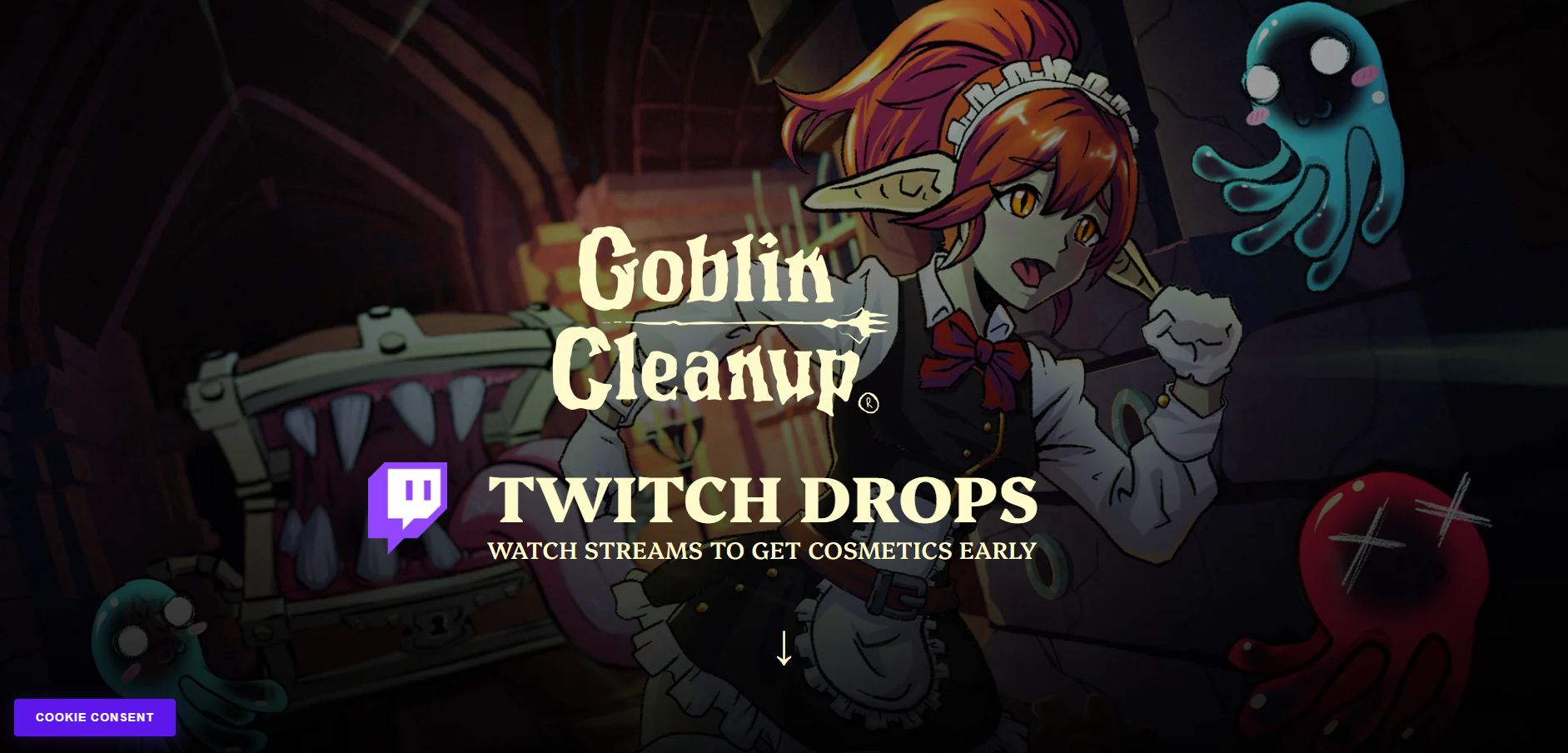
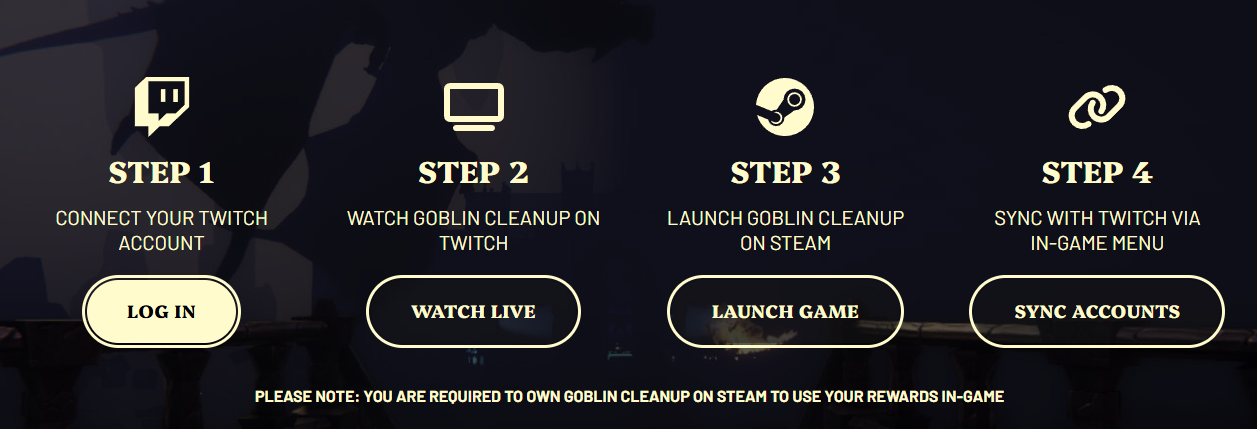
2️⃣ STEP TWO: Scroll down and click the “Log in” button to connect your Twitch account.
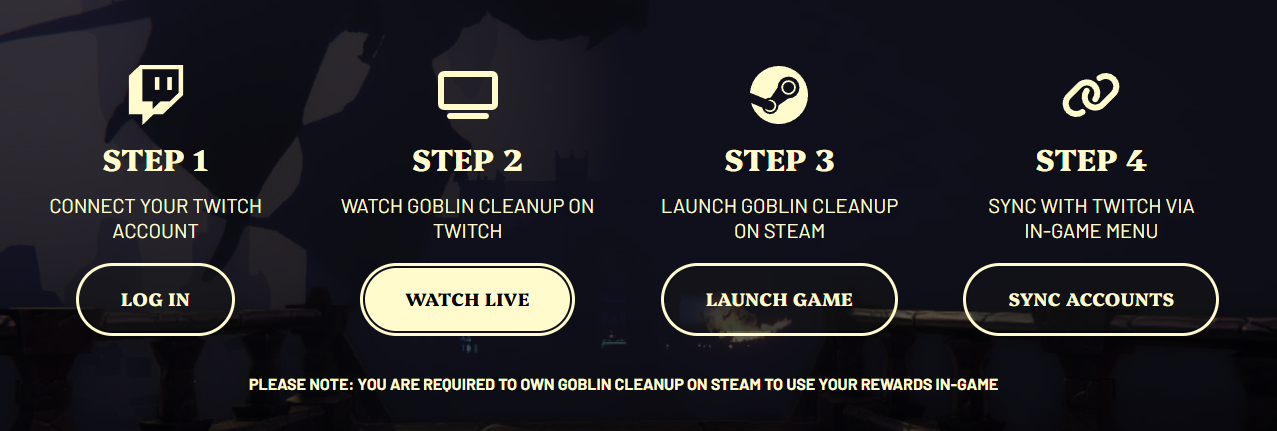
3️⃣ STEP THREE: Click the “Watch Now” button to find a Goblin Cleanup livestream on Twitch.
4️⃣ STEP FOUR: Click on the stream you would like to watch in the Goblin Cleanup category. Watch the stream for 1 Hour to begin redeeming Twitch Drops cosmetic items.
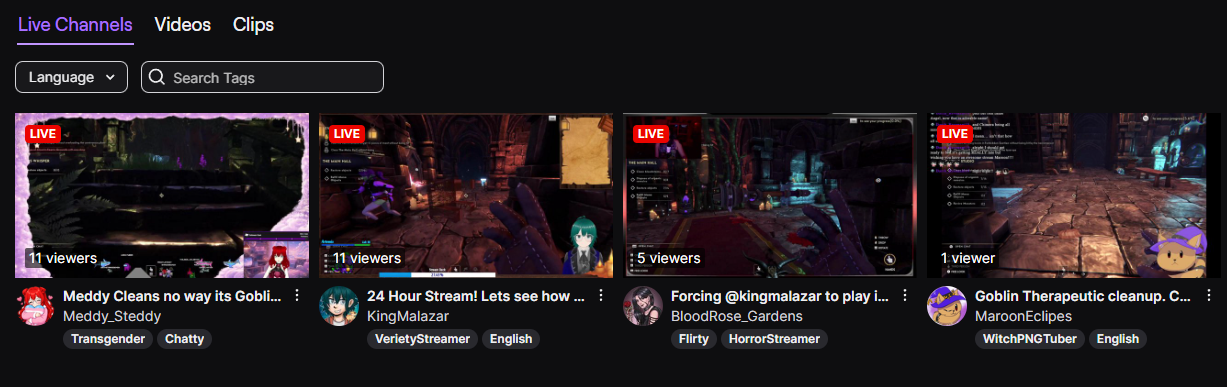
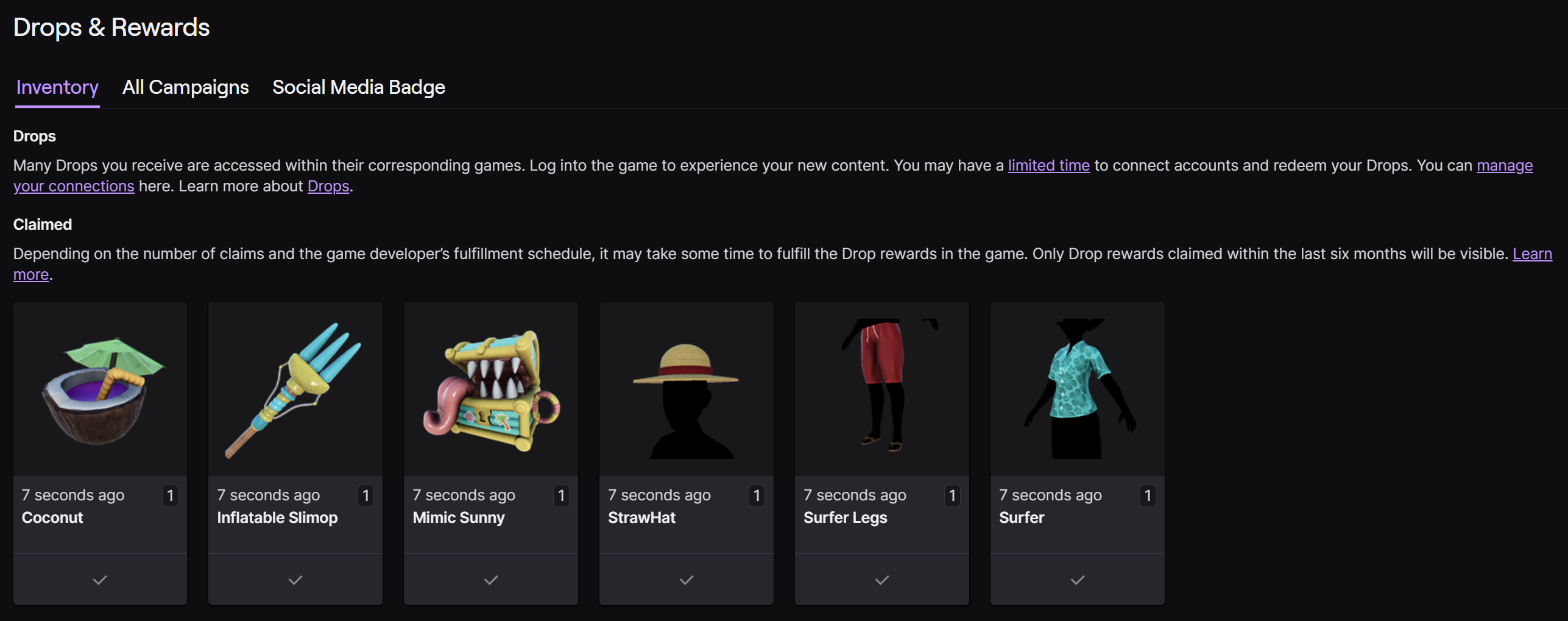
5️⃣ STEP FIVE: Head to your Twitch Inventory to check Twitch Drops progress.
If you followed the steps above correctly, your progress should match the screenshot below after 6 Hours of Goblin Cleanup watch time with Claimed Drops.
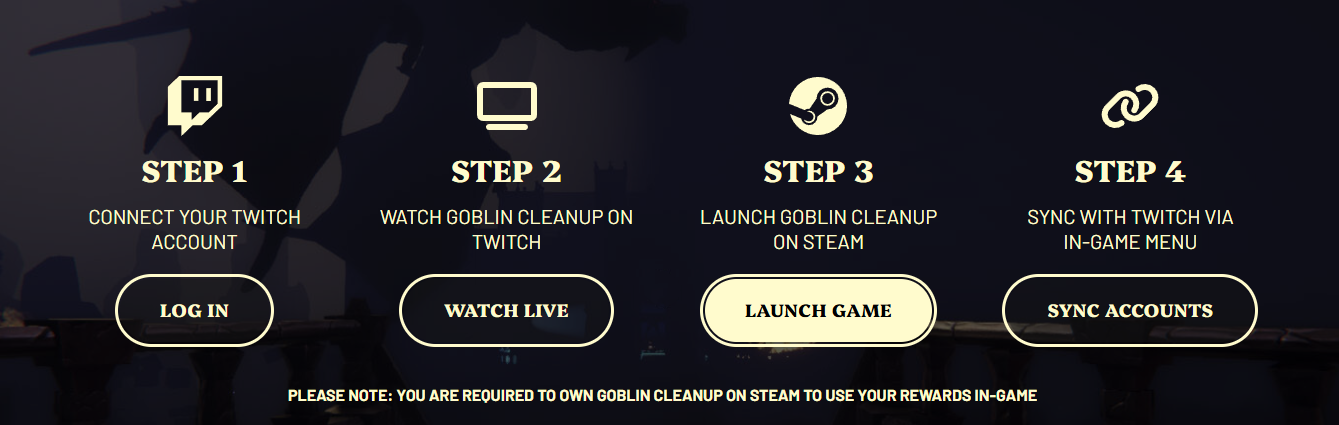
6️⃣ STEP SIX: Launch the Goblin Cleanup on Steam.
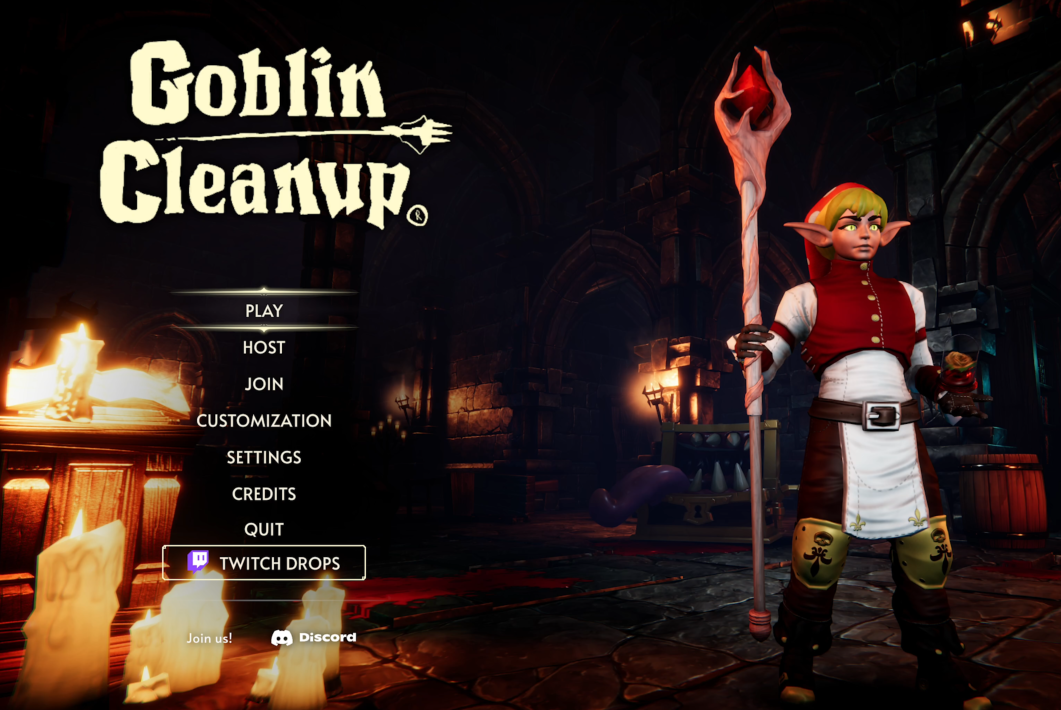
7️⃣ STEP SEVEN: Select the "Twitch Drops" tab in the main menu of Goblin Cleanup.
8️⃣ STEP EIGHT: Connect your Twitch account in the Twitch Drops menu page, via the "Connect" button.
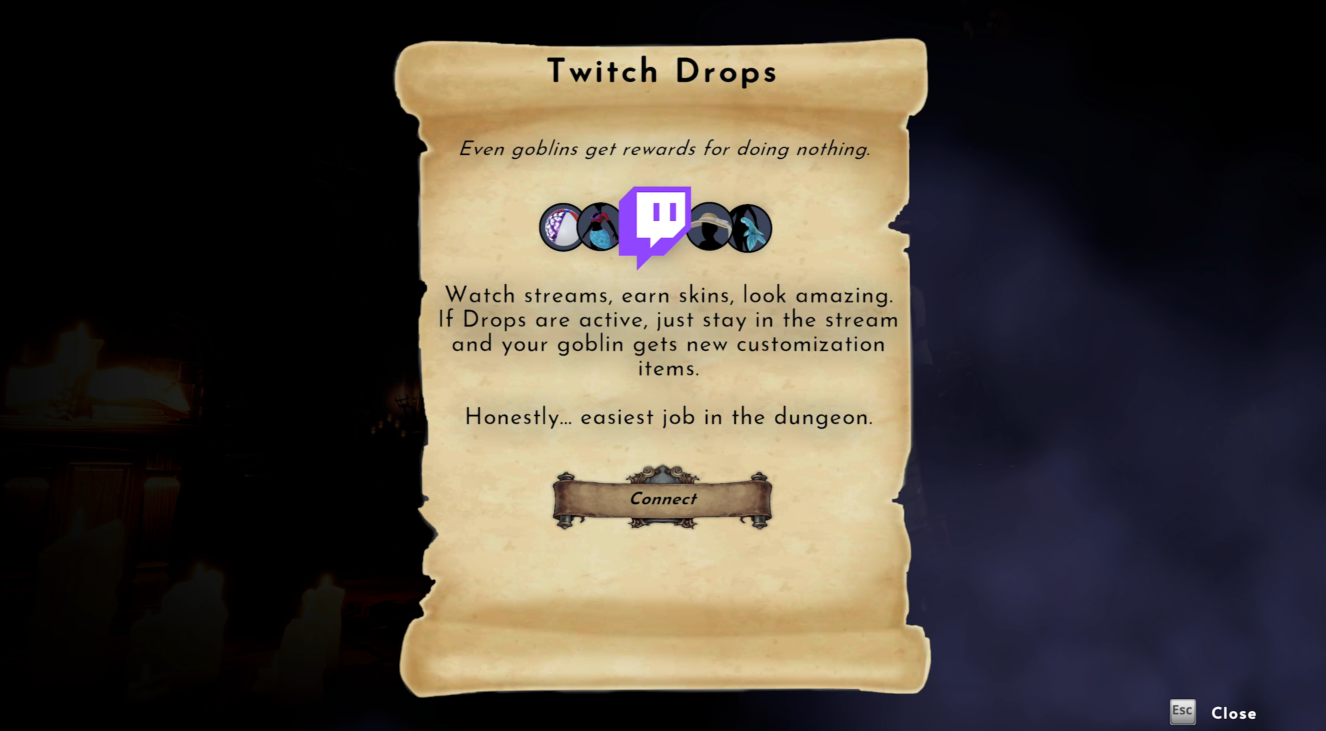
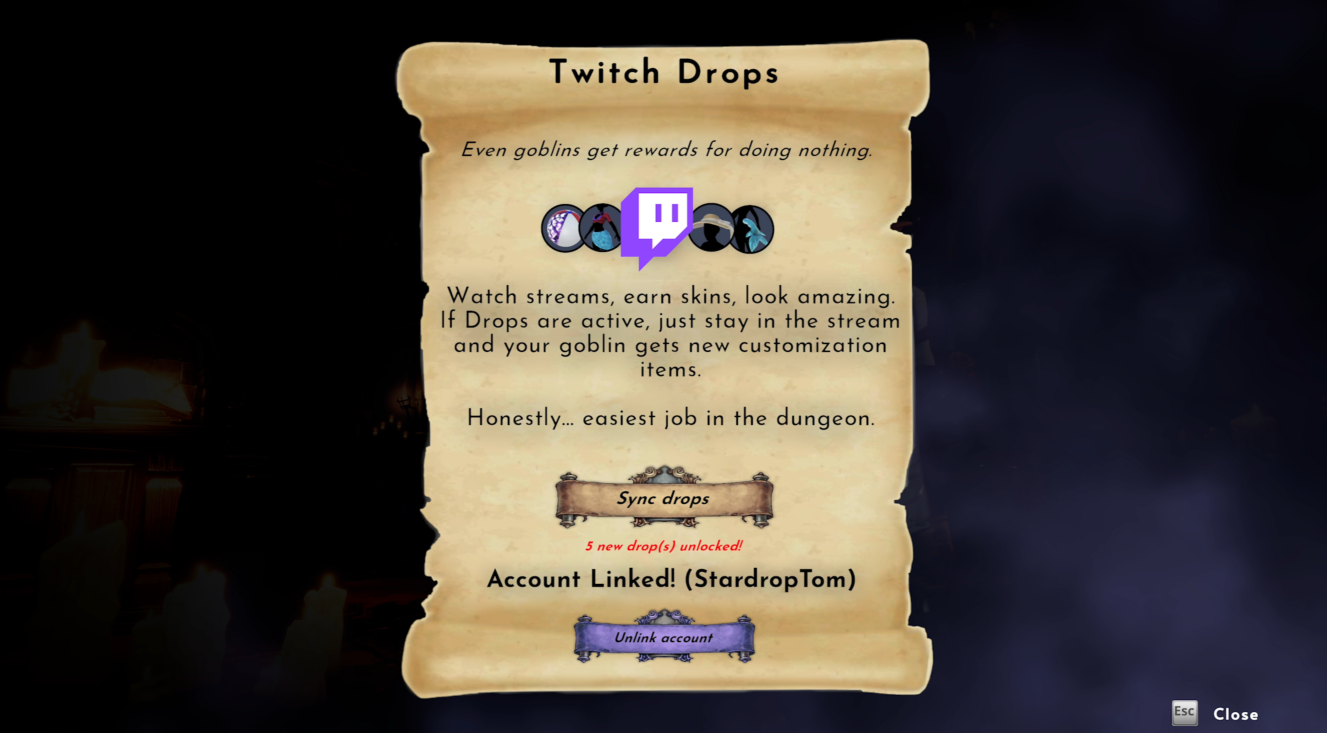
9️⃣ STEP NINE: Once your Twitch account is linked, select the "Sync drops" button. When synced, it will show how many new drop items you have unlocked!
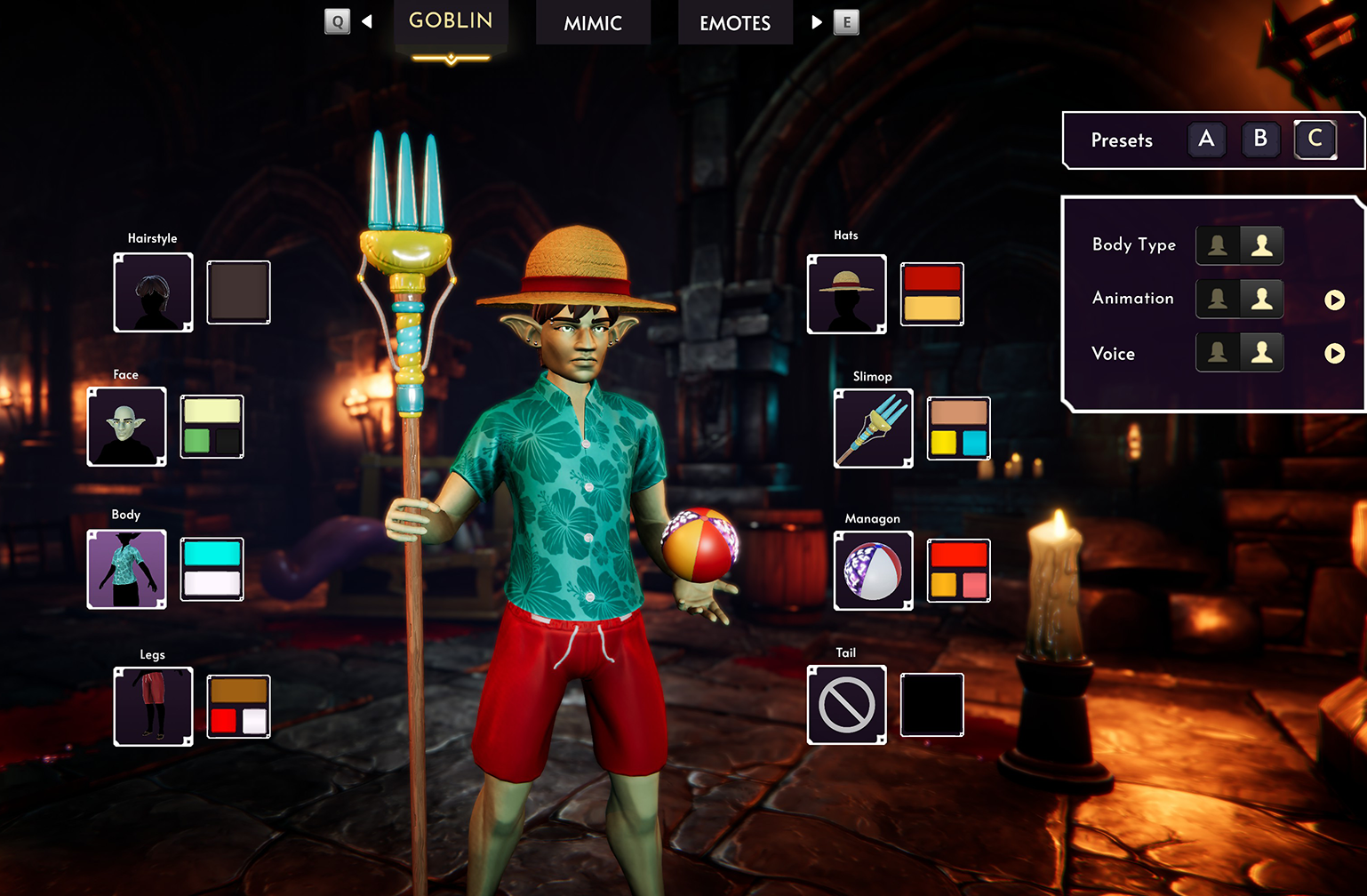
✅ STEP TEN: Equip the Twitch Drop items to your Goblin, which will now be in your options in the Customization menus!
❓ Want more Twitch Drop info?
Head to our Twitch Drops page to learn more about our Twitch Drops and read our FAQs!
🔴 Want to Livestream with Twitch Drops on?
To enable Twitch Drops on your channel, first you must set your category to Goblin Cleanup in your Dashboard: 🔗 Twitch | Goblin Cleanup Category
Secondly, in your Dashboard, click on “Viewer Rewards” and then “Twitch Drops”. In this section, you can turn on Twitch Drops for the Goblin Cleanup category. Your community will then be notified by watching your stream, via the Stream Tag and the top of Twitch Chat.
Want to keep updated on Goblin Cleanup?
Join our Discord and follow us on Twitter — we share dev updates, sneak peeks, and goblin nonsense regularly.
Thank you for all your support towards Goblin Cleanup 💚