
My initial plans this week to revamp ranged combat hit a small snag, and I was diverted into a related system which was also in need of some updating: the inventory system.
As I was beginning some work on the ranged combat system, I realized I would need a way to display some statistics about the weapons, in particular magazine size and reload speed. Now, I'm probably more anti-number than the average person, so I'm a bit reluctant to add these things, but my preferences are probably overruled by ensuring good gameplay.
At the start of the week, the inventory was just a list, and not a particularly good one. You could glean quantity and rarity information from the list, but that was about it. I had always wanted to add some picture previews, but never got around to it. Thankfully, I already had a similar system already existing in the tinkering system, and I even made some pictures for it, which I thought were an appropriate size and resolution for use not only in the tinkering system but also elsewhere, so I started directly bringing them in. I occupied a lot of my week creating 30 more images of various weapons, foods, etc, making me about 50% done with the images I need with the existing items in the game.

The illuminated panel of the autoloader pistol
For those items lacking images, keep a look out for this pattern:

Yes, it's called "missingno" in the code, because traditions are important
The images show up when items are highlighted in the inventory.
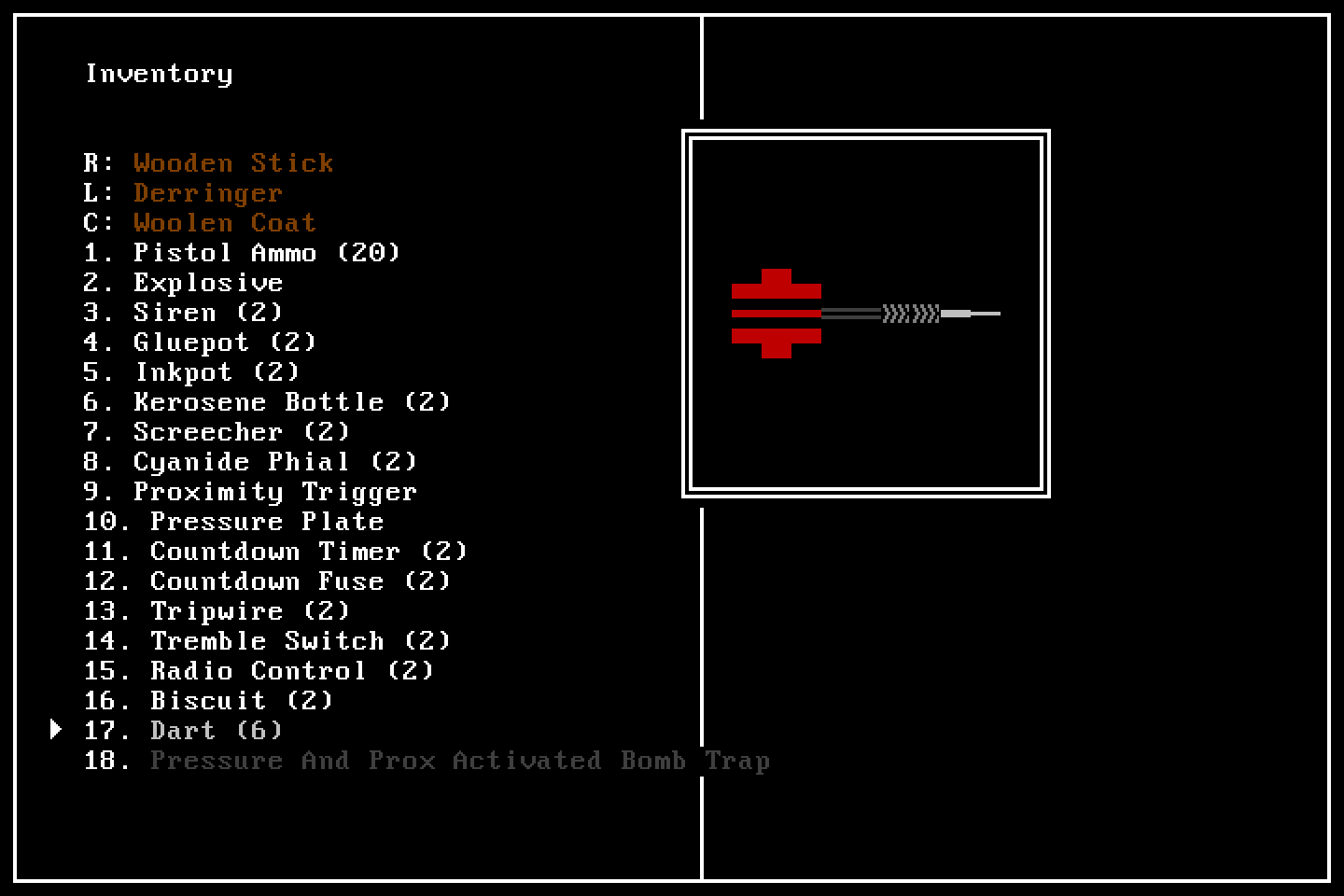
An early render of the inventory screen
You'll notice that now carried and worn items are counted in the inventory, and can be taken off or placed back in the inventory without being replaced with another item.
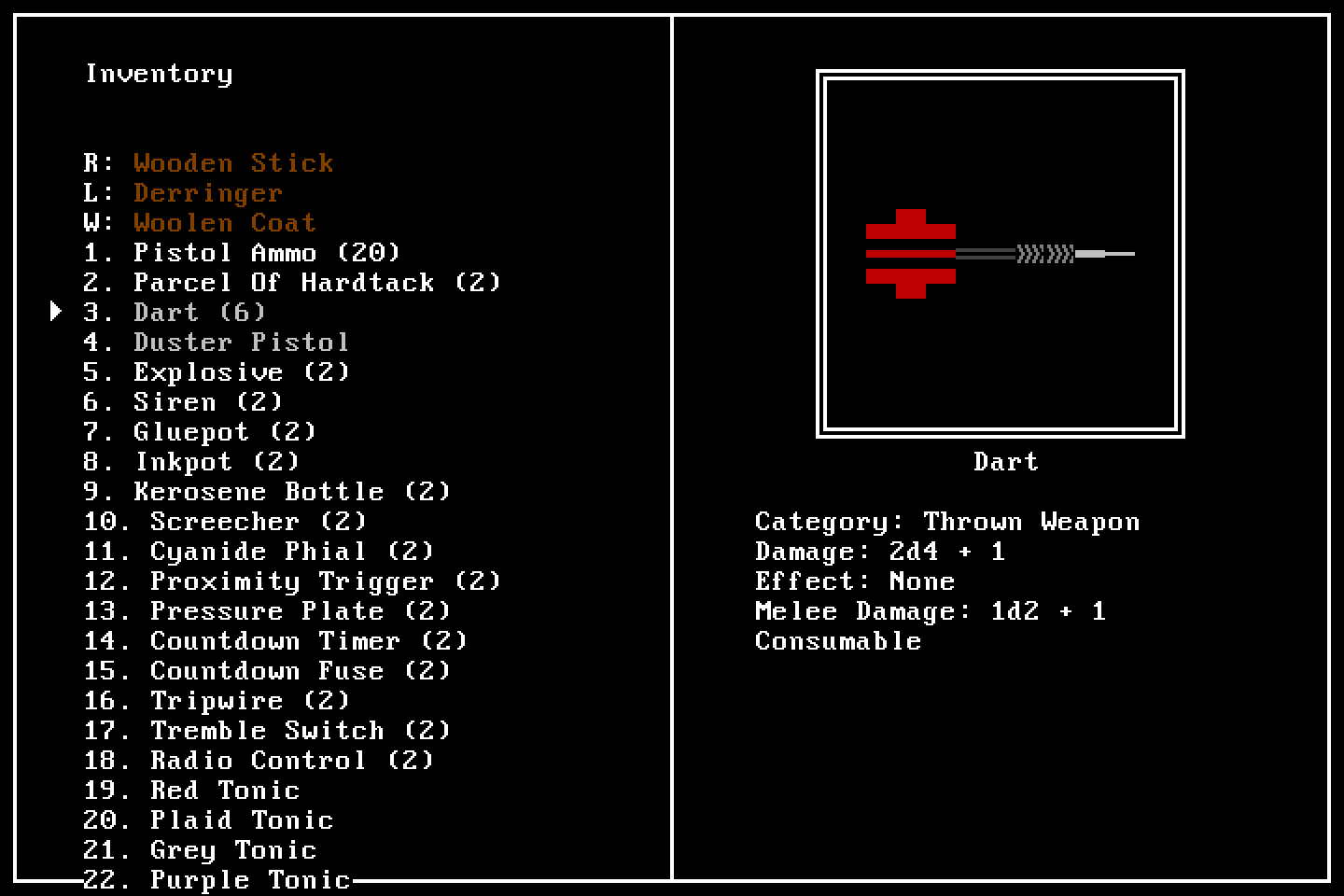
A newer render of the inventory screen
I can probably finish what I want with the inventory and move back to ranged combat this week. Making the panels is quite fun, so I've been doing one or two in the mornings before I head to work, and I will probably continue to do so. Remember to email any questions, comments, and prayer requests you have to [email protected], or just leave them in the comments below.