
The third Dead Weight patch is live!
Ahoy, pirates! Didn't see this coming? A new patch is here!
In this patch, we've improved the combat UI: you can now see exactly which skill an enemy is preparing, read its description, and inspect its attack area without other highlights getting in the way.
Another important change: when your hero falls, the game will offer to restart the battle if you have any retries remaining.
We've also added NumPad hotkey support, an option to disable the end-turn warning, and local achievement saving when playing without Steam running. You'll find the full list of changes below.
What else is new?
We're working on several areas. In our Development Roadmap announcement, we shared an infographic outlining the plan we've been following. There are a few changes, though. Based on player feedback, we're giving higher priority to "Controller and Steam Deck Support" and "New Hero + New Content". These are our current focus. We don't have exact completion dates to share yet, so stay tuned for updates.
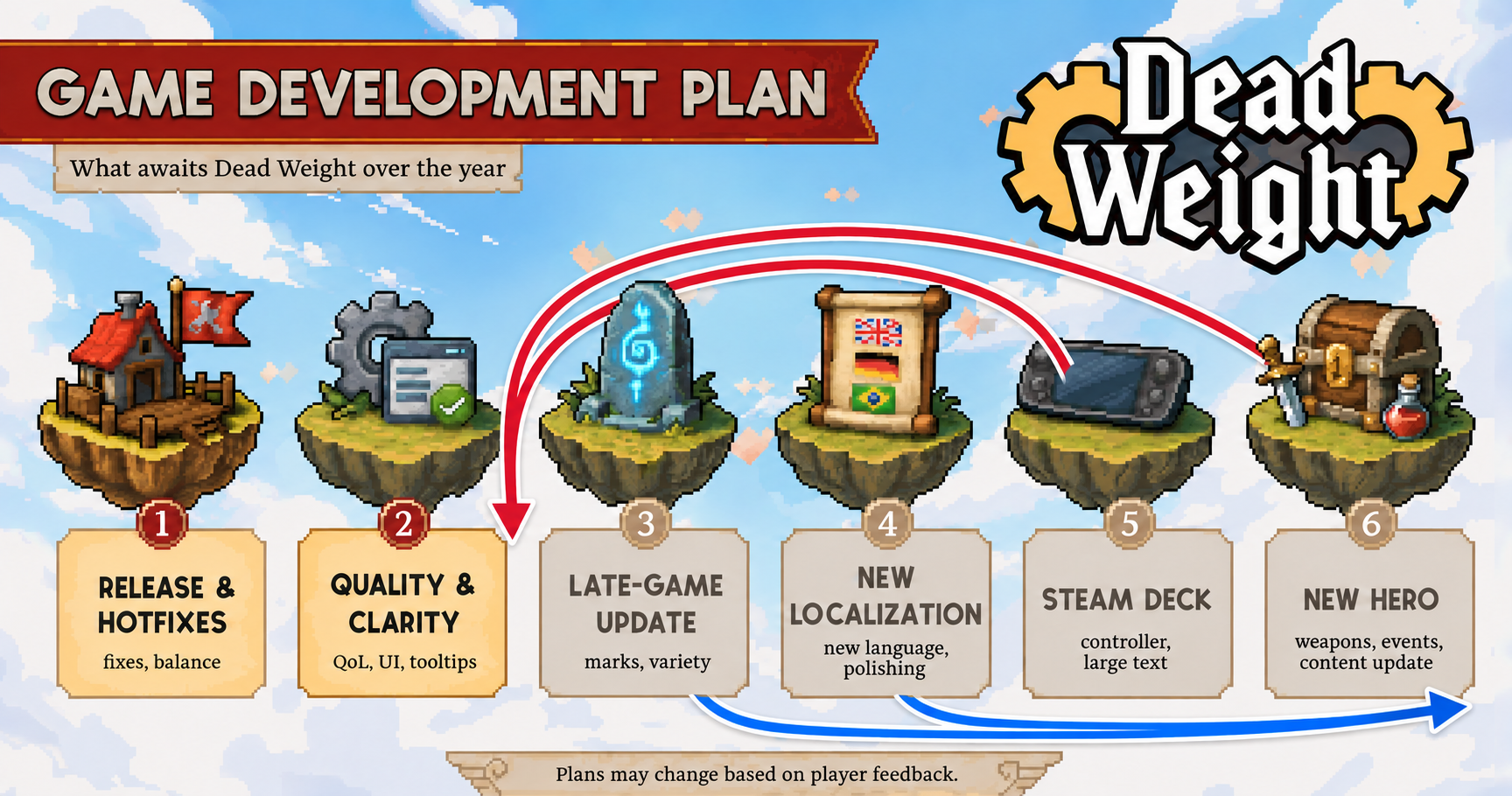
Meanwhile, we'll keep collecting feedback and putting together new patches. Thank you for your feedback and bug reports! You can report an issue or suggest an improvement in the Steam discussions or on our Discord server.
Thank you for playing Dead Weight and helping us make the game better!
Dead Weight: Patch 1.0.4.0
Combat and Abilities
When the main hero falls, you'll now be offered the option to restart the battle if you have any retries remaining. You can try again instead of returning to the Abyss. This option is unavailable in the prologue.
Restarting a battle no longer restores Arn's Second Wind if it has already been used. It triggers once per battle, including retries.
A Reaper's Mantle consumed to resurrect a character is no longer restored when restarting a battle. This applies to equipment worn by both the hero and allies.
Berry's Hold Position skill now has a separate status effect icon showing its current damage bonus. You can now see how much bonus damage you've accumulated over turns spent without moving.
Undoing movement now restores the Hold Position bonus: an accidental move followed by an undo no longer resets the accumulated damage bonus.
Combat UI
Icons above enemies now show the specific skills they are preparing instead of generic attack types. Enemy attack icons are temporarily hidden while you're selecting a target for your own skill.
Hovering over an enemy now lets you read the description of the skill it is preparing to use.
When you hover over an enemy, other enemies' attack areas smoothly fade out. This makes it easier to see exactly which tiles that enemy is threatening.
Fixed skill buttons flickering when hovered over and incorrect dimming after selecting movement.
Controls
You can now disable the end-turn warning in the settings when characters still have action points remaining.
Added NumPad hotkey support: you can now select skills using the number keys on your keyboard's numeric keypad.
Achievements
Achievements and their progress are now saved locally on your computer as well as on Steam. Achievements earned while playing without Steam running will sync to Steam the next time you launch the game with Steam running.
Visuals
Updated the counterattack animation and fixed the positioning of its effect relative to the character.