
Hello Survivors 👨🏻🚀
Today’s update introduces several useful additions and fixes for recently misbehaving features. Let’s take a look.
And while you’re here, feel free to check out the new video covering the previous Diving & EVA Suit update.
Weapons in Bags and Crates
A recent forum suggestion pushed me to finally implement this long‑planned and genuinely helpful system. Weapons can now be stored inside backpacks and front bags, as well as placed in most crates.
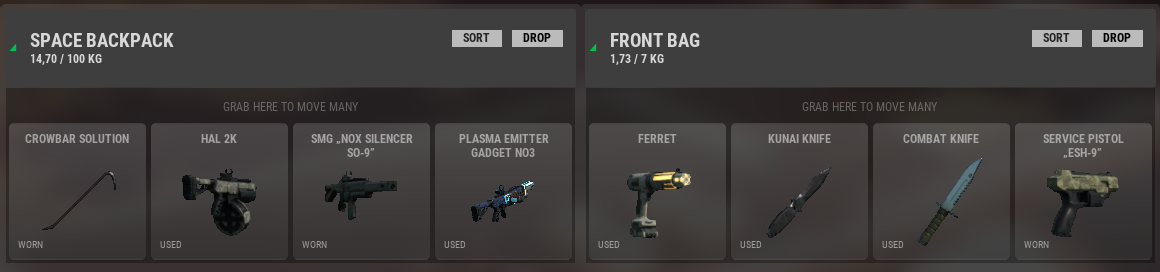
Storage Rules: Backpacks & Front Bags
Backpacks can store:
Melee weapons (Gazrurka only fits in some backpacks)
Sidearms
Long Weapons — except Railgun and Sniper Rifle
Front Bags can store:
Melee weapons (Gazrurka excluded; Front Bag Small cannot fit a Crowbar)
Sidearms
Pockets cannot store any weapons.
In general, you can move any weapon that visually fits inside the container. Weight rules remain identical to all other items.
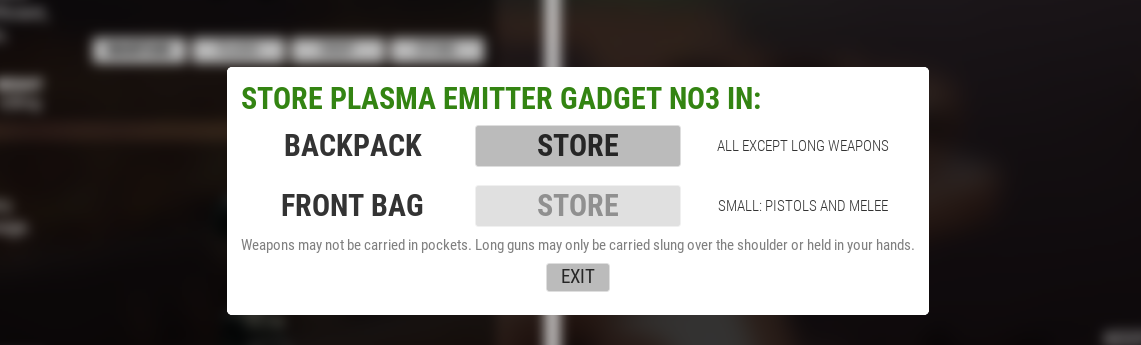
How to Store Weapons in Bags
Weapon storage is handled through TAB → WEAPONS.
Select the weapon you want to move and press [STORE]. You can store both weapons currently equipped and those slung on the body.
A dedicated storage widget will appear.
If you have a front bag and the selected weapon fits inside it, the [STORE] button becomes active and available.
Pressing [STORE] moves the weapon into the chosen bag and closes the widget.
This first version of the system checks whether the weapon physically fits into the selected bag. Weight validation is not fully tested yet, so occasional overloading may occur.
View of the weapon in the backpack | Weapons in the bag appear just like other items |
|---|---|
|
|
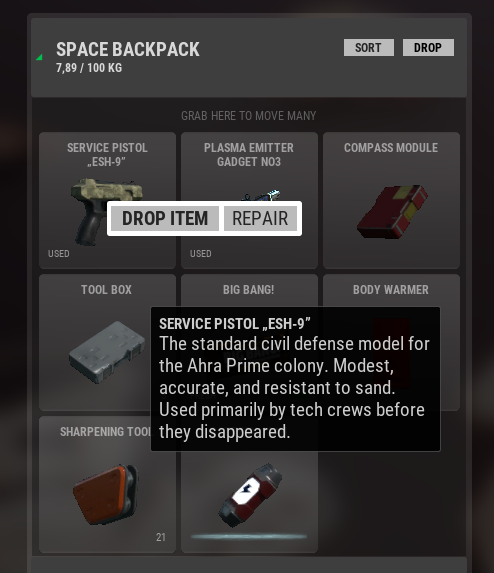
* Weapon Transfer System 1.0 Limitation
The current Weapon Transfer System 1.0 has one important limitation: when you move a weapon into bags or crates, its ammunition is lost. This will be improved in the next iteration of the system.
Storing Weapons in Other Crates
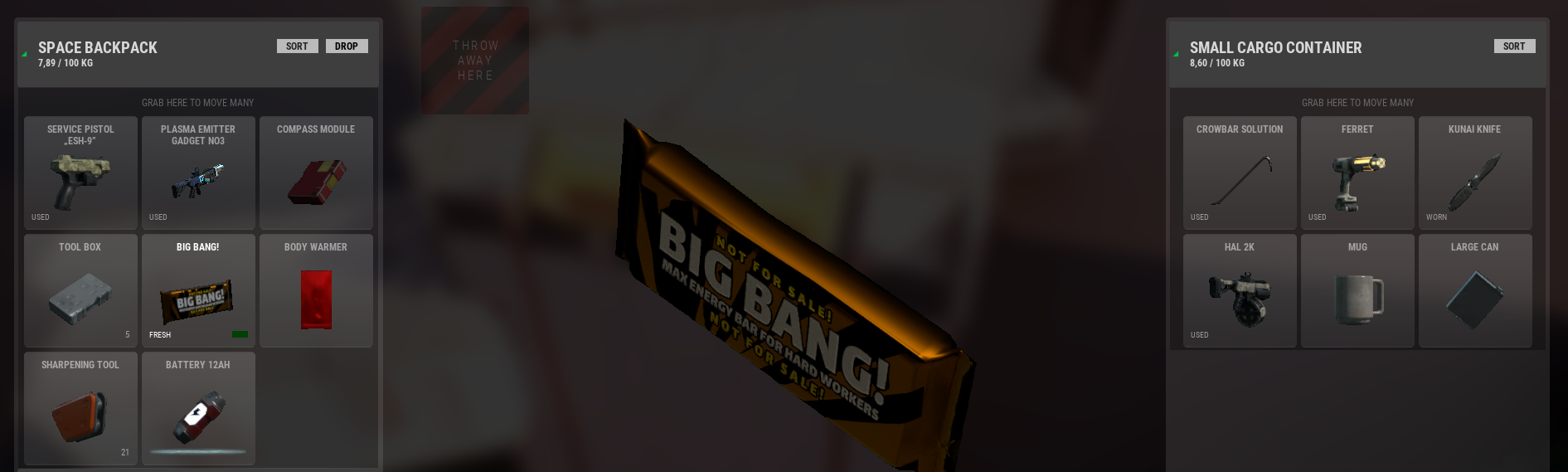
Weapons can be moved into world containers using drag & drop, following the same rules as any other inventory item.
Backpacks and front bags placed in the world follow the exact same rules described earlier for bags.
Other crates also follow the “visual fit” rule. Small Crates cannot hold any weapons, while larger crates accept weapons according to their internal size.
The largest containers capable of storing every weapon type are: Cargo Crate and Lockers
Upcoming Updates to Weapon Storage Help
In the coming days, I will update the weapon help section with a detailed breakdown of container capacities and storage rules. The system works as intended, but it still needs broader testing. UI improvements will come later.
Weapons should fit exactly as described above. This required new configuration entries for every crate type, so it’s possible I missed something — please report any issues.
Weapon Rack Coming Soon
I have an almost finished weapon rack that will allow you to store multiple weapons at once — melee, pistols, rifles, and long weapons. You’ll be able to place weapons directly from your hands and later equip them quickly and easily.
The system is nearly complete, but the UI still needs refinement, so it won’t be included in today’s update.
I may also add an armor rack / mannequin in an upcoming update, following the same storage rules.
Fixed Issue: Disappearing Weapons
I received a report on the Steam forum about a missing hammer (a melee weapon).
After investigating, I found that the issue could occur after equip + drop weapon (Backspace) in a very specific timing window: if the weapon spent a moment without physics (floating in the air) and you equipped it during that moment, the equip logic disabled physics — but shortly afterward the system tried to re‑enable physics again due to recent engine changes. This could cause the weapon to fall through the map and disappear.
Inventory Drop Fixes
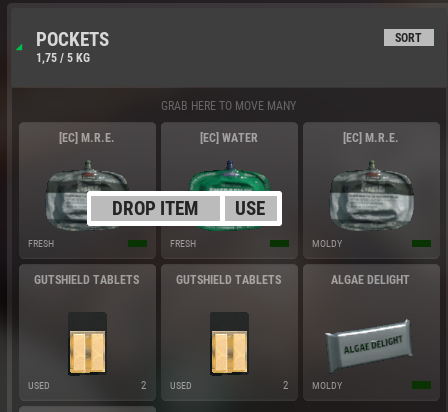
| A recent bug caused dropped items to lose their internal values. For example, a full MRE became empty after dropping, and some items could also lose freshness. The issue surfaced while testing weapon drops — weapons were falling without many of their properties. A Crowbar, for instance, stopped being recognized as a breacher tool. This has now been fixed. Note: after dropping an item from the menu, there is a short delay before physics activates — this applies to weapons as well. It’s a temporary safeguard after recent engine changes and will be removed soon |
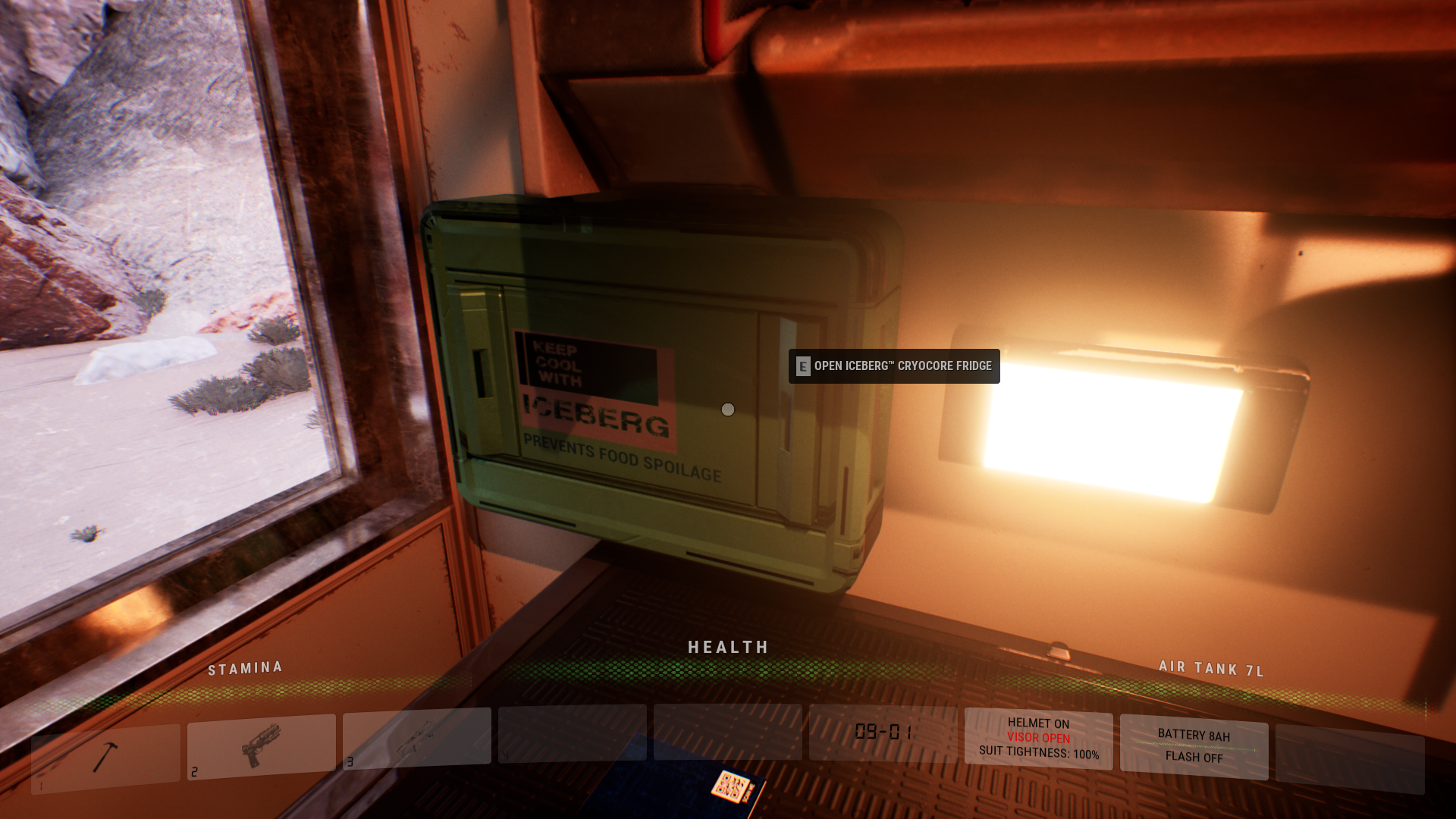
NEW: Iceberg™ CryoCore Fridge!
Some of you have been struggling with food spoilage — well, that’s survival! But I’ve added a solution: a fridge.
You can find fridges in every standard Shelter, placed next to the table (see screenshot). They accept food only — any other items are rejected when using drag & drop. Capacity: up to 20 kg.
Function: Food stored inside does not spoil over time.
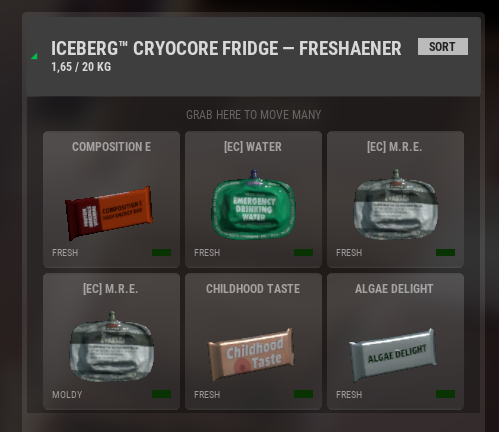
Iceberg™ CryoCore Fridge — Freshener Module
A special Freshener‑equipped version of the Iceberg™ CryoCore Fridge is available on Nesoi — and there’s only one of them. You’ll have to look for it.
This variant includes the Freshener Module, which actively refreshes stored food instead of only preventing spoilage.
View | Freshener Module — Quality Restoration |
|---|---|
| The special module additionally improves food quality over time. Food placed inside is gradually refreshed, and you can see the progress directly in the item preview. The process is slow, but still fast enough to be practical. WARNING: The module does not refresh food that is Decomposed — anything below 1% condition cannot be restored.
|
Steam Achievement: Echoes of Nimrod — Fixed
The previously broken Echoes of Nimrod achievement has been corrected.
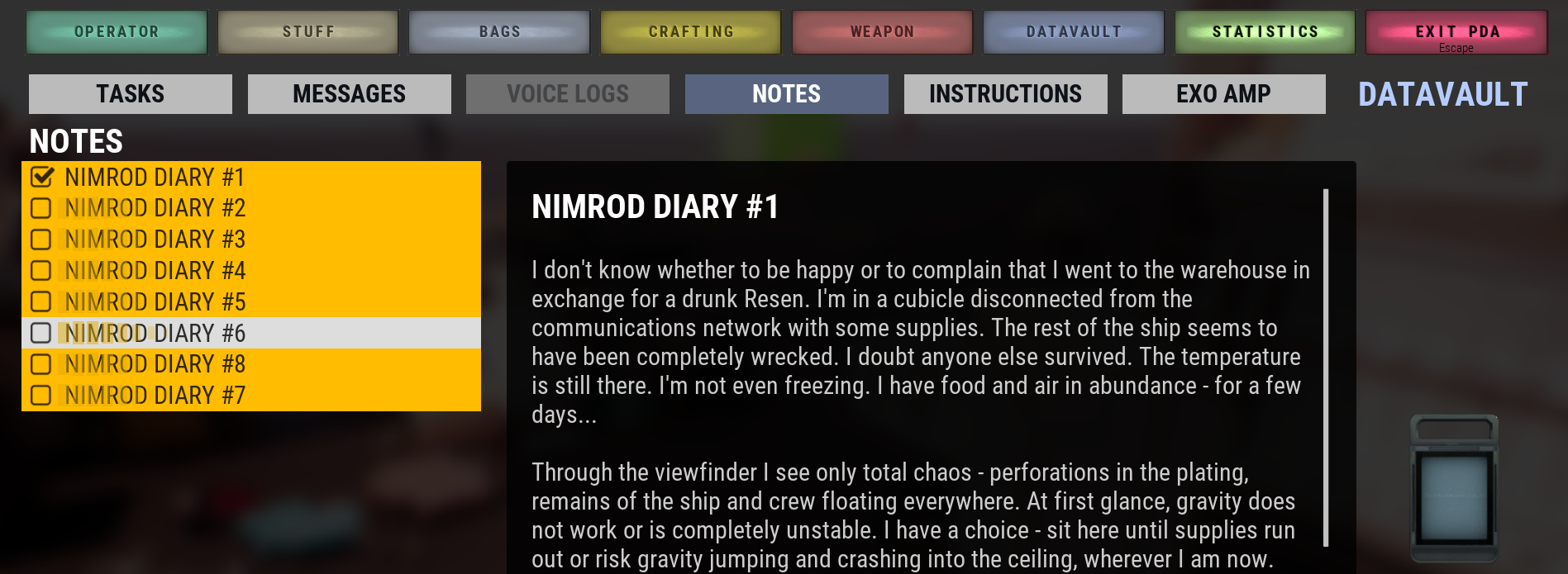
On Nesoi, after a long break, you should once again be able to find all parts of the Nimrod Notes. They are scattered across various shelters, and only duplicated copies should appear.
You can track your progress in TAB → VAULT → NOTES. Collecting all entries will unlock the achievement and trigger the appropriate in‑game message.
I personally never managed to complete it before — perhaps someone did in a much older version of the game, back when all Nimrod Notes could still be collected. After today’s Steam fix, I will finally be able to confirm that the achievement works reliably.

*Update: I just managed to unlock it after that update.

Breathing Outside — Fixed
After the recent fix that changed several EVA Suit rules, a new bug appeared:
View game pageit was possible to breathe outside with the visor open — and likely even without a helmet at all. I didn’t test underwater, but it might have worked there too.
This has now been corrected: you can no longer breathe outside.
Other Minor Fixes
The contents of the inactive Surveillance Drone have been adjusted, and its breaching behavior has been corrected.
All Turret Heads from inactive Trusted Auto Defender Mark One units have been removed from Nesoi. They will return soon as part of an improved and fully updated version of the Trusted Auto Defenders.
Issues to Monitor
After moving to newer engine versions — especially beyond late UE 5.7 — I’ve been dealing with problems that didn’t exist before. Everything was originally coded correctly, but the updated UE tends to behave “differently.” I’m working to resolve these issues as they appear.
Load after Save issues: For save/load, I use the best Unreal Engine plugin I know, and overall I’m very happy with it. However, like any developer, the author struggles with the same UE changes. He updates the plugin regularly, but just like Hiraeth’s own code, not everything can be fixed immediately.
I’ve had cases where the load restored the correct game state — inventory contents, player and enemy states, the ramp state at The Last Drop — but the player position was wrong. Instead of spawning in the port, the game loaded me on the Last Drop Ship.
I’m in good contact with the plugin author; he’s very kind and professional. I’ll keep a close eye on this issue and hope it disappears soon.
SPECIAL PROMOTION!
Offer ends tomorrow, 19 September
A quick reminder: there’s very little time left before the –30% promotion ends.
I hope you’ll enjoy using the new fridge, collecting weapons, and packing them into crates! More details will appear in the upcoming Ahra Prime Times devlog — it’s been a bit neglected lately, but it’s coming back.