
Update: We have issued a hotfix which additionally removes a file causing false anti-virus hits and solves a missing texture bug.
Thanks again for playing the Half-Life 2 RTX demo, and sharing your feedback. We’re continuing to explore how to best address community feedback, and how it plays into the demo and the full release of the game.
This latest update to the demo features the next step in addressing your feedback regarding lighting. In our previous patch, we fixed a bug in our tonemapper that led to lighting generally becoming more saturated than intended. While this led to more broadly accurate lighting scenarios, it also necessitated a re-light to come closer to the intended look. This patch implements a new lighting arrangement that both takes into account the new tonemapper, as well as directly addressing community feedback regarding light levels and fog intensity, while still playing into the strengths of the fully ray-traced renderer.
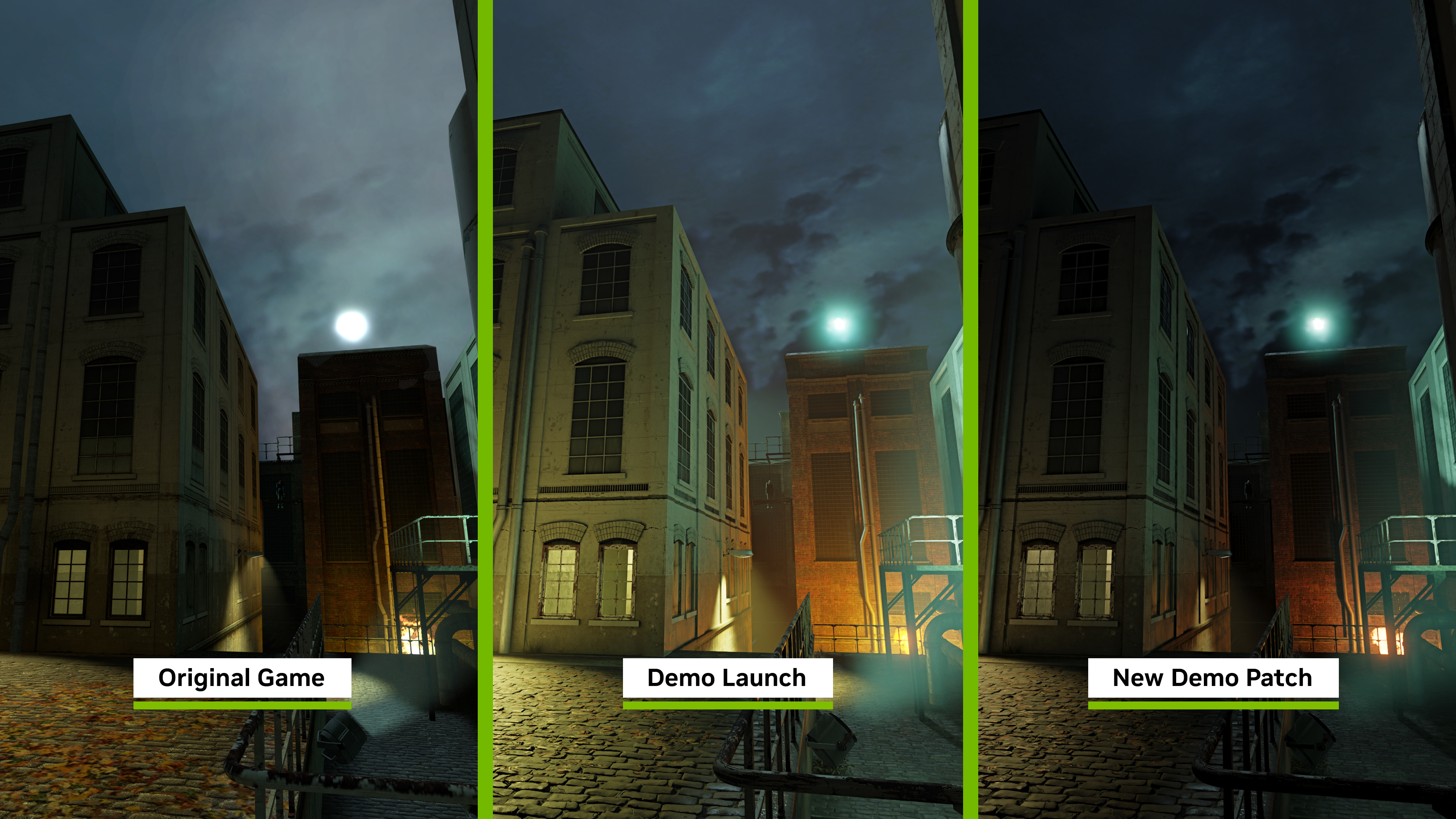
By and large, these changes result in Ravenholm being darker, with more intentional authorship of light and shadow. We’ve provided three images for comparison - The original game, our launch visuals, and the visuals in the latest patch.
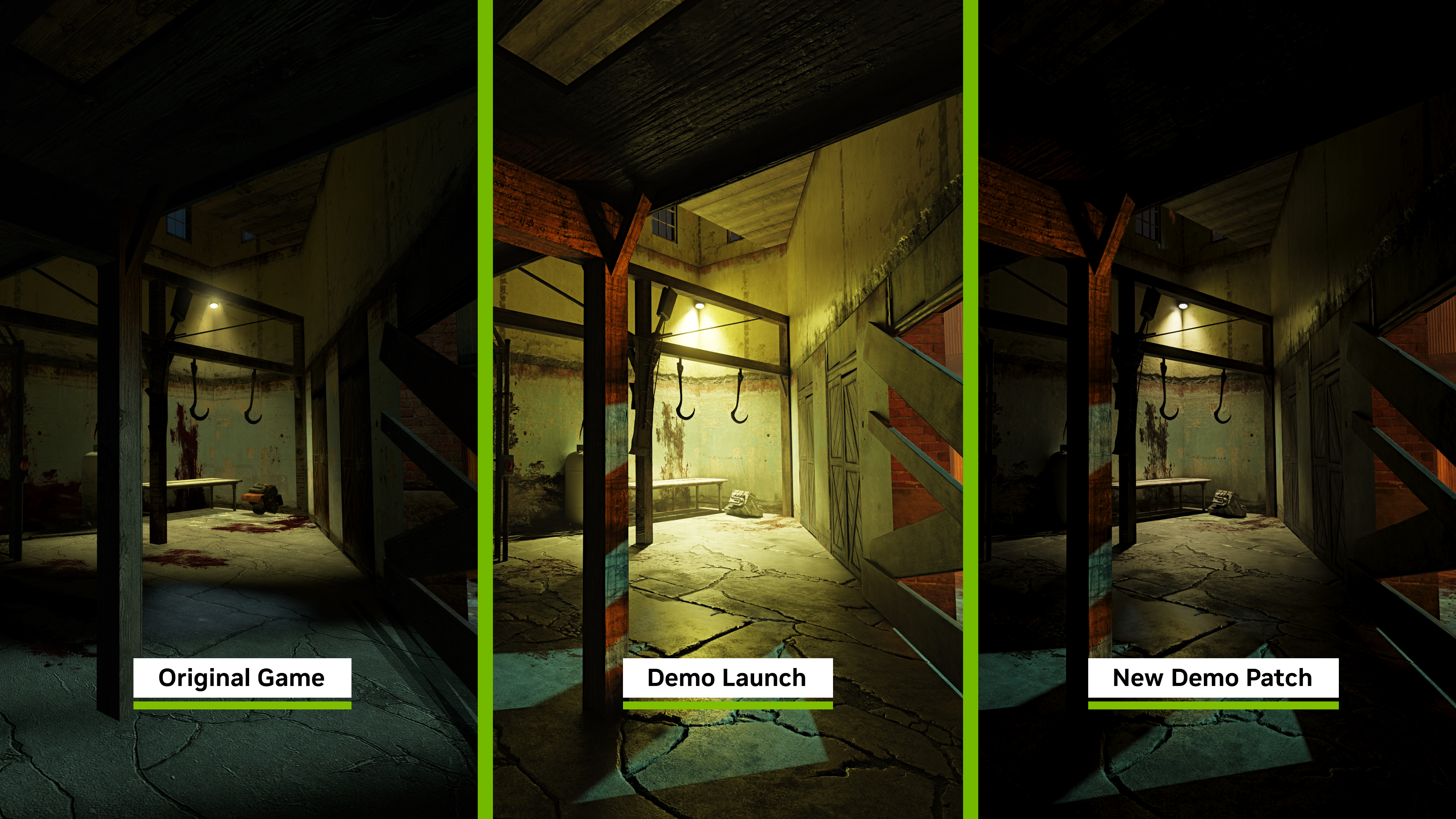
In addition, we’ve enabled a new heterogeneous fog (alongside a runtime update which resolves some fog artifacting), which further enhances volumetrics by applying a less “uniform” appearance.
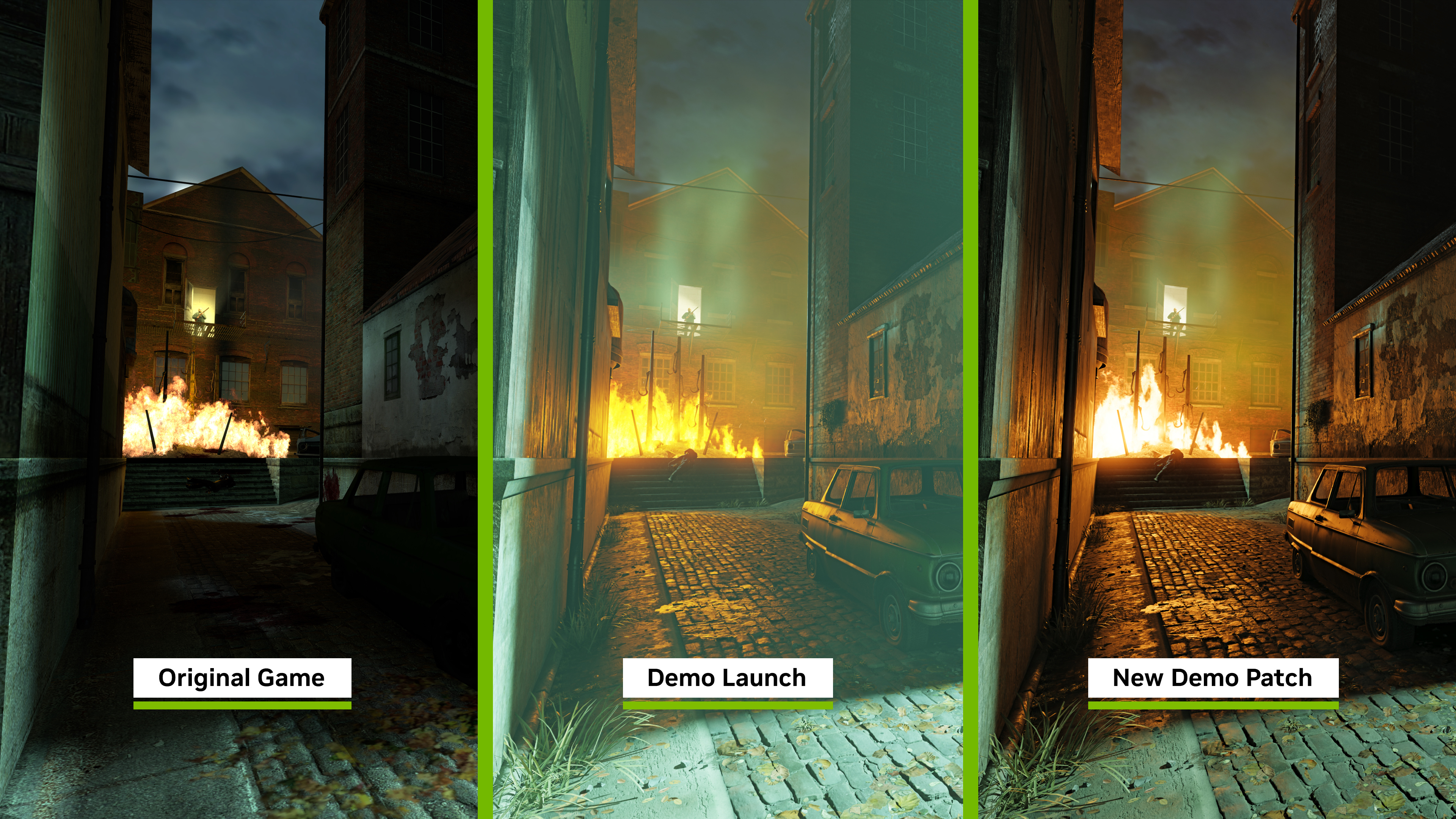
Lastly, we’ve added replacements for a handful of missing assets which just missed the initial release and patches, improved the appearance of water, and optimizing the Antlion enemy model. This is in addition to stability improvements from integrating a newer version of the RTX Remix runtime, a fix to light flickering in some parts of the demo, and a fix for the fast switch menu being enabled by default on some machines.
Changes:
- A new lighting arrangement has been implemented with the fixed tonemapper
- Antlion model has been optimized
- Appearance of fog has been improved
- Fix for a crash state involving use of RTXIO on AMD
- Water has received an improved dual-normal map integration
- Replacements for the laundry cart, tree field, and 2D tree billboard assets have been added
- Fixed some instances of light flickering in the demo
- Fast switch menu should no longer be enabled by default
Investigating Reported Issues:
- We are investigating an issue where some game overlays can cause crashes when used with the Half-Life 2 RTX Demo. We recommend disabling overlays before starting the demo, but can confirm players looking to measure performance can use FrameView without risking a crash.
- Some players are reporting a crash during the first-time they start the game, due to issues with shader compilation. If you experience this, please start the game again.
- Steam Hotkey for Screenshots (F12) will crash Half-Life 2 RTX. We recommend using NVIDIA app’s Alt+F1 screenshot feature, NVIDIA app’s Alt+F9 video recording feature, or OBS “Display Capture” to take screenshots and video.
- When Desktop Capture is active in NVIDIA app’s settings (Alt+Z --> settings cog --> Video capture) video recording can at times cease working in the Half-Life 2 RTX demo, requiring users to restart the demo. To prevent this, please disable Desktop Capture in NVIDIA app’s settings.
For recommended specs and optimization to get the best performance in Half-Life 2 RTX please see here.
Orbifold Team