
This v1.0.6-alpha is for testing new features - PERFECT SYNC.
We know that lots of VTubers are using iPhone-based advanced facial tracking with iFacialMoCap, so we integrate that pipeline with our own unique hand tracking so that conventional 3DVTubers can use those features simultaneously.
Your feedbacks are really helpful to develop better AvaKit 🙇♂️
New features
Perfect sync test by integrating AvaKit with iFacialMoCap app
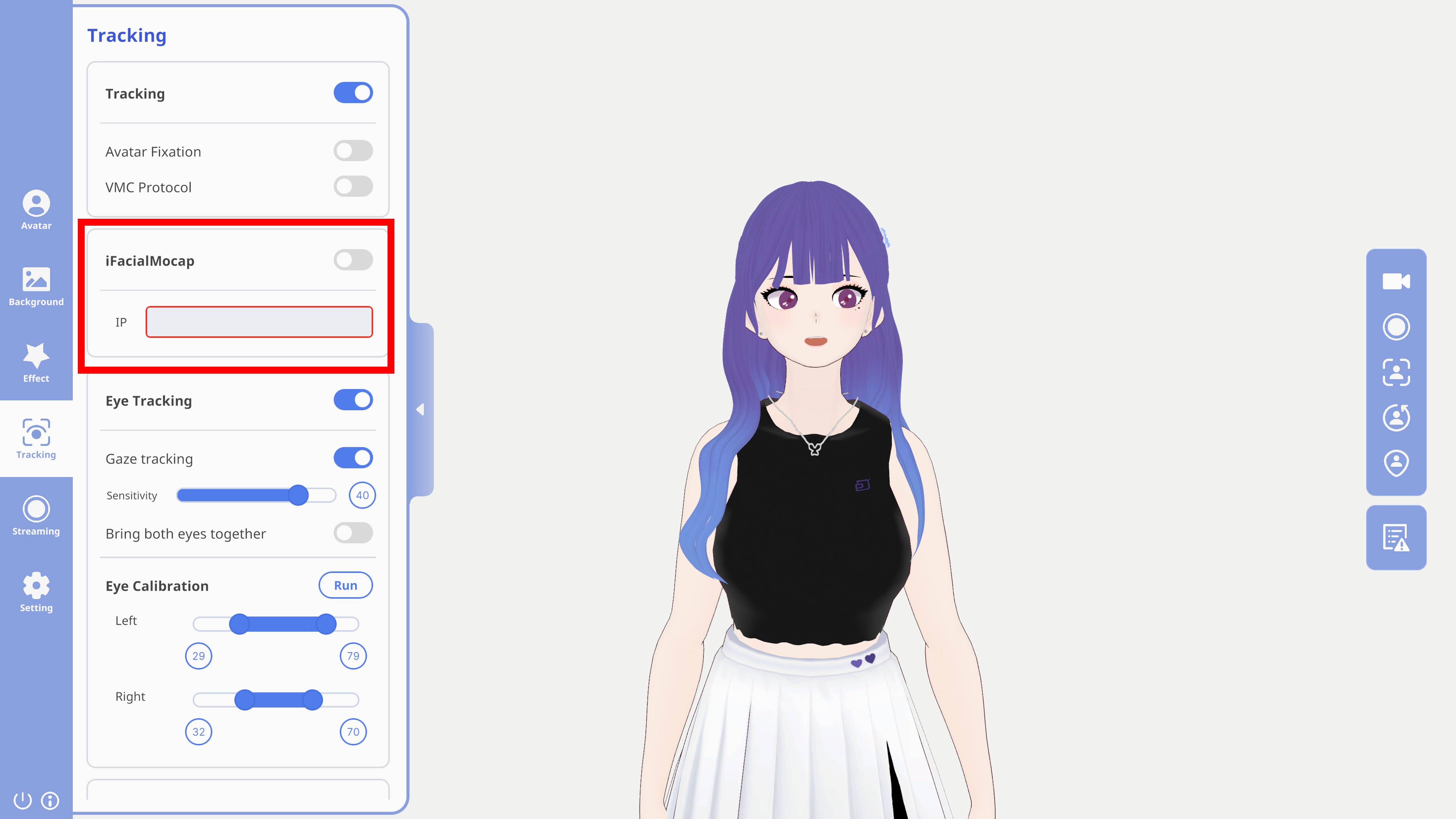
Please import your VRM model that perfect sync feature is available. (Rua-chan does not support perfect sync.) Then, turn the iFacialMoCap app on through your iPhone and write the IP address shown in the iFacialMoCap app at the IP address box of AvaKit. (You can check this box at the [Tracking] menu - iFacialMocap section.) Please check whether perfect sync with hand tracking is available in AvaKit.
How to use & Cautions
How to use
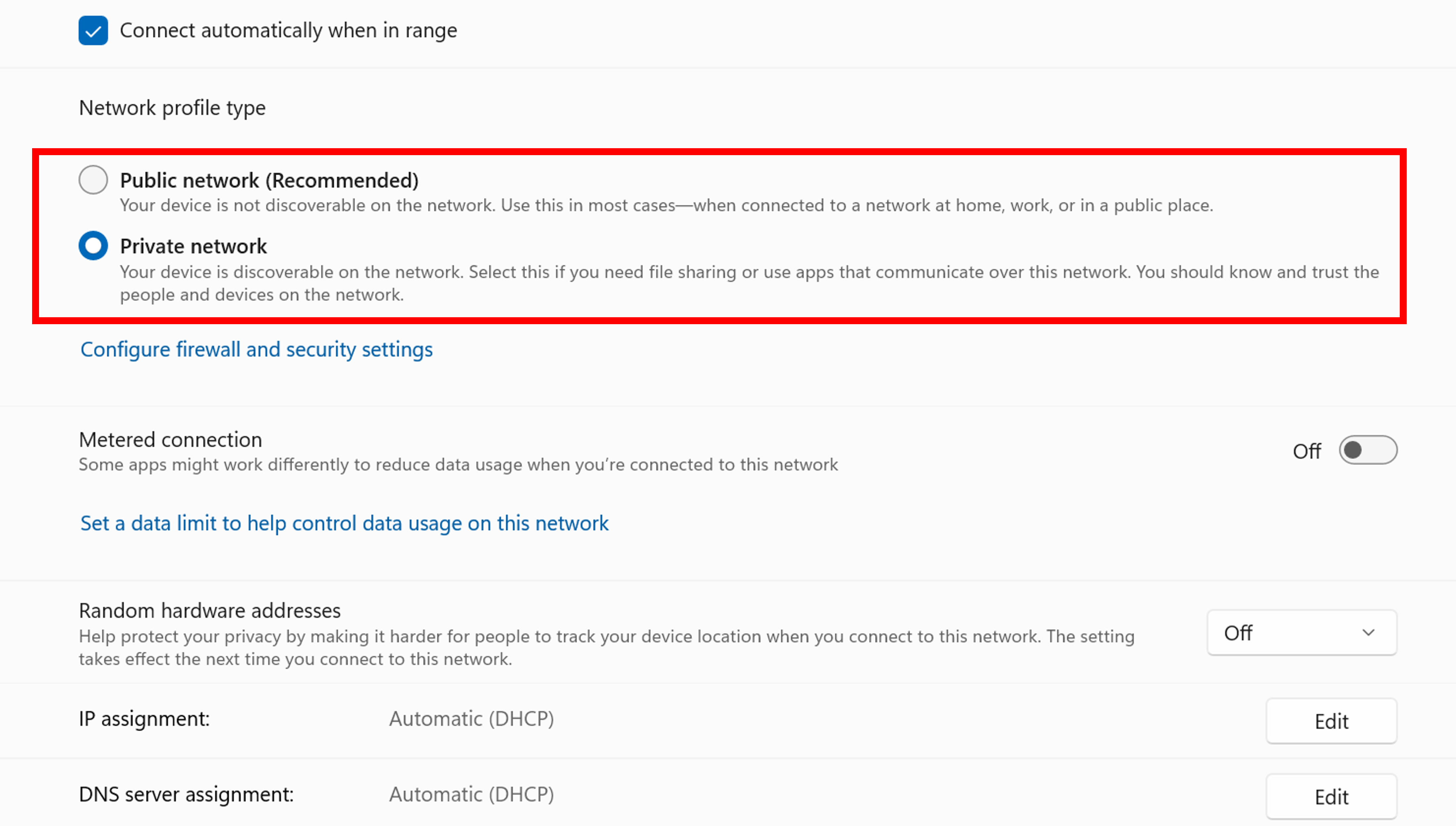
- Click the [Network & internet] by entering Windows Settings.
- Enter your connected network's 'properties' menu.
- Set its network profile type as [Private].
- If there are any problems or issues, please contact AvaKit official Twitter account or AvaKit official Discord Server.
Cautions
- Your iPhone for iFacialMocap and your computer for AvaKit must be connected with the SAME network. (e.g., same wi-fi)
- This feature is supported for only VRM models with entire 52 blendshapes for perfect sync.
- If your internet network is bad, the tracking performance also can be bad.
We'll always try our best to improve AvaKit. Thank you.

