How to install
- AvaKit SDK uses Git to install the necessary packages automatically. If you are using Windows OS, pleae click this link to install Git. If you are using MacOS, you have to install 'Homebrew' first to install Git. Please insert the codes below in Terminal to install Homebrew and Git. # Installing Homebrew /bin/bash -c "$(curl -fsSL https://raw.githubusercontent.com/Homebrew/install/HEAD/install.sh)" # Installing Git brew install git
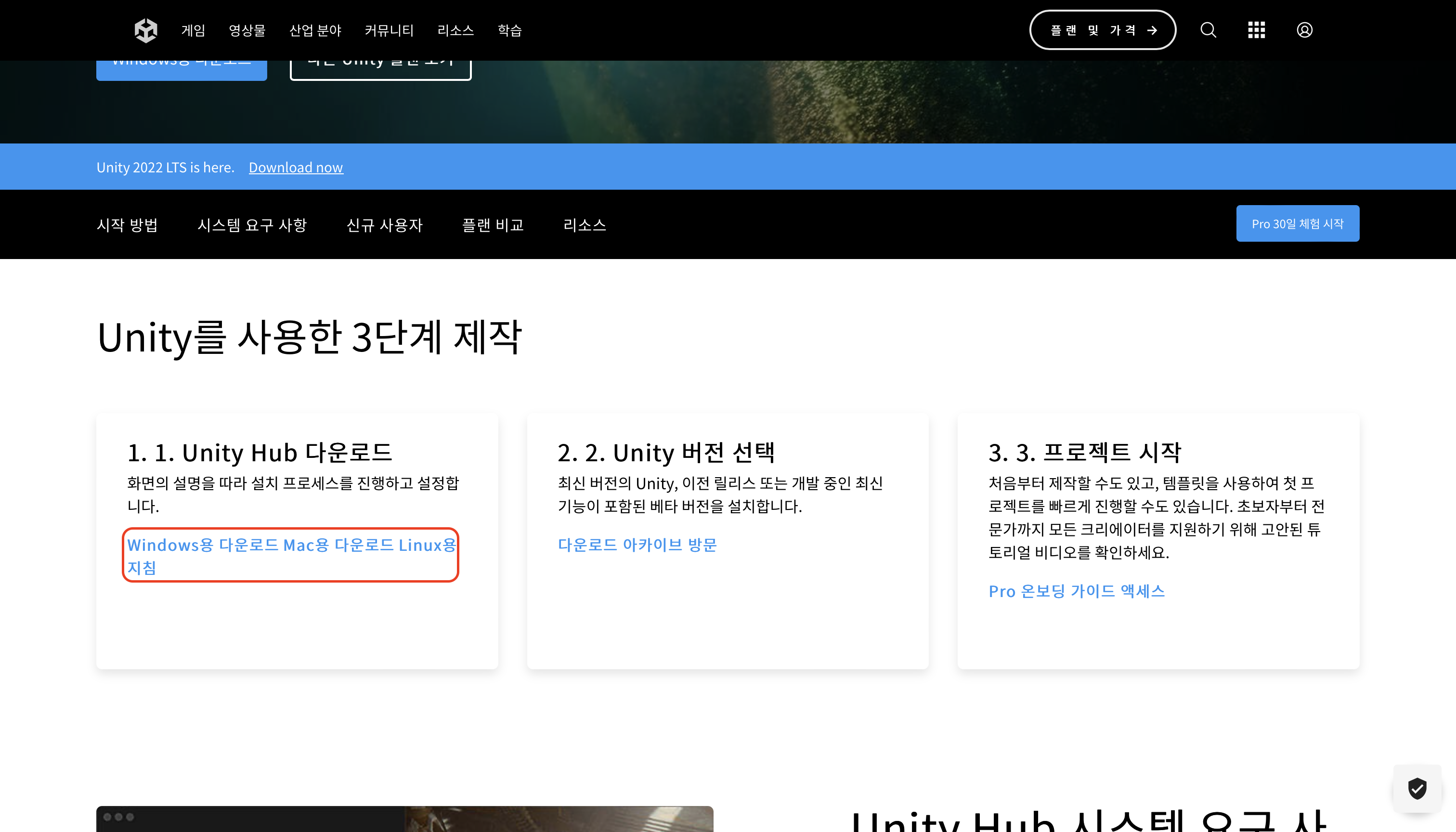
- Please download Unity Hub at this link,
Plesae download the Unity Hub corresponding to OS of your PC.
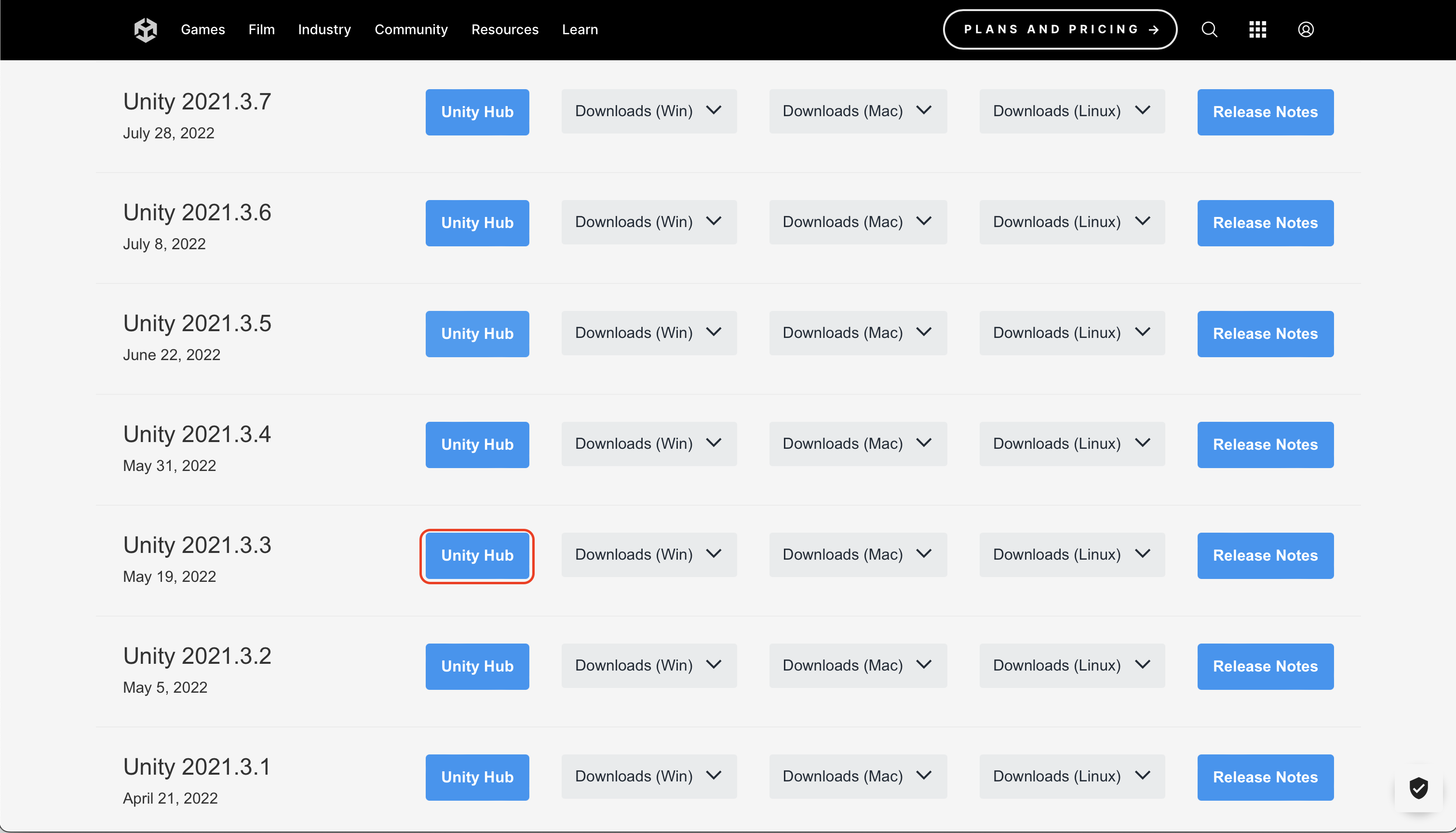
- Please install and launch Unity Editor of corresponding version.
You can check Unity Editor with various versions at this link.
AvaKit can support Unity Editor 2021.3.1f version to 2021.3.8f version, and we recommend you to use 2021.3.3f. Please click 'Unity Hub' button of Unity 2021.3.3.
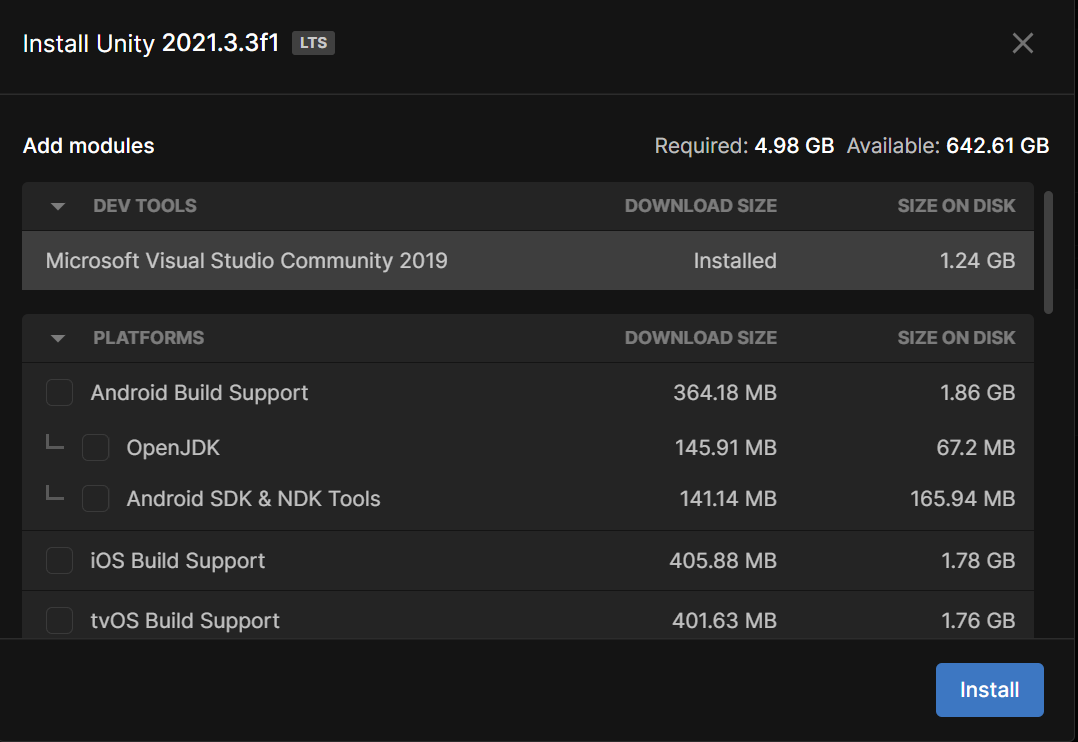
 Then the installation window for 2021.3.3f Unity Editor will be at the Unity Hub.
It is not necessary to enable other packages. Please just click the install button.
(The time spent to install might be long since the size of the file is large.)
- Create new project
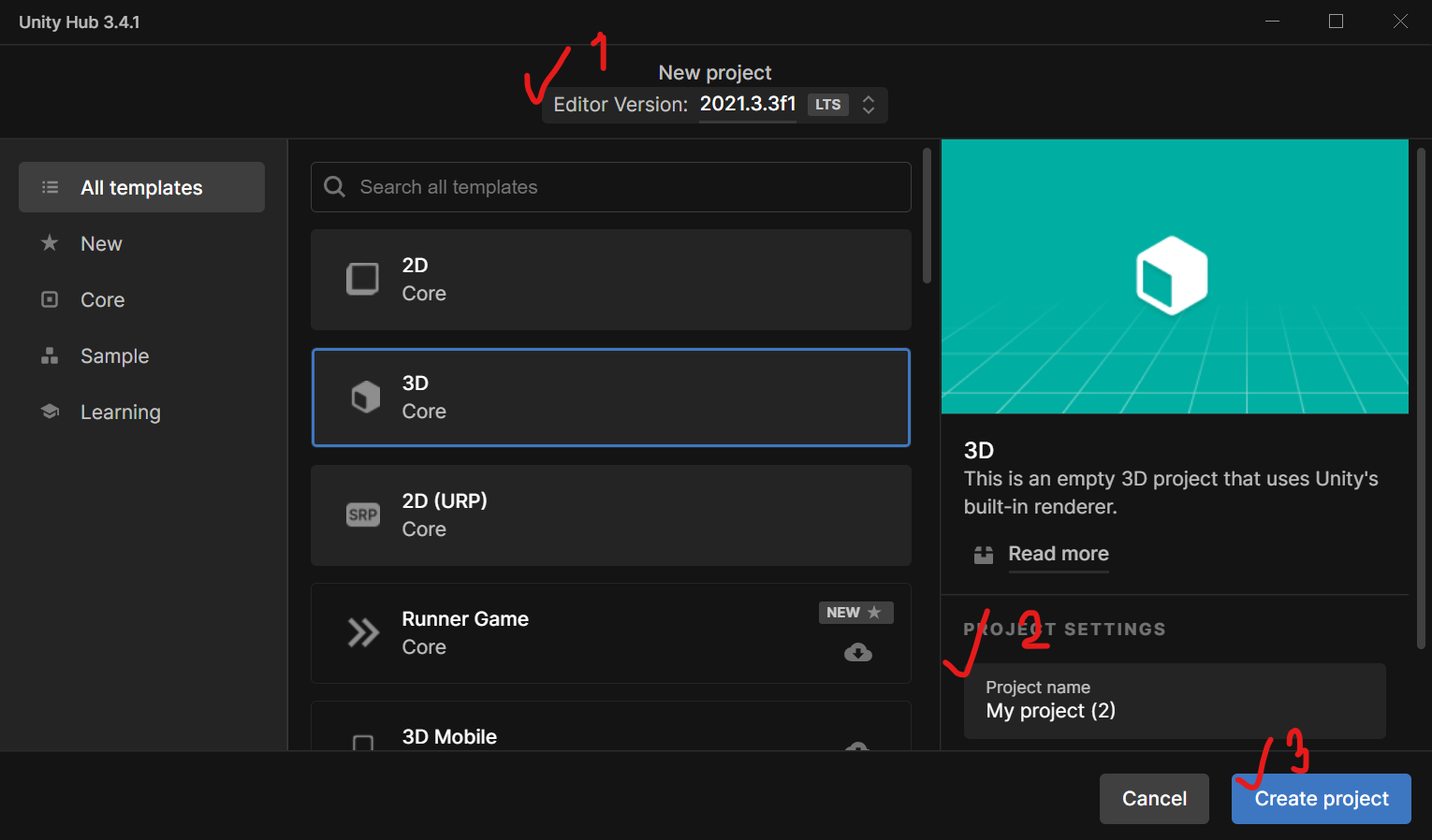
Please click the 'Projects' at the left bar and click the 'New project' button right above.
 Please set the Editor version as 2021.3.3f1 or the version that you downloaded, and choose the Core as '3D(default)'. Lastly, please name your project and click the 'Create proejct' right below.
- Installing 'AvaKit SDK Installer'
Please make sure to import and download SDK first before importing VRM.
Please download the file 'AvaKit SDK Installer' at this link.
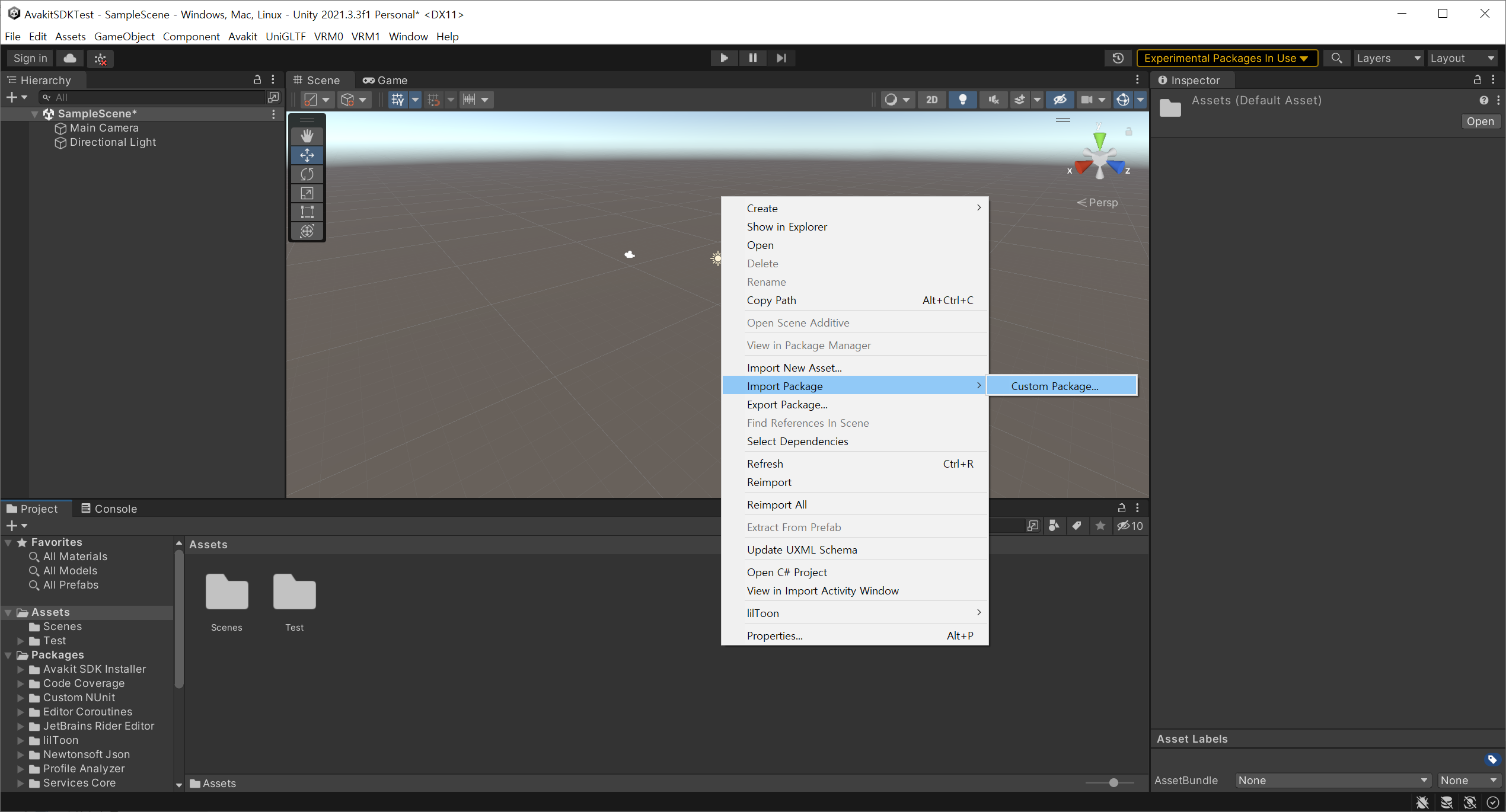
You can import this unity package file by dragging and dropping the downloaded file to Editor, or clicking Import Package > Custom Package... at the Project window of your Unity Editor.
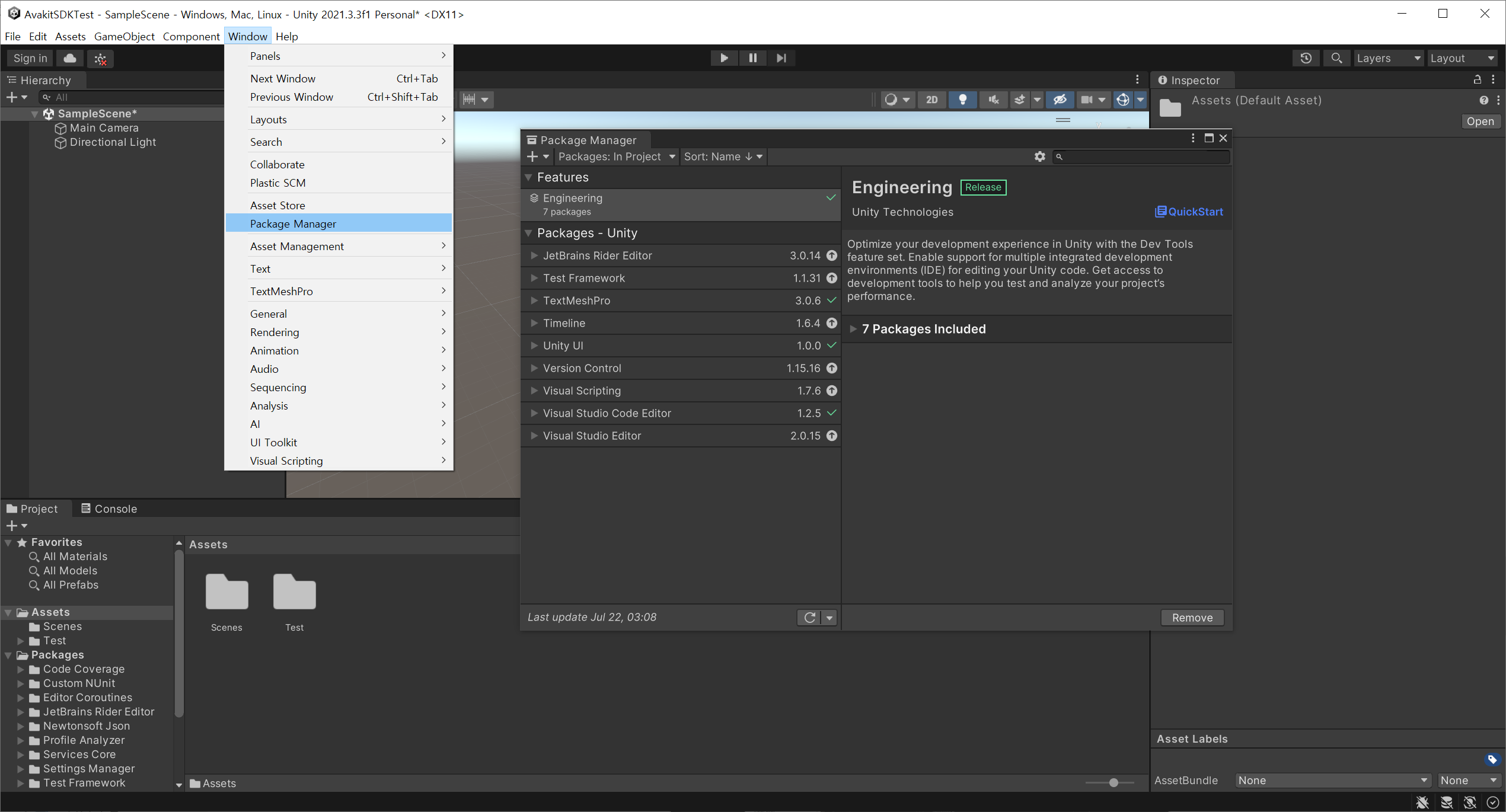
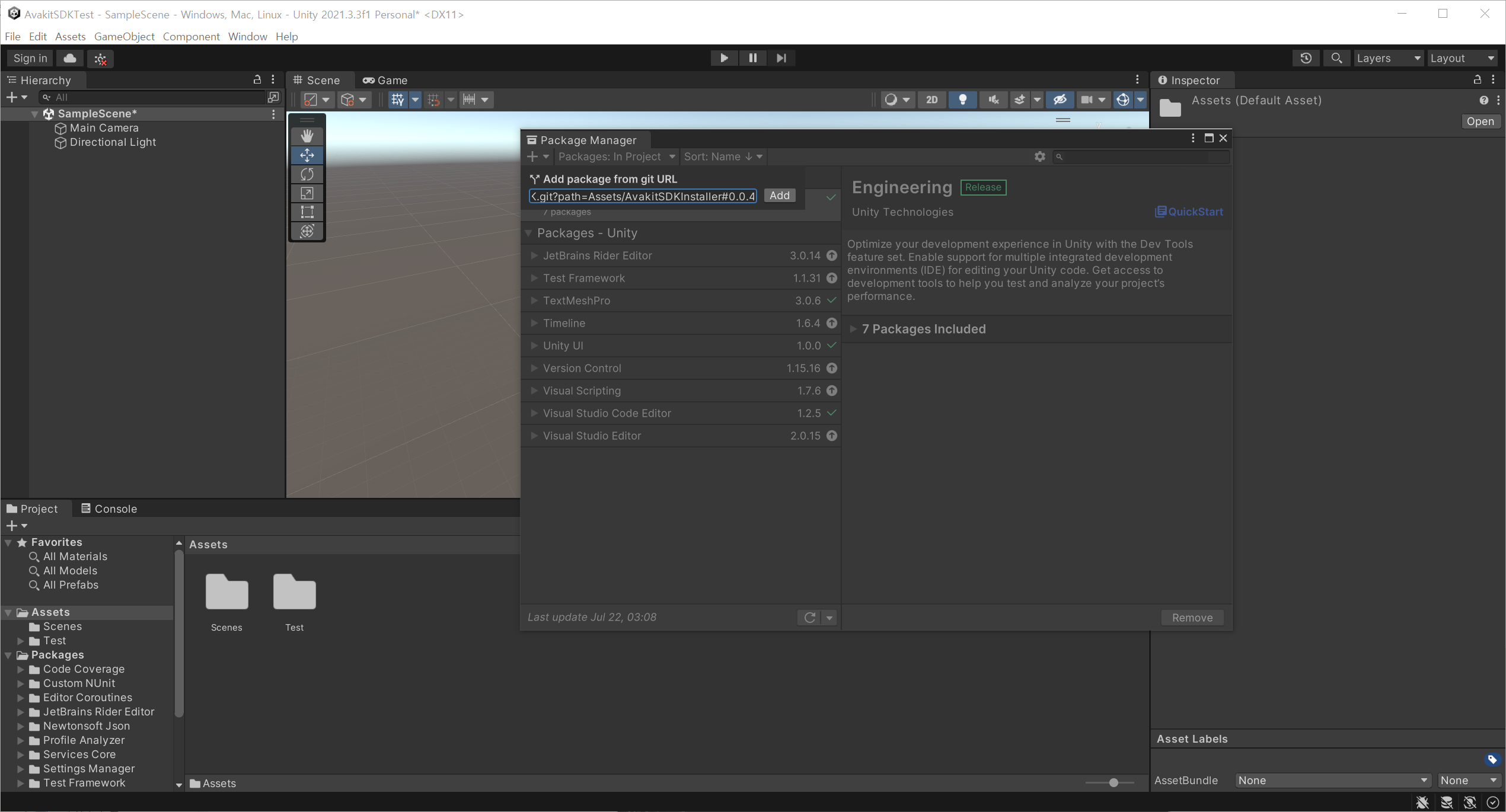
 If you worry about the direct download from Google Drive, you can use GitHub with Unity Package Manager. Please click Window > Package Manager at the above toolbar to open the Unity Package Manager window.
 Click the '+' button left above and then click Add package from git URL...
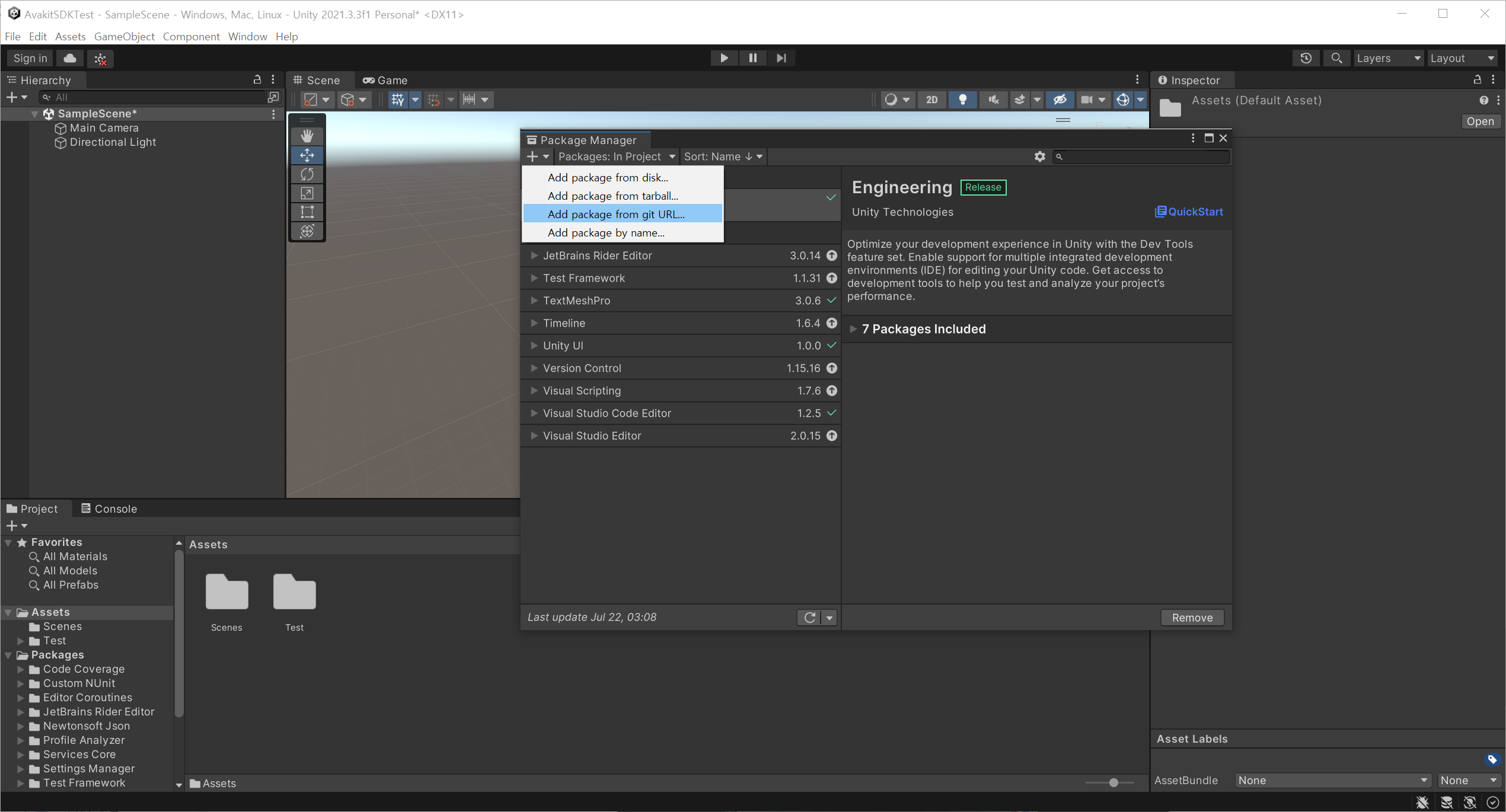 Please insert the URL below at the 'Add package from git URL' box,
https://github.com/avatokapp/AvakitSDK.git?path=Assets/AvakitSDKInstaller#0.0.5
to add the package.
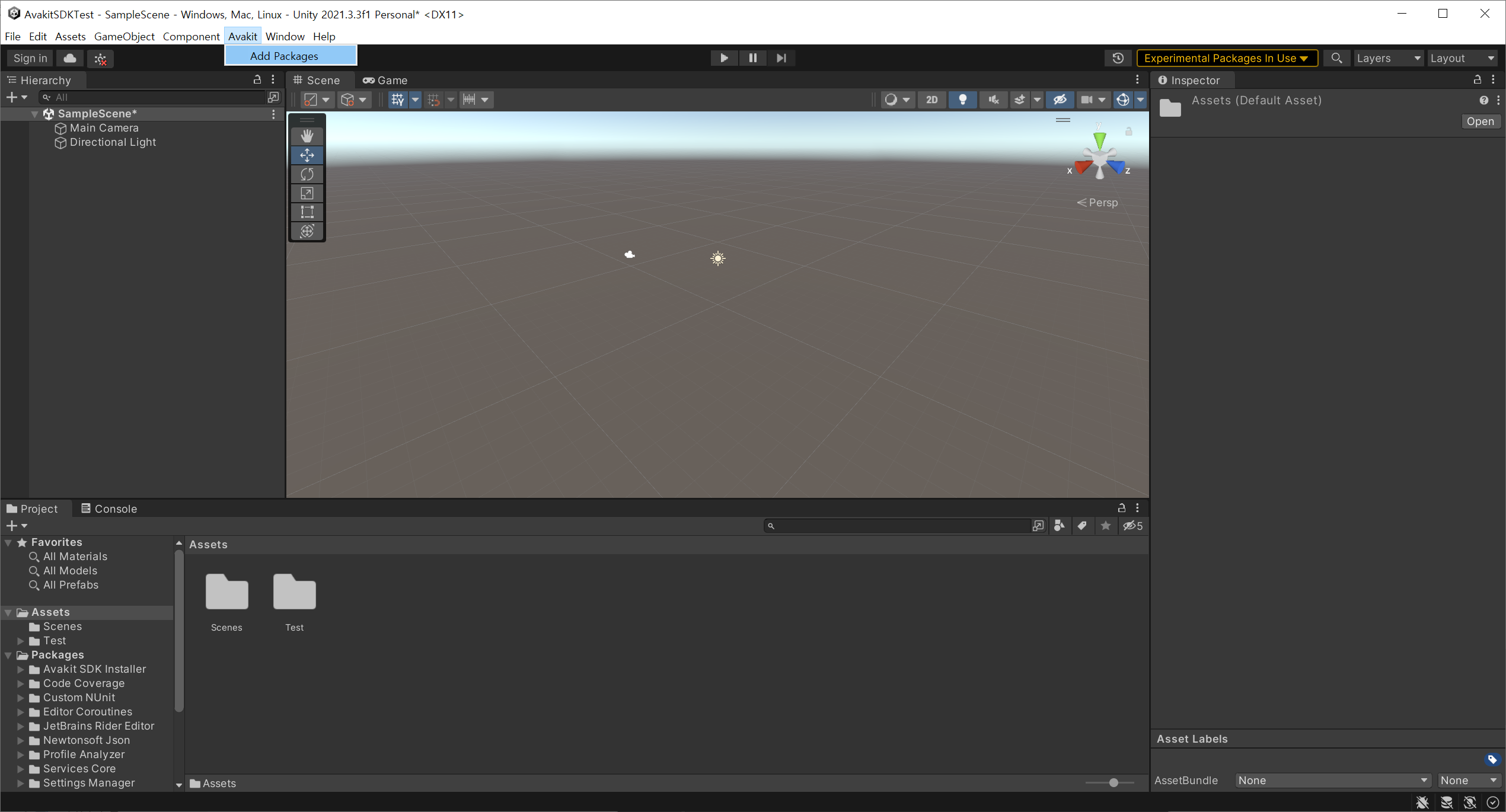
 After finishing the installation, there will be 'AvaKit' menu at the toolbar above.
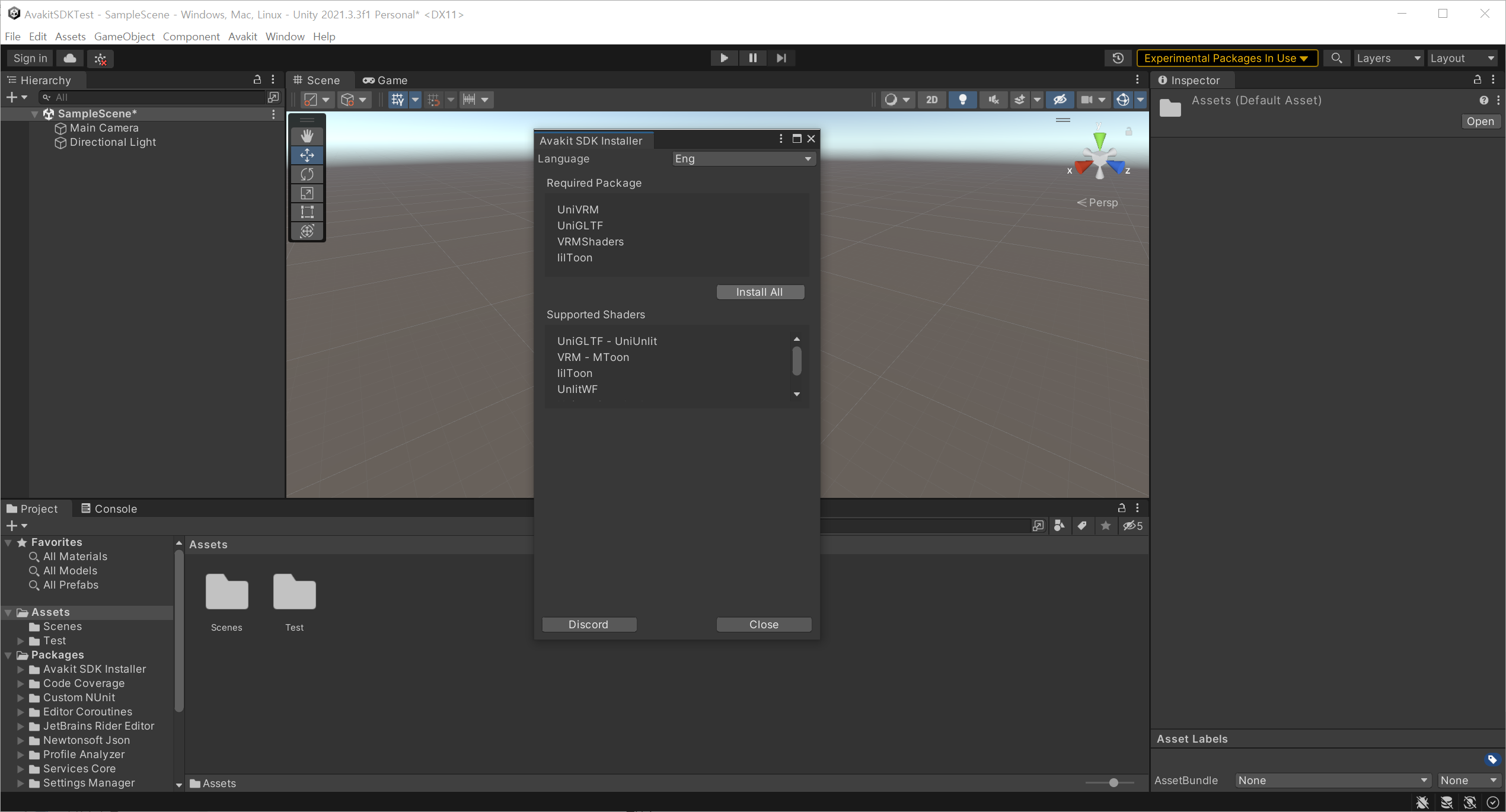
Please click AvaKit > Add Package > Install All to install the whole necessary package to implement AvaKit SDK.
Export .avakitvrm file
- Load your VRM in this project and apply the shader that you want.
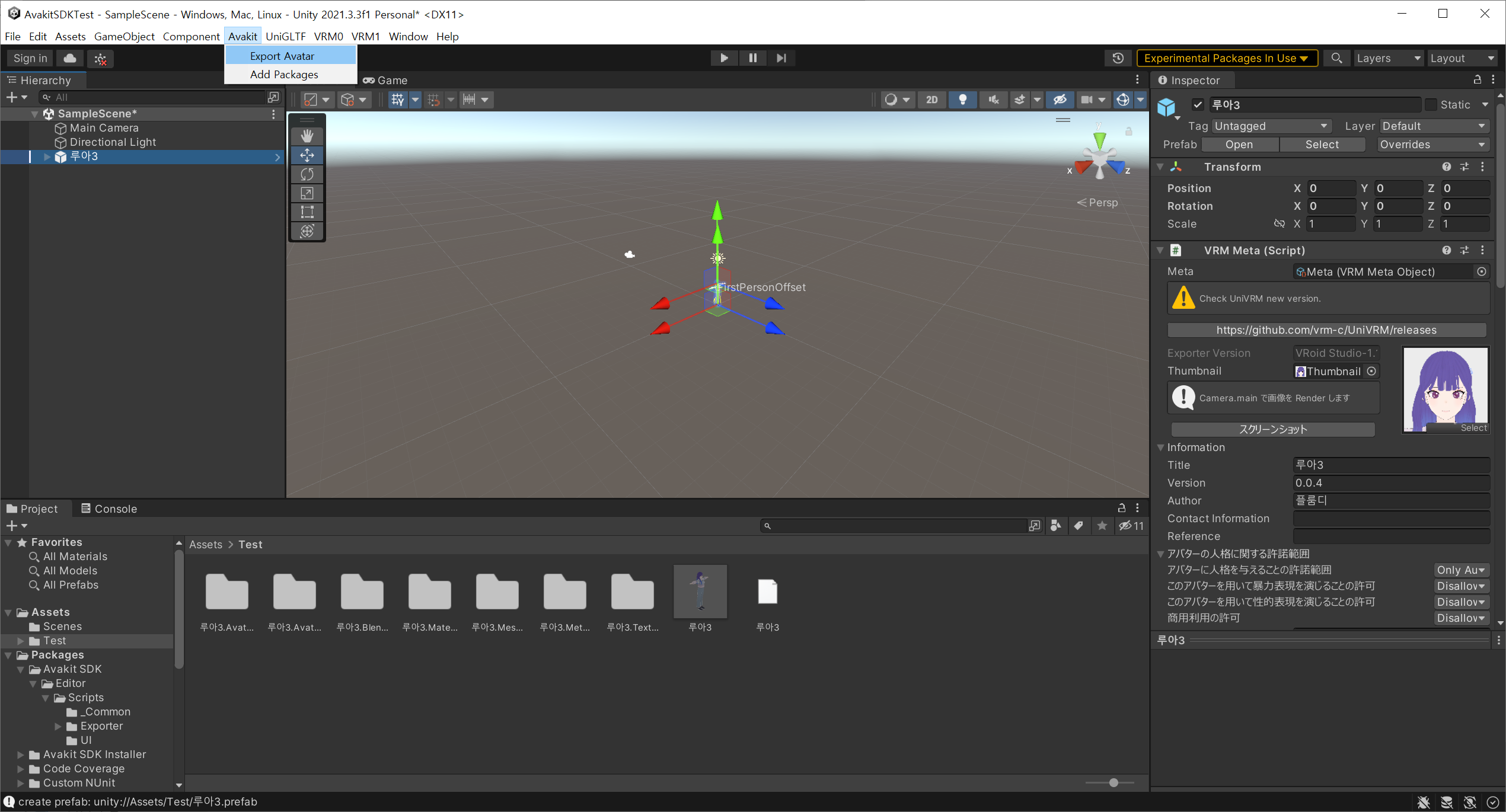
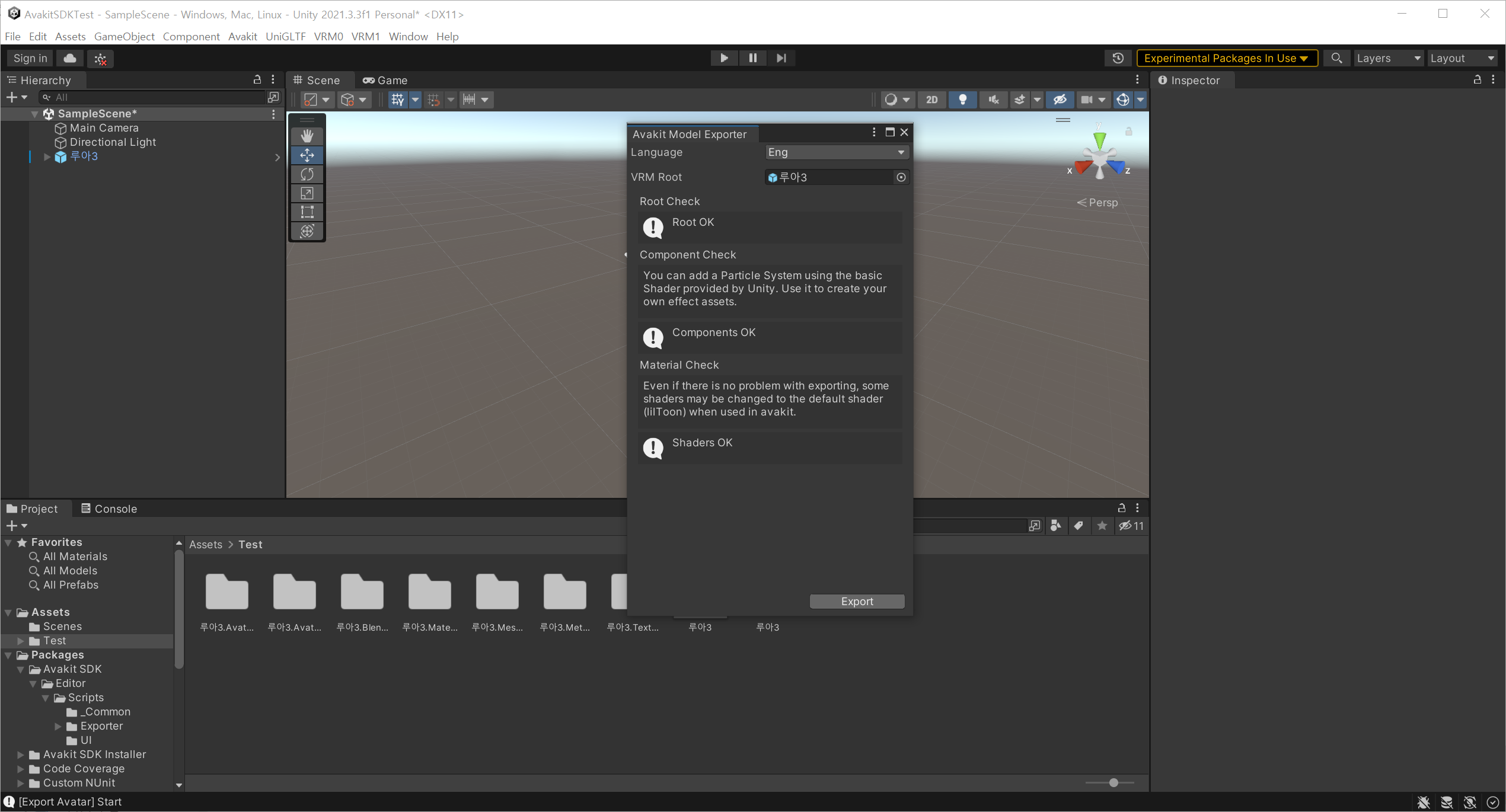
- Choose the avatar object after work and click AvaKit > Export Avatar at the toolbar above.
- You can drag and drop to set the root unless the VRM Root is assigned.
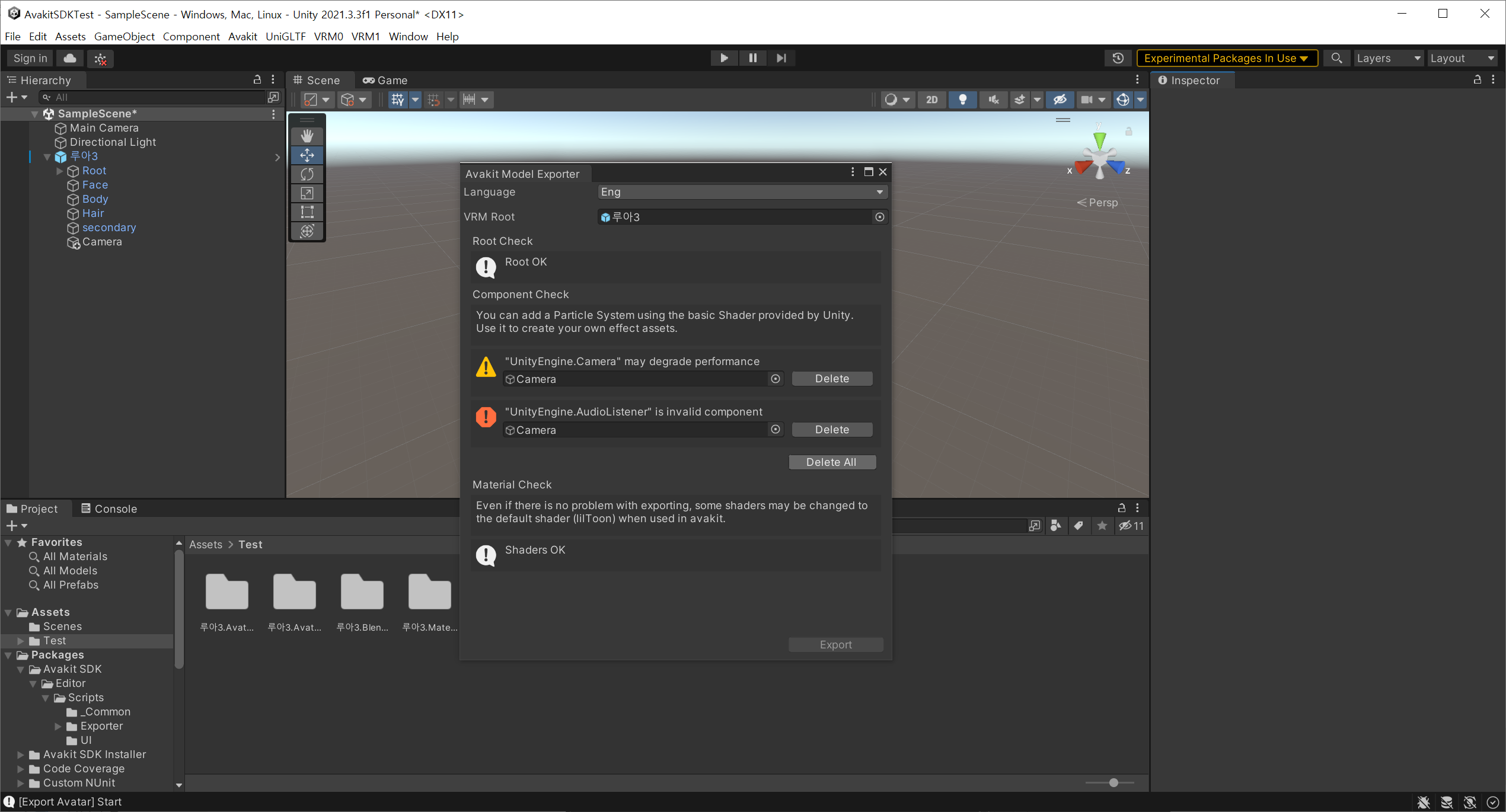
- If there are any unsupported components, it is unavailable to export your model.
Please delete them by clicking 'Delete' button.
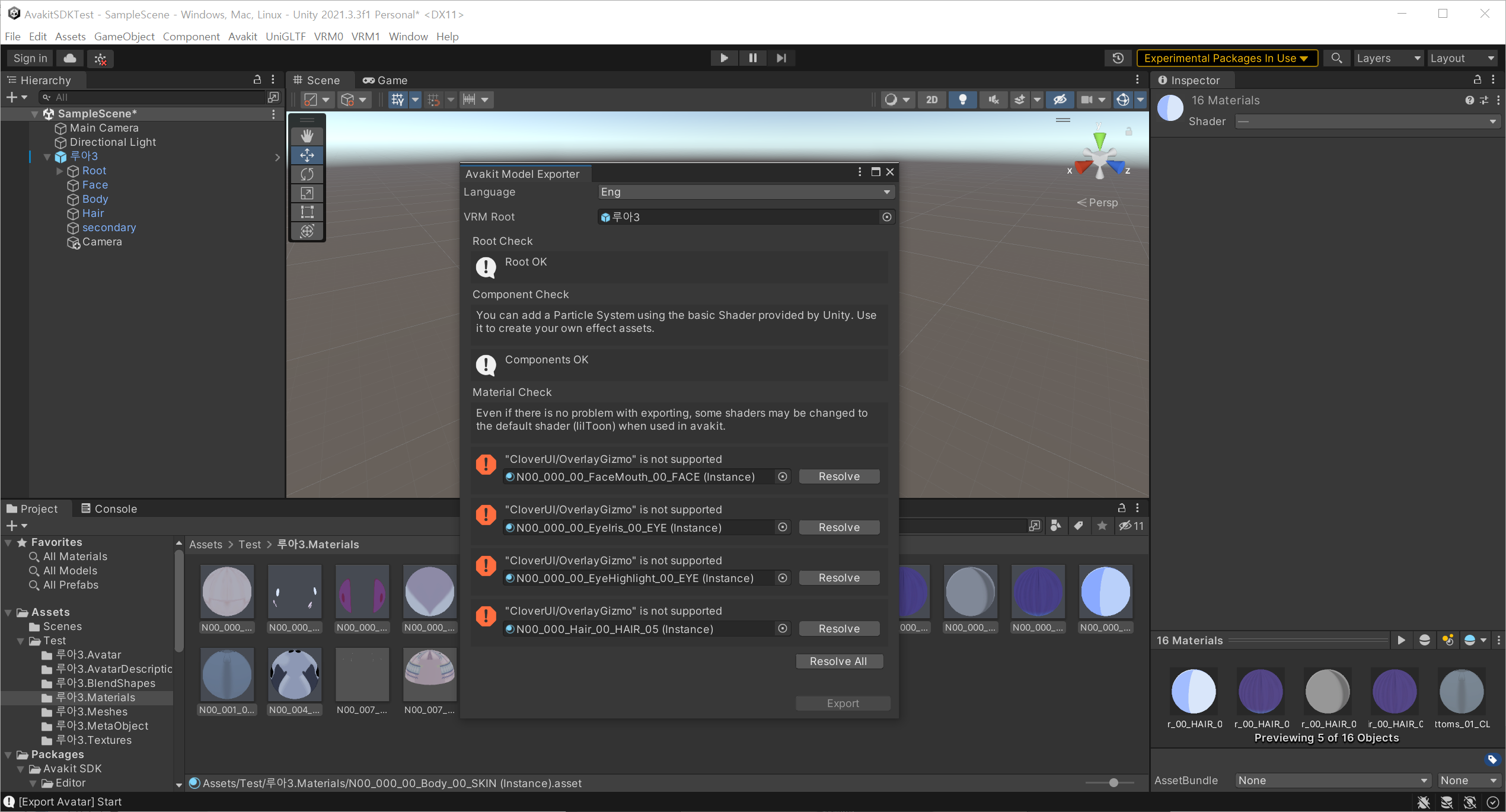
- If there are any unsupported shaders, it is unavailable to export your model.
Please change them into lilToon shader by clicking 'Resolve' button.
- When entire components and shaders are appropriately applied, 'Export' button is activated.
Please click the button to export your model into .avakitvrm format.
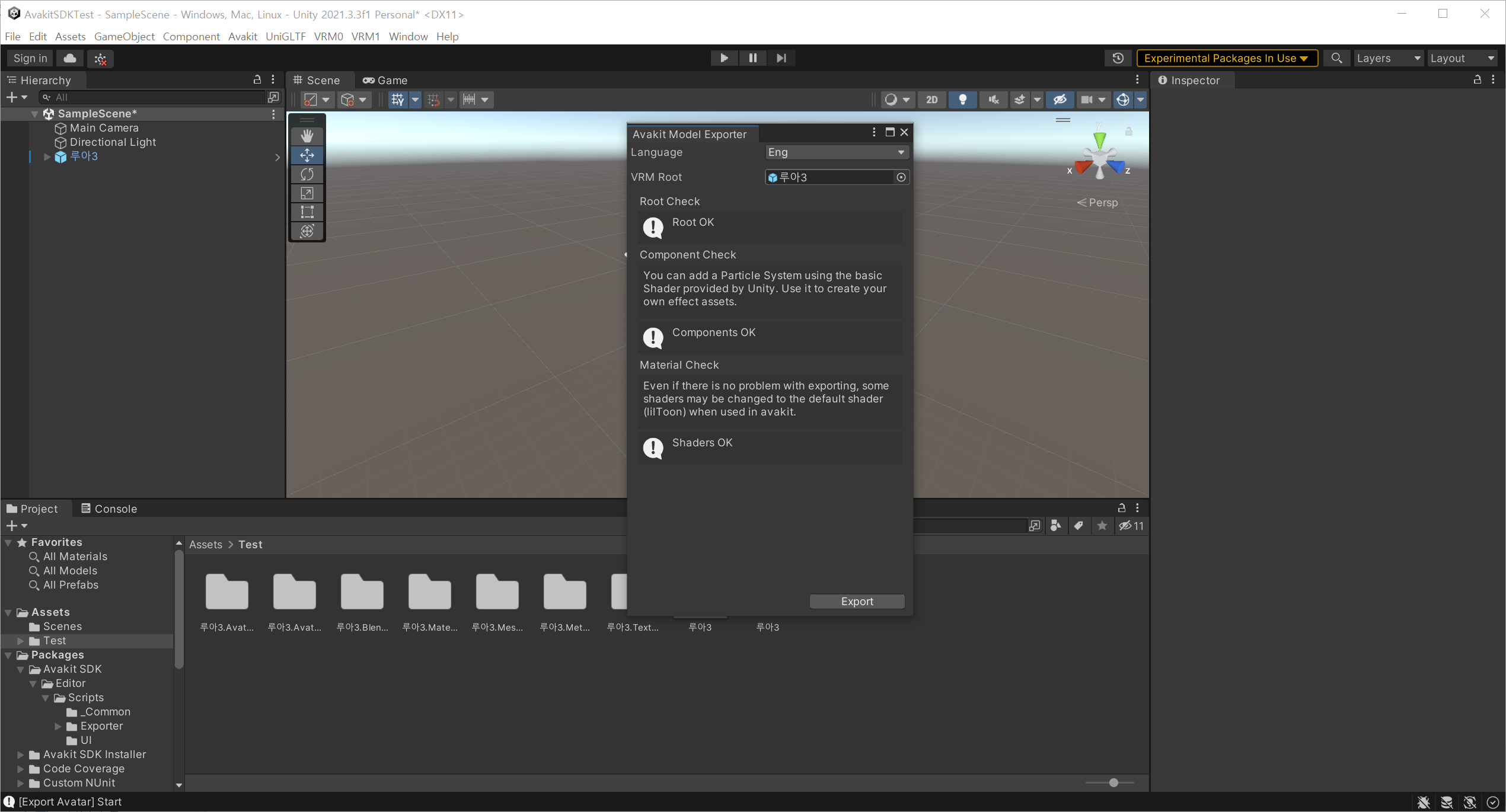
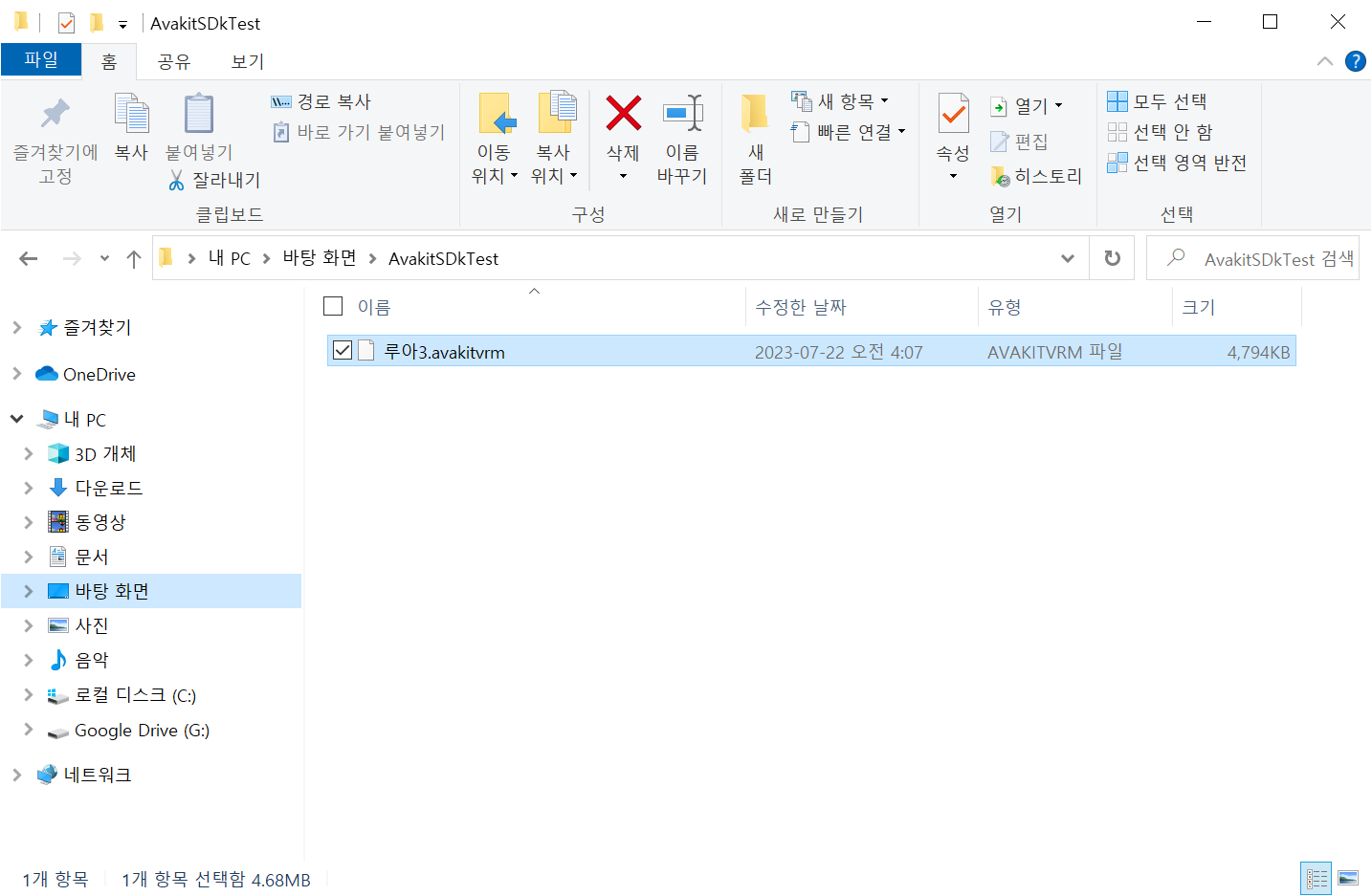
- You can see the new '.avakitvrm' file exported.
We'll always try our best to improve AvaKit. Thank you.