
Oi flatmates!
I’m Andrea Marinelli, Lead Technical Artist at FLAT28 Collective, and today I’d like to talk to you about the Cinematography of GLASSHOUSE -- that is, the artistic and technical direction behind its lighting process and tonal consistency.
In this devblog, we’ll explore which tools we use and how to subtly provide narrative cues to the player; not only through static and dynamic lighting, but also by leveraging VFX, cloth simulation, and beyond.
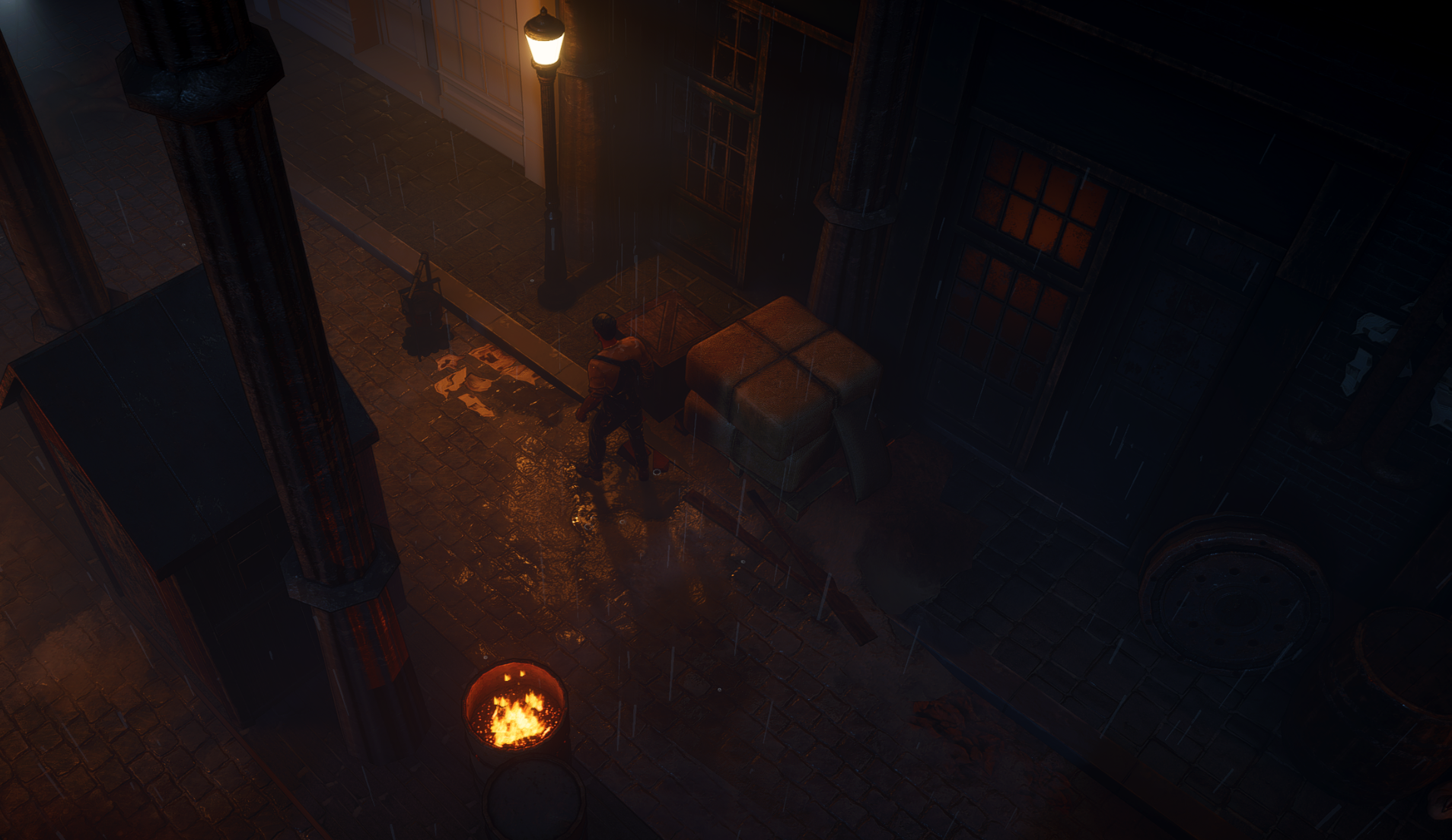 A sneak peek into the alleys of Lundonstoch, fully explorable in the Prologue.
LIGHTING AS A NARRATIVE TOOL
I've always believed that lighting is not only something that enhances the visuals of a game but also a key storytelling tool. The right lighting can create mood, atmosphere and even give players subtle hints about what is happening in a particular scene.
Something as simple as a warm lamp glow, a swaying spotlight or the flicker of a TV can communicate a lot to the player about the story of a room.
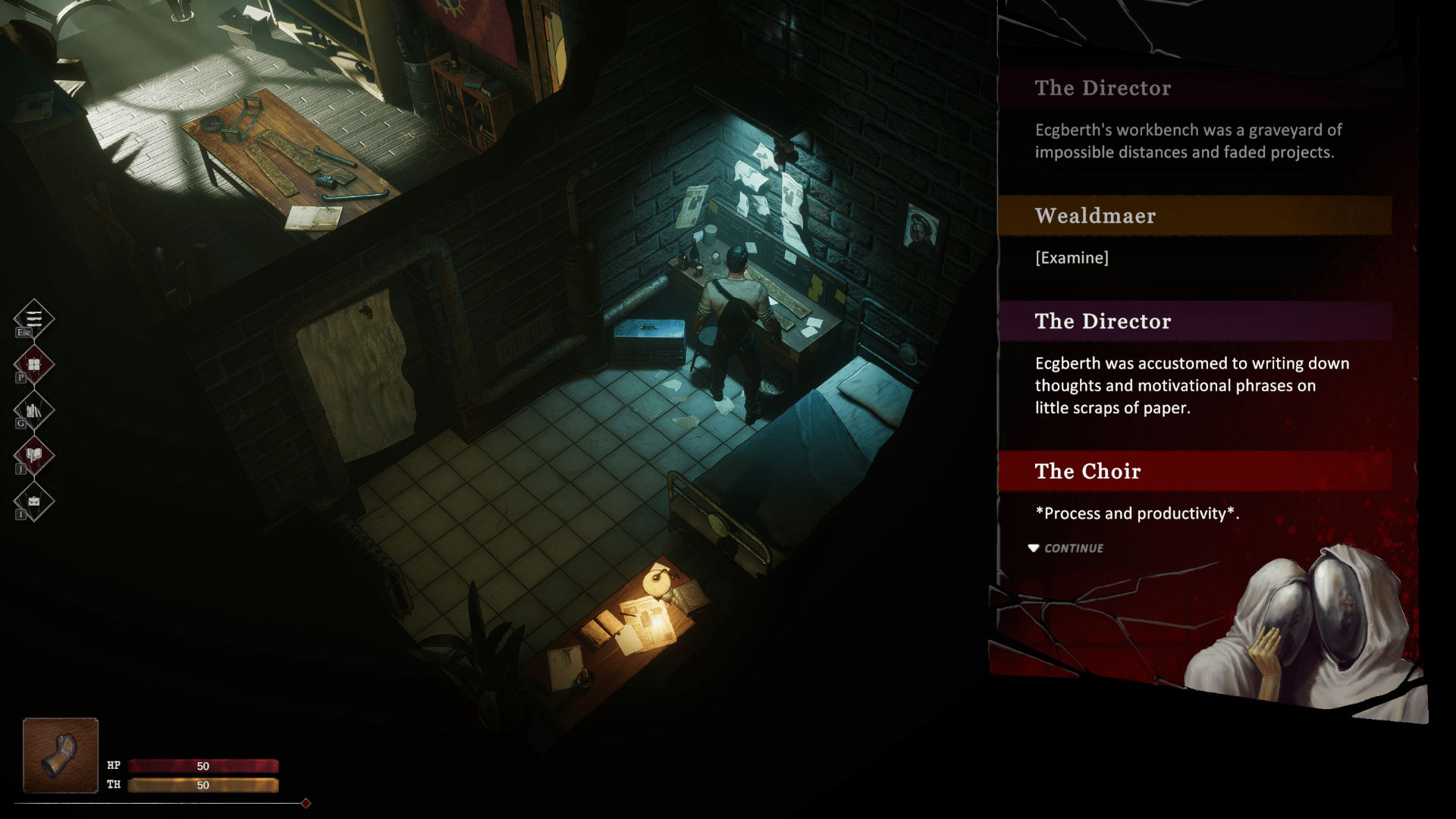
In GLASSHOUSE, it is crucial that every room feels coherent but also unique. Each one should tell its own context and reveal something about the character who inhabits it.
There are many different ways to achieve similar results, some more efficient than others: in our case I used a combination of real-time, mixed and baked lights to get the look I wanted.
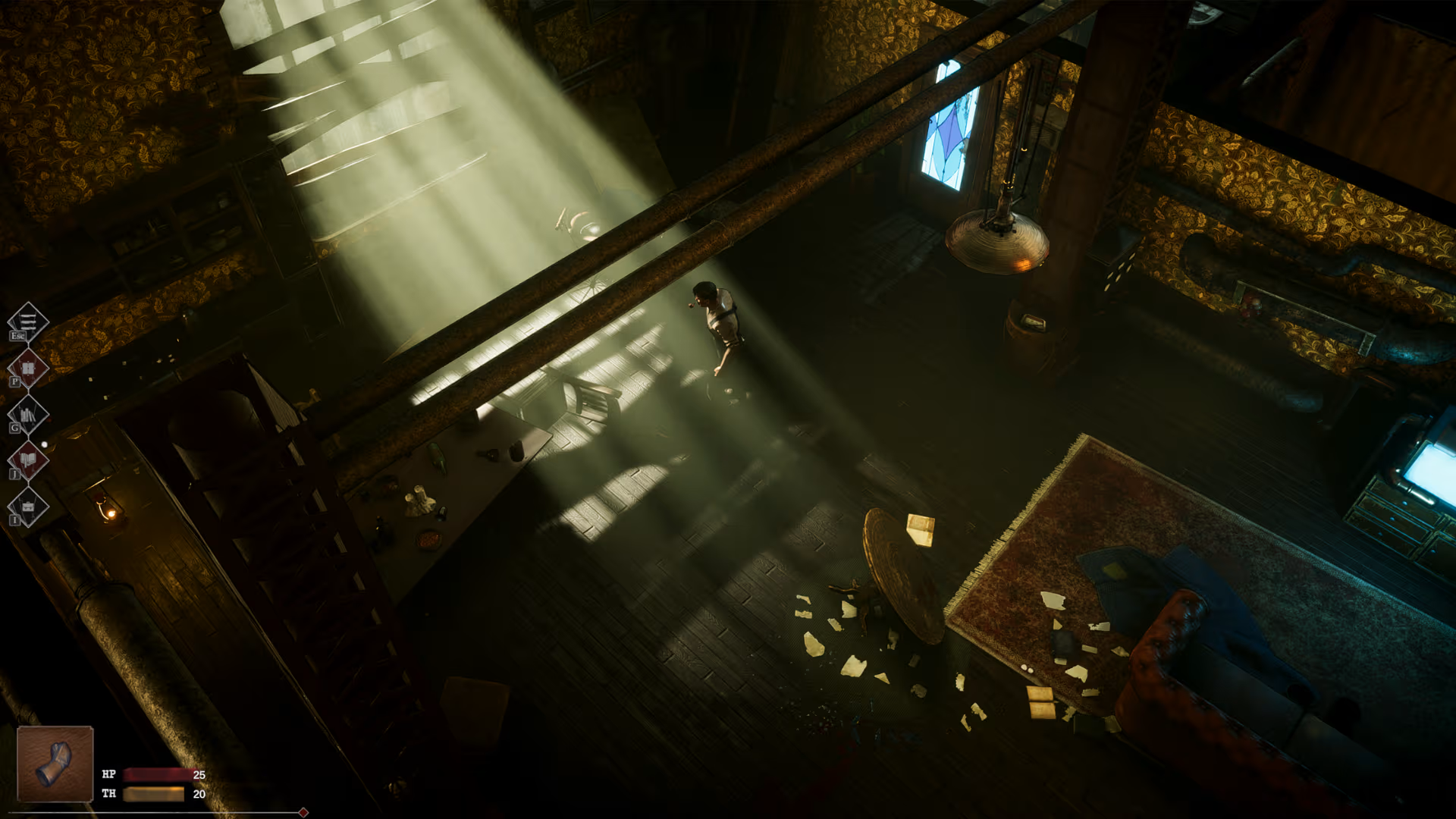 The main light hits and highlights the table, and additional lights lead the viewer’s eye to the TV, the restroom door, and the kitchen.
REAL-TIME LIGHTING
The FLAT26 Scene shows a room that has clearly seen some kind of struggle: papers scattered on the floor, broken glass, overturned chairs, and more.
The main light source here is a Spot Light used to simulate the sun. I chose a Spot Light instead of a Directional Light because it does not affect the entire scene, giving me much more control over what it lights and making it significantly more performant for this kind of use case.
I used it to create an instant point of interest; the player’s eye is immediately drawn to the window, where they notice it is barricaded. This light is set to real-time because I wanted it to cast dynamic shadows of the player as they move through the space. It is also paired with real-time volumetrics to add a strong cinematic effect.
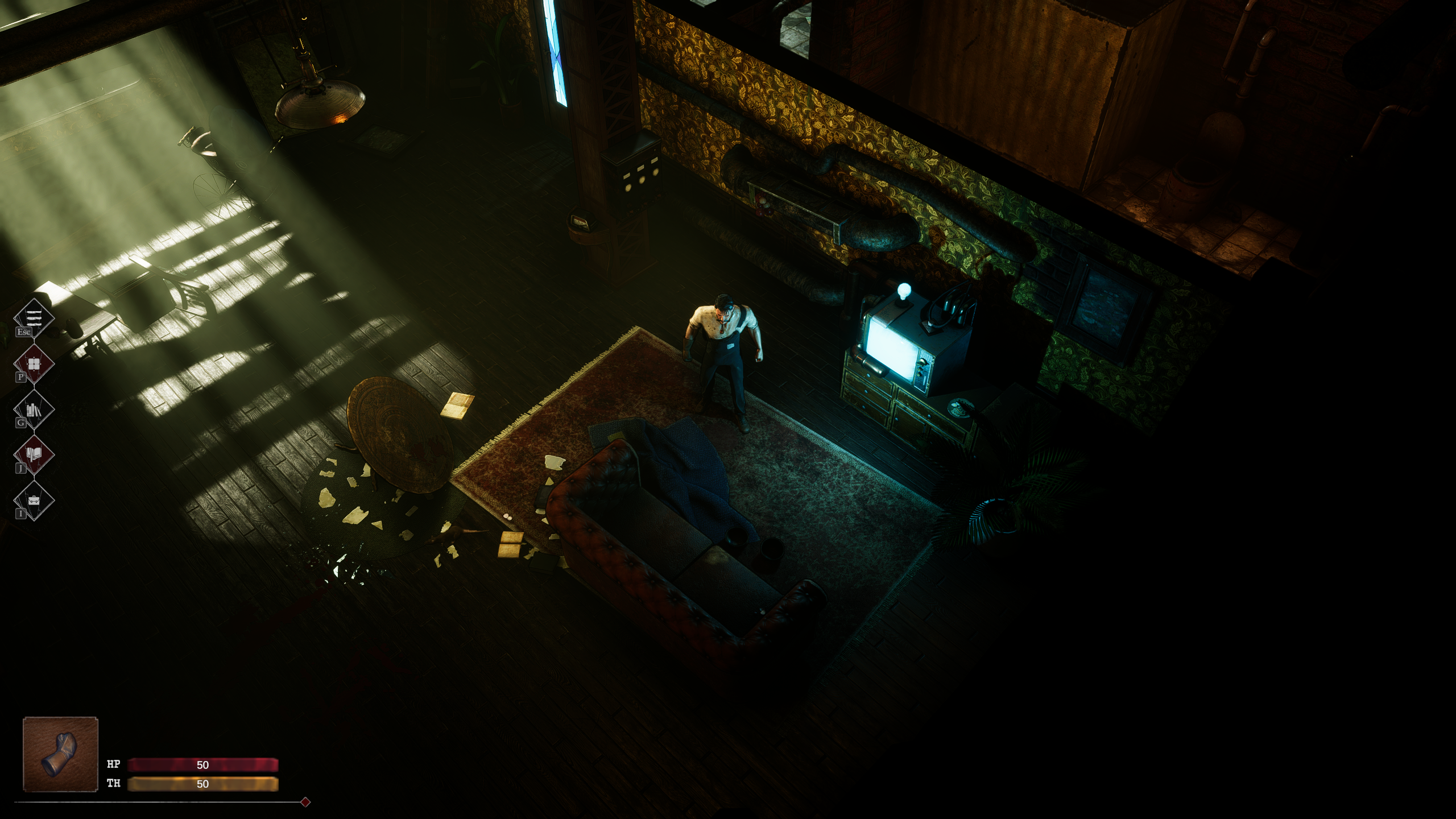
To enhance the effect, I combined real-time shadows with a light cookie. The cookie simulates the planks across the window and allows me to control the shape and softness of the shadows -- this gave me the flexibility of real-time shadows while still achieving precise static details like the plank pattern and avoiding jagged shadow edges.
Raising the shadow resolution of the Spot Light would have increased performance costs since it would apply to all shadows in the frame. Instead, by using a light cookie, I could get the resolution I wanted only for that specific shadow without affecting every other shadow in the scene.
Because this light is real-time, the volumetric rays also update dynamically; that means I could add extra touches like 2D sprite birds or clouds moving outside and the volumetric light reacts naturally, maintaining immersion.
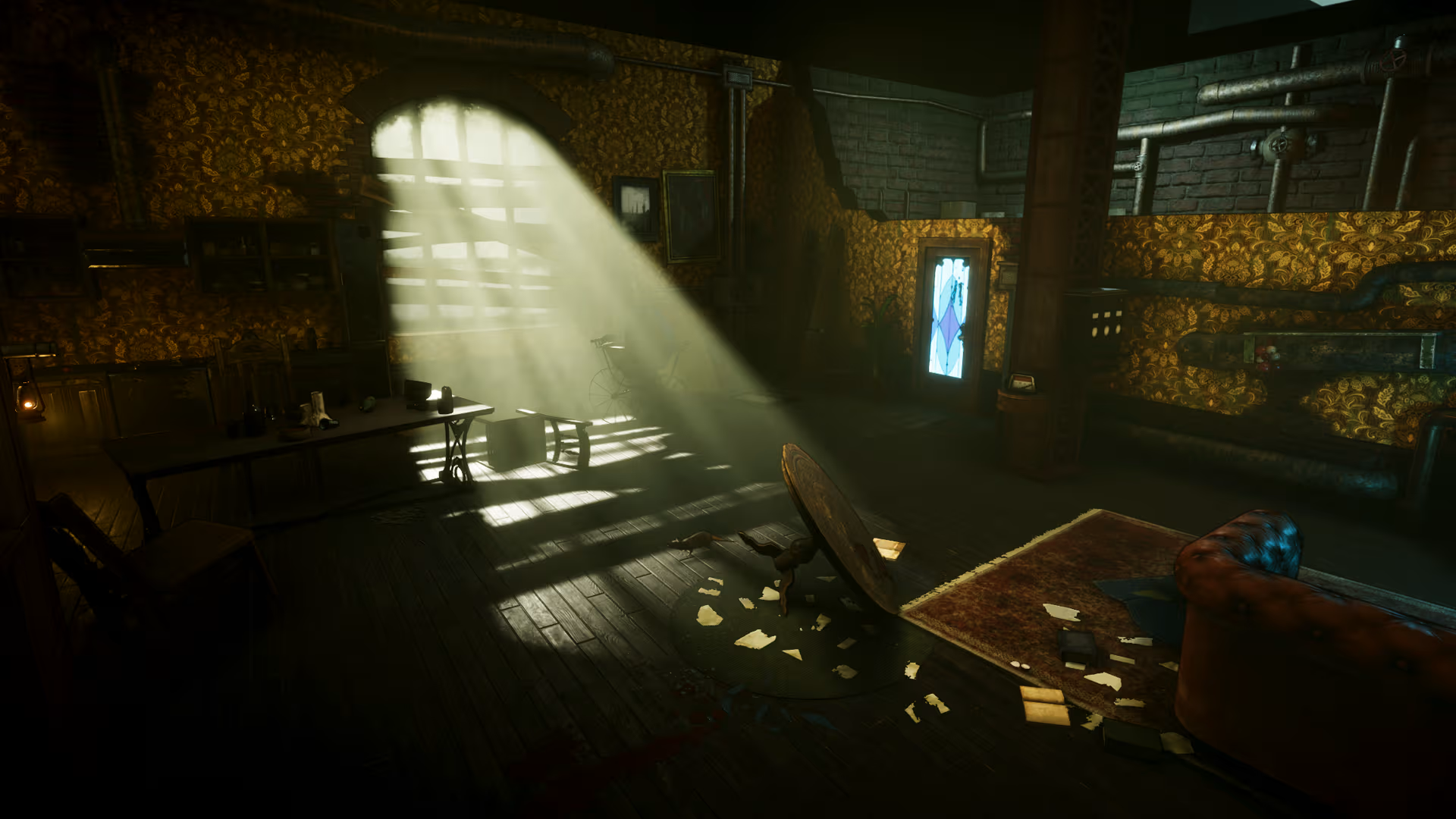 Close up look at the same scene from a different angle.
MIXED LIGHTS
Mixed lights came into play mostly to preserve specular highlights. Our game has a lot of metallic and reflective surfaces, and I did not want to lose that depth and realism.
However, we could not afford too many real-time lights, so mixed lights were a good compromise. We used them with cached shadows on Awake to reduce performance costs while keeping necessary shadow detail.
For fill lights, we disabled shadows entirely to save performance while still maintaining the highlights we needed.
You can see how enabling the mixed light brings out the specular highlights on the pipes.
BAKED LIGHTS
While real-time and mixed lights are powerful, you cannot rely on them everywhere. For performance reasons and sometimes for better overall quality, baked lights were essential.
I used several area lights and point lights to boost bounce lighting where I wanted it. Even though Unity’s GPU Lightmapper already calculates GI and light bounces, adding a few carefully placed baked lights helped ensure the look matched the mood I wanted.
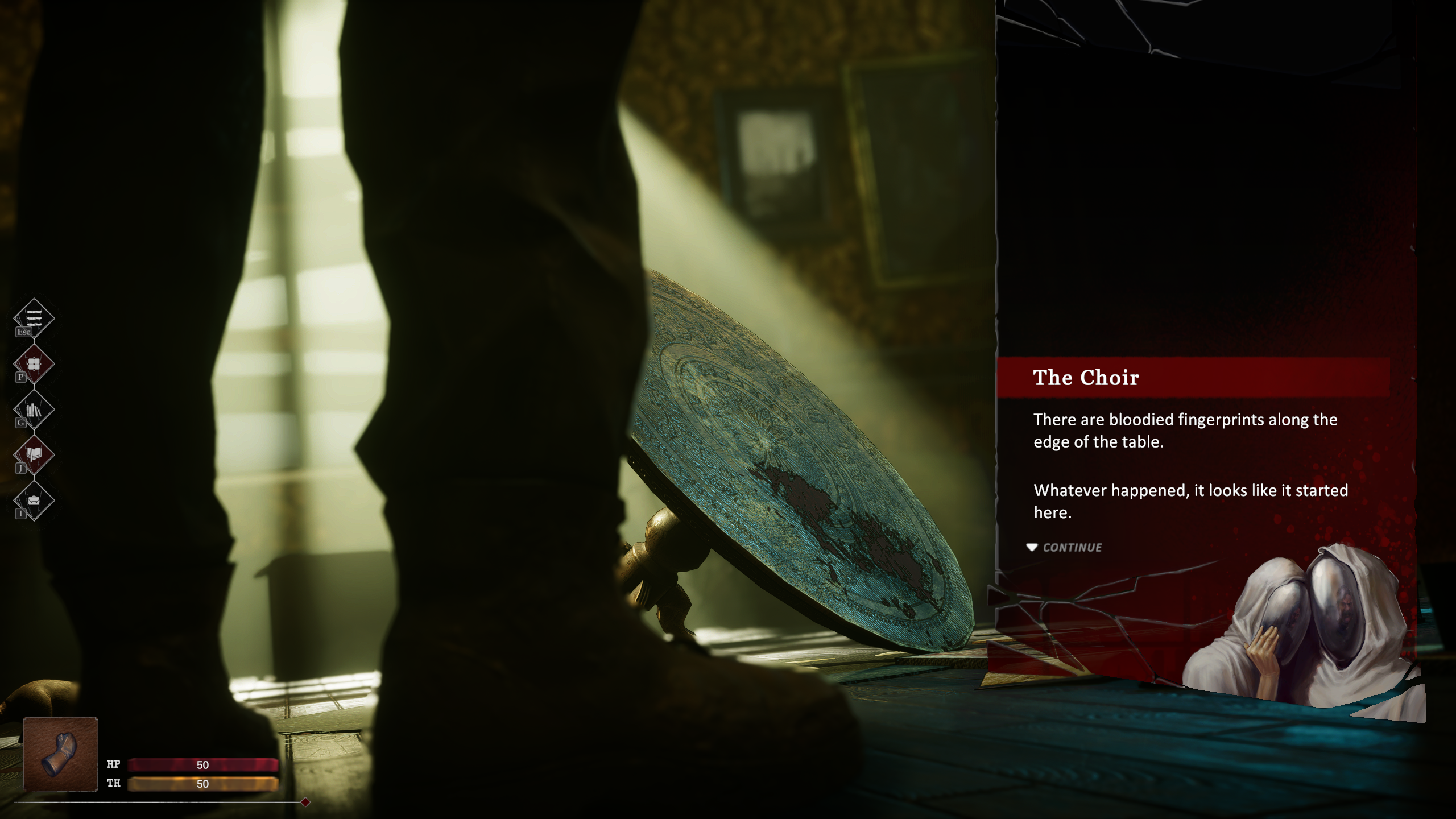
For example, I added a rim light around a wooden table on the floor. It sits almost directly under the sunlight, but without a boost it looked flat and underexposed. The rim light made it pop just enough to draw attention without breaking the mood.
However, to keep the scene from feeling too static, I added a real-time point light for the TV and used Unity’s Animation system to create a subtle flicker. This small detail immediately adds life and hints at the room’s story: when technology fails us, something is bound to go wrong.
A subtle flickering light to add some dynamic elements.
REFLECTION PROBES
Reflection probes are essential for believable visuals. I usually start with one probe at the center of the room, covering the entire space, so that most objects get some cubemap reflections. From there, I place additional probes close to specific reflective objects.
The shinier the material, the more it benefits from a dedicated probe nearby.
Even with just one reflection probe enabled, the yellow from the wallpaper becomes visible in the reflections on the pipes at the top of the screen.
ADAPTIVE PROBE VOLUMES (APVs)
We do not have a real-time day and night cycle in GLASSHOUSE, so APVs were not needed for time-of-day transitions, but they proved invaluable compared to traditional light probes for dynamic characters and NPCs.
Before, light probes gave results that were good enough but not optimal -- APVs automatically placed probes with smoother interpolation, which greatly improved how characters look when moving between bright and dark areas. This was especially important in rooms with strong light contrasts.
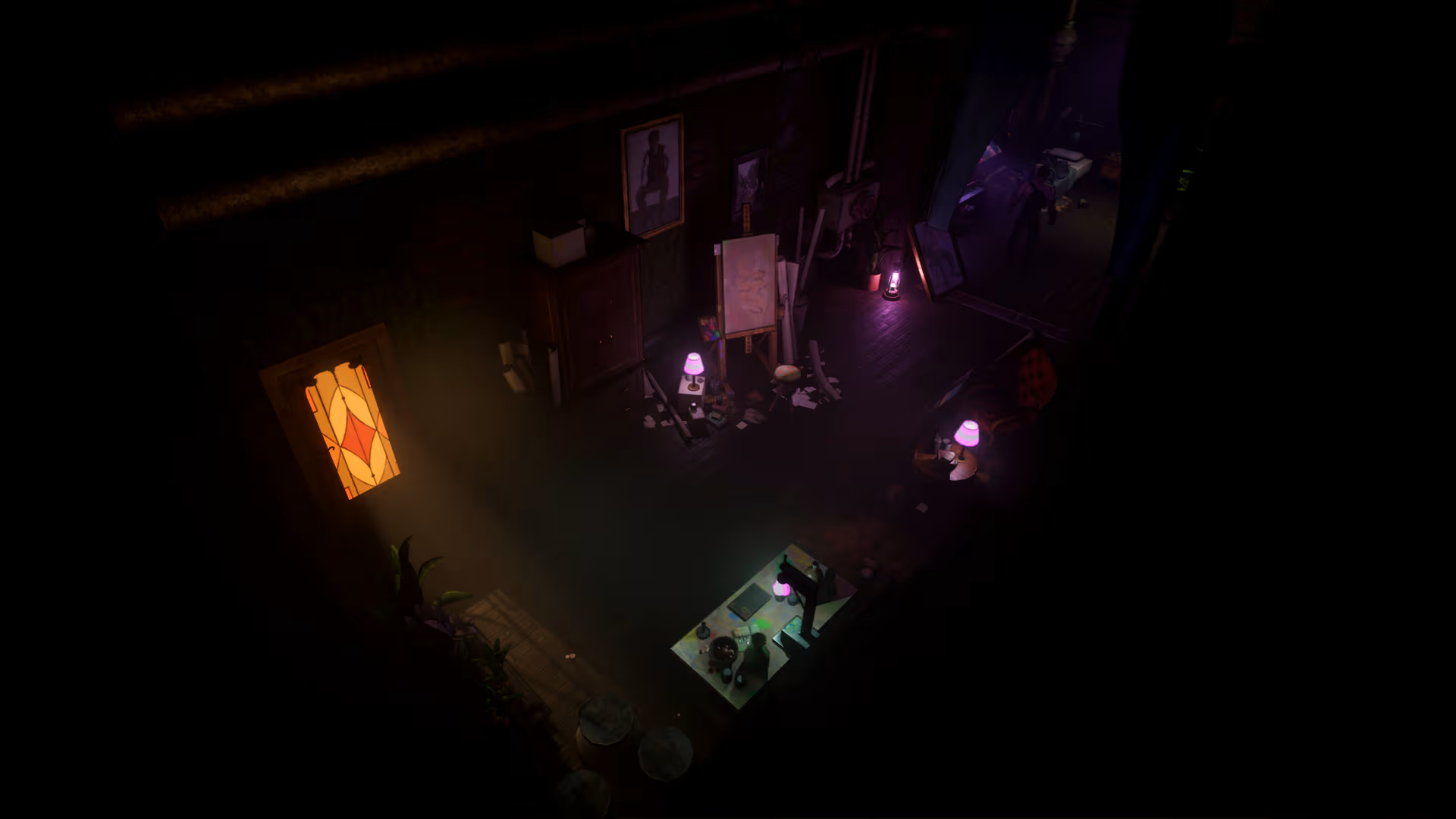 Example of a room with strong light contrasts.
CLOTH SIMULATION
To add more dynamism beyond characters, animated lights, and VFX, we relied on Unity’s built-in cloth simulation.
We used it mostly for curtains and tents; for performance reasons, we did not apply it everywhere, but whenever the player physically interacts with cloth (like pushing through a curtain) it adds a lot of realism.
I set constraints so the curtains behaved naturally and added the player’s collider into the cloth component so they would properly react to movement.
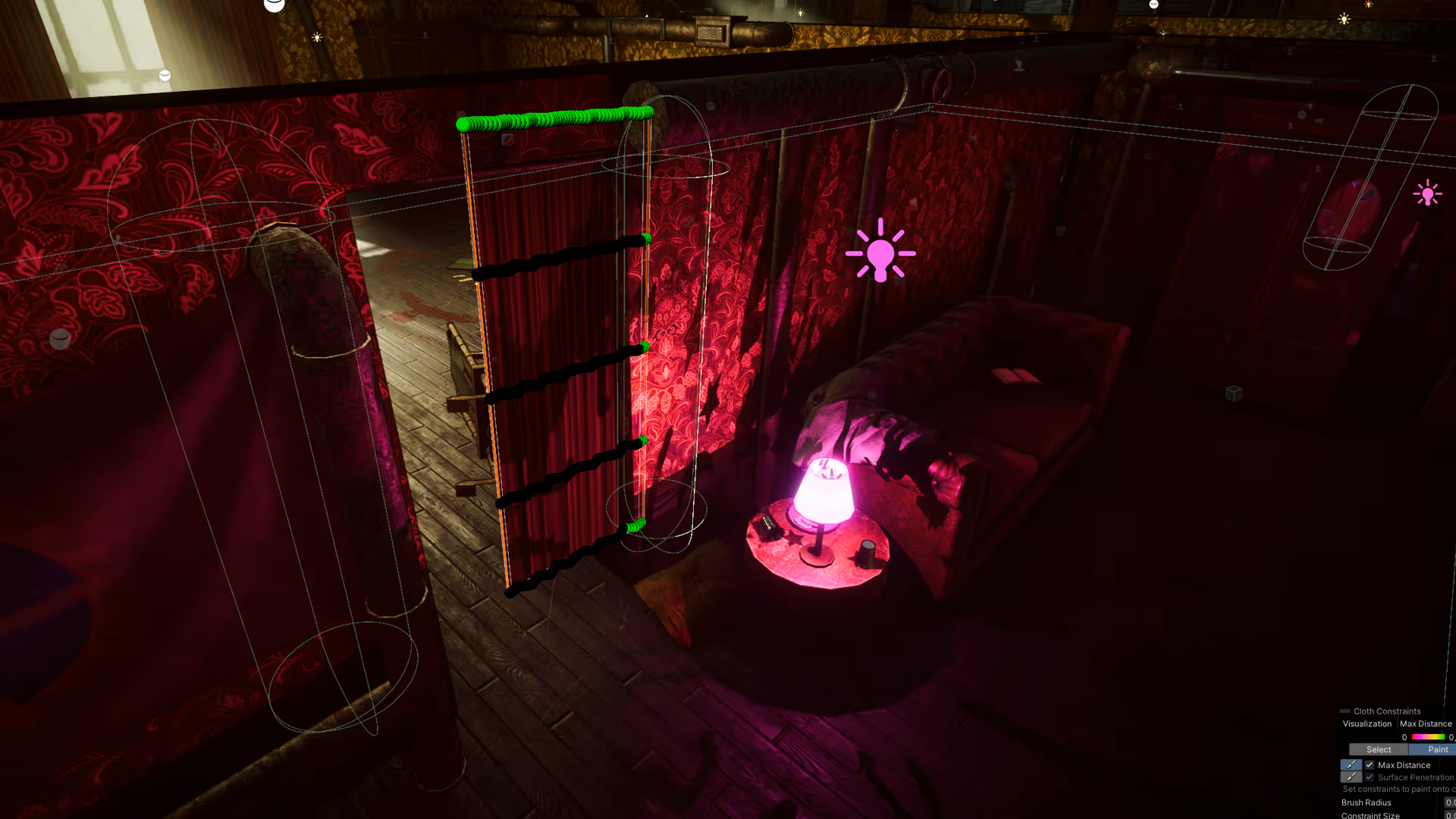 I set constraints on the top and right side of the curtain to keep it attached to the wall and prevent it from falling.
One of my favourite tricks was setting the HDRP Lit material of the curtain to Double-Sided; this way, shadows and light on the front of the cloth also show through the back, faking a kind of subsurface scattering effect. It makes the curtain feel thinner and more realistic, as if light were passing through the fabric.
Shadows and light are rendered on both sides of the curtain, mimicking a subsurface scattering effect.
That’s all for today.
I hope you enjoyed this deep dive into the realm of technique and intent: GLASSHOUSE isn’t a vast open world; we have a relatively limited number of environments for both narrative and production reasons -- and precisely because of that, we take as much time as possible to make every room feel lived-in, every frame visceral.
See you in the next DevBlog!
– Andrea Marinelli, Lead Technical Artist, FLAT28 Collective