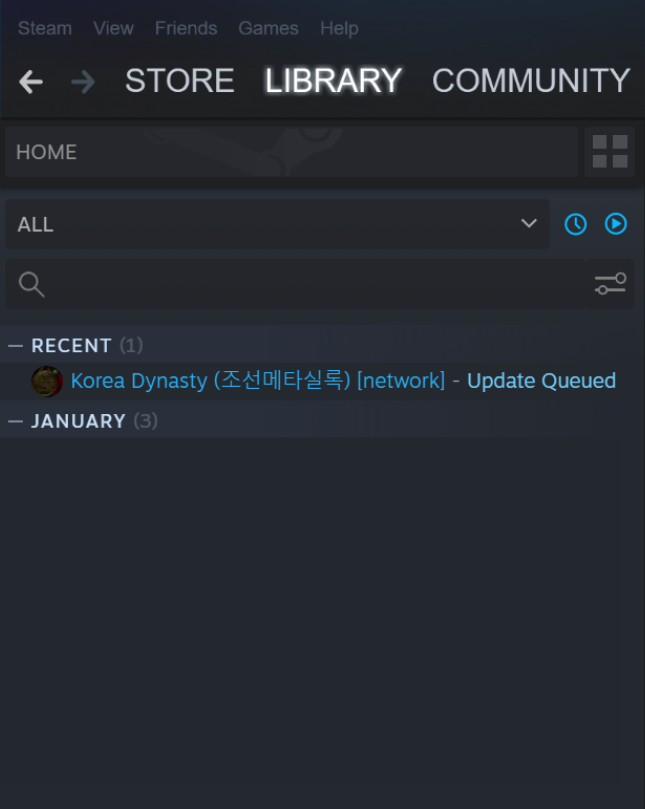
hello. Korea Dynasty Co-op multiplayer has been released as a beta.
We'll walk you through the ability to turn steam multiplayer into an early access test build.
The unfortunate thing about releasing it right away is that the existing files and save/load are temporarily blocked due to stability issues, but we plan to do so next week with stability improvements.
Inconvenience and stability may still be low in multiplayer, so if you give us feedback on Discord, we will check and reflect it.
We will switch to the beta build for a while and integrate it with the regular build once stability improves to some extent.
Please note that there is a risk of data loss while on the network.
If you want to try it when the situation is stable, please wait a little longer and we will open the function so that you can do it in the full version without conversion.
# How to Join the Multi Beta Server
# 1. Beta participation must be enabled in Steam settings.
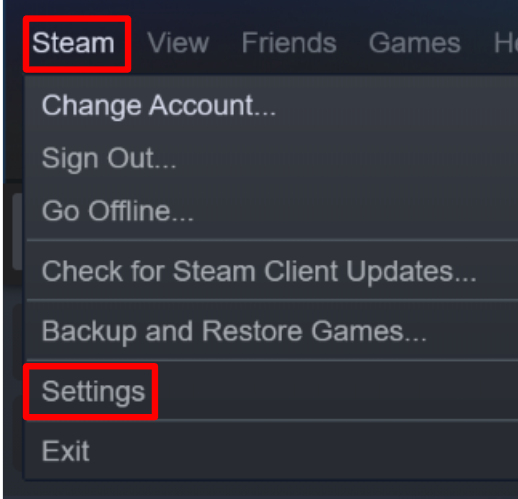
Select Steam in the upper left corner to open the settings window
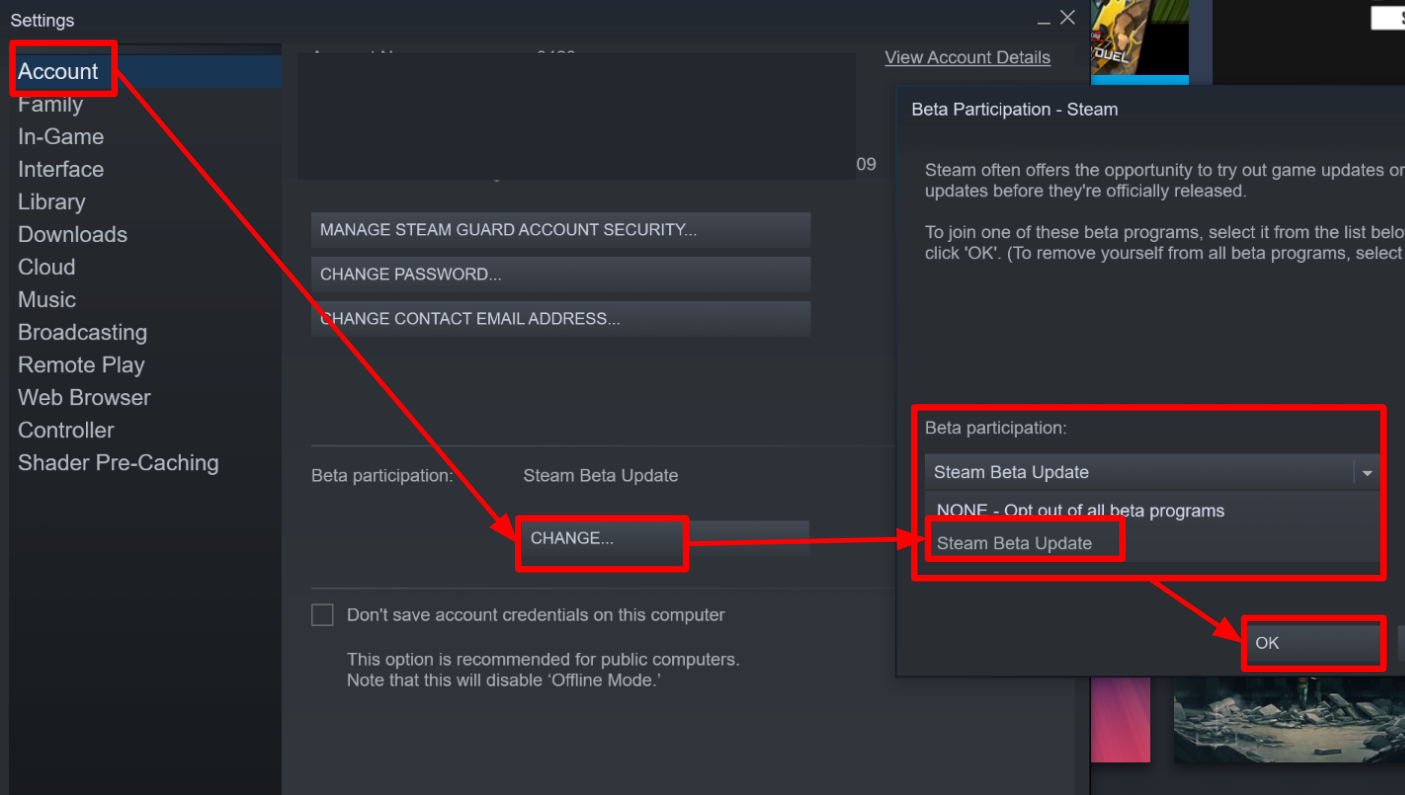
Account → Participate in Beta → Change button → Steam Beta Update → Click OK
# 2. Change to Beta Server in KoreaDynasty settings.
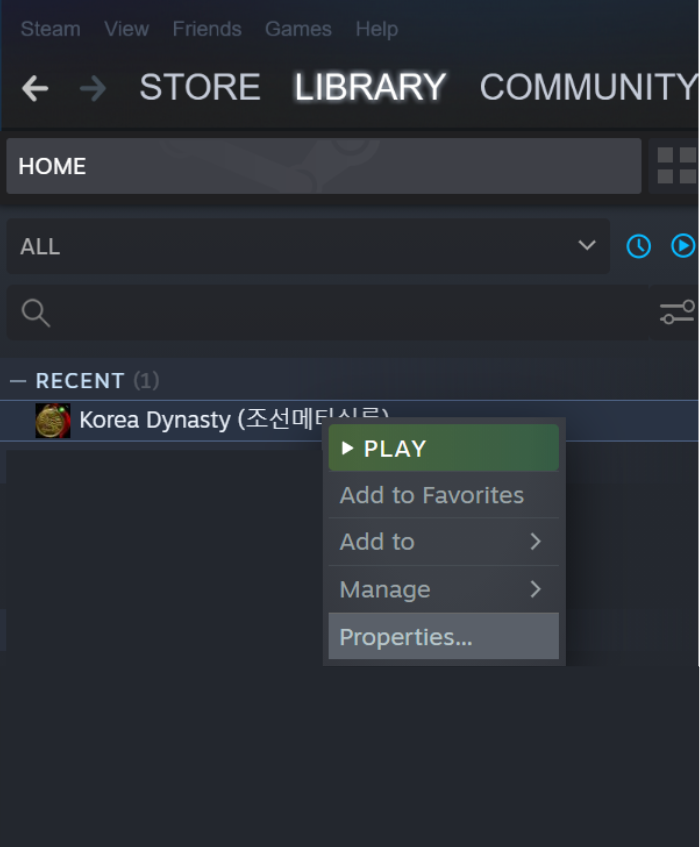
Right-click on KoreaDynasty in the library to open the Properties window.
Beta → Enter weloveplayer (all lower case letters) in the participation code and click the code check button.
Choose the beta you want to join.
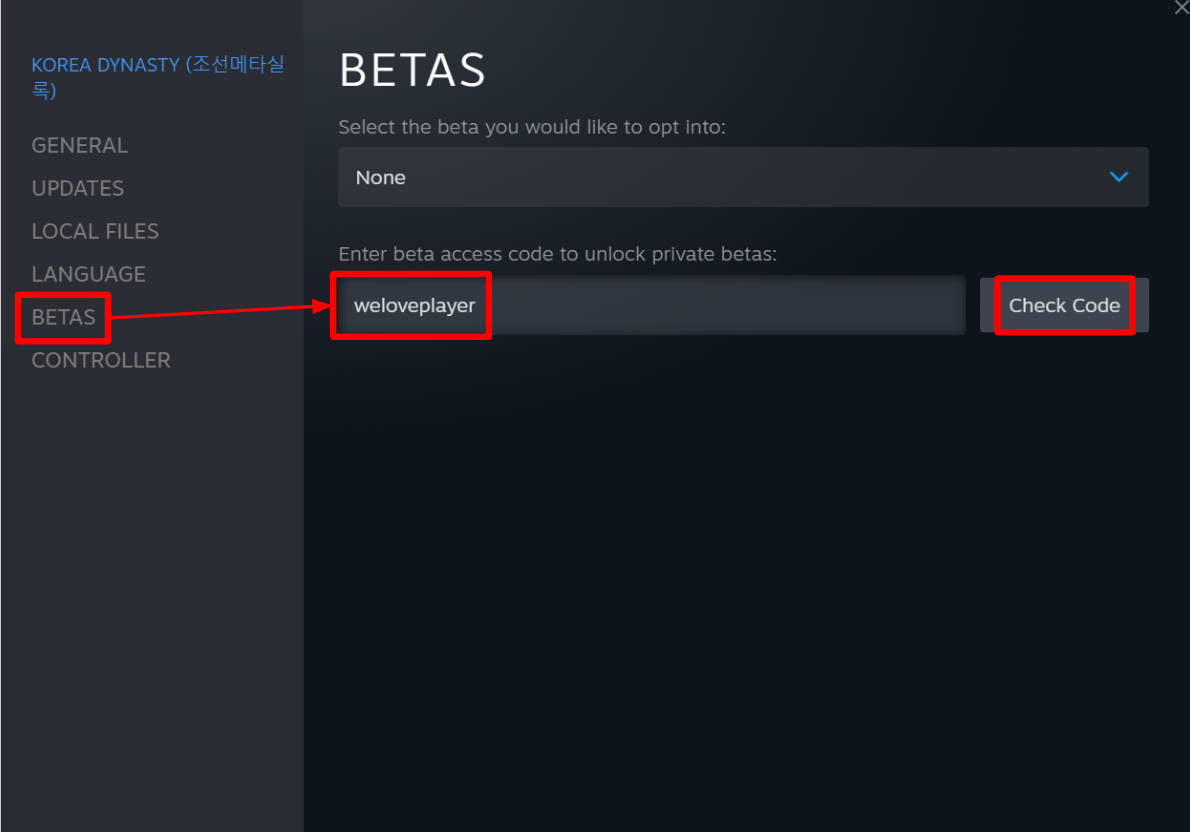
If you don't see the beta, close the properties window and open it again to activate it.
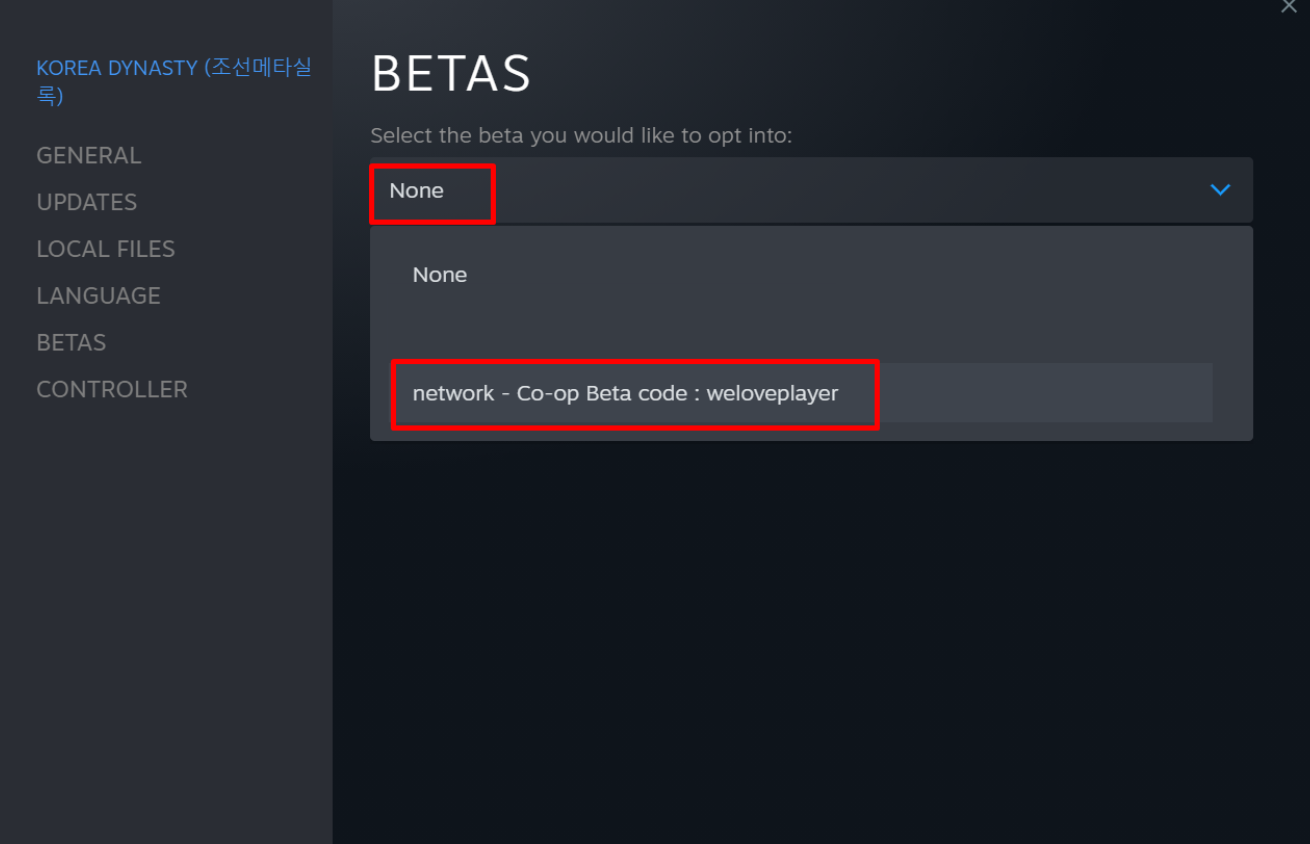
If you change the name to Joseon Meta Annals [Network], participation in the beta will be completed normally.