
Hello, this is the MELIGO team.
The MELIGO Creator v1.2.14 (Beta) update was released on November 17, 2026.
This update has been released on the Steam beta branch first. The default version stays at v1.2.13.
This update reworks the camera settings.
1. Camera Settings Windows
Camera settings are now split into separate windows by item.
You can adjust View settings, Background blur (DoF), Look at character and Global timing in their own windows while watching the screen.
- Location: Background - Camera settings
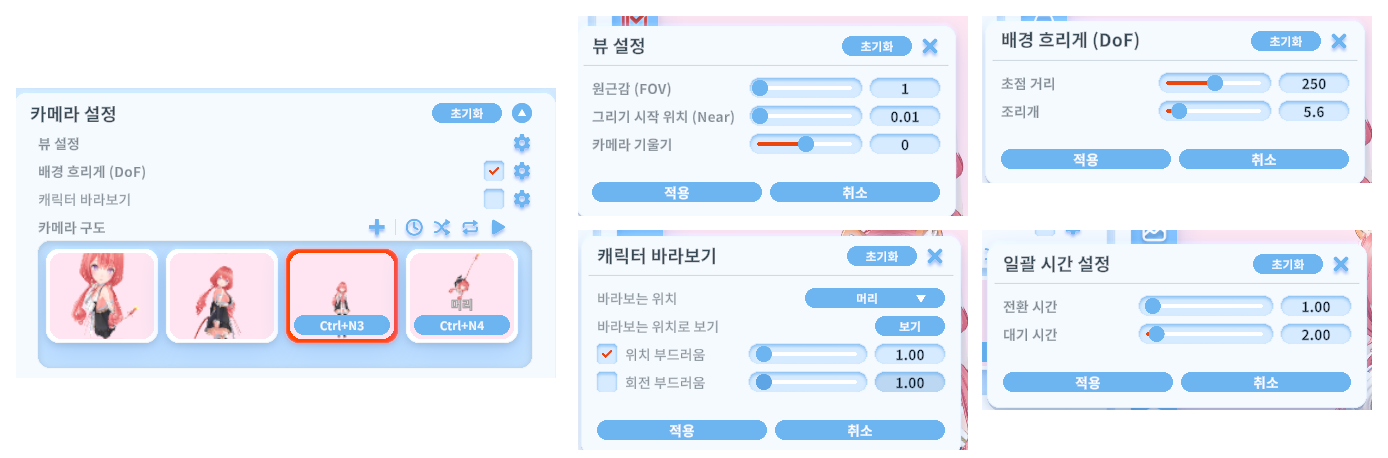
Camera settings, and the windows that open with the gear icons
2. Look at Character
Choose the body part the camera looks at, such as the head, chest or hands.
The selected body part stays in the same place on screen even when the character moves.
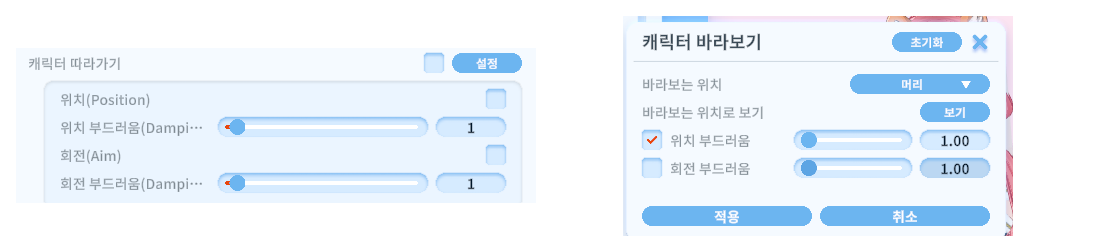
Left: before / Right: v1.2.14
3. Camera Shots
Camera position save slots have been reworked into Camera shots.
You can reorder shots, set a transition time for each shot, and use Shuffle and Repeat playback.
- Shot shortcuts: now assigned by order number. When you change backgrounds, the shot in the same position on that background is played.
- Shot shortcuts set in earlier versions no longer work. Please assign them again.
- Camera movement transition: merged into the shot transition time. To switch shots instantly, set the transition time to 0.
4. Ctrl + Wheel Perspective Control (New)
Hold Ctrl and scroll the mouse wheel to adjust the perspective (FOV) right away. The character's size stays the same.
- Adjustment speed: Options - Camera sensitivity settings - Camera FOV sensitivity
Changes
- Card Shortcut Display
The way shortcut fields are shown on cards such as Camera shots and Presets has changed.
- Before: fields without a shortcut always showed 'HotKey'.
- Now: only assigned shortcuts are shown, and empty fields appear when you hover over the card.
- The save button on preset cards also appears when you hover over the card.
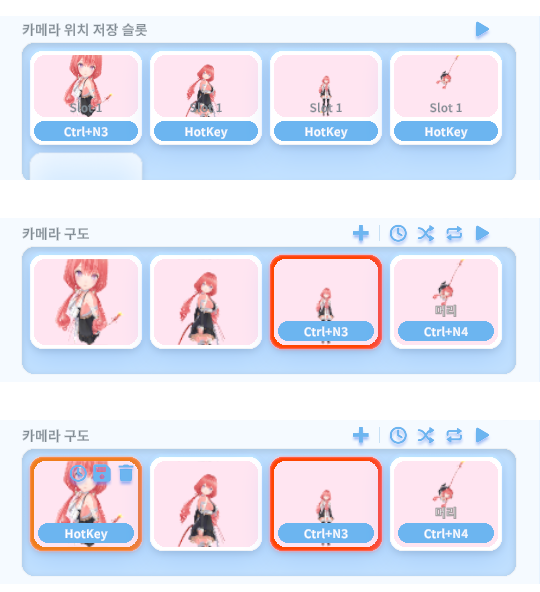
From top: before / v1.2.14 / v1.2.14 on hover
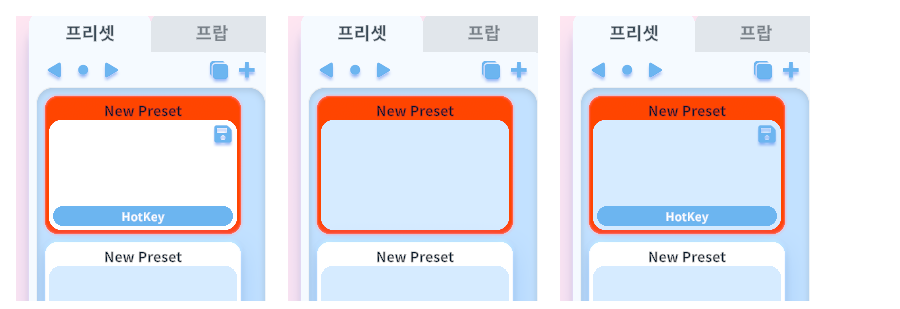
From left: before / v1.2.14 / v1.2.14 on hover
- NiloToon Shader Reset Option Removed
The shader reset option in the NiloToon settings has been removed, so the shader set on the character is used as is.
Improvements
- Background List Scrolling: wheel scrolling in the expanded list now follows your wheel sensitivity and smooth scrolling settings.
Bug Fixes
- Fixed an issue where floor reflections appeared on the character in the Halloween background.
How to Use the Beta
- Steam - Library - MELIGO Creator - gear icon - Properties - Game Versions & Betas - select 'v1.2.14'
- To return to the default version, select the default public version on the same screen.
Thank you.