
Hello Builders!
The update 4 is now available on every platform! It brings new vehicles, 2 new DLC maps, Difficulty Options, QoL improvements and various bug fixes. Read the complete patch notes below.
PATCH NOTES
New Features
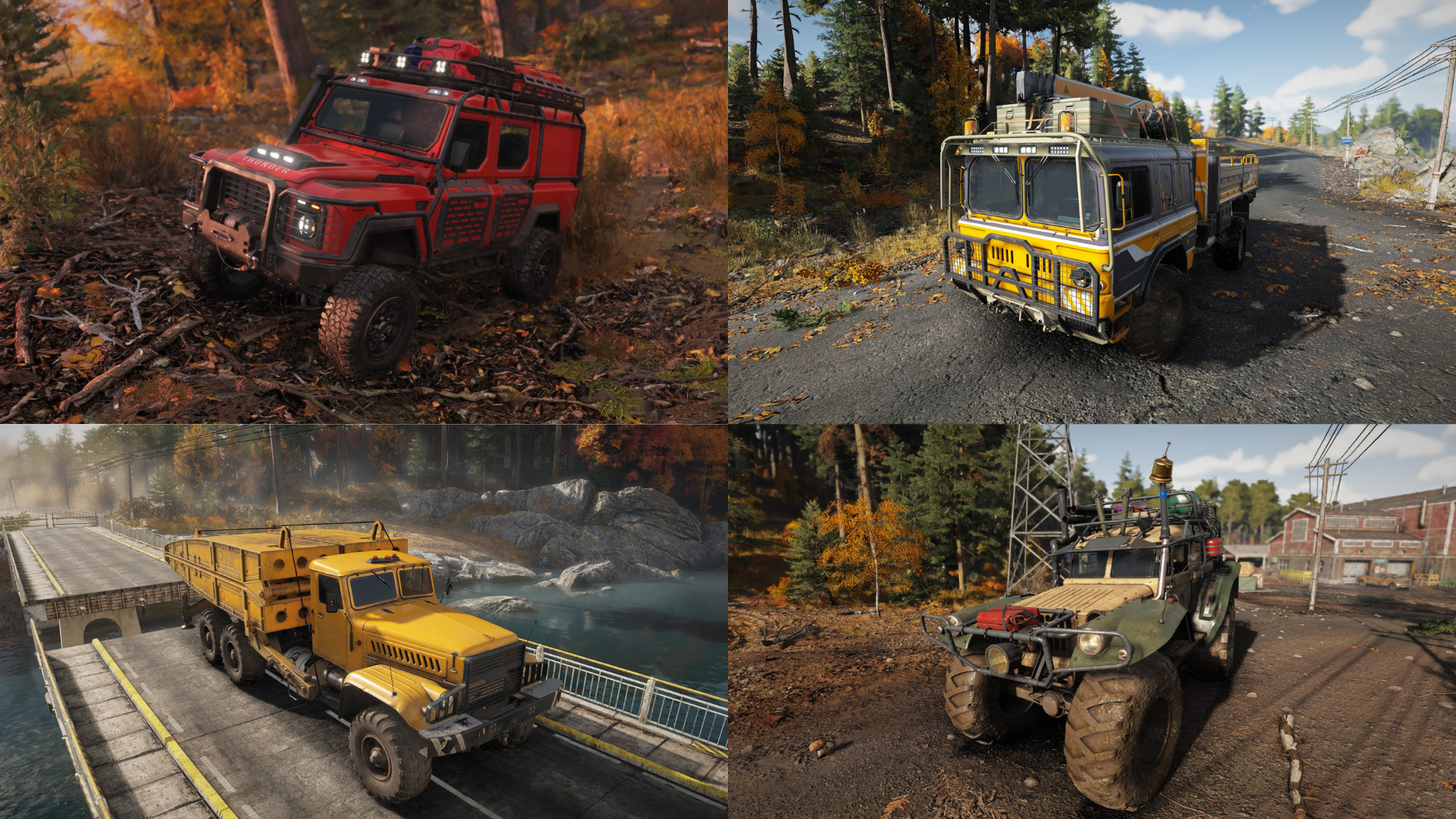
DLC - Added New DLC Vehicles
• Vostok MU-97 "Ant" Bridge Layer
• Vostok MU-97 "Ant" Rusty Bridge Layer
DLC - Added New DLC Vehicles Variants
• Tayga 6455B Bridge Layer
• Armiger Thunder "Expedition" Scout
• MULE T1 "Trailblazer" Cargo Crane Truck
• Tuz 119 "Mutt" Rusty Scout
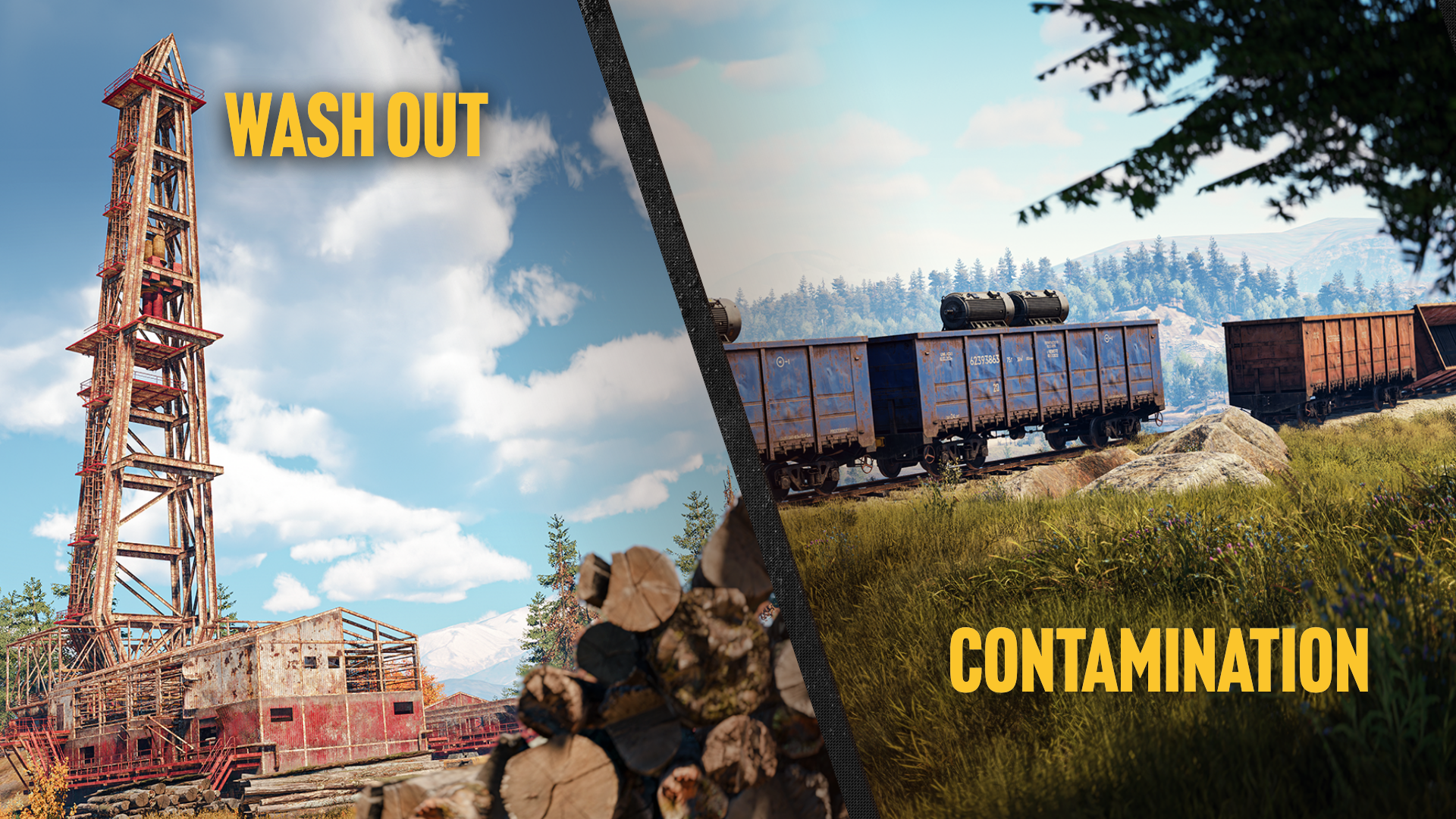
DLC - Added 2 Maps
• Contamination
• Wash Out
FREE - Added New Vehicles Variants
• Wayfarer ST7050 Fuel Truck
FREE - Added Difficulty Modifiers (Hardmode)
As promised a few months ago, we added different difficulty modifiers to spice up your experience!
When starting a new save, you’ll have the opportunity to customisze your game by adding fuel management, economy modifiers and more. Don’t hesitate to start a new save with these modifiers enabled.
• Limited Fuel
• Convoy Difficulty
• Fewer Convoys
• Gearbox
• Bridge Costs
• Economy Modifiers
• Realistic Quarry Zones
• Recovery Rules
• Vehicle Cost
Fixes & Improvements
General
• Fixes for multiple random crashes and general stability improvements
• Minor performance optimisations
• Minor save system optimisations
• Localisation issues
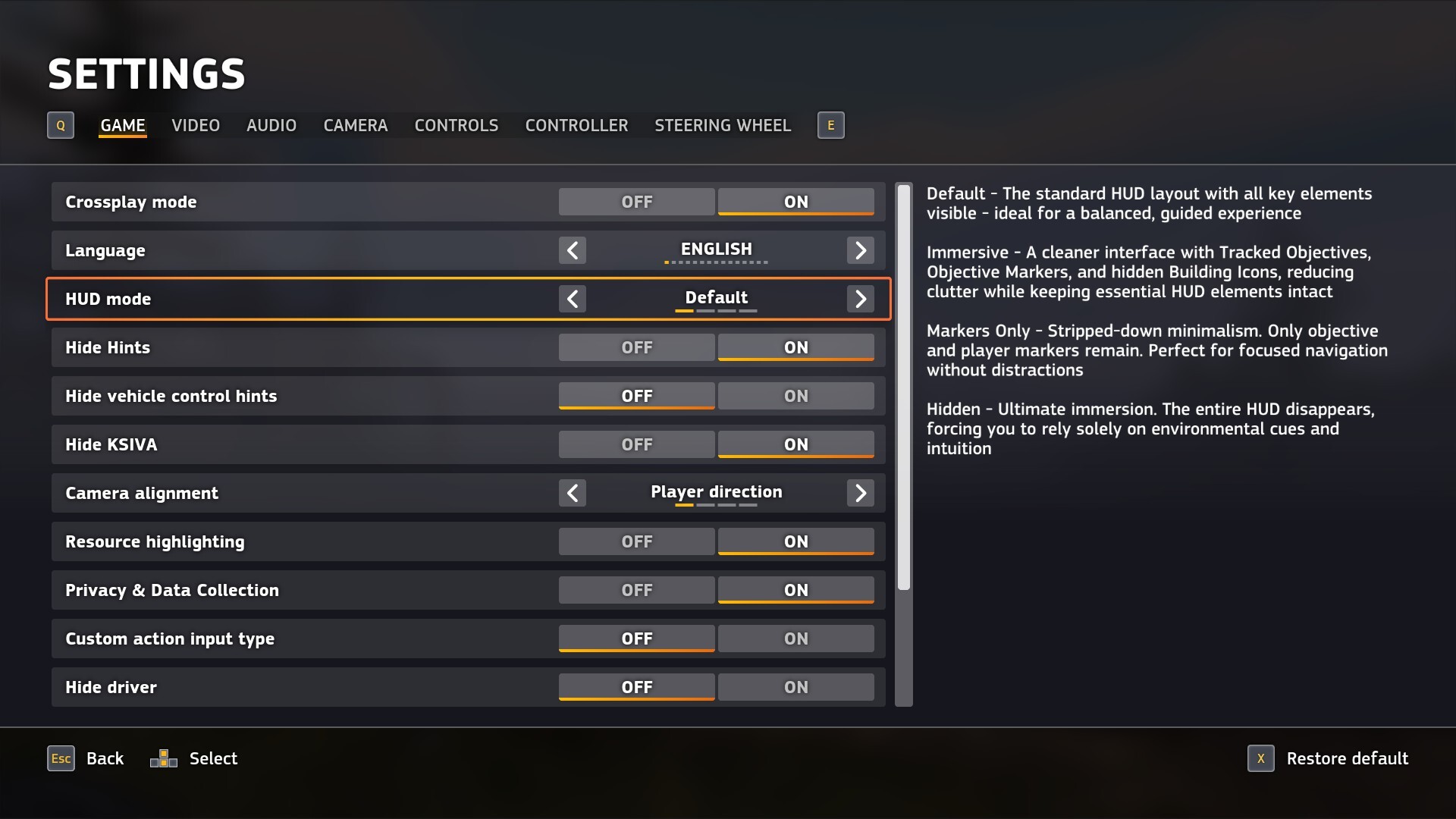
• Added: 4 HUD modes in Settings
UI/UX
• Fixed: "Interaction" button no longer appears gray in the Details window
• Fixed: "Start/stop engine" button icon no longer persists incorrectly
• Fixed: Balance replenishment animation now properly plays in the garage tab after selling vehicles
• Fixed: Selector no longer disappears when switching diagonally to a cell with two vehicles
• Fixed: Profile data now displays correctly in the garage Details window.
• Fixed: Crane control tutorial now displays in the correct language based on game settings.
• Fixed: Session opening no longer fails if the player switches to the Permissions window during the process
• Fixed: Loading animation no longer remains stuck in the Pause Menu after exiting multiplayer window
• Fixed: Gamepad’s "Delete point" button in AI route editing is now correctly marked as active.
• Fixed: Resolved issue where scene restart forced AI routing cursor instead of default
• Fixed: Canceling company customisation now returns the player to the previous screen instead of reopening customisation
• Fixed: AI route points can now be placed close to UI elements without placement issues
• Fixed: Client selection action menu now disappears as expected after use
• Added: Route markers
Render
• Fixed a bug with trees twitching during the rain
• Fixed a bug with flickering branches
• Fixed a bug with tiled terrain after reentering to the map
• Fixed a bug where the target display changes after switching to windowed mode
• Fixed a bug with square water VFX
• Fixed an issue where terrain deforms when vehicles pass nearby