
Update 0.10.2
Hello, Classrooms players!
This update is about finding people to play with. There is a new Multiplayer menu with Quick Play for joining strangers, community codes for playing with your own community, and a new lobby where everyone readies up before the game starts.
For everyone, the main menu has been rebuilt around a stack of tapes, there is a new loading screen, Custom Mode is now open from the start, and you can send us a bug report from anywhere in the game with F8. Your character also has all-new body animation, held items sit steady like a view model, you can keep up to ten save slots, and you can hide from entities in a bathroom stall. Plus a long list of fixes.
A New Main Menu
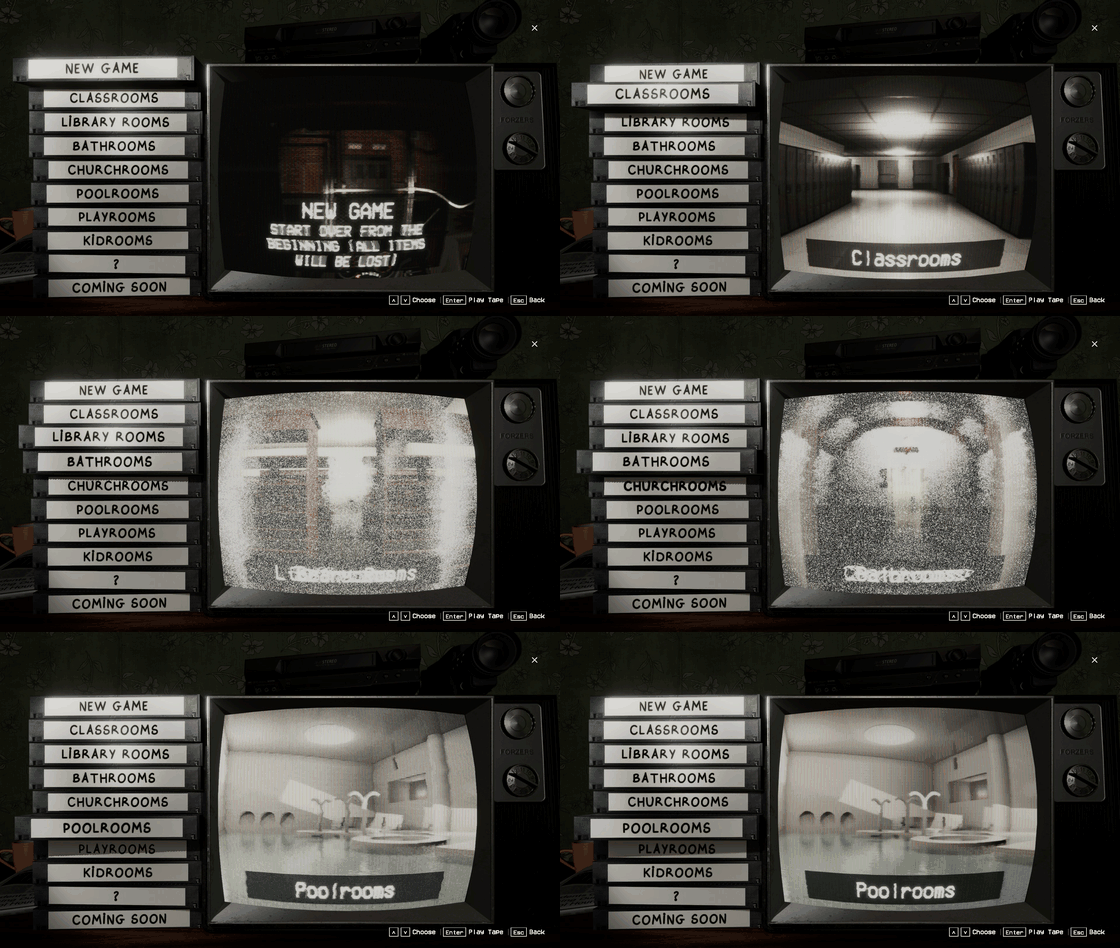
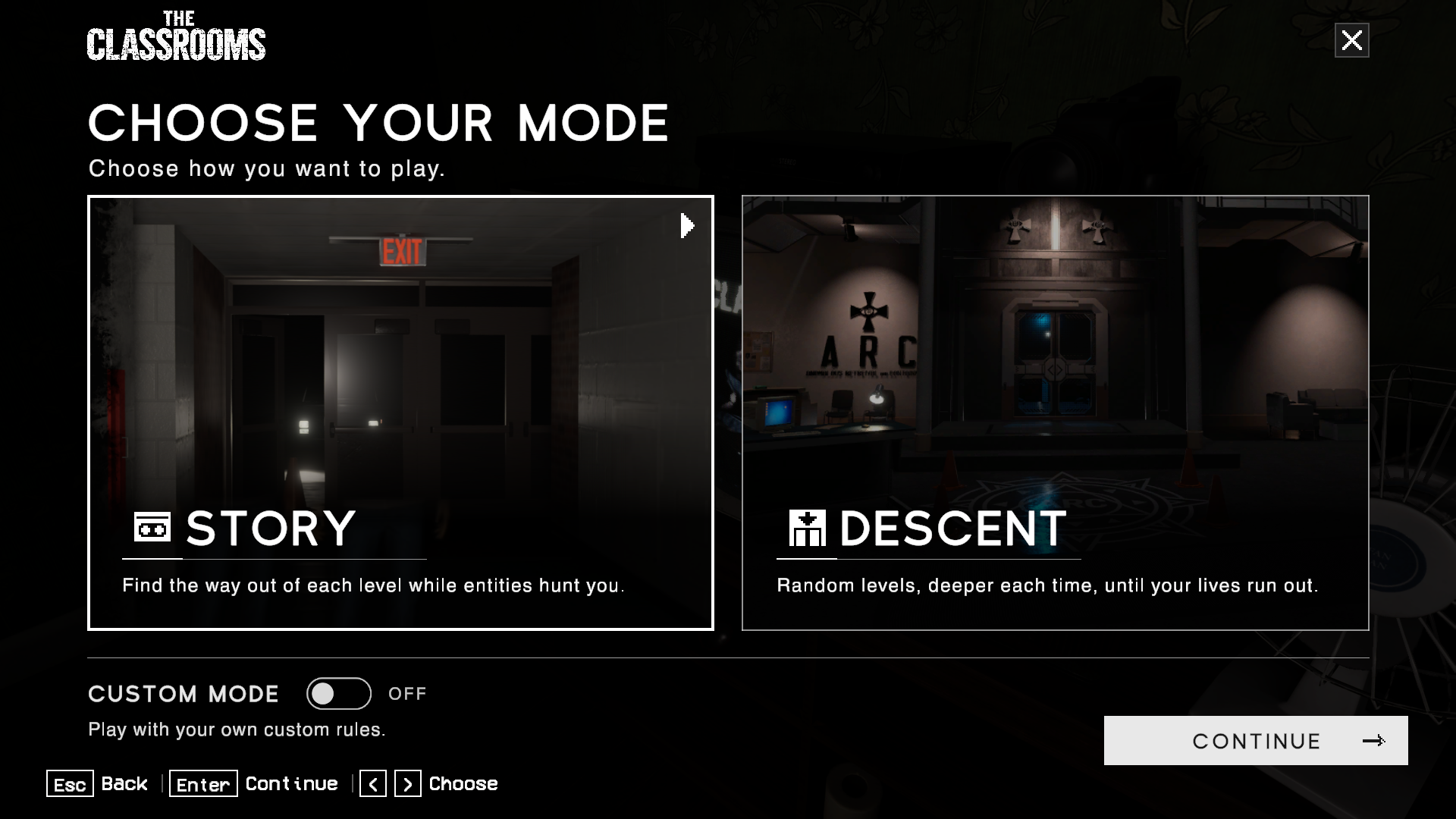
Story and Descent now sit under one Singleplayer button, which opens Choose Your Mode. Story levels are picked from a stack of VHS tapes beside the TV: the tape you pick, or hover with the mouse, slides out and plays its level's preview on the screen, with new preview pictures for every level. The menu buttons have new icons too.
Multiplayer uses the same tapes, so the group picks its level the same way.
New Game now plays the intro tape on the living-room TV, then zooms you straight into the van. Hold Enter or A to play it four times faster.
Edit Character zooms into the TV instead of fading through a loading screen.
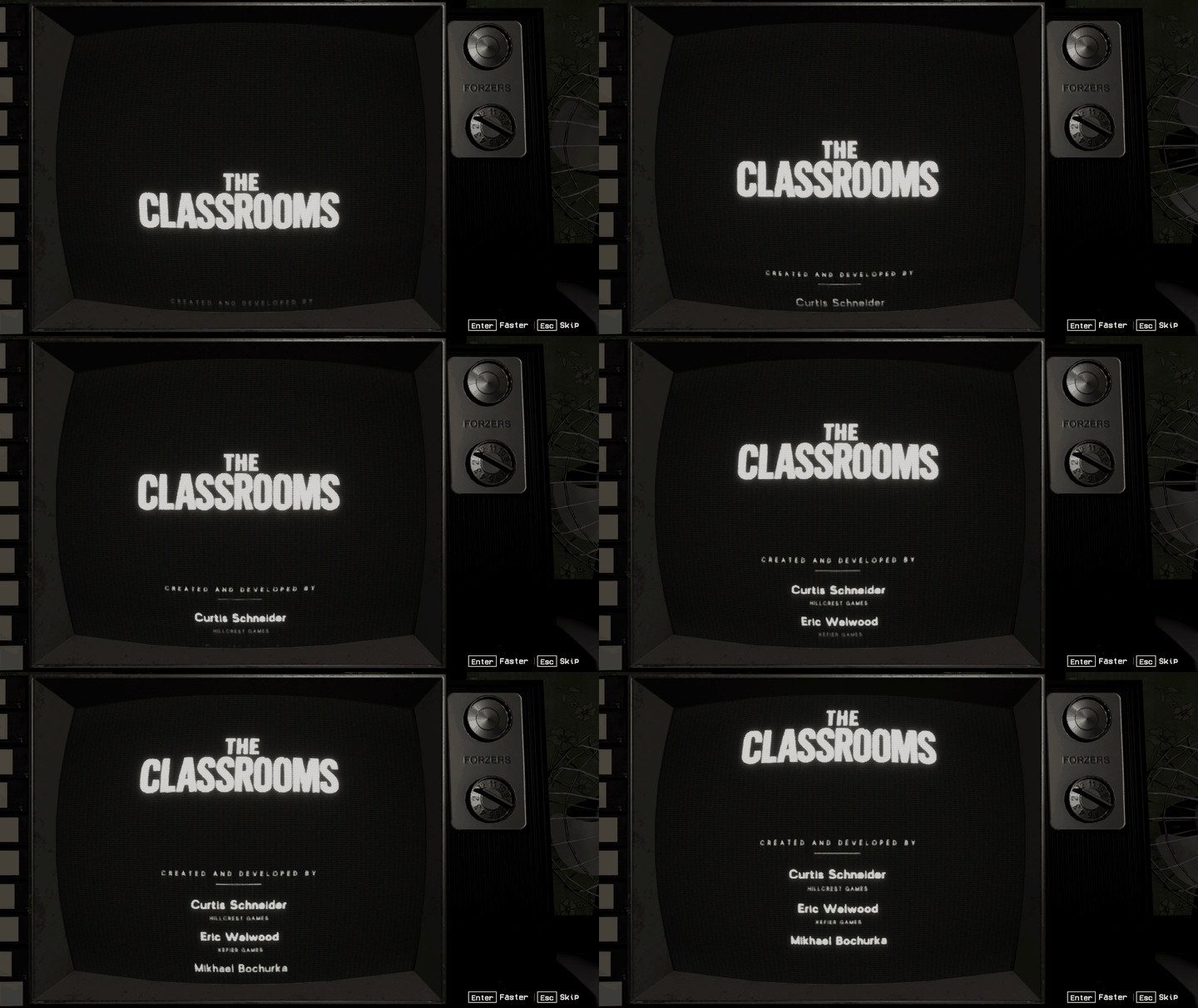
A new Credits button rolls the credits on the TV like a film's end crawl, over a credits edit of the theme.
New Multiplayer Menu
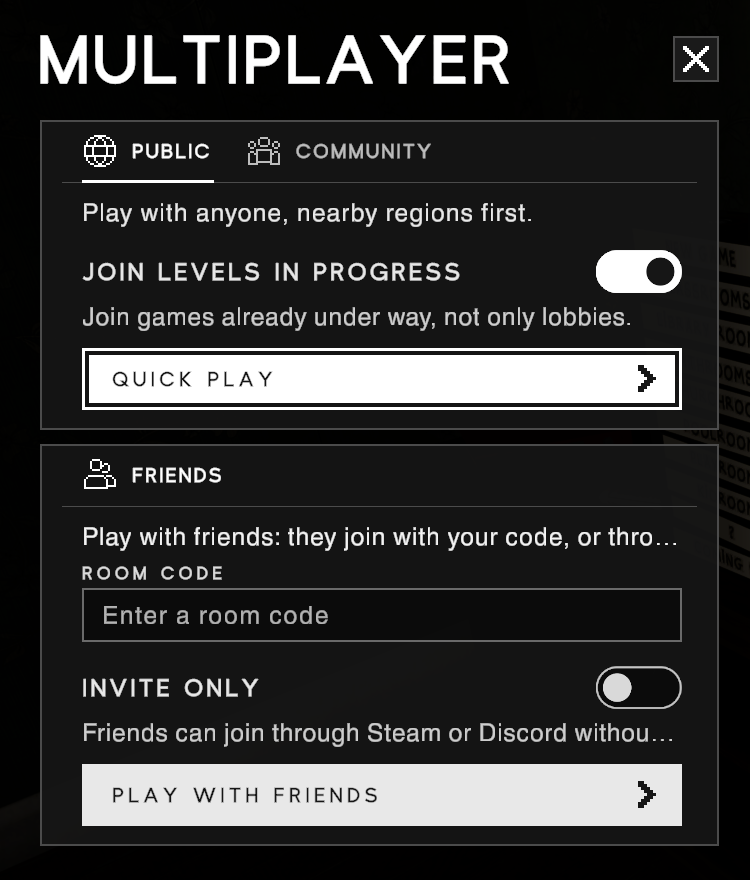
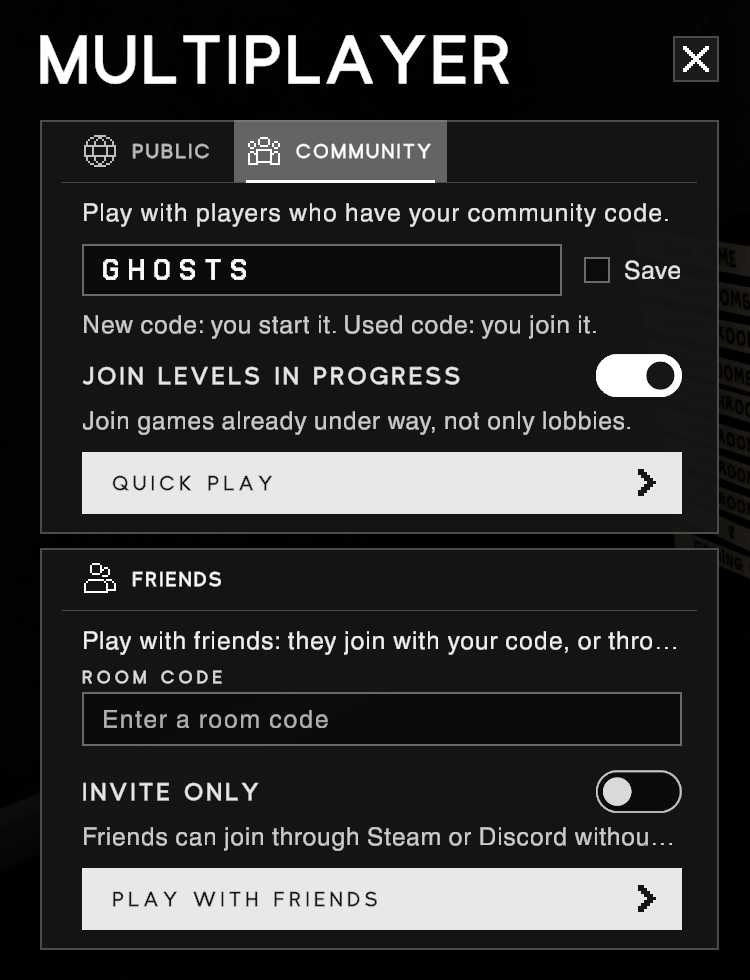
Multiplayer now opens a page of its own, with three ways to find a game:
PUBLIC: press QUICK PLAY to join anyone, nearby regions first. Pick Story or Descent, and in Story the level, and the game looks for a room for you.
COMMUNITY: type a community code of 1 to 12 letters or digits and press QUICK PLAY. You only meet players who use the same code, so a streamer can give their viewers one code to find each other. Tick Save to keep it.
FRIENDS: PLAY WITH FRIENDS creates a room, or joins one if you type its room code. Friends can still join through Steam or Discord.
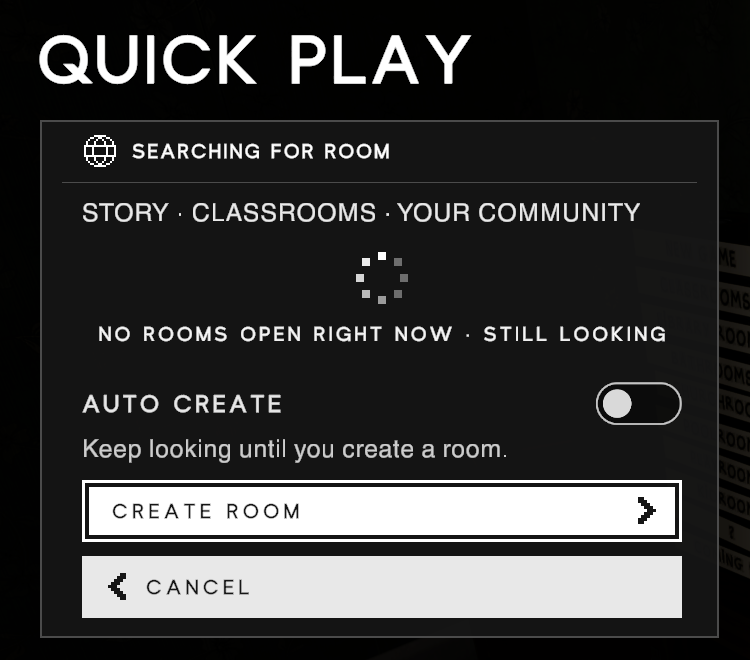
While Quick Play looks, the SEARCHING FOR ROOM page shows what it is doing. If nothing is open, press CREATE ROOM to make your own, or turn on AUTO CREATE and it makes one for you. A room far away is never joined by itself: the game asks first if the ping would be high. JOIN LEVELS IN PROGRESS (on by default) lets you jump into a game that has already started.
Your CUSTOM MODE switch decides what you find: with it on you join games with custom rules, and with it off games without.
The Lobby
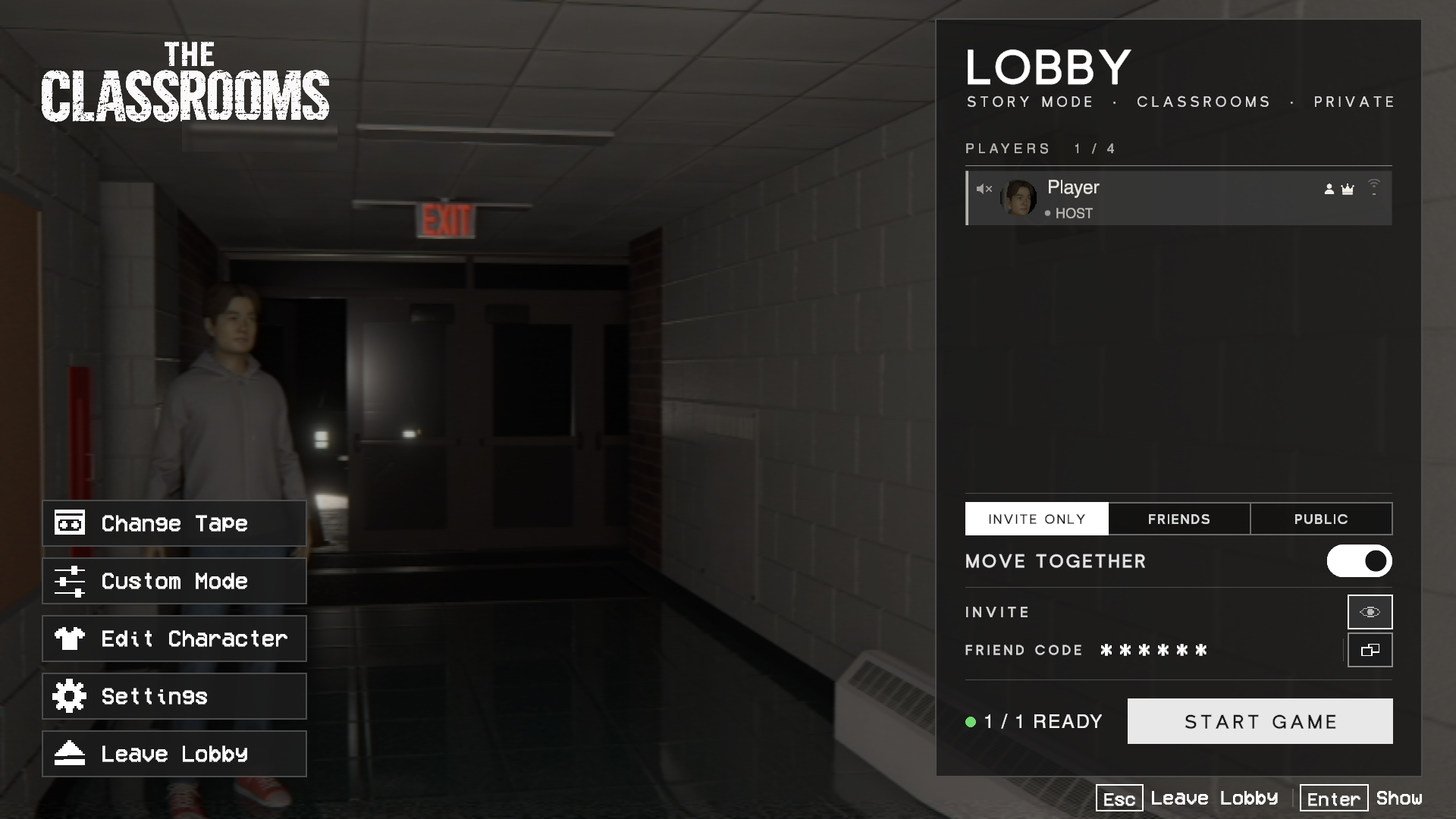
Before a game starts, everyone now meets in a full lobby page. It shows the mode and the level, each player's face, and who is ready.
Guests press READY UP. The host presses START GAME, which counts down from 20, or starts as soon as everyone is ready.
The room is INVITE ONLY, FRIENDS (the default) or PUBLIC. Invite Only rooms need your code; Friends rooms can be joined through Steam or Discord; Public rooms can be found with Quick Play. Making a room public can't be undone, so the game asks first.
INVITE holds your friend code with a copy button and a Steam invite button. The eye button hides the codes, so they stay off stream.
In a Friends or Invite Only room, the host can Change Tape to pick another Story level, and switch on Custom Mode from the lobby.
If you leave a level while your group plays on, you come back to the lobby, where you can join them again.
Save Slots
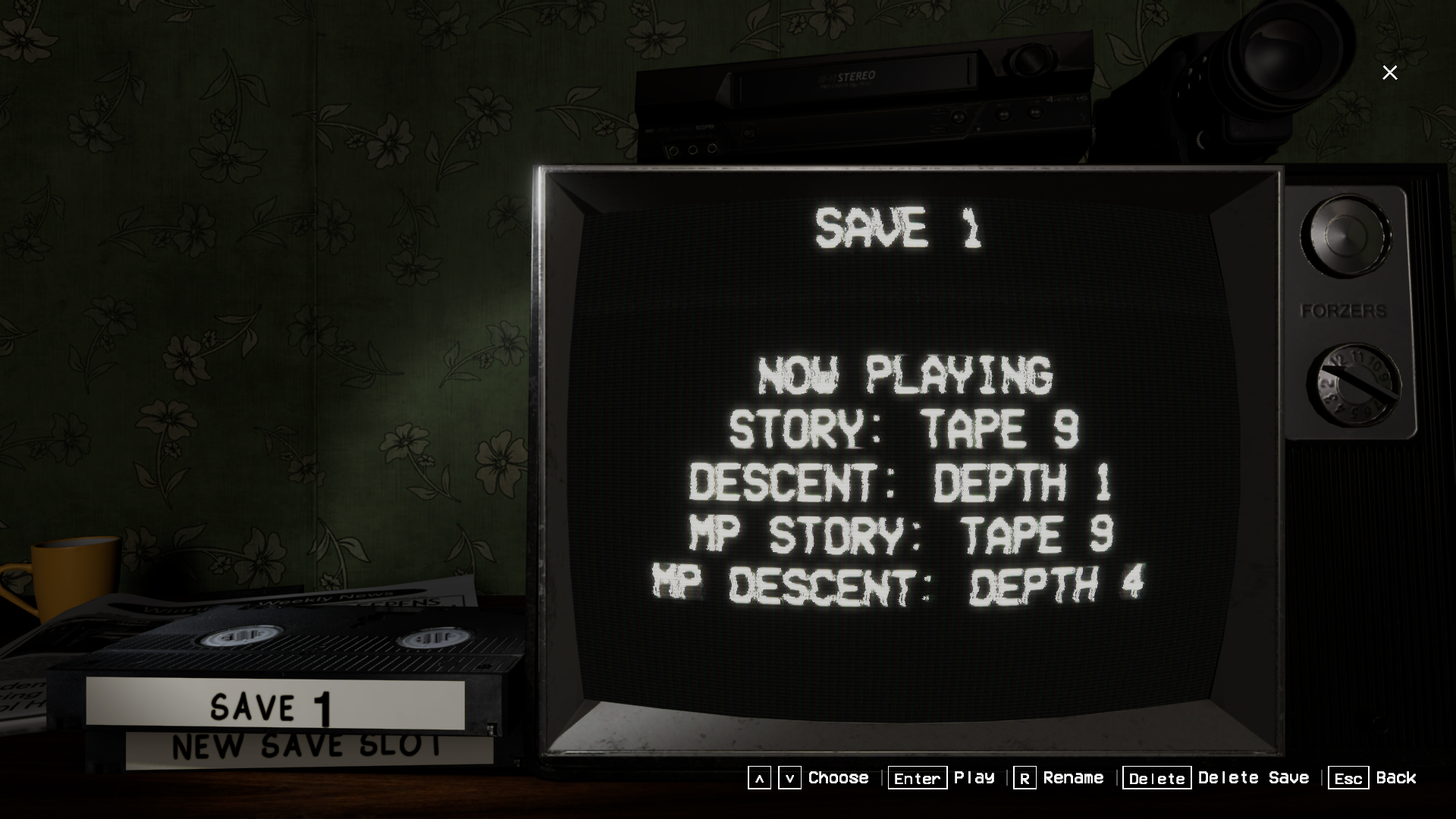
Change Save on the main menu lets you keep up to 10 separate saves, each with its own progress in every mode and its own character. Each save is a tape: pick one to play it, rename it or delete it at the TV, and the TV shows how far that save has got in Story and Descent.
Starting a New Game now offers NEW SAVE, so you can start over without losing your current save. Saves sync through Steam Cloud, and deleting one deletes its cloud copy too.
New Body Animation
Your character has been reanimated. Walking, running, crouching, jumping and landing are all smoother, your feet no longer slide, and your legs step properly on stairs and slopes. Footsteps now match your feet.
Held items now sit steady on the right of your screen like a view model, at every field of view: they move gently with your stride and trail a little behind when you turn.
The camera bobs half as much while you walk, and a new Camera Bob slider in Settings > Game turns it down to nothing.
The Magic 8 Ball, the fungus pills and the waterproof camera case can now be held and used from your hand.
Getting up after a hard landing is smoother, and you can run again as soon as you're standing.
Looking down no longer slumps your body with the camcorder under its chin, in mirrors and for other players.
In Multiplayer, other players' bodies move smoothly too, without jerking or stretching.
In the Tutorial you now sit properly in the van's seat.
Holding an item no longer twists your shoulder on some characters. Your elbow sits lower and moves in front of you when you look up.
New Loading Screen
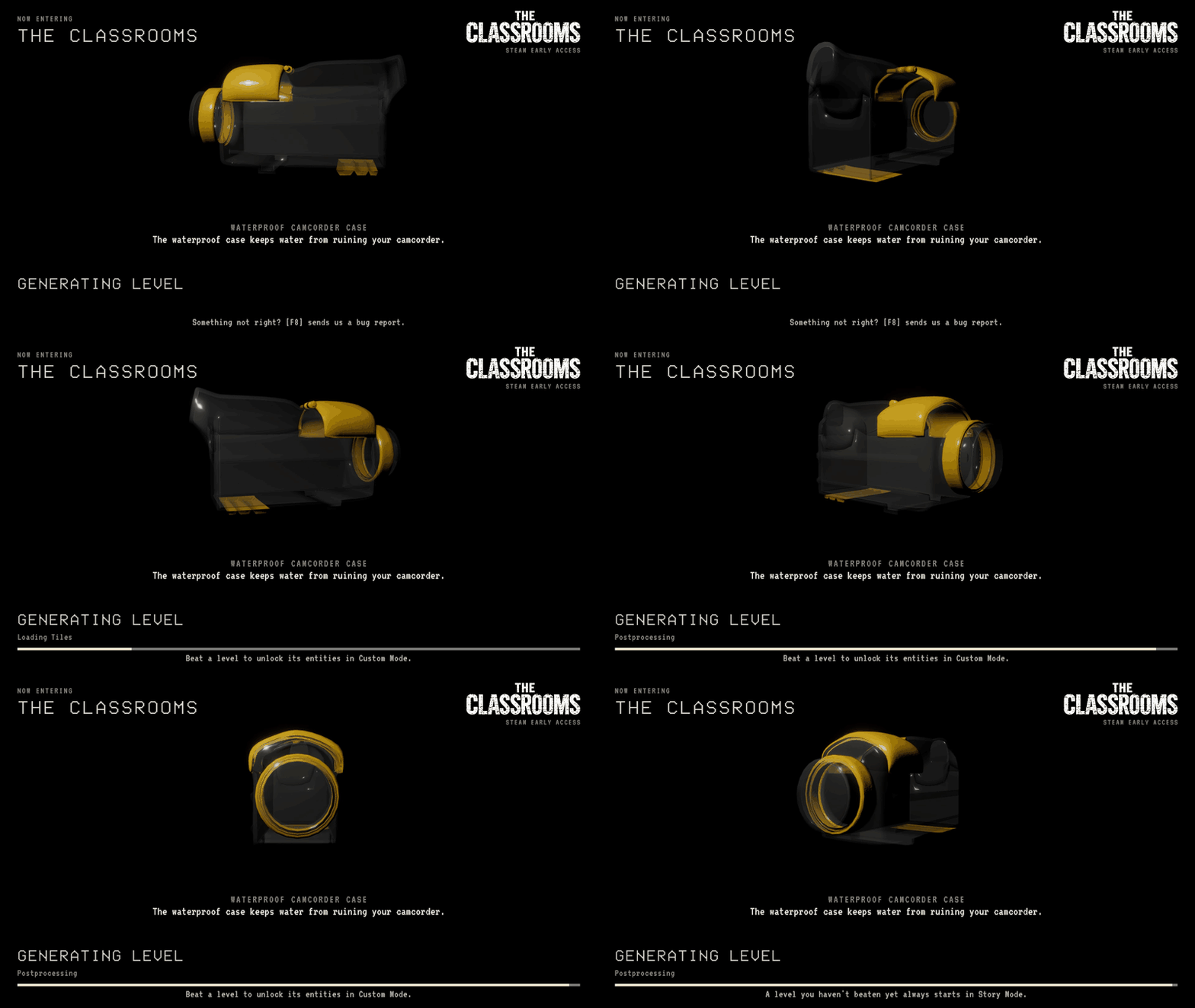
The loading screen now shows the level you are entering, with an item or an entity you have unlocked turning in 3D, a short description and a tip.
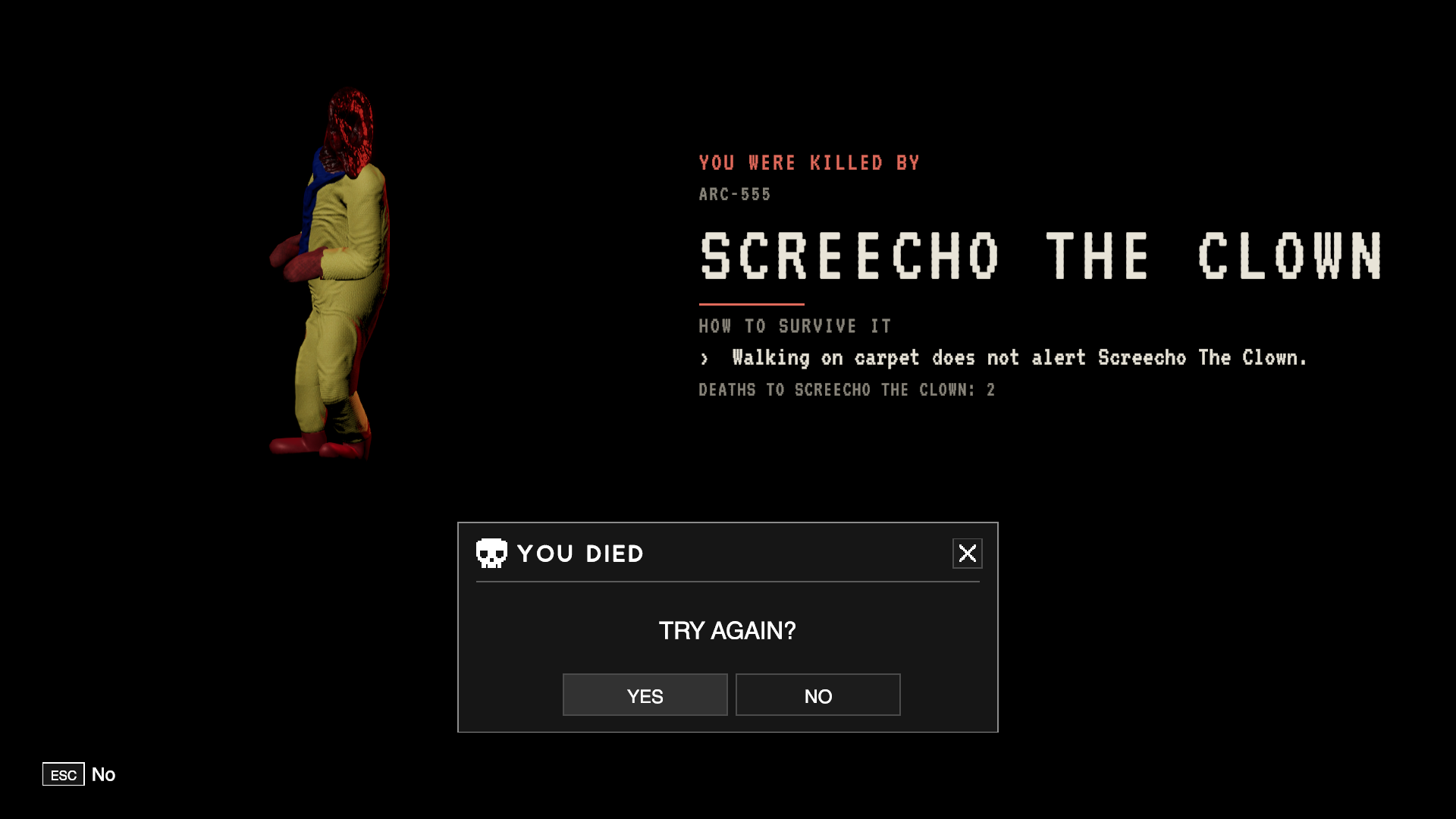
After a death, the loading screen shows the entity that killed you, how many times it has, and one more hint on how to survive it each time.
New Custom Mode unlocks are shown on the next level's loading screen.
Levels freeze less at the end of generating: the longest pause, up to several seconds in the Poolrooms and Kidrooms, now runs in the background.
Custom Mode for Everyone
Custom Mode is now open from the start. Its entities unlock as you beat their levels: the Cloaked Figure and the Cursed Doll for the Classrooms, the Clown for the Libraryrooms, and so on up to the Grinner and the Hell Doll for reaching the end.
If you played Custom Mode before this update, you keep every entity whose level your save has beaten. The Cloaked Figure, Cursed Doll, Clown, Goober and Hell Doll used to come with Custom Mode, so they are now locked until you beat their levels. Custom Character in Story Mode now needs a save that has reached the end.
Your Custom Mode profile is now remembered when you restart the game.
A level you haven't beaten yet turns Custom Mode off for that level only. Before, it stayed off afterwards. The tape now warns you before you start it.
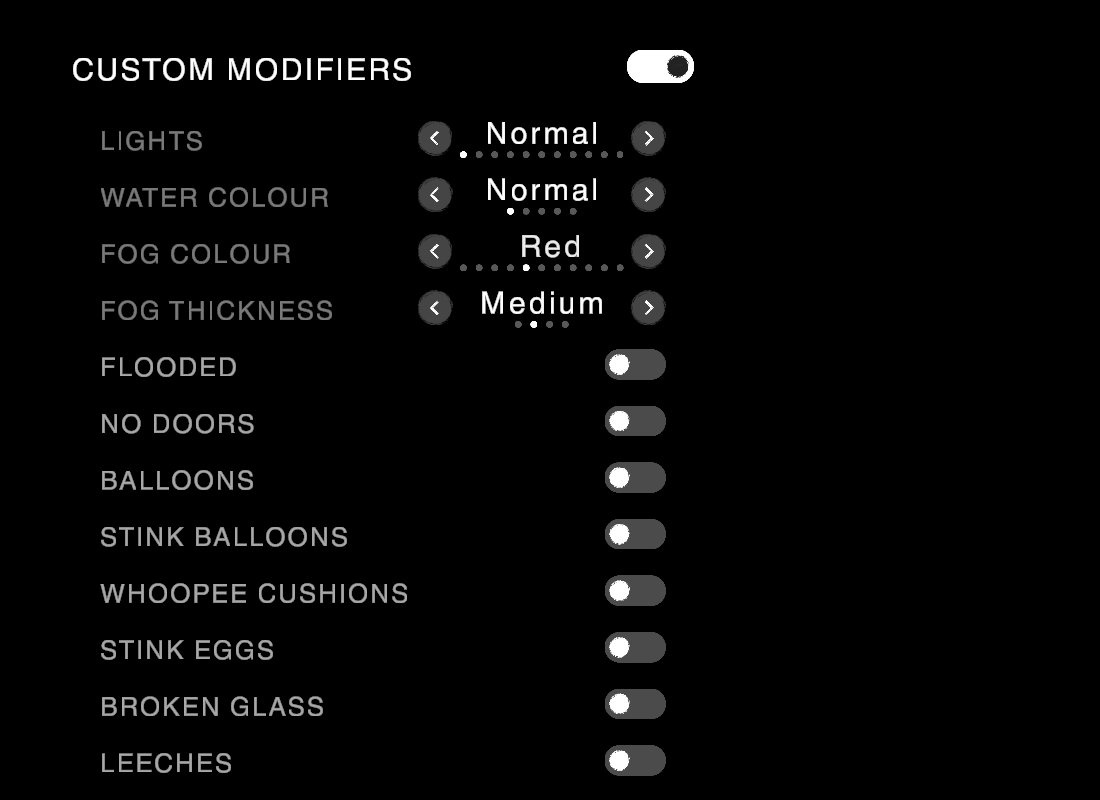
New Fog Colour and Fog Thickness options on the Level tab fill the level with fog in the colour you pick.

Report Bugs From the Game
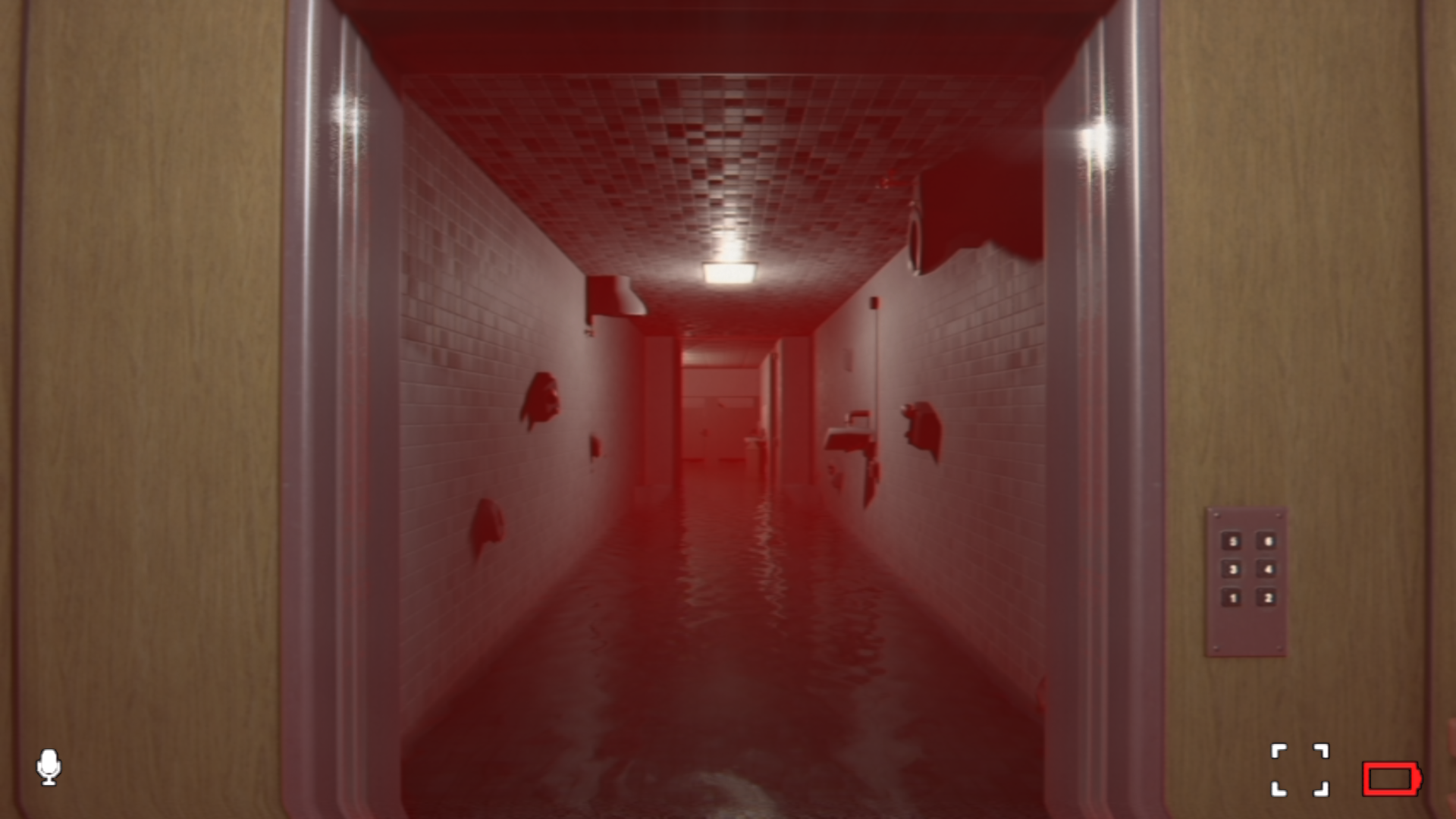
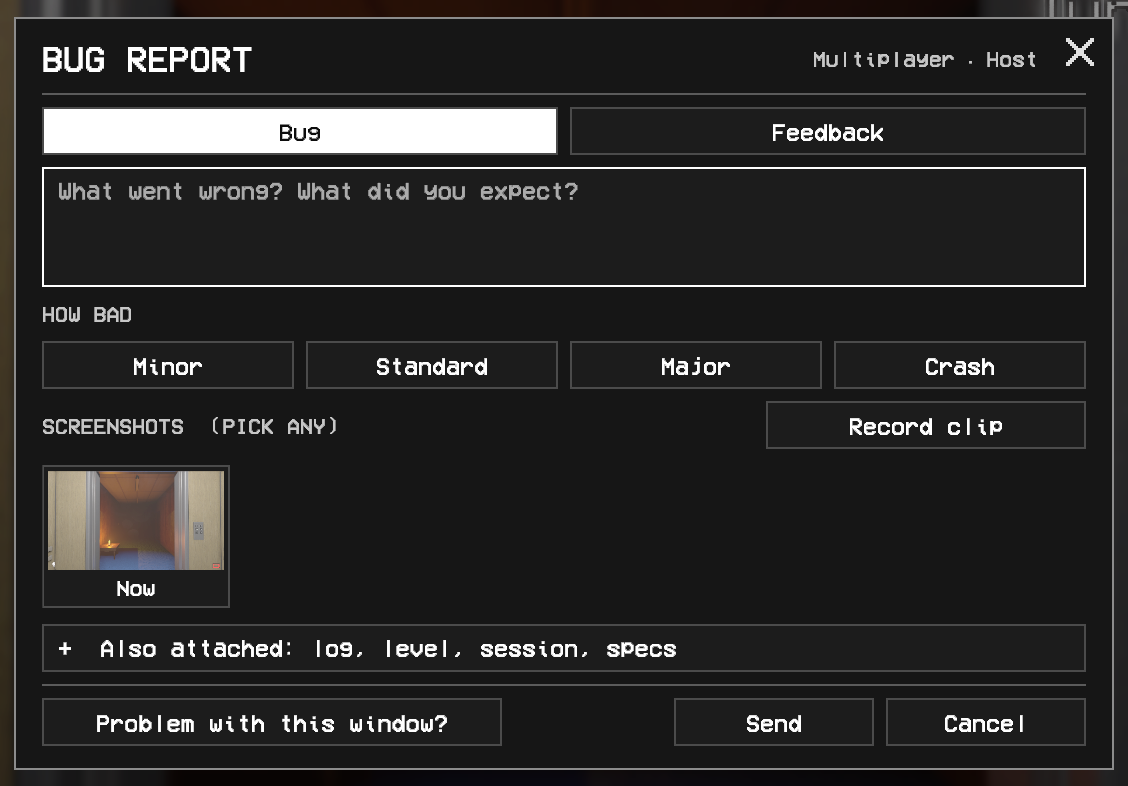
Found something broken? Press F8, hold the right stick, or press REPORT in the pause menu, at any time. Say what went wrong, pick how bad it is, choose screenshots, and tick what to attach: the recent log, the level and seed, your multiplayer session and your PC's specs. Your name is only sent if you tick it. If our server can't be reached, the report is saved and sent later. In single player the game pauses while it's open.
Switch it to Feedback to tell us what you would like changed, and a Crash report includes the log from the run that crashed.
These reports reach us much faster than a forum post and come with everything we need to find the bug, so please use it.
The bug report window is in every language the game has, and you can switch language from inside it.
Press F9 to record a short video clip of a bug from anywhere, or use Record in the bug report window. The clip goes with your report, with the game’s sound when you’re not in multiplayer.
Hide in the Stalls
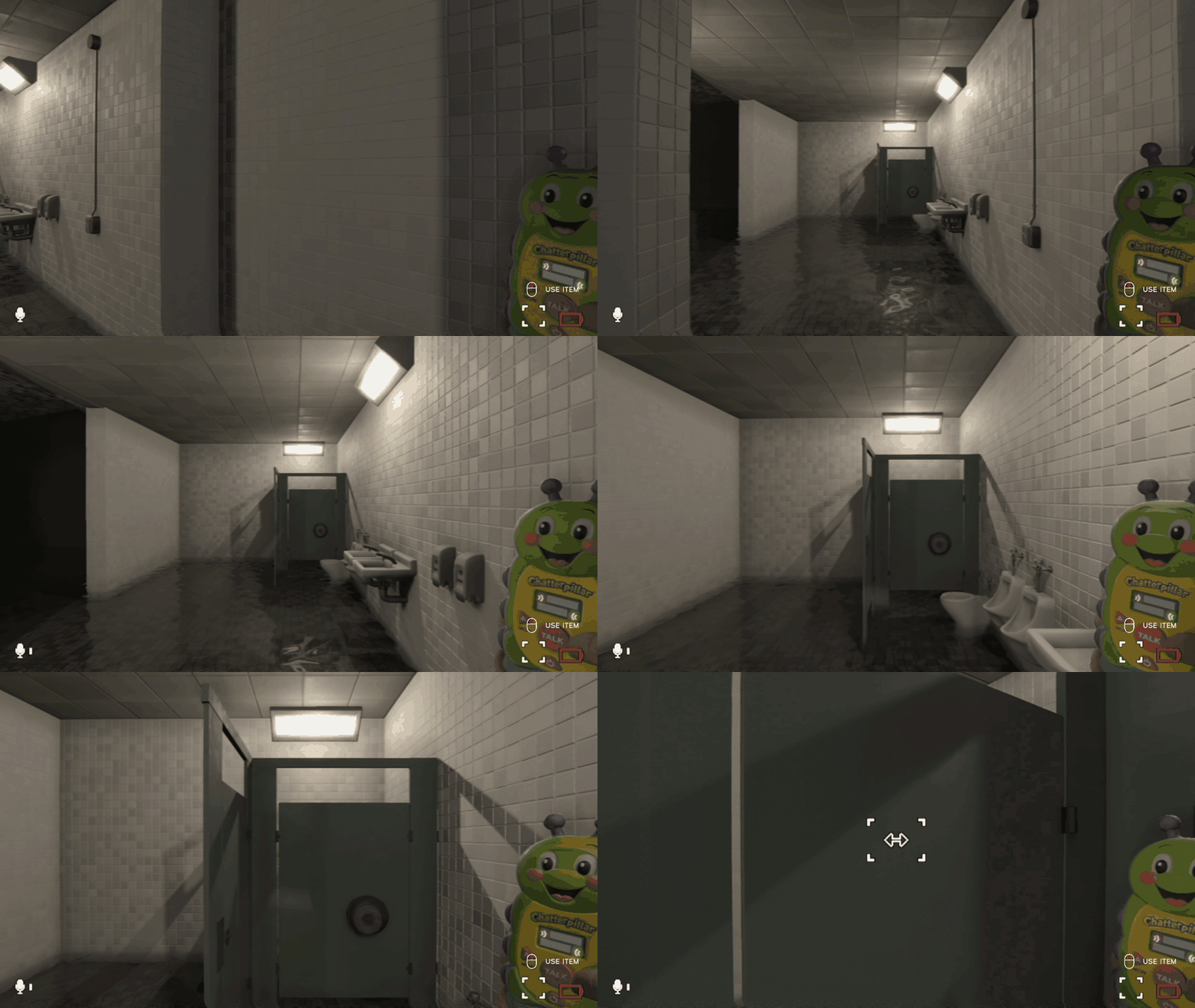
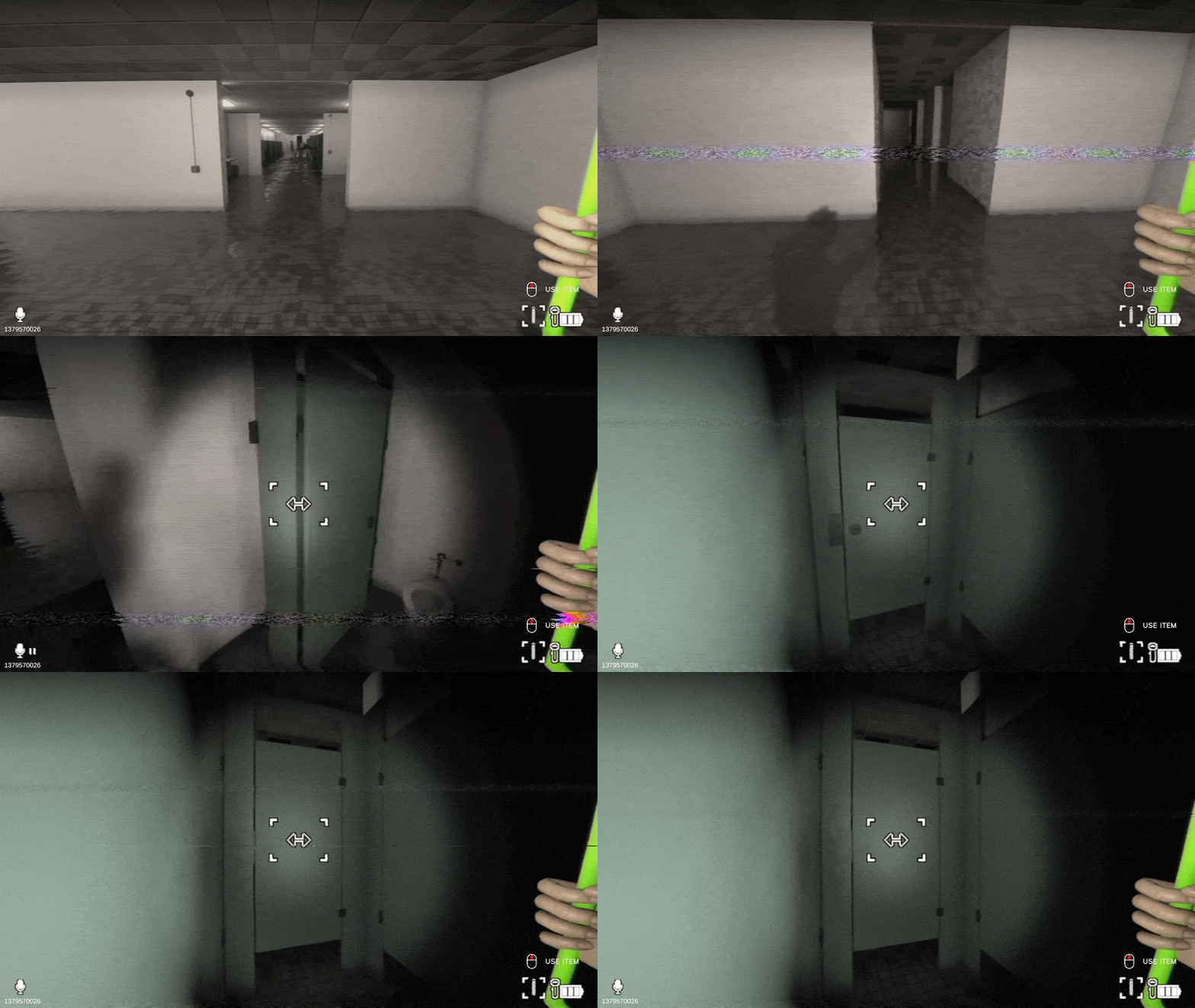
Get into a bathroom stall and shut the door, and entities that hunt by sight can't see you. One chasing you no longer breaks the door down. Don't push your luck though: one that saw you go in may still open it.
This works in every bathroom stall, in the Bathrooms, the Libraryrooms' book return and Descent's Bathrooms.
Maid Dress
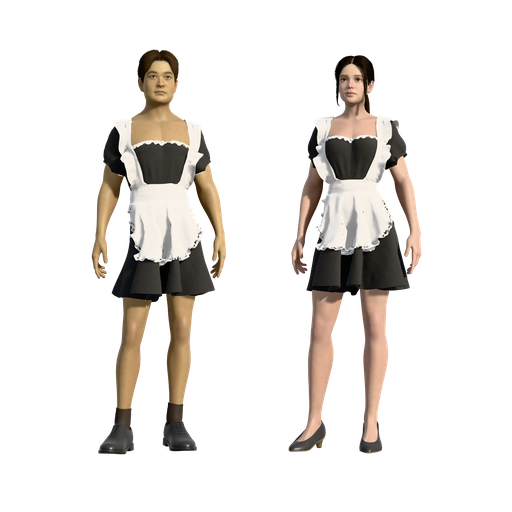
A maid dress has been added to the store and is 30% off for a limited time.
More Improvements
Descent Fog
From depth 5, a Descent level can roll fog, and it gets more likely the deeper you go. The fog takes the colour of the level's lights, and it thickens with depth: heavy fog only from depth 50.
Move Together in Descent
Move Together now works in Descent too: a portal or any exit takes the whole room along. It is off by default in Descent and on in Story, and set under Room Settings. A player still arriving in the level is now taken along too, instead of being left behind.
Entities
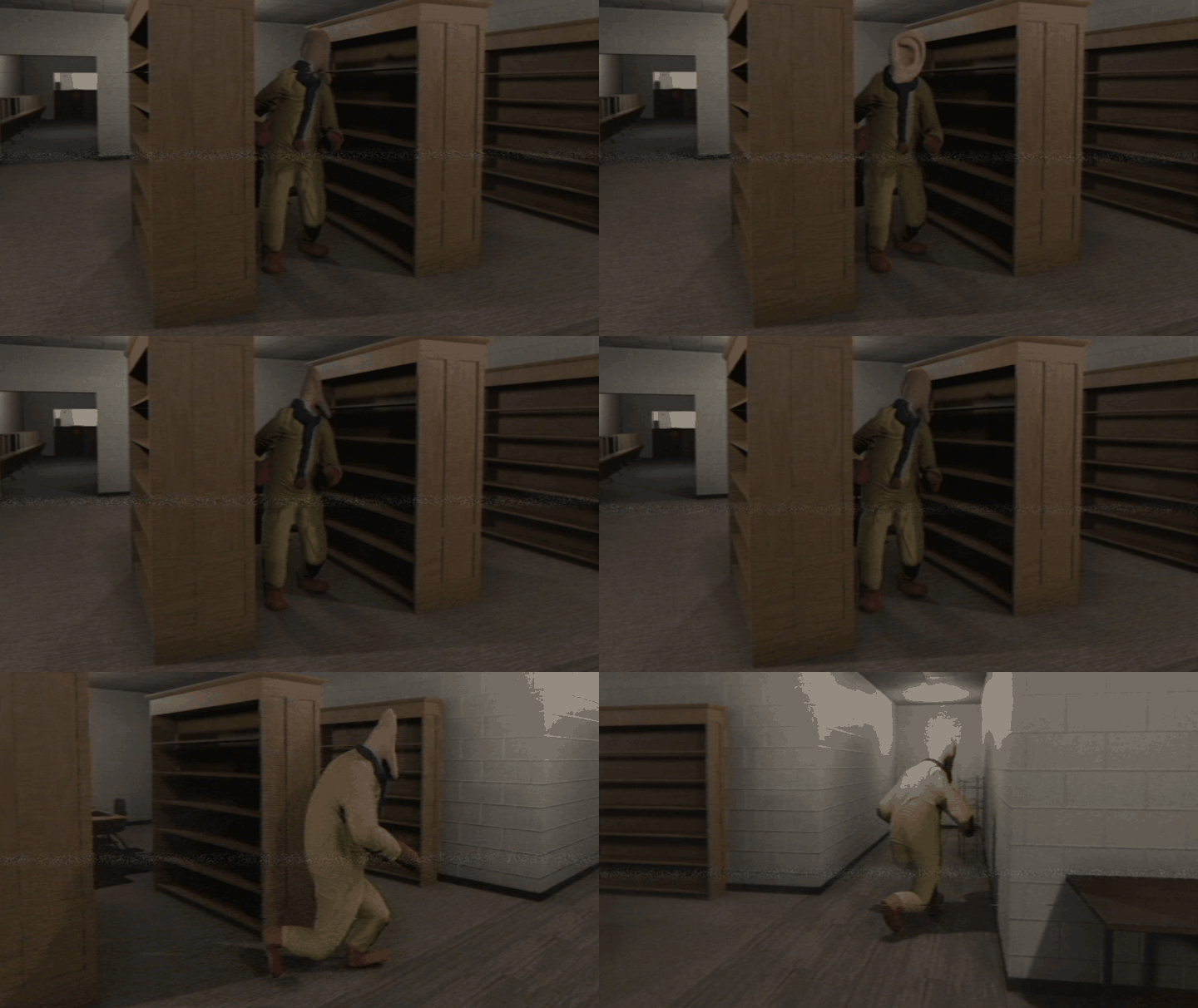
The Clown turns more slowly, so you see him cross-step, keeps his feet on the floor, breathes, and settles into standing instead of marching on the spot.
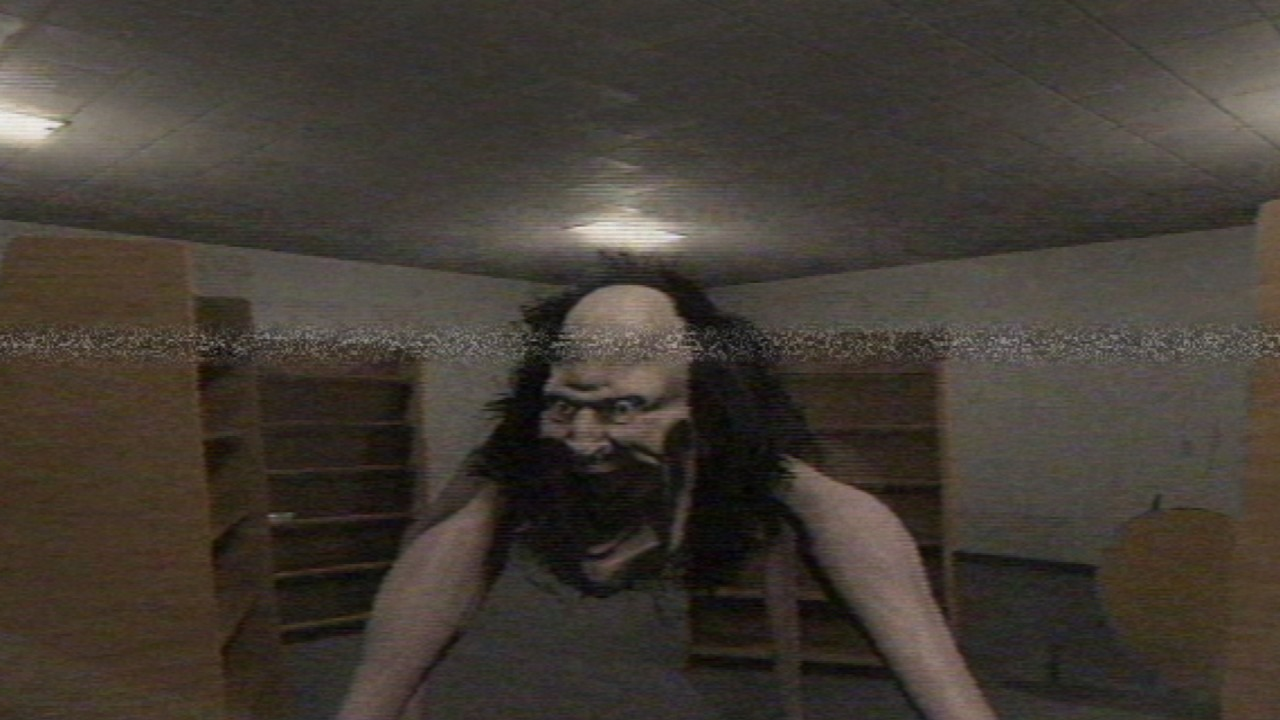
The Gangler and the Clown lean into turns, and the Gangler's face reacts: blinking, and wide-eyed anger when it hunts you.
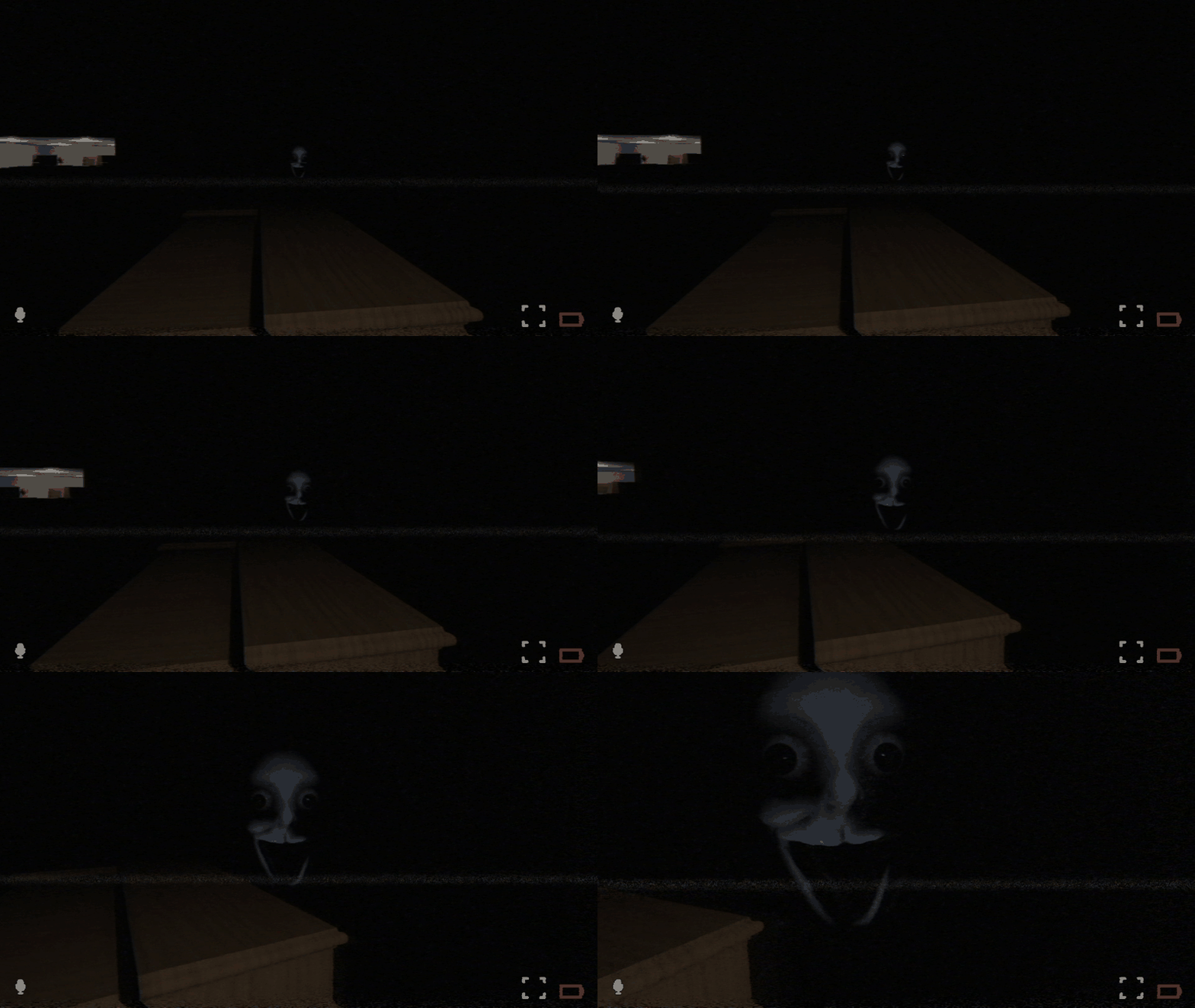
The Smiler hovers with a slow bob and drift, and strains while your gaze holds it still.
Voice Chat
Voice chat now uses the microphone you pick under MIC DEVICE in Settings > Audio.
If it can't find your microphone, or goes offline, a message at the top of the screen tells you so, and it reconnects by itself.
Character Creator
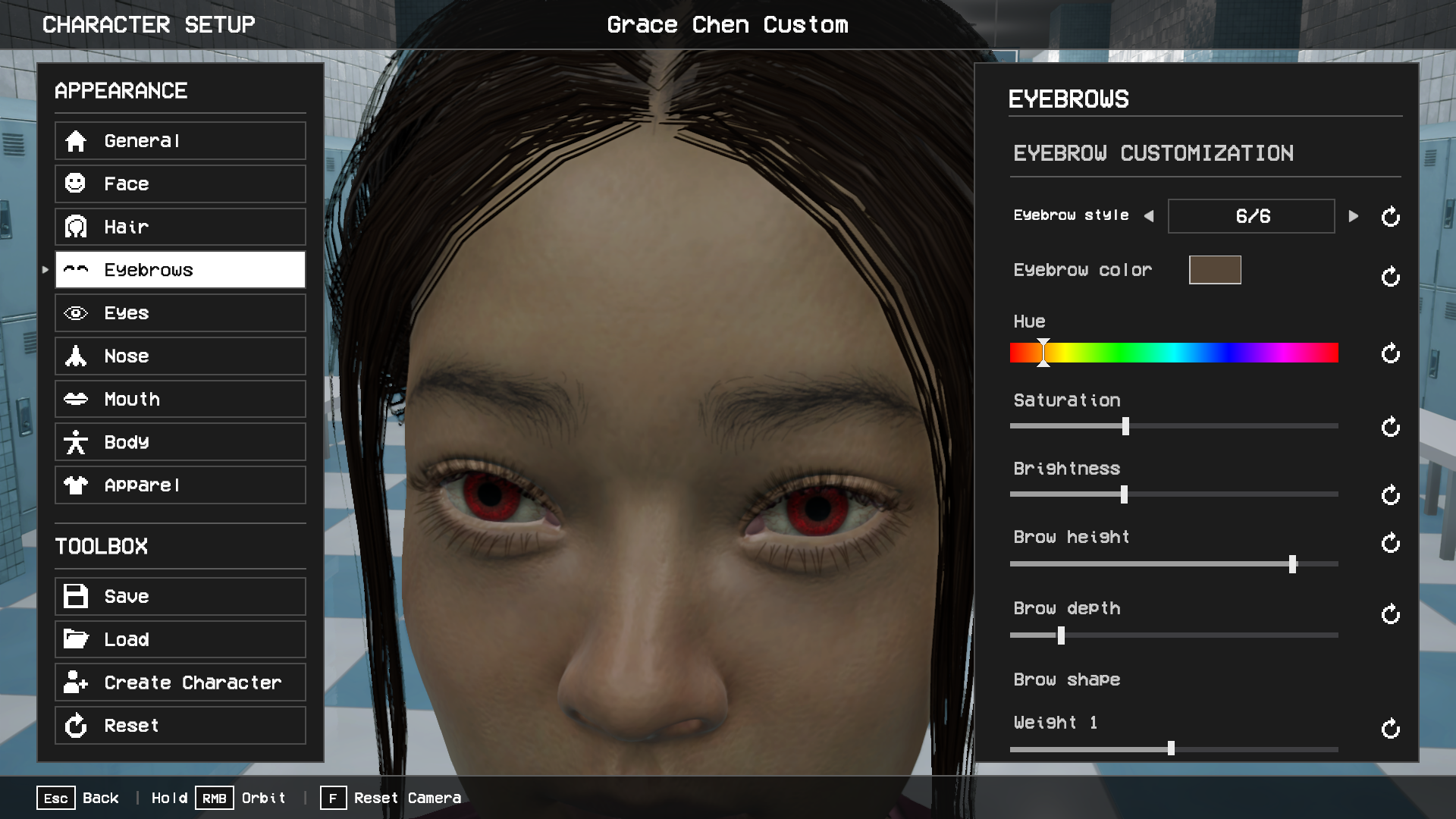
Eyebrows can now have their own colour.
New templates
New free Thin Eyeglasses for the Face slot, in 10 colours.
Headsets now go in the Face slot, so you can wear them with any hat. The four hat-and-headset items are gone: if your saved look wore one, put a hat and a headset on again.
Menus and Dialogs
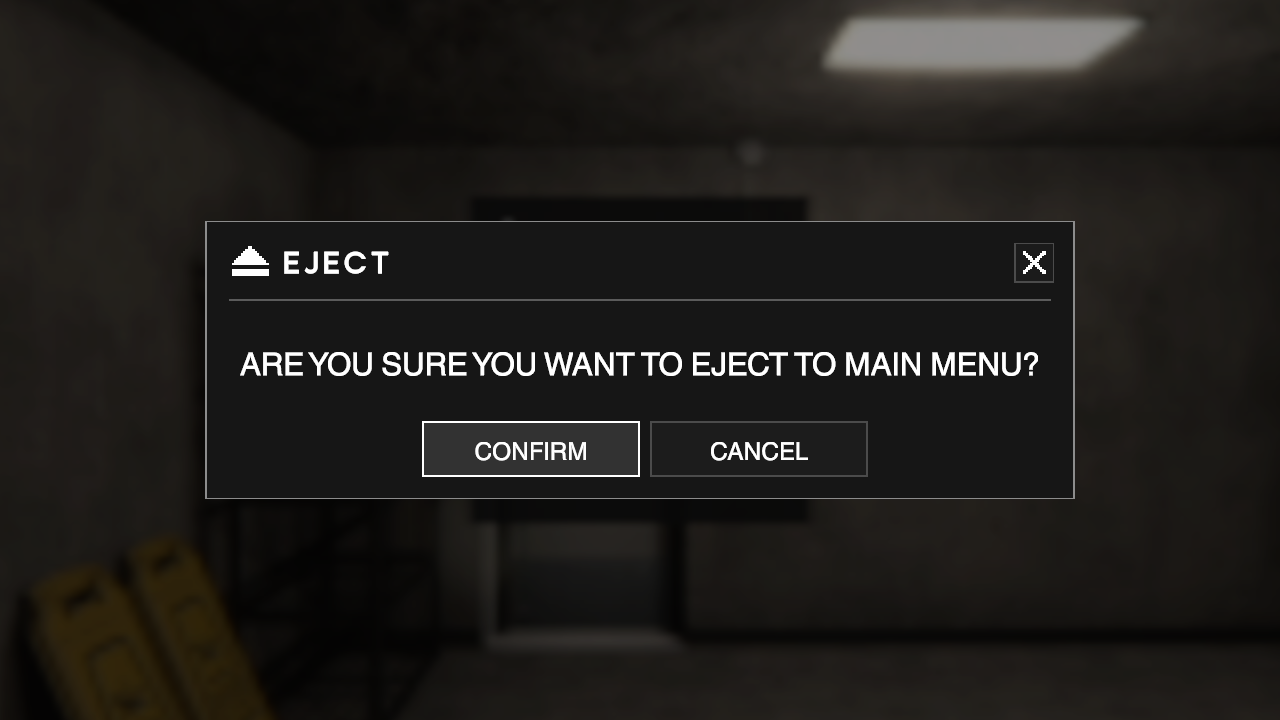
Every prompt (Eject, You Died, New Game and the rest) has a new look, with bigger text and buttons.
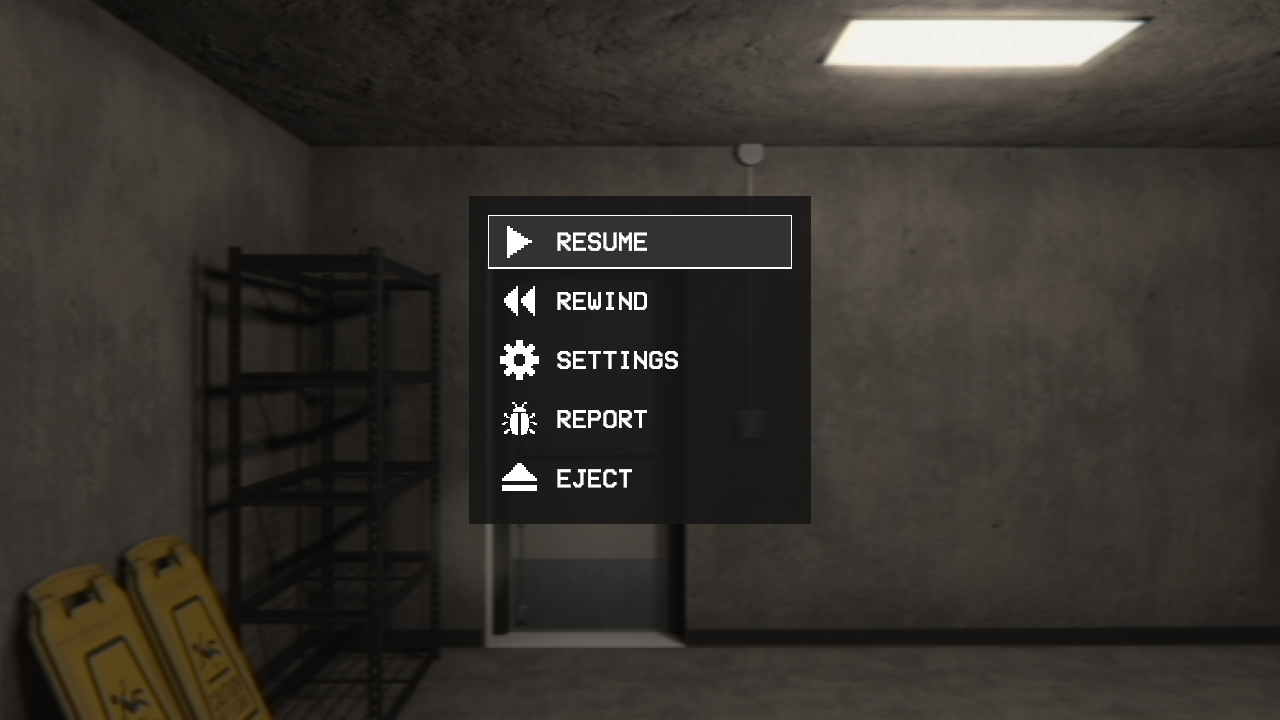
The pause menu has the new menu style, with REPORT for bug reports.
The character creator now fits very tall characters fully on screen.
Item Hotbar
Drag an item from one slot onto another to swap their keys.
The hotbar fills itself once with the items you carry, and after that only adds new ones.
The selected hotbar slot now shows on the HUD where the VHS held-item icon was. Empty slots can be selected too, and the mouse wheel steps through every slot on each notch.
Settings and Performance
Fur Effects now goes up to Ultra. Low and Medium use still fur, which the Demon Dog now has properly instead of a few flat cards; High has live fur and Ultra live fur that moves. Your setting carries over, but the Medium graphics preset now picks still fur.
On the Medium and High physics presets, the game no longer runs in slow motion below 30 fps. It keeps real time down to 10 fps.
Items in your hand are no longer blurred, and are back at full texture quality.
If the shader optimizing screen got stuck on your PC at every launch, it is no longer run again.
Controllers
Button hints in Settings, Custom Mode and the pause menu follow your device and your rebinds, with PlayStation buttons on a PlayStation pad.
A resting stick no longer flips the hints back to the controller after every key press, and unplugging your pad gives them back to the keyboard.
Misc.
Key hints in the menus can be clicked with the mouse.
The quick checkboxes on the main menu's Custom Mode, Edit Character and Multiplayer buttons are gone. Switch Custom Mode on Choose Your Mode or in its own panel.
The walkie-talkie's screen now shows live transmit and receive level meters.
Multiplayer: the walkie's power switch now stays where you left it across levels, respawns and if the host leaves. It no longer starts off in every level.
With only one tape to play, the Insert Tape? prompt is skipped.
Multiplayer: the walkie-talkie now carries the Whispering Wyrm's whispers and hisses.
Poolrooms: picking up the keycard now wakes the Whispering Wyrm, as the goggles and the codex recipe already do.
The Smiler now walks straight through other entities instead of stepping around them or being blocked by them.
The egg timer's ticking now comes from the timer instead of playing in every player's ears.
With Profanity off, the Smiler's diary page and the Churchrooms "Holy shit!" subtitle are clean too.
Hebrew and Arabic: more text reads in the right order, long text wraps properly, and names and typed text read right to left.
Shorter translations of Free, Bought, For sale and Check again in the apparel picker, so they are no longer cut off.
Subtitles for two more of Robert's lines.
The van tutorial always plays as the default character; your custom character takes over from the first level.
Fixes
Multiplayer
With Move Together on, the host stays the host between levels. Guests now wait for a host who is still in a death cutscene or loading, instead of taking over.
Players on a different game version are turned away from your group and shown as another version in the player list. Before, they sat under “NOT HERE YET” for as long as they waited.
Fixed a guest being killed by the Smiler while standing in a light only they could see: the lights it puts out are now the same for everyone.
Fixed entities staying invisible to other players after the host left, while they still walked and killed, and an entity that came out standing idle on a guest's screen.
A door held by a player who leaves now swings shut instead of staying open, and a door the host closed no longer stays open for a guest.
Two players at one door no longer knock it off its hinges.
A player who rejoins now sees unlocked doors and lockers, such as Caleb's Hazmat locker, as unlocked.
A spinning wheel or swinging door keeps moving when the host leaves instead of stopping dead, and props no longer fall out of the world.
Doors and stink bombs no longer vanish when the player who owned them leaves.
A thrown stink bomb lands where you threw it, not back in the level's first room.
An item dragged out of the inventory now drops at your feet.
Other players' bodies no longer stretch when they hold an item.
Elevators no longer look open, or have their inside switched on, on a guest's screen while they're shut.
Arcade machines: everyone now sees the same round and result and gets the same ticket strip, instead of each PC playing its own.
Lobby bans hold: a removed player can no longer get back in by hosting the room code, jumping to a player, or after the host leaves.
Voice chat no longer picks up extra delay from a level load when nobody was talking.
The in-game player list no longer spills under the pause menu.
A gumball machine now gives a gumball only to the player who paid, and an arcade game's win or lose line is only said by players at the machine.
Loot is the same for every player more often: items in the same places, none missing on one PC.
A leech on a player who leaves or disconnects lets go cleanly.
The Canine Death Whistle grows fungus around a guest who blows it even when the host is far away.
Long hosting sessions no longer make thrown props lag for guests after several levels.
A Custom Mode room keeps its rules if the host leaves just as you join.
A guest whose game stops hearing from the host for 20 seconds is now told and offered a rejoin, instead of hanging. The disconnected window can no longer be closed from the pause menu.
Joining a room the server turns away for a moment, for example just after the host left, is now retried for about a minute instead of dropping you into the level alone.
The Drop Item key no longer throws away the walkie-talkie, which then vanished.
A Hazmat suit from an earlier game no longer turns up worn when you join a level.
A guest's Magic 8 Ball now reads the same danger as the host's, instead of about zero.
Using Rewind in the pause menu is announced as "rewound" in the player log, not "died".
A Story game started without a tape now starts at the level the host last played, not their furthest.
Two players opening the same door at once no longer leaves a black doorway on one PC.
Spectating: the view no longer flips between first and third person by itself in narrow halls.
Player log: losing your camcorder to water says so instead of "drowned", and the Kidrooms Demon Dog is named Joey.
A dead player’s body no longer drops into a wall on other players’ screens.
Dying twice in a row no longer leaves the death screen up over spectating.
A prop a guest throws, like the arcade basketball, now flies and bounces the same on every screen. It no longer flies lopsided, jumps around in the air or snaps somewhere else when it lands.
Descent
Multiplayer: a dead player following the group now arrives at the right depth, and the host's Custom Mode decides for the whole group from the hub, so everyone goes down the hole into the same room.
Custom Mode now stays on across Descent's areas, first visits included.
Fixed slides and tubes in Descent's Poolrooms and Playrooms staying shut for the whole level.
Arriving in a locker no longer leaves you trapped behind a door that can't open past the wall.
Churchrooms: no more dark crack across the floor at the Libraryrooms doorway.
No more see-through strip above the elevator door into Libraryrooms-size doorways.
Multiplayer: exits and blocked doorways are the same for everyone, so the group no longer splits up at a Locker exit.
Flooded: the water no longer stops rising for good, its pouring sound no longer cuts out, and in multiplayer Poolrooms it no longer drowns a player on a low floor.
Entities
Fixed the Cloaked Figure sometimes hunting and killing you unseen, with no body and no red lights, after it came back at the elevator. It now shows at once, for every player in Multiplayer.
A door you're holding stays in your hand when an entity opens it, and is no longer rammed into the wall and stuck open.
Entities no longer lose track of what they were doing after a pause, and the Grinner stops properly when it pauses.
Entities can follow a smell next to a raised vent duct.
Being killed by the Smiler now names it on the death screen instead of "Unknown Causes".
The Smiler no longer kills a player who is already dying.
Items and Levels
The Backpack now always spawns. It was missing on every Bathrooms run and on some Poolrooms, Playrooms and Backrooms runs.
Poolrooms: Codex pages no longer go missing for lack of places to spawn, and a white slide no longer drops you back into its own room.
Gumball and other timed effects now always wear off on time.
The item hotbar no longer draws over the Codex.
With the Dark modifier, no more light shining through the Kidrooms windows, and lights come back at their full reach afterwards.
Backrooms: the hacksaw room's doorway shows its own wallpaper above the door.
Backrooms: doorway frames no longer stick into the next room's wall.
Bathrooms: fixed a black gap in the wall beside a hall doorway.
Fixed fungus never infecting you again after leaving or restarting a level with the Hazmat suit on.
Bathrooms: fixed drowning again on every respawn after drowning under a pipe's pour.
Backrooms: the idol trolley no longer freezes a metre short of the X in the end room or stops being pushable after its codex page slides off, and the heavy-duty lockers in the ARC locker room now close and latch, so a shut one can't be broken.
Playrooms: entities can no longer camp the exit of Chewtopia's tube, loot no longer spawns behind the bubble window, and two stray fence panels in the arcade are gone.
Arcade: ticket strips no longer lie on the floor in front of their machine after you leave the arcade and come back, and taking a strip while it prints pays the right number of tickets. In Multiplayer, a win printed while you were outside now prints when you come back in.
Kidrooms: the piano no longer counts a note nobody played, so a correct chord isn't failed.
Under water, TV screens, glass and light covers no longer disappear.
VHS tapes no longer look like mirrors.
Fixed doors that swing shut by themselves sometimes staying stuck open.
Fixed cloth staying invisible in parts of a level, and glass broken at its edge shattering wrongly.
Poolrooms: the screen above the big red button now stays on the open gate instead of ending in a cloud of steam.
Characters and Clothing
Fixed skin showing through a long list of clothes, including jackets, shirts, waistcoats, skirts, jeans and running tights, and boots on the female body no longer show the foot.
Sleeves no longer disappear from view at some angles while you hold an item.
The Ponytail 02 hairstyle (Grace Chen) now casts its whole shadow.
Clothes you change in game are now only for that session. Press Save to preset under the doll in the Apparel tab to keep them.
Menus and Settings
The death screen's buttons always read YES / NO (EJECT on Descent's Game Over). The first death of a session showed CONFIRM / CANCEL.
A graphics preset no longer gets stuck on Custom after you change a setting and put it back.
A window size that isn't in the list now stays, and shows as Custom, instead of being changed when you open Settings.
Sliders show your saved value, not the default.
Pressing Inventory or Pause on a loading screen no longer opens them, so the level can't start behind an open inventory. In Multiplayer, Pause still opens so you can leave a long wait.
Long entity names now fit in the Killed By panel, and in Multiplayer the spectator screen no longer covers How You Died.
The Use Item hint's mouse no longer shows as a white square.
In Settings > Audio, the mic icon and level meter no longer sit over the microphone's name.
If the game crashed while opening the microphone in Low Latency Mode, the next launch now falls back instead of crashing again.
Other
The death screen and YOU DIED are now one screen for every death. Your first death in a build showed the killer with no buttons, and deaths with no entity (falling, water, electricity, infection) now name their cause.
Held items sit in the same place on screen whatever your character's body width.
New menu sounds: a hover click, TV static fuzz, and a tape sliding out when you hover it.
Custom Mode unlocks on the loading screen: each entity appears with its own card, facing the camera.
Kitchen chairs collide by their real shape instead of as a solid block.
Loading tips, the Change Save screen, the Custom Mode locked-tape warning and the pause menu's REPORT button are translated.
Typing in a text field no longer triggers shortcuts on the Documents and Change Save screens (typing R opened Rename).
Multiplayer: no stray JOINING window over Quick Play's Searching page, and coming back from a level no longer flashes the old menu.
The main menu has new music, a calmer piano version of the Classrooms theme.
Every menu now has sounds: hover, toggles, tab changes, popups, and the tape going into the VCR when you pick a level.
Arcade: tickets you hand to the frog count right away, and the frog no longer lags while it eats them. Before, a big hand-in took over half a minute to count, and the tickets couldn't be spent or saved until it finished.
The death screen, and the Library Rooms and Bathrooms tape names, are translated into every language.
Bathrooms: water poured from the valve pipes ripples the water surface again.
More translations: the loading screen’s entity and item hints and the room-code ban message.
Fungus: standing on a fully grown patch now infects you, not only standing on a growing one.
Held items: the right shoulder no longer twists around, and grips no longer depend on the item you held before.
Crouching while leaning no longer drops the view too low.
Arcade: the frog counts tickets one by one again as it eats, the ticket total shows right after a level loads, and a grey block column at the Neon Rush cabinet is gone.
Customizer: Esc leaves in one press, even with a category open. The TV zoom shows the whole body when you leave.
Menus: new pixel-art close buttons. CUSTOM MODE ON is centred on the Story tape page. The players counter hides behind dialogs. Change Save slot names stay on the TV in every language.
Typing in the bug report window or the console over a multiplayer page works again.
Thanks for playing, and keep the bug reports coming! Press F8 in game, or join our Discord for feedback and suggestions: