
Update 0.10.1
Hello, Classrooms players!
Thank you for all the bug reports since the Multiplayer Update. This one is mostly about playing together. Move Together keeps your group in the same level, the walkie-talkie now has a power switch, voice chat is louder and carries further, and there is a new spectator screen with first-person view.
For everyone, there is a new item hotbar on the number keys, Steam Cloud saves now properly sync between PCs, and the game can be played in Hebrew and Arabic, reading right to left. Plus a long list of fixes.
Move Together
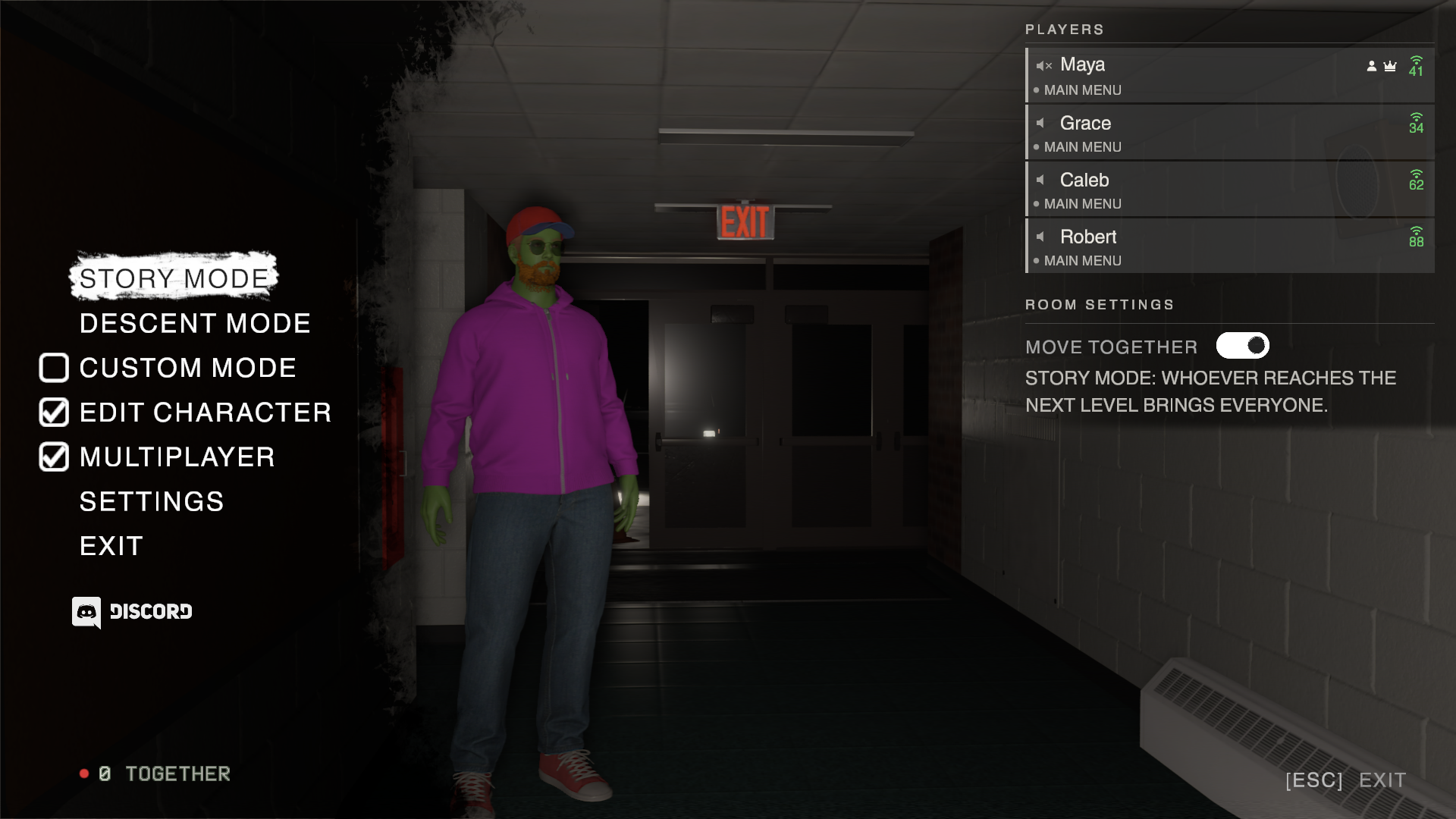
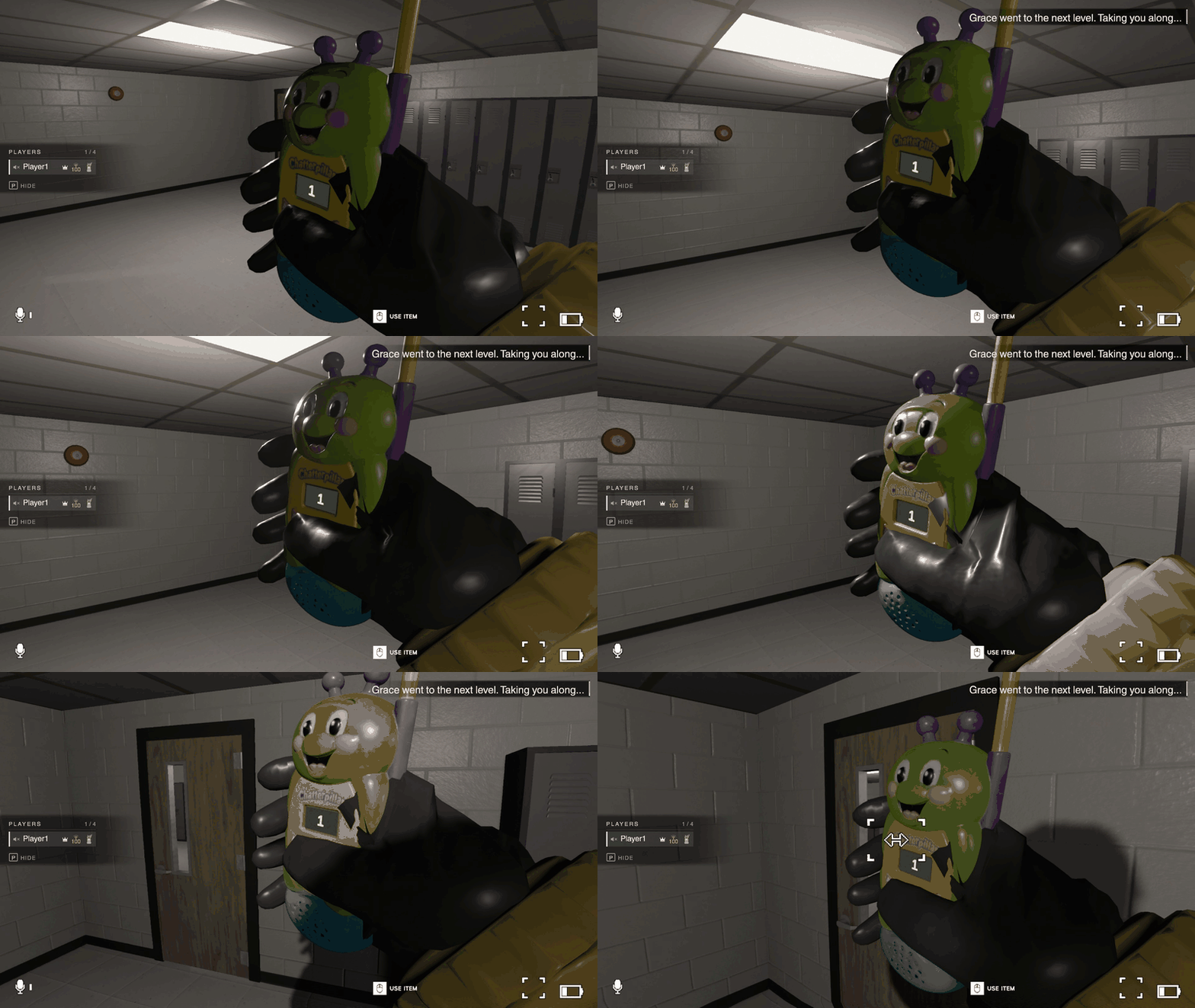
No more being stranded in the last level while your friends carry on without you. With Move Together on, when anyone in your group goes on to the next Story level, everyone else gets a message and follows 3 seconds later, even if they are dead (they get up in the next level once their kill cutscene has finished). If the host goes down, they come along and stay host.
It is on by default. The lobby leader can turn it off under ROOM SETTINGS in the main menu lobby before the first level. With it off, everyone moves on at their own pace, and if the last living player leaves, the dead stay behind and the level starts over. It applies to Story Mode only.
Item Hotbar
Keys 1-6 now take out your items, without opening the Inventory. Hold anything your hands can hold, and use things like batteries, gumballs and the Hazmat Suit straight from the bar.
To assign an item, open the Inventory and either hover it and press a number key, or drag it onto a slot.
The mouse wheel and Page Up / Page Down step through the bar.
X puts away what you are holding, and pressing it again takes the same item back out. You can rebind it as Put Away Item in Settings > Controls.
The hotbar is for keyboard and mouse. On a controller, the D-pad steps through your items as before.

A Walkie-Talkie You Can Turn Off
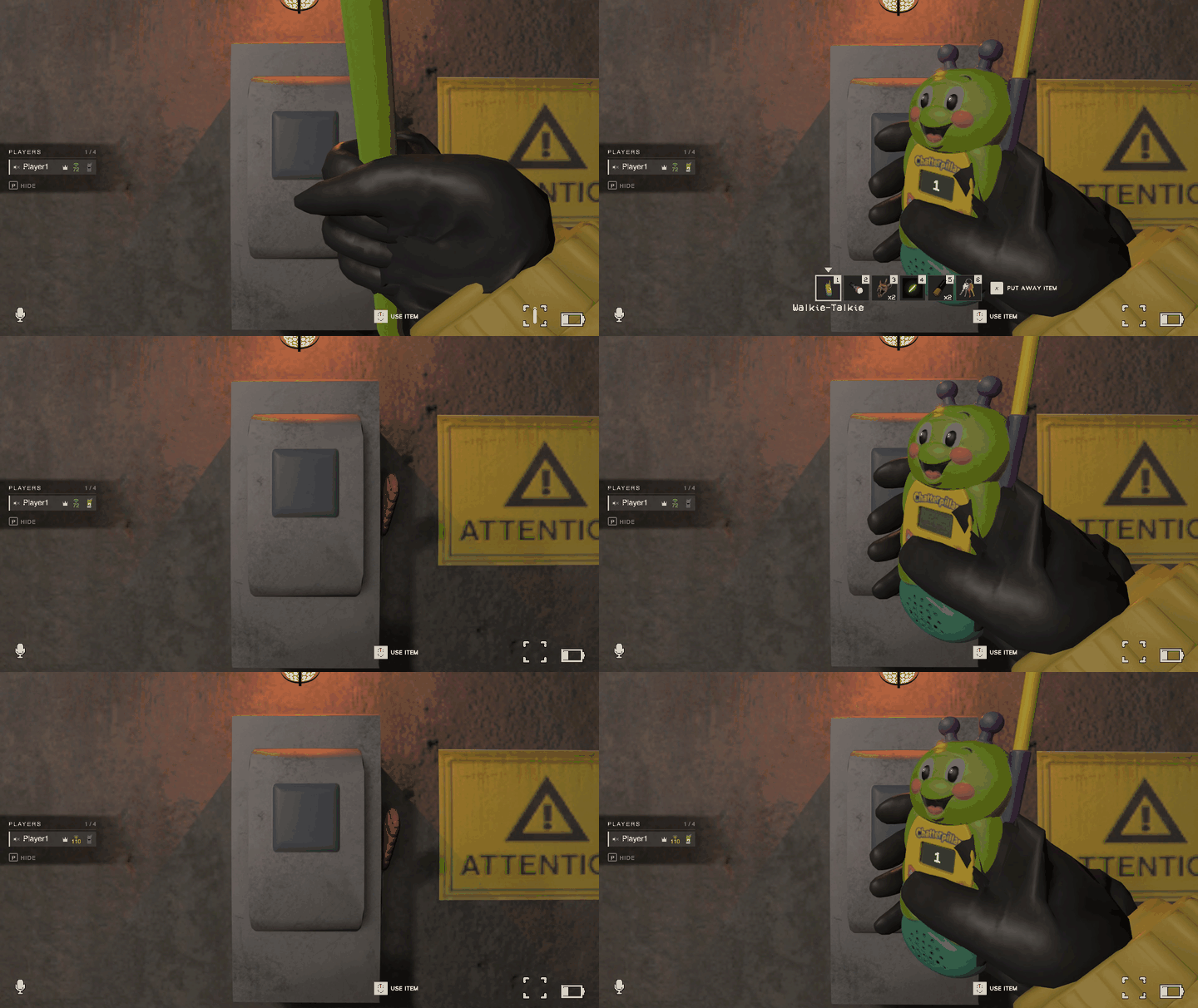
In Multiplayer, the walkie now has a power switch. It starts off in each level. Equipping it turns it on, and Use Item while holding it turns it on or off. It is now in your Equipment, and goes on key 1 if that key is free.
On: you hear the radio even with the walkie put away. Your voice only goes out while it is in your hand.
Entities can hear it. A voice coming over your walkie makes real noise in the level, at half the distance of a microphone at the same volume. So it can give you away even with your mic off. If you are hiding, turn it off.
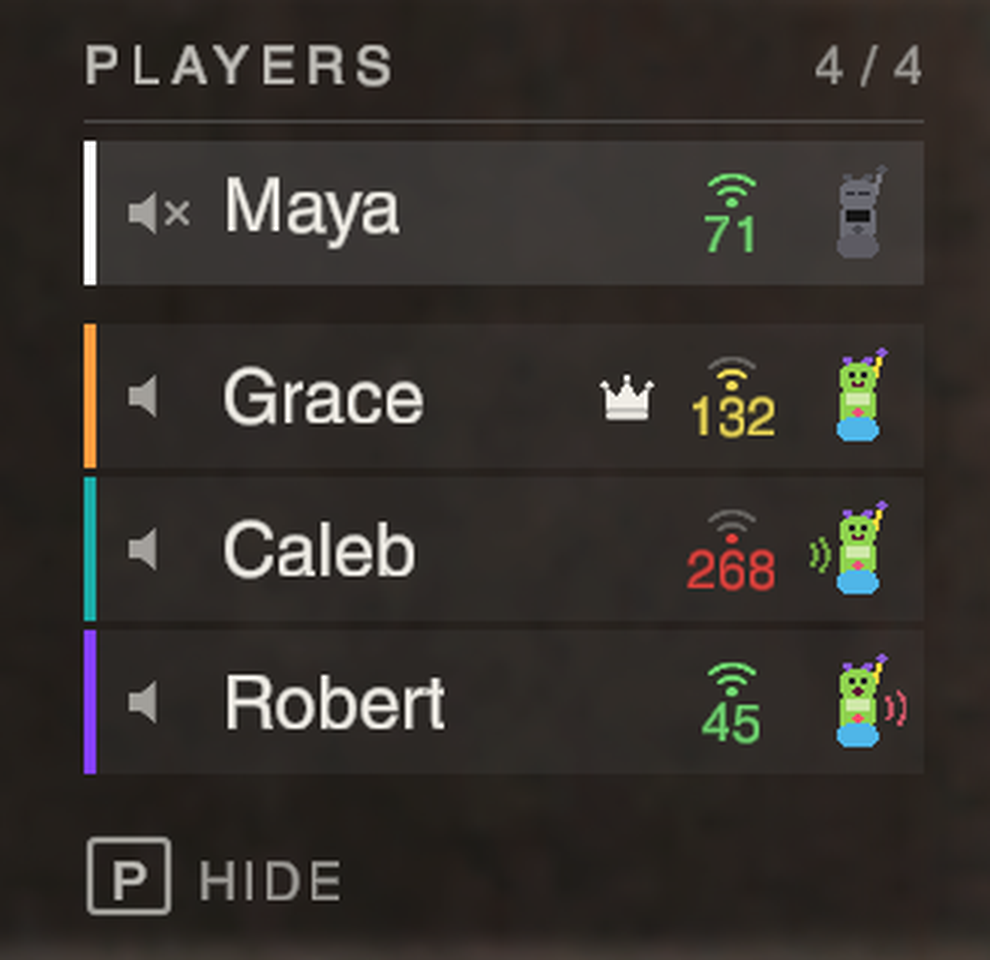
Player list: an icon shows whether each player's walkie is off, on, receiving or transmitting.
More over the radio: the walkie also picks up whistles, breaking doors, elevator dings, beeps and TV static, with a quiet crackle under voices and a new sound when a message ends.
Louder Voice Chat
Nearby players are now 3 times louder at the default settings, and can be heard from 22 m instead of 11 m.
Walls and closed doors muffle voices, so you can tell when someone is in the next room.
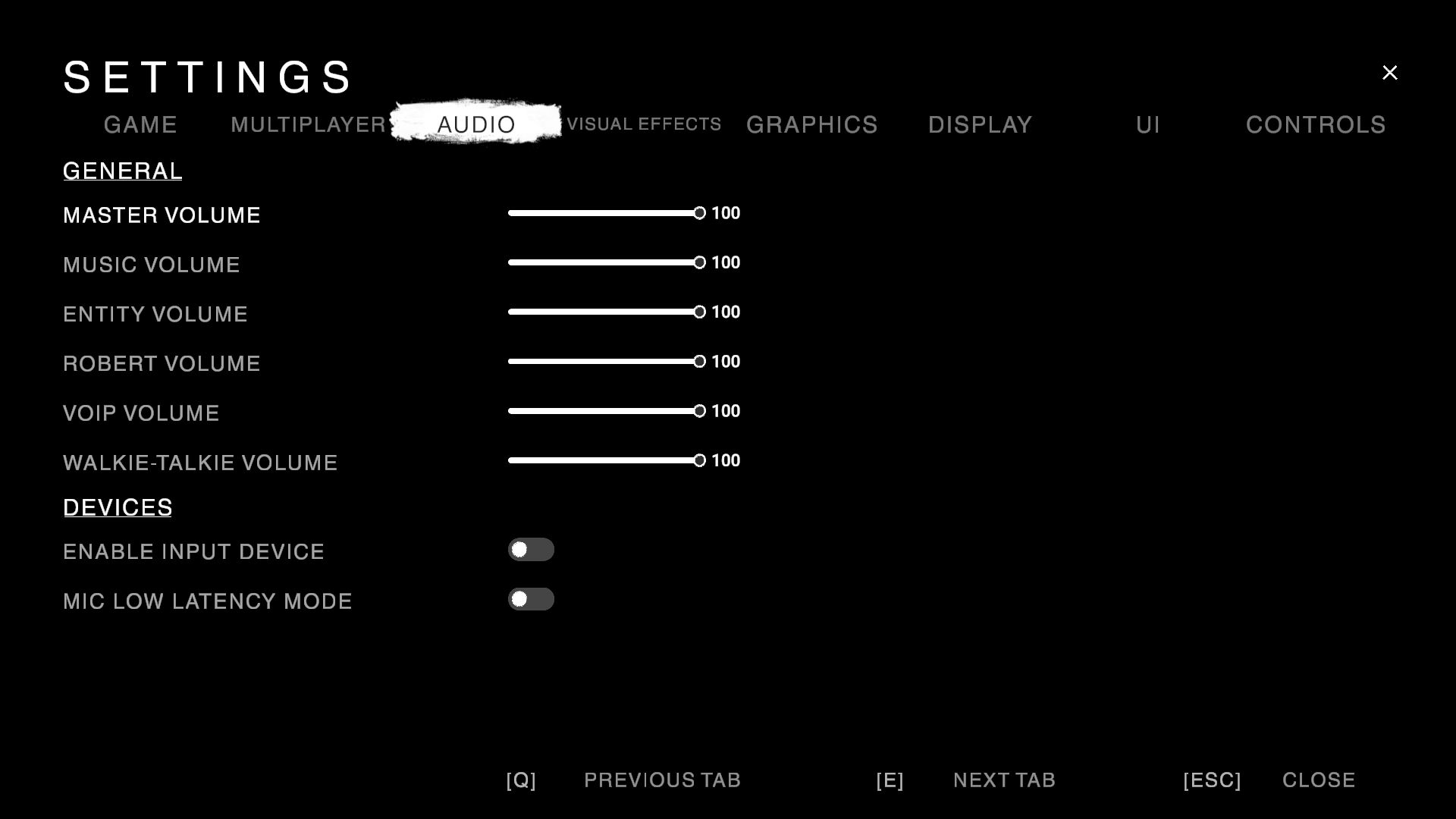
Voices over the walkie are twice as loud, and there is a new WALKIE-TALKIE VOLUME slider.
VOIP VOLUME has moved from the Multiplayer tab to Settings > Audio.
PLAYER VOICE VOLUME is now called ROBERT VOLUME, because that is whose voice it controls.
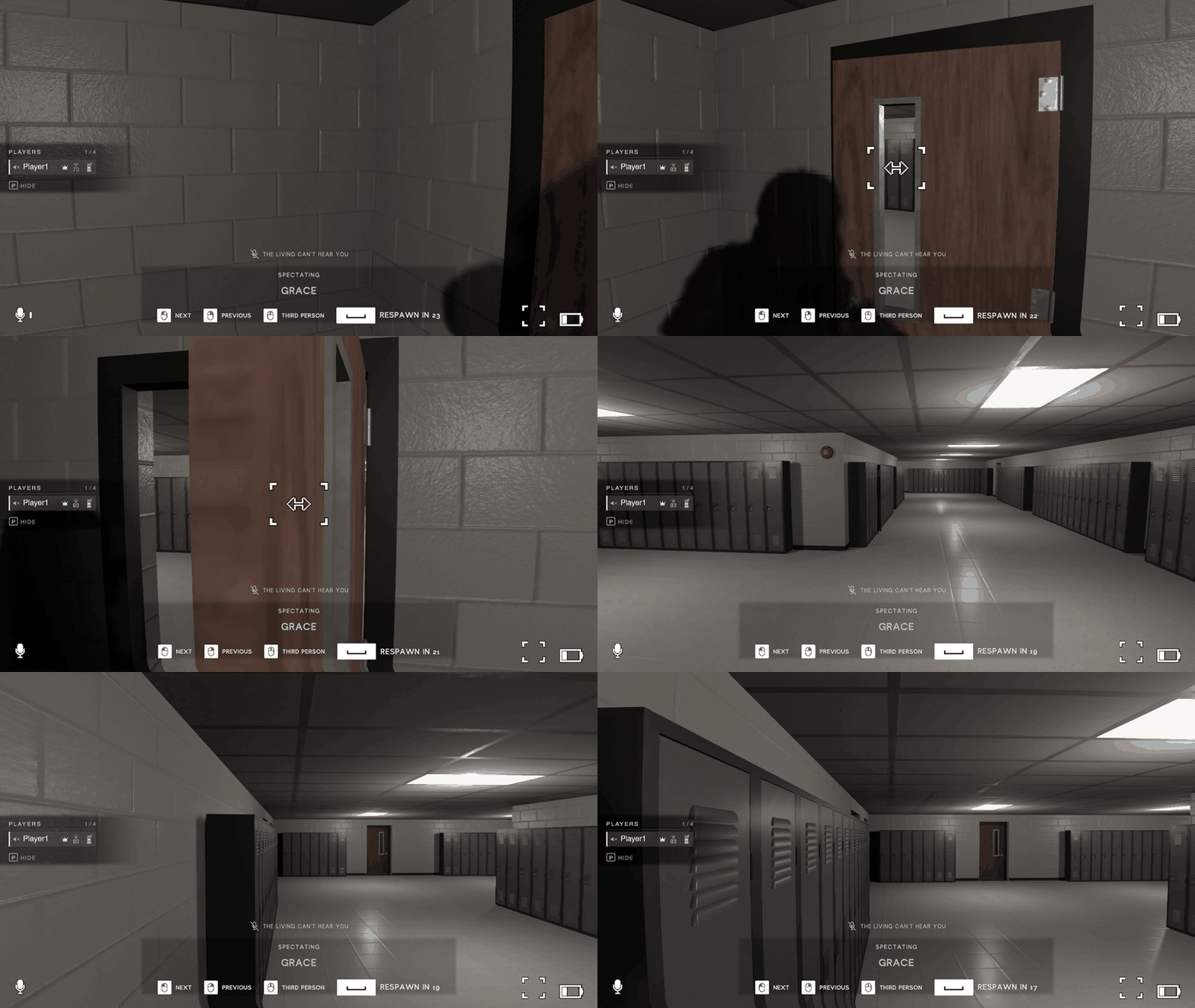
New Spectator Screen
When you die in Multiplayer, all the controls now sit in one row: NEXT, PREVIOUS, FIRST PERSON and RESPAWN.
First-person spectating: watch through the eyes of the player you are spectating. It also comes on by itself in tight spaces like vents.
Press Space during the countdown and you get up as soon as it ends, so you don't have to sit and wait for it.
A line with a muted mic reminds you that the living can't hear you.
Steam Cloud Saves
We found out why saves weren't reaching your other PCs: progress from another PC often never arrived at all. That's fixed, and saves now properly sync between PCs. If your PCs have different saves, you may see the conflict window the first time you launch this update, so you can choose which one to keep.
The false save conflict prompt at launch is gone, and your saves are no longer replaced by an older cloud copy. A real difference between two PCs still asks you.
A fresh install now restores all of your saves, not only Auto Save.
A finished Descent run stays finished. Other PCs and fresh installs no longer bring it back.
Your settings now stay on each PC, so a Steam Deck and a desktop can have different graphics, audio and controls. Your Custom Mode unlock and your custom character still follow you.
Changes made just before a cloud upload are no longer lost, and a cloud save that finishes downloading late no longer overwrites the save the main menu has already loaded.
Hebrew and Arabic
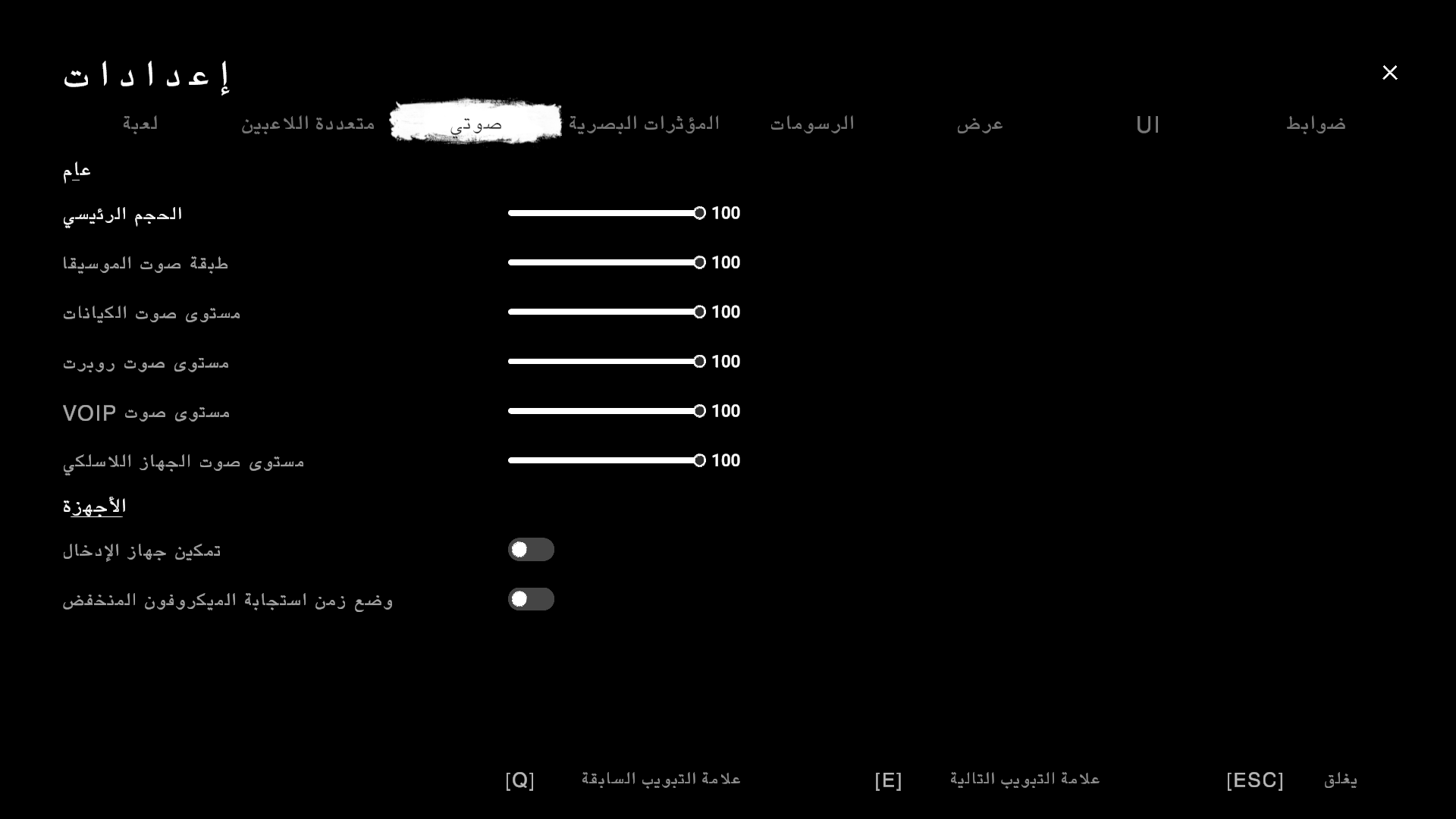
Hebrew and Arabic now read right to left, with Arabic letters joined properly, and the menus keep their layout. We've also translated all of the Multiplayer text into every language: the spectator screen, room settings, join messages and the player log.
Vector Mapping Unit
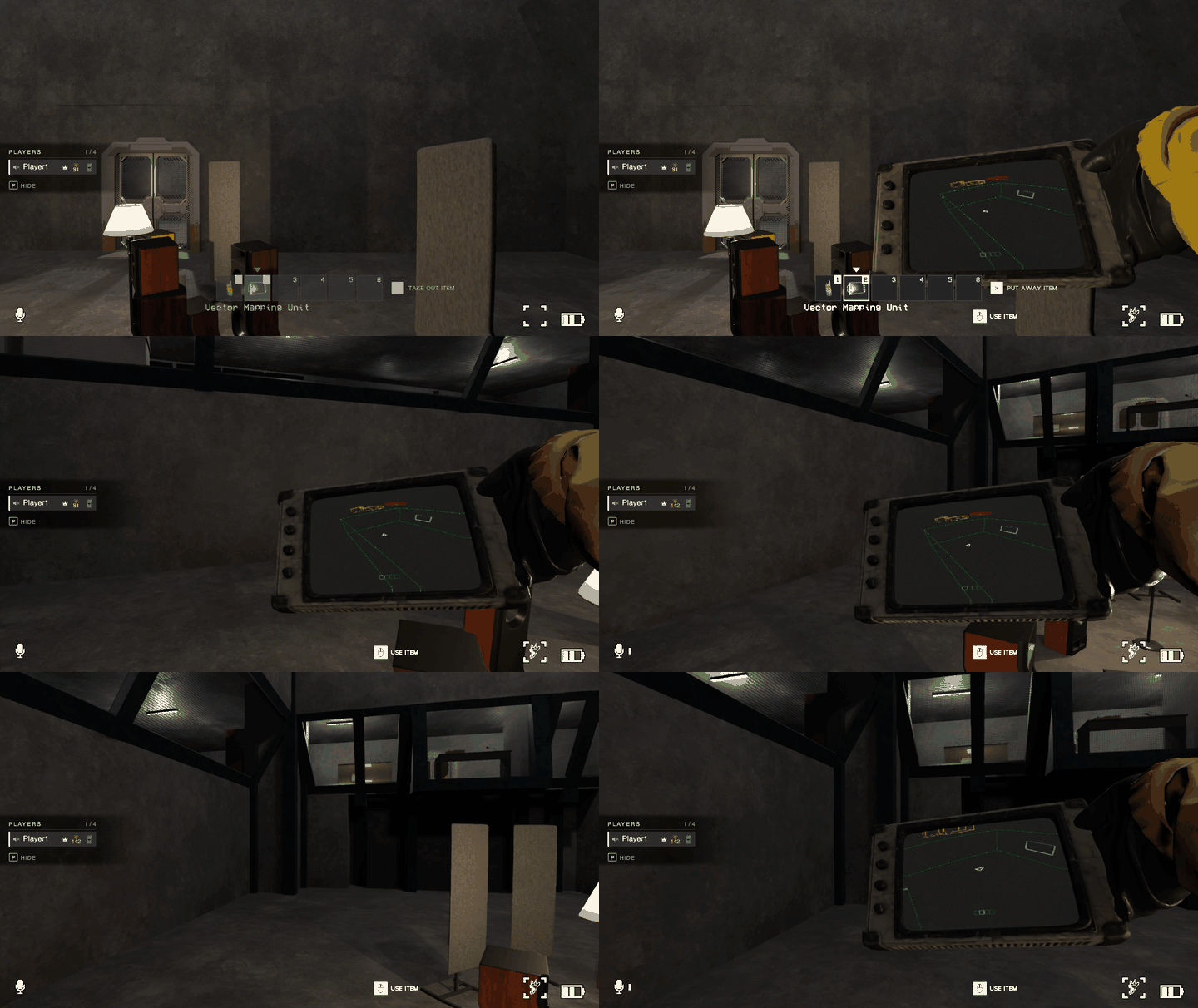
The Vector Mapping Unit never actually showed up in the game until now. You can find it in the Backrooms, on a speaker in the ARC lab's end room, and every player can take their own.
Hold it and its screen draws a vector map of the rooms around you, with other players marked in their colours. Use Item cycles through its four zoom levels. The last one is top-down and turns with you.
More Improvements
Confirm Buttons Moved
In every dialog, Confirm / Yes is now on the left and Cancel / No is on the right. Watch your muscle memory on Exit, Eject and New Game.
Player List
The in-game list has your own row first, and shows ping as digits under Wi-Fi bars. The count shows the room size (for example "1 / 4").
Controllers and Steam Deck
In the lobby, Y / Triangle moves between the menu and Room Settings, with button hints on screen.
Descent's New Game page now works with a controller alone, on every difficulty.
Settings sliders take the D-pad and left stick, and B now returns you to the button you came from.
The Reset Settings confirmation and Custom Mode's Add Entity Cancel button can now be reached with a controller.
Text in the multiplayer lists, the player log, the in-game apparel picker and the Audio settings is now large enough to read on Steam Deck.
Descent
Descent's Poolrooms has its usual water back, unless Flooded rolls.
Flooded now stops at 0.55 m above the floor, so short characters don't drown on level ground. Low rooms can still drown you.
The Biome Transition room in the Classrooms appears at a better point in the level.
Misc.
Multiplayer Story: the Prologue and New Game tapes are hidden while you are in a session, so groups start at The Classrooms.
Idol trolley: easier to steer by hand. The view turns at 20% speed instead of 10% while you hold it.
Fungus: spreads a little slower and barely infects at its edges. The vacuum can be heard from 75 m away instead of 100 m.
Playrooms arcade: the prize bowl is 25 cm lower, so the shortest characters can take the keycard without jumping.
Doors: shut lockers, valves and coolers can no longer be smashed by large force.
Entities now make footsteps in water.
Fixes
Multiplayer
Fixed the Cloaked Figure being invisible to other players for about 10 seconds after it spawned, so it could kill a host while the other players saw nothing.
Fixed the Fire Alarm going off twice per player.
A room now keeps its Custom Mode if the host leaves and when moving to a new level. Playing in someone else's Custom Mode no longer changes your own switches.
Descent: leaving a level's room now takes every player to the same next room. Before, players could split across different depths.
A banned player who enters the room code again is now refused, and can no longer hear the host in the lobby's voice chat.
Lobby voice chat now still works after you return to the main menu from a level.
Turning valves: another player's turn is no longer stopped by lag, the host no longer ends your next grab, and a valve can't become impossible to turn.
The idol trolley locks on the X reliably for everyone.
Arcade prizes now charge only the player who buys them, and only they get the prize. In Chef's Choice, you now see WIN or LOSE when the wheel stops, not while it is spinning.
ARC sliding doors now open straight away for everyone, instead of bumping non-hosts into closed doors.
RETRY on Generation Failed now restarts the level for the whole room, and a player who becomes host with no level loaded starts it over instead of hanging.
Clients no longer hear a door knob and closing sound for every door while the level generates.
Switching room codes no longer briefly shows the "other version" message.
Fixed the host being disconnected from the room in levels with a lot going on at low frame rates. This could also hit a player who had just taken over as host.
If the host leaves while you are still loading into the level, you no longer get stuck on the loading screen or end up in a broken level with doubled doors and props. If you are alone, the level now starts over.
Fixed doors that were open when the host left being treated as closed, which put them at the wrong angle for anyone joining later.
Fixed other players seeing the Cloaked Figure as still chasing after the host it was chasing had left.
Loot now matches more closely between players. Before, it could differ depending on the order rooms loaded on each PC.
Entities
Entities can now push open doors that are resting ajar or held by a player who is standing still.
Frozen entities stay stopped. They no longer slide or animate while paused.
Changing target mid-chase no longer makes the Cloaked Figure stop for a second, and its later respawns in the Classrooms are no longer all at the same spot.
Fixed the big dog turning around instead of crossing a vent.
The Leech's smell effect can no longer break, and inactive entities no longer react to smells.
Entities switched off by the level stay off when you respawn.
Fixed entities coming back standing still if they despawned while paused, for example in the middle of a bark or a transformation.
Fixed entities walking back to their starting point after a pause.
Items and Levels
Fixed the Chef's Choice wheel braking on its label plate at the Low physics preset.
Fixed items not appearing in the microwave's slot in single player, so a camera case can be cooked again. A second item on a full slot is no longer used up.
Fixed a gap in the wall beside the Backrooms court's arrival elevator that let you walk out of the court.
Loot on the cafeteria benches can now be seen.
The ARCADE neon sign's letters now switch with the power.
Re-weighted the gym clothing on the male body, and removed speckles from the bootcut jeans.
Death and Respawning
A fall no longer counts as drowning.
Dying in water no longer leaves the underwater effects on screen while you spectate.
The interaction icon no longer stays on screen after you die.
After a kill cutscene, your character's legs no longer keep the kill pose.
Saves
Picking a difficulty in the Descent menu no longer writes lives into your Story Auto Save, and backing out of it no longer changes your saved run.
A save that can't be read is now backed up and recovered from the cloud, instead of the game waiting on it forever.
Descent
Fixed the water in Descent's Poolrooms draining as the level starts when Flooded rolls.
With Custom Modifiers on, Descent's Poolrooms now has no water unless Flooded is in your profile, the same as in Story Mode.
Fixed an error in the Poolrooms water that could repeat hundreds of times a second.
Thanks for playing, and keep the bug reports coming! Join our Discord for feedback and suggestions: